UPDATE 11/20:
 www.elevenforum.com
Hello Windows Insiders, today we are releasing Windows 11 Insider Preview Build 27749 to the Canary Channel. We are releasing ISOs for this build – they can be downloaded here.
We are also not planning to release SDKs for 27xxx series builds for the time being.
Windows 11 Insider Canary build 27754.1000 - Nov. 20
Windows Blogs: Source: Check Windows Updates UUP Dump: 64-bit ISO download: https://uupdump.net/selectlang.php?id=4dc66cae-459f-42df-91cb-5df44739843a ARM64 ISO download: https://uupdump.net/selectlang.php?id=db0c1cf4-7f96-43af-83d7-e73fa7577309...
www.elevenforum.com
Windows Blogs:
Hello Windows Insiders, today we are releasing Windows 11 Insider Preview Build 27749 to the Canary Channel. We are releasing ISOs for this build – they can be downloaded here.
We are also not planning to release SDKs for 27xxx series builds for the time being.
Changes and Improvements
[Narrator]
- We have added a new shortcut “Narrator key + control + X” to copy what Narrator last spoke to clipboard. It follows the pattern of using “Narrator key + X” which repeats the last spoken phrase out loud and is a good way to memorize similar shortcuts. You can use these shortcuts to review and copy what Narrator spoke, useful in cases you want to quickly copy some content or descriptions or codes/numbers for use.
- Narrator will now auto-read contents of a mail in the new Outlook app similar to behavior in Outlook classic.
Fixes
[File Explorer]
- Fixed an issue which was causing the items in the navigation pane to become very spread out (with unexpected padding between each item) for some people.
- Fixed an underlying issue which was causing RAW images taken in portrait mode to unexpectedly display in landscape mode thumbnails.
[Taskbar & System Tray]
- Made a change so you will now see a search box if the taskbar auto-hides when the setting for search on the taskbar is set to “Search box” (rather than an icon).
[Input]
- Updated the mouse option “Show location of pointer when I press the CTRL key”, so that the circles displayed are now DPI-aware, and aren’t really small on high DPI monitors.
[Narrator]
- We have addressed a performance issue where Narrator would slow down after 15 minutes of continuous use with a single application. If you continue to experience any performance delays, do report using Feedback Hub.
- Fixed an issue where Narrator would add an additional announcement “contains style” whenever its focus is on text that has styling attributes such as bullets, numbers across applications such as Microsoft Edge, Teams, Outlook, etc.
- Fixed an issue where few dialogs in Narrator were not adopting the 200% text scaling setting in Windows.
[Task Manager]
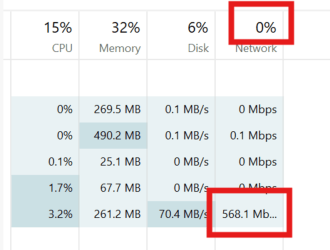
- Fixed an issue causing Task Manager to show a 0 count for apps and processes.
Last edited: