UPDATE 6/19:
 www.elevenforum.com
Hello Windows Insiders, today we are releasing Windows 11 Insider Preview Build 27871 to the Canary Channel.
We are also not planning to release SDKs for 27xxx series builds for the time being.
This feature, when enabled, intelligently balances your battery use, so it can last longer between charges. It extends battery life by managing power usage efficiently. It limits background activity and reduces screen brightness, ensuring that devices consume less power while maintaining optimal performance. By automatically managing system processes and power usage, the energy saver group policy helps reduce overall energy consumption. This not only saves costs but also contributes to environmental sustainability.
IT administrators can activate the policy by using either method below:
Windows 11 Insider Canary build 27881.1000 released - June 19
Windows Blogs: Hello Windows Insiders, today we are releasing Windows 11 Insider Preview Build 27881 to the Canary Channel. We are releasing ISOs for this build – they can be downloaded here. We are also not planning to release SDKs for 27xxx series builds for the time being. What’s new with...
www.elevenforum.com
Windows Blogs:
Hello Windows Insiders, today we are releasing Windows 11 Insider Preview Build 27871 to the Canary Channel.
We are also not planning to release SDKs for 27xxx series builds for the time being.
What’s new with Build 27871
Energy saver now available in Microsoft Intune
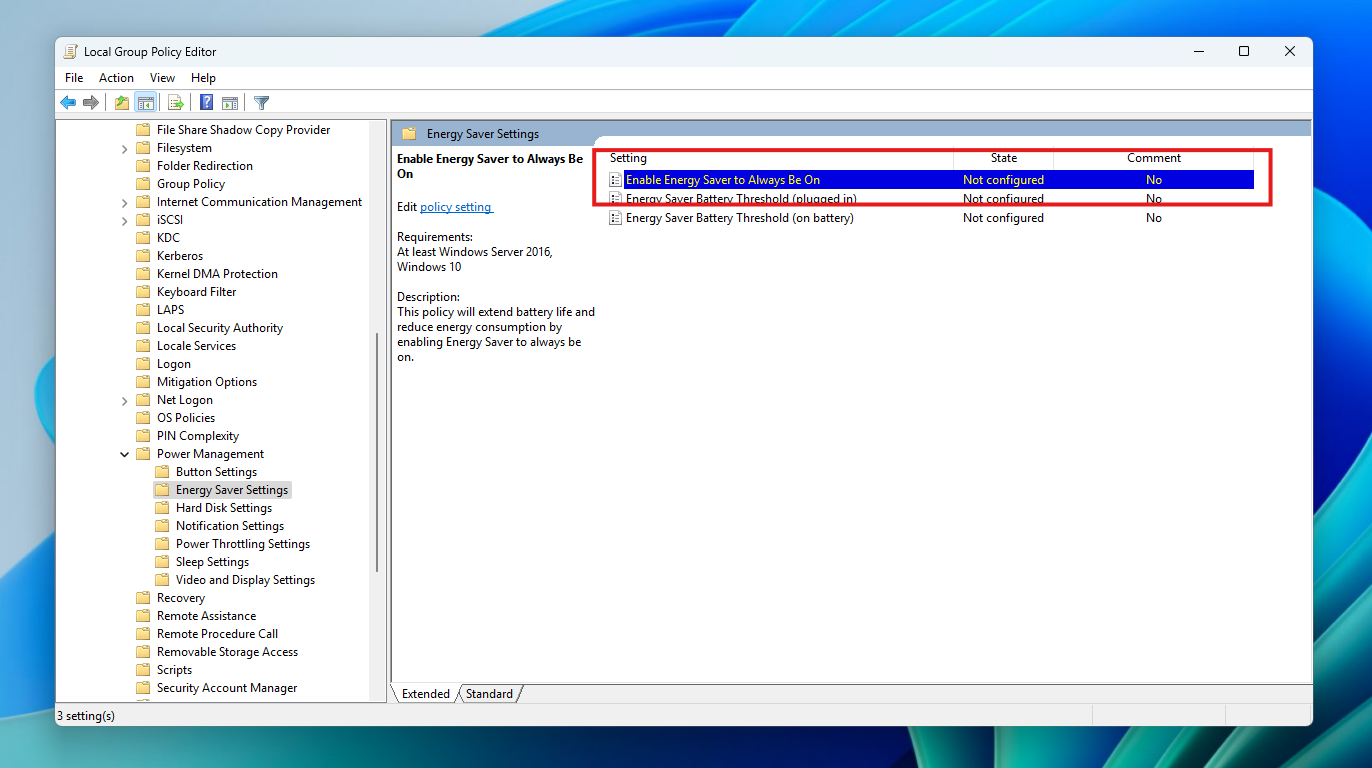
We are bringing the ability to manage energy saver in Windows 11 to Microsoft Intune to allow IT administrators to control the energy saver settings on Windows 11 PCs through group policies and Mobile Device Management (MDM) configurations.This feature, when enabled, intelligently balances your battery use, so it can last longer between charges. It extends battery life by managing power usage efficiently. It limits background activity and reduces screen brightness, ensuring that devices consume less power while maintaining optimal performance. By automatically managing system processes and power usage, the energy saver group policy helps reduce overall energy consumption. This not only saves costs but also contributes to environmental sustainability.
IT administrators can activate the policy by using either method below:
- Local Group Policy Editor in Windows 11
- Microsoft Intune Admin Center

Turn On or Off Energy Saver in Windows 11
This tutorial will show you how to turn on or off energy saver for all users in Windows 11. Energy Saver replaces battery saver and exists on Windows 11 24H2 and later versions. It significantly extends battery life and reduces energy consumption by automatically managing power usage across...
www.elevenforum.com

New group policy highlighted in a red box in Local Group Policy Editor.
Changes and Improvements
[Phone Link]
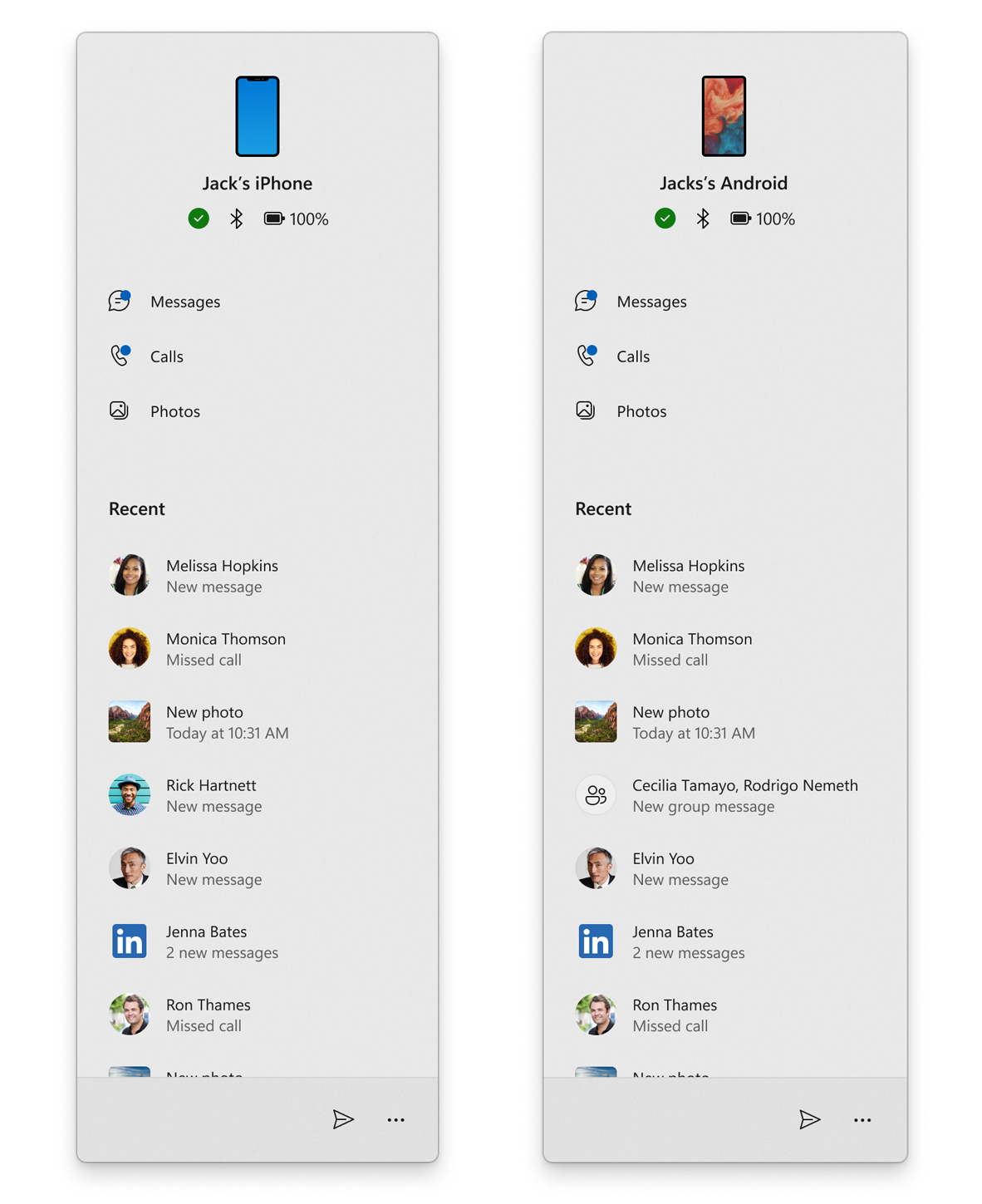
Phone companion for the Start menu is rolling out (again) for Windows Insiders in the Canary Channel along with the following improvements:- Instantly see notifications from your mobile device apps — grouped by app for easy catch-up, right from your Start menu.
- Mirror your Android device’s screen with a single click from your Start menu. Simply click on your device’s icon or access the option from the footer menu to quickly launch device screen mirroring.
- Your iPhone© memories are now accessible from the Start menu. Windows iCloud app users can see recently synced photos and quickly access their iCloud photos all within the Start menu.

Add or Remove Phone Link Mobile Device on Start Menu in Windows 11
This tutorial will show you how to turn on or off show your Android or iPhone mobile device from Phone Link in the Start menu for your account in Windows 11. Starting with Windows 11 build 26100.3915 (24H2) and build 22631.5262 (23H2), you can directly access content on your mobile device from...
www.elevenforum.com

Enable or Disable Show Recent Mobile Device Content in Start Menu in Windows 11
This tutorial will show you how to turn on or off showing your recent Android or iPhone mobile device content from Phone Link in the Start menu for your account in Windows 11. You can directly access content on your mobile device from the Start menu on your PC. Using this feature, you can view...
www.elevenforum.com
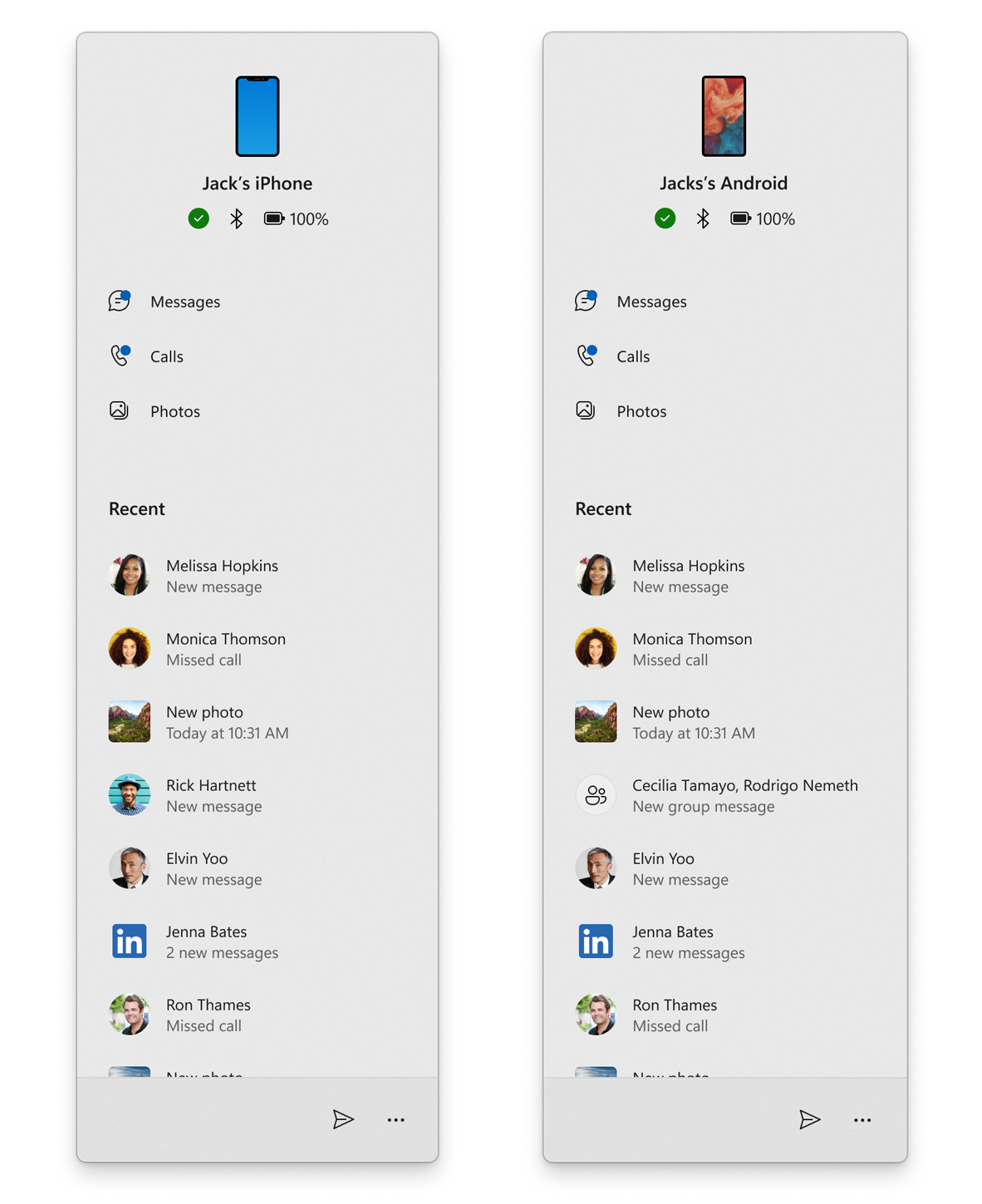
Phone companion for iPhone© and Android devices with latest Phone Link improvements.
[Taskbar & System Tray]
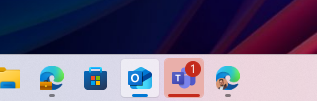
- We have adjusted the needy state pill under apps on the taskbar that need attention to be wider and more visible.
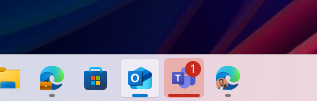
Wider needy state pill UI showing for Microsoft Teams on the taskbar indicating the app needs attention.
Fixes
[General]
- We have mitigated the issue where if Virtualization Based Security is enabled, applications dependent on virtualization, such as VMware Workstation, would lose the ability to run unless the “Windows Hypervisor Platform” Windows optional component is installed on the system.
[File Explorer]
- Fixed an issue where if you had disconnected network drives when doing a search from Home it might prevent searches from executing and you’d remain on Home.
- Fixed an issue where tapping the View button in File Explorer with touch would crash File Explorer.
[Taskbar]
- Fixed an issue where WIN + CTRL + Number wasn’t working anymore for switching windows in the taskbar.
- Fixed an underlying issue which was causing keyboard focus to get set to widgets in the taskbar on login, which could make widgets unexpectedly invoke.
- Fixed an issue when using Tab and Shift + Tab to move keyboard focus around the taskbar, where if keyboard focus went backwards at least once you could get keyboard focus stuck on the taskbar frame, causing some screen readers to just say “pane”.
[Settings]
- Fixed an issue where hovering over the cards at the top of Settings > System > About wasn’t showing the correct corner radius.
- Fixed an issue where the storage card in Settings > System > About showed a garbage character instead of the proper disk size.
[Administrator Protection]
- Fixed an issue where when using Administrator Protection, some apps might not follow your preference if it was set to dark mode.
[Task Manager]
- Fixed the issue causing search and other options such as filtering in Task Manager to not work.
Last edited: