UPDATE 12/13:
 www.elevenforum.com
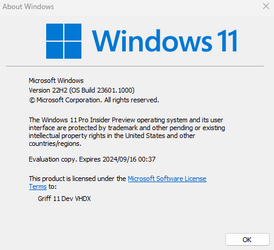
Hello Windows Insiders, today we are releasing Windows 11 Insider Preview Build 23601 to the Dev Channel.
Dedicated mode for Windows 365 Boot: We are now launching a new mode for Windows 365 Boot – dedicated mode. You can now boot to your Windows 365 Cloud PC from your designated company-owned device. You will be able to seamlessly login to your Windows 365 Cloud PC from Windows 11 login screen using password-less authentication methods like Windows Hello for Business. The new dedicated mode also comes with fast account switcher experience to effortlessly switch profiles to login in, personalized experience with your username and password, display picture on lock and login screen, remember your username, etc. The feature will begin to get enabled for Windows 365 customers via a private preview in early 2024.
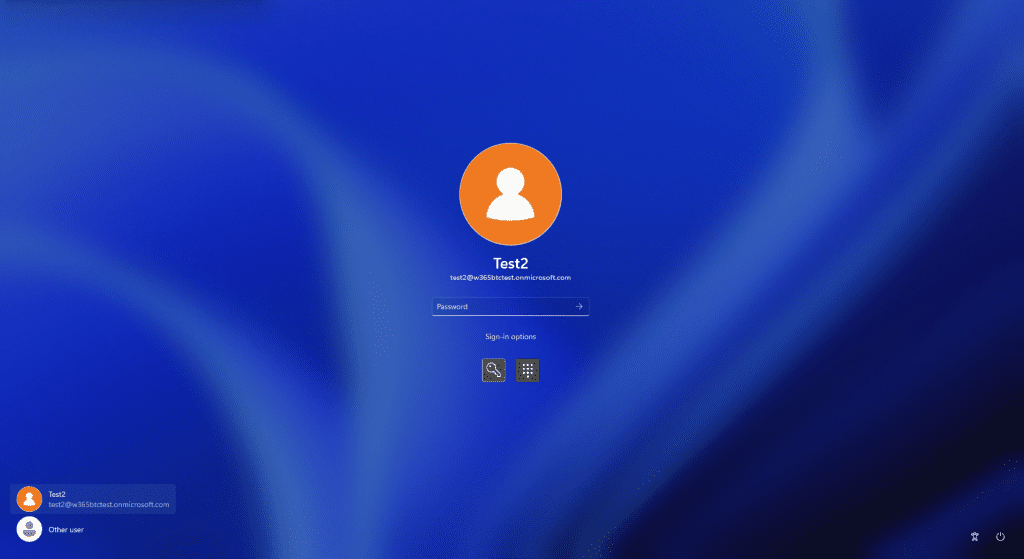
Login screen showing fast account switching with Windows 365 Boot.
[UPDATED] When this blog post was originally published, it referred to the above change as “personal mode” however it should be dedicated mode.
Customized company logo and name for Windows 365 Boot: In shared mode, organizations can now customize the login page to include their company branding from Intune. The feature will begin to get enabled for Windows 365 customers via a private preview in early 2024.
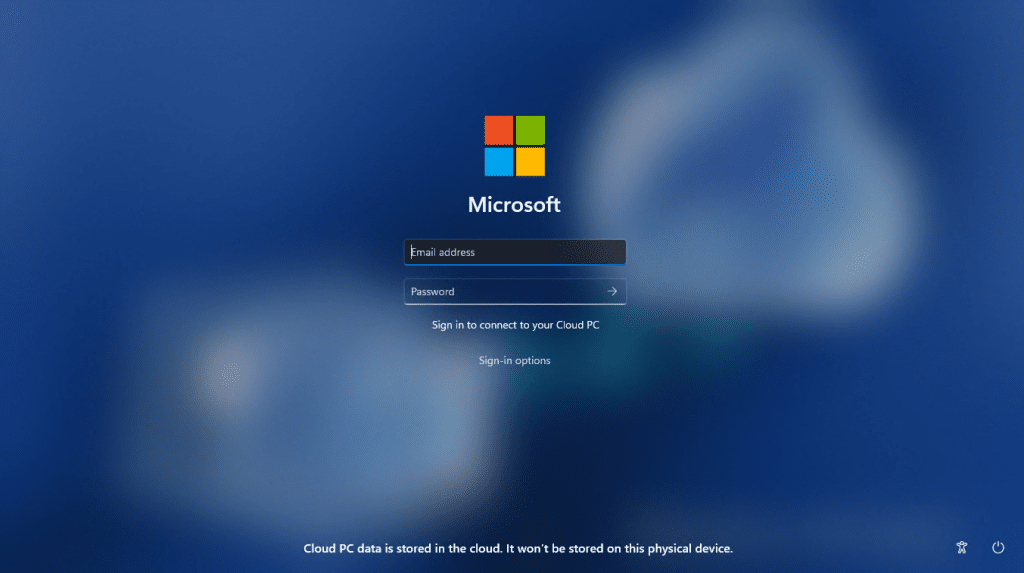
Example of customized logo and name on the login screen.
Fail fast mechanism for Windows 365 Boot: You no longer need to wait for the sign in process to the Cloud PC to complete only to find out Windows 365 Boot failed due to network issues or incomplete setup. The smart logic proactively informs users to resolve network issues or complete app setup so users can experience a smooth login to their Cloud PC.
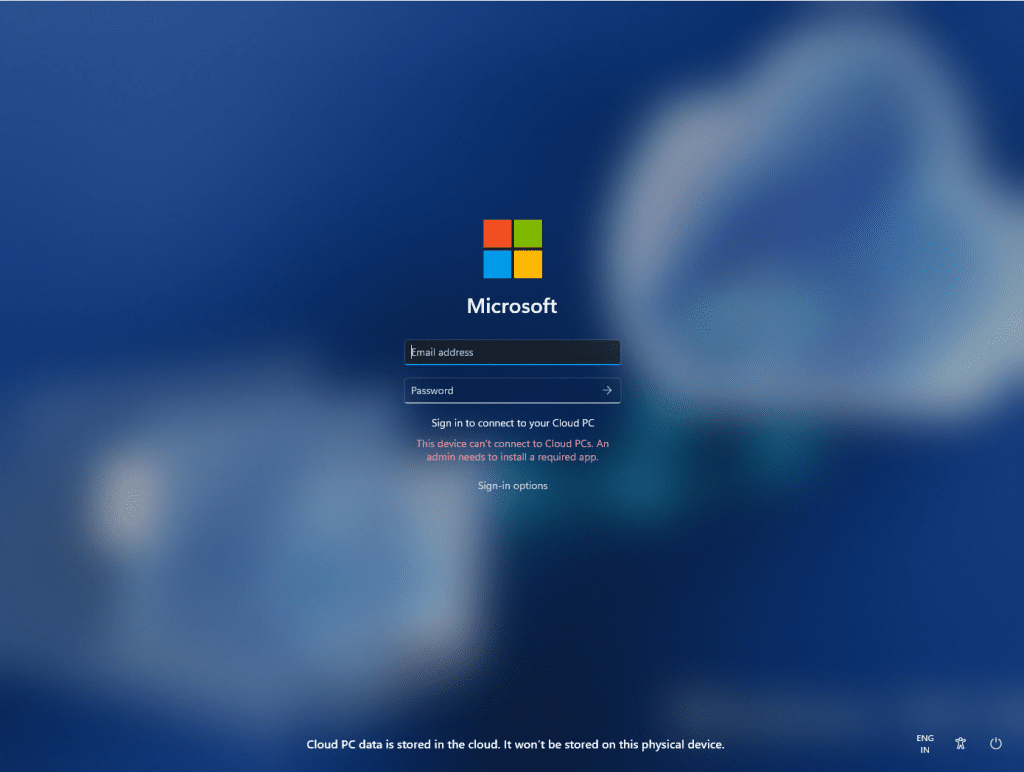
Warning at login for setup issues.
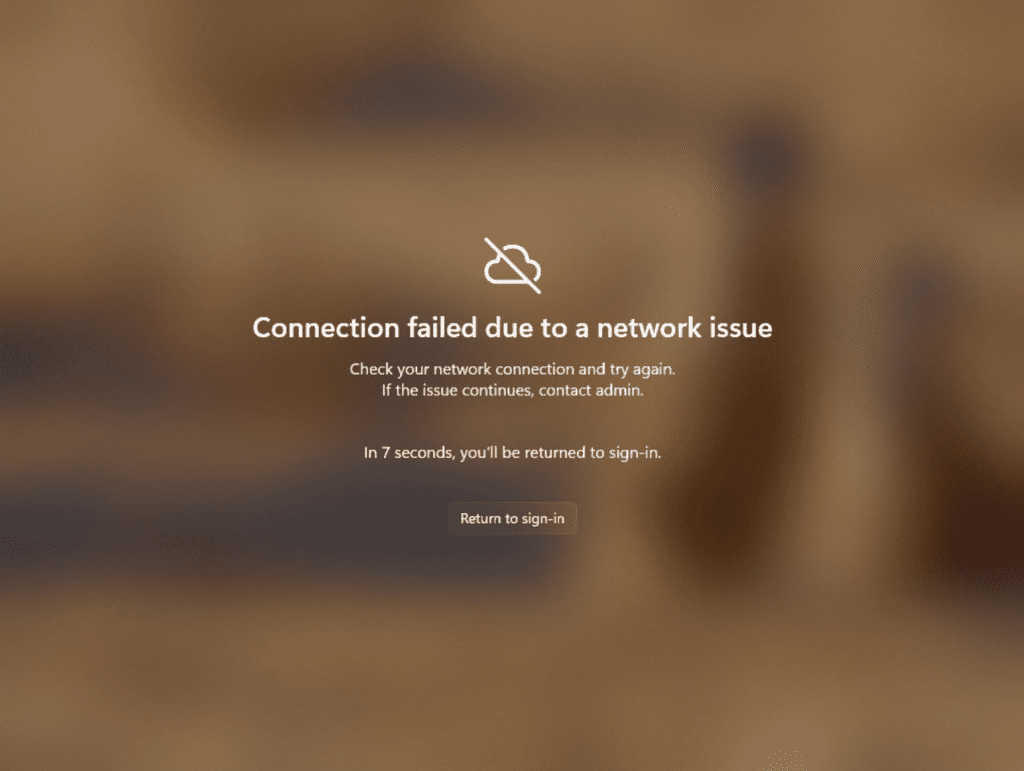
Notification when there are network issues trying to connect.
Manage local PC settings through Windows 365 Boot: With this feature, it is now easier for you to access and manage sound, display, and other device specific settings of their local PC directly from your Cloud PC in under Windows 365 Boot.
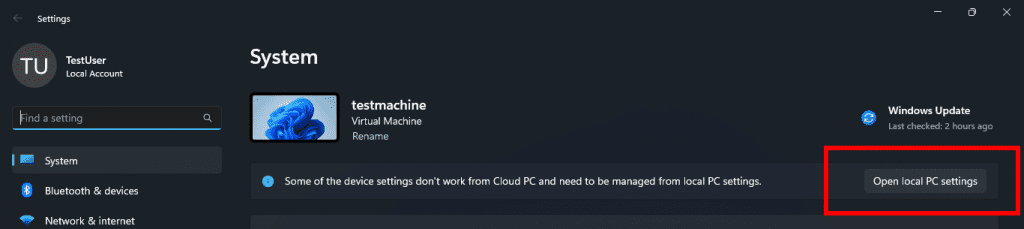
Button to open local PC settings while in Windows 365 Boot.
FEEDBACK: Please file feedback in Feedback Hub (Win + F) under Windows 365.
Improved disconnect experience for Windows 365 Switch: You can now disconnect from their Cloud PC directly from their local PC. This can be done by going to Local PC > Task view > Right click on the Cloud PC button > Disconnect. We have also added tooltips on disconnect and sign-out options in the Cloud PC Start menu so that you can differentiate between these functionalities.
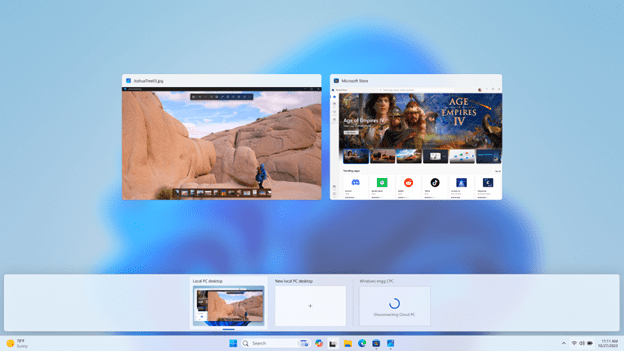
Disconnect experience for a Cloud PC as shown in Task view.
Desktop indicators to differentiate between Cloud PC and local PC for Windows 365 Switch: You will now see the term “Cloud PC” and “Local PC” on the desktop indicator when you switch between your respective PCs.
Gracefully handling increased connection time for Windows 365 Switch to Frontline Cloud PC: You will now see updates regarding the Cloud PC connection status and the connection timeout indicator while waiting on the connection screen. In case there is an error, you will now be able to copy the correlation ID using the new copy button in the error screen for quicker resolution.
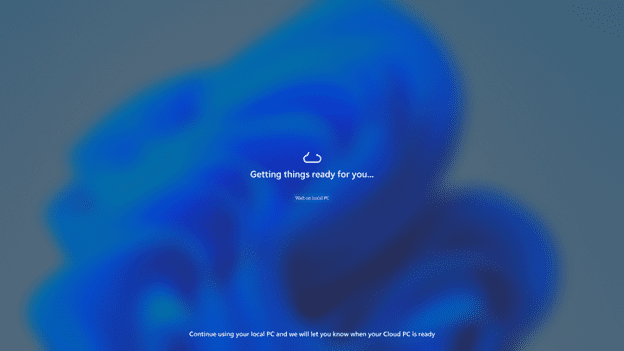
Text indicating the Connection status on the connection screen.
FEEDBACK: Please file feedback in Feedback Hub (Win + F) under Desktop Environment > Switch to Cloud PC (From Task view).
 www.elevenforum.com
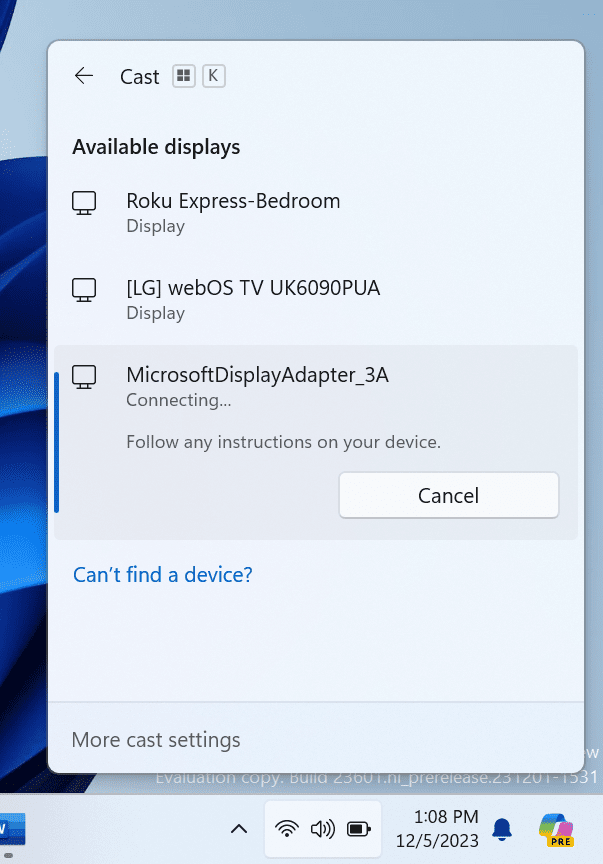
Cast flyout in Quick Settings now shows link for troubleshooting device discovery and other casting issues.
FEEDBACK: Please file feedback in Feedback Hub (WIN + F) under Display and Graphics > Wireless Display and Casting.
 www.elevenforum.com
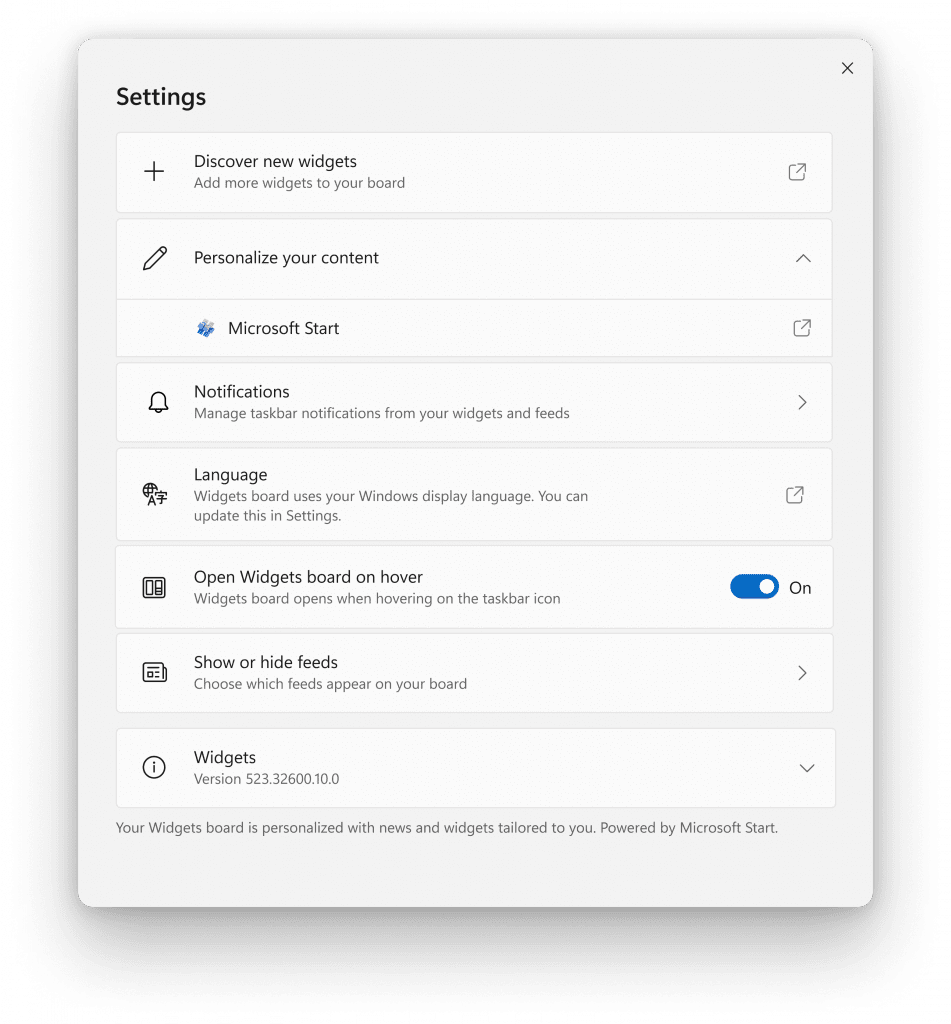
New widgets board settings.
The new settings experience also allows you to select the account you want to use for your Microsoft Start powered widgets and feeds. This means you are no longer limited to using the account you used to sign into Windows to drive those experiences, just like your other app powered widgets. You can easily manage the account used by Microsoft Start by navigating to ‘Microsoft Start’ settings under the ‘Personalize your content’ section in your widgets board settings. This change allows you to further personalize the experience to your preferences. The new settings experience is not limited by region.
[We are beginning to roll this out to Windows Insiders in the Canary, Dev, and Beta Channels this week, so the experience isn’t available to all Insiders just yet as we plan to monitor feedback before pushing it out to everyone.]
FEEDBACK: Please file feedback in Feedback Hub (WIN + F) under Desktop Environment > Widgets.
Edit with Notepad: Easily access Notepad for file modifications directly from File Explorer. Just right-click on any file or multiple files in File Explorer to find the [Edit with Notepad] option in the context menu, a quick and streamlined way to open and edit files in Notepad.
 www.elevenforum.com
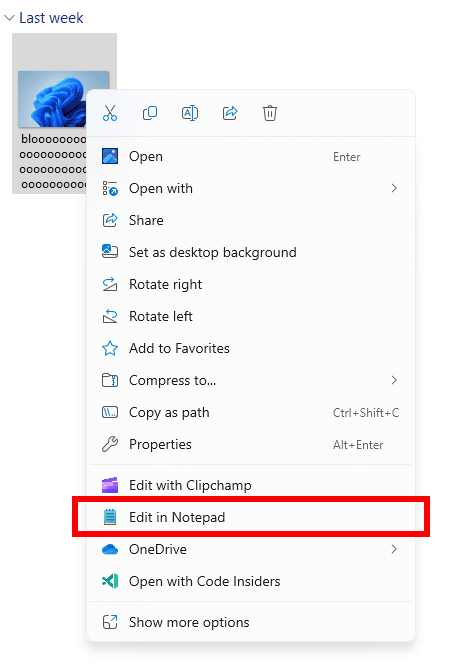
New Edit with Notepad option in the context menu in File Explorer.
Character Count: Keep track of your document’s length with the new character count display in the status bar. When text is selected, the status bar shows the character count for both the selected text and the entire document. If no text is selected, the character count for the entire document is displayed, ensuring you always have a clear view of your document’s length.
 www.elevenforum.com
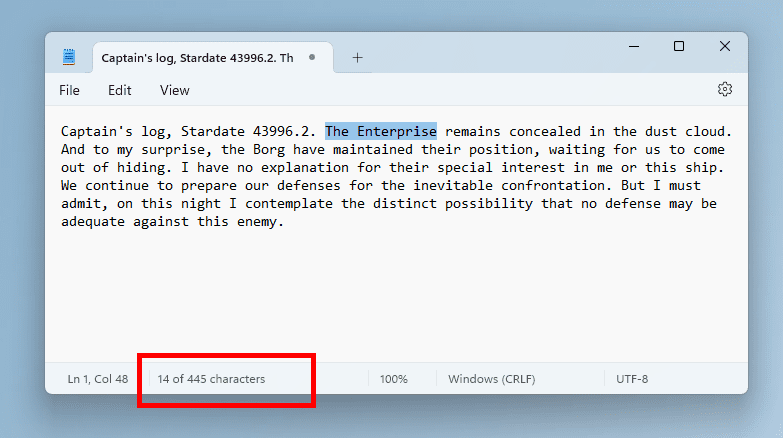
Character count for selected text in Notepad.
FEEDBACK: Please file feedback in Feedback Hub (WIN + F) under Apps > Notepad.
Install as you browse: Introducing another quick way to get your favorite products: you can now install directly while browsing. Simply browse through the Store’s Home, Apps, or Games pages and hover over a product and click the install button. There are now fewer clicks to dive into new apps.
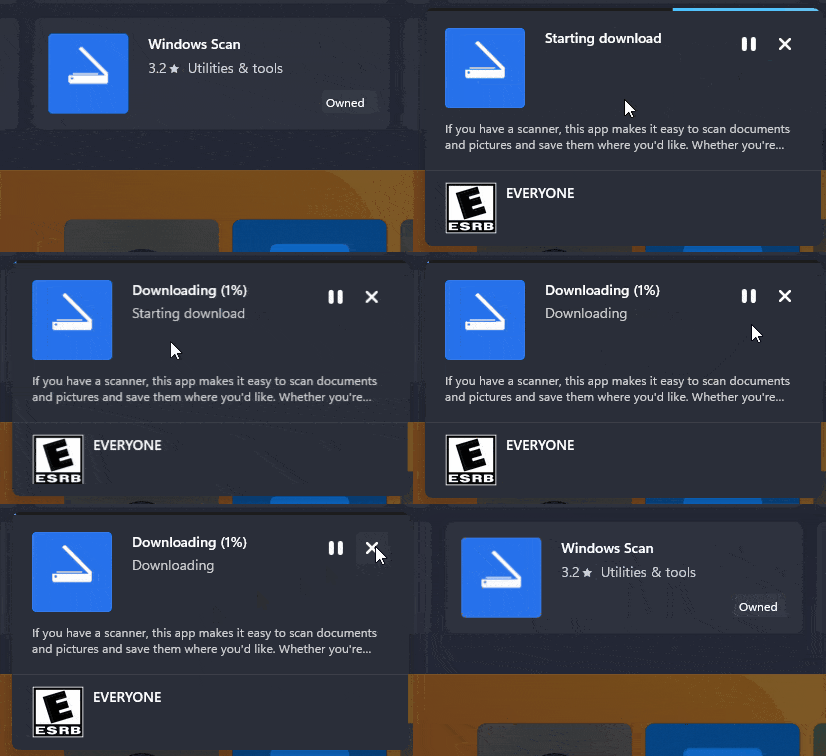
Install an app directly as you browse in the Microsoft Store.
Improving discoverability of instant games: A few months ago, the Microsoft Store introduced games that you can play without downloading. We’re making it easier to discover these games by having a dedicated page you can browse.
Performance while browsing: We’ve made performance improvements in the Microsoft Store that will make it smoother for you to browse and scroll through various pages.
FEEDBACK: Please file feedback in Feedback Hub (WIN + F) under Microsoft Store.
SDK NuGet packages are now also flighting at NuGet Gallery | WindowsSDK which include:
SDK flights are now published for both the Canary and Dev Channels, so be sure to choose the right version for your Insider Channel.
Remember to use adaptive code when targeting new APIs to make sure your app runs on all customer machines, particularly when building against the Dev Channel SDK. Feature detection is recommended over OS version checks, as OS version checks are unreliable and will not work as expected in all cases.
The Dev Channel receives builds that represent long lead work from our engineers with features and experiences that may never get released as we try out different concepts and get feedback. It is important to remember that the builds we release to the Dev Channel should not be seen as matched to any specific release of Windows and the features included may change over time, be removed, or replaced in Insider builds or may never be released beyond Windows Insiders to general customers. For more information, please read this blog post about how we plan to use the Dev Channel to incubate new ideas, work on long lead items, and control the states of individual features.
In some cases, features and experiences may go out to the Canary Channel first before going out to the Dev Channel however the Dev Channel will provide better platform stability. As we get closer to shipping, some features and experiences will also make their way to the Beta Channel when they are ready.
The desktop watermark you see at the lower right corner of your desktop is normal for these pre-release builds.
*Availability of Copilot in Windows: Copilot in Windows in preview is being rolled out gradually to Windows Insiders in select global markets. The initial markets for the Copilot in Windows preview include North America, United Kingdom and parts of Asia and South America. It is our intention to add additional markets over time.
Amanda & Brandon

 blogs.windows.com
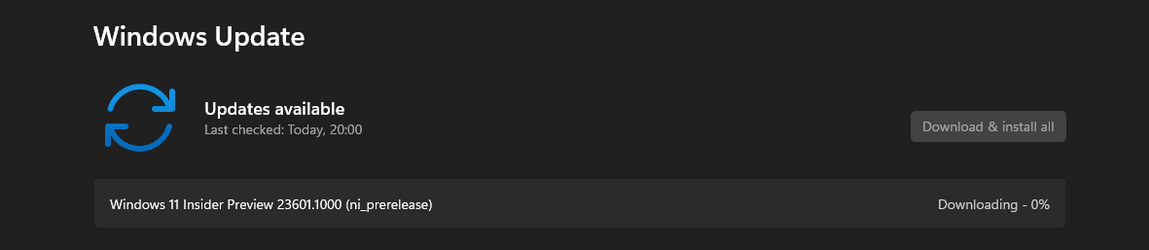
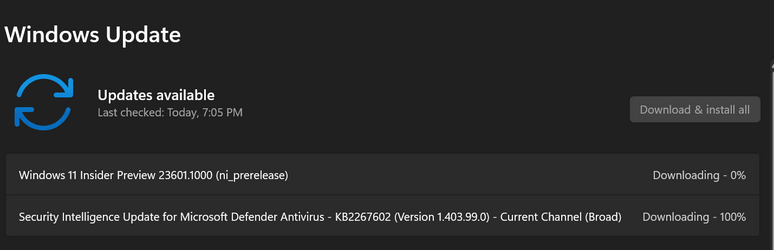
Check Windows Updates
UUP Dump:
64-bit ISO download:

ARM64 ISO download:
 www.elevenforum.com
Windows 11 Insider Dev Build 23606.1000 (22H2) - Dec. 13
UPDATE 1/03: https://www.elevenforum.com/t/windows-11-insider-dev-build-23612-1000-22h2-jan-3.21290/ Windows Blogs: Hello Windows Insiders, today we are releasing Windows 11 Insider Preview Build 23606 to the Dev Channel. This will be our last Dev Channel flight until January 2024. We are...
www.elevenforum.com
Windows Blogs:
Hello Windows Insiders, today we are releasing Windows 11 Insider Preview Build 23601 to the Dev Channel.
What’s new in Build 23601
New features and improvements for Windows 365 Boot
The following improvements are beginning to roll out for Windows 365 Boot. (Local PC and Cloud PC should be on the same build.)Dedicated mode for Windows 365 Boot: We are now launching a new mode for Windows 365 Boot – dedicated mode. You can now boot to your Windows 365 Cloud PC from your designated company-owned device. You will be able to seamlessly login to your Windows 365 Cloud PC from Windows 11 login screen using password-less authentication methods like Windows Hello for Business. The new dedicated mode also comes with fast account switcher experience to effortlessly switch profiles to login in, personalized experience with your username and password, display picture on lock and login screen, remember your username, etc. The feature will begin to get enabled for Windows 365 customers via a private preview in early 2024.
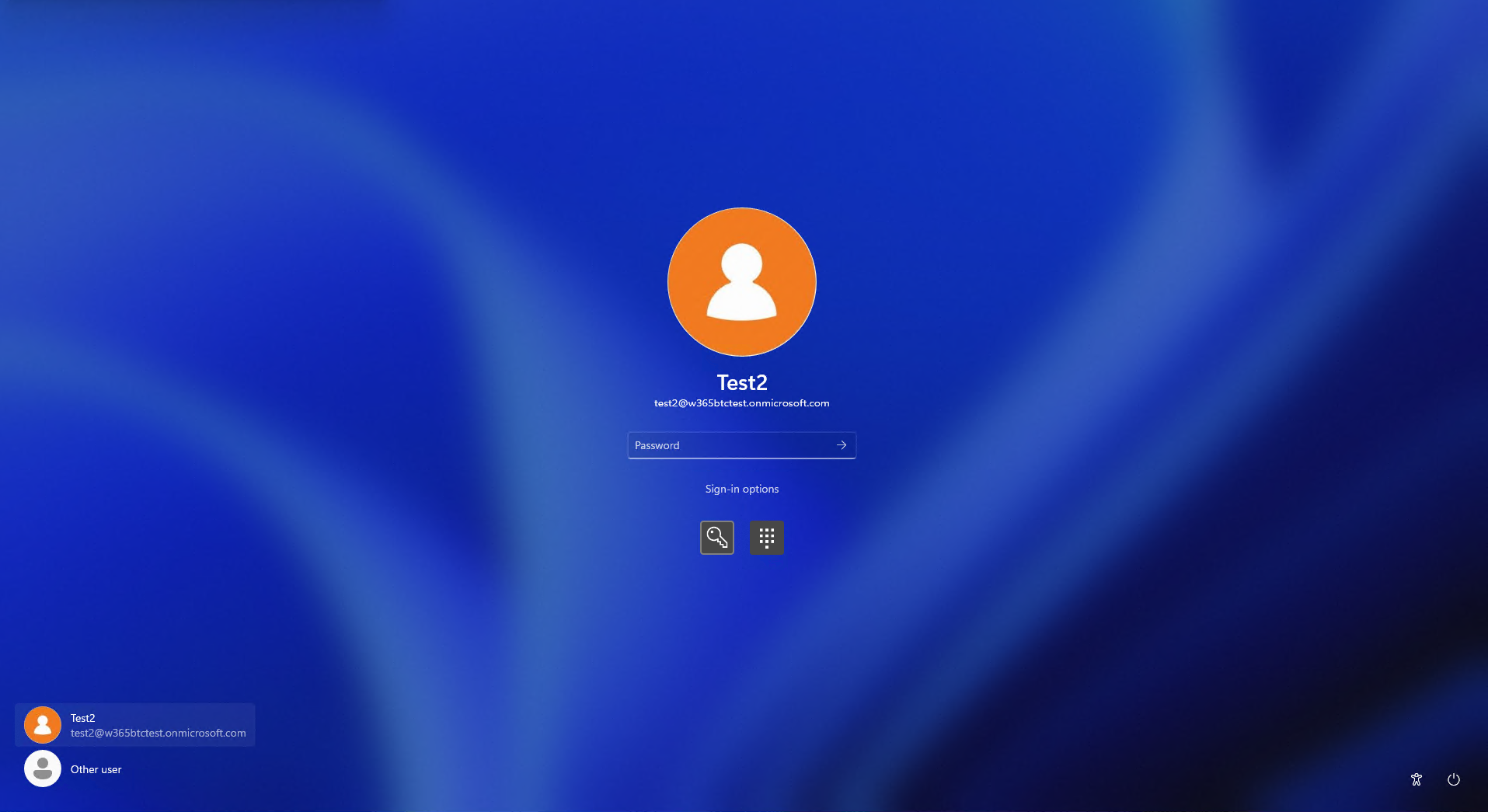
Login screen showing fast account switching with Windows 365 Boot.
[UPDATED] When this blog post was originally published, it referred to the above change as “personal mode” however it should be dedicated mode.
Customized company logo and name for Windows 365 Boot: In shared mode, organizations can now customize the login page to include their company branding from Intune. The feature will begin to get enabled for Windows 365 customers via a private preview in early 2024.
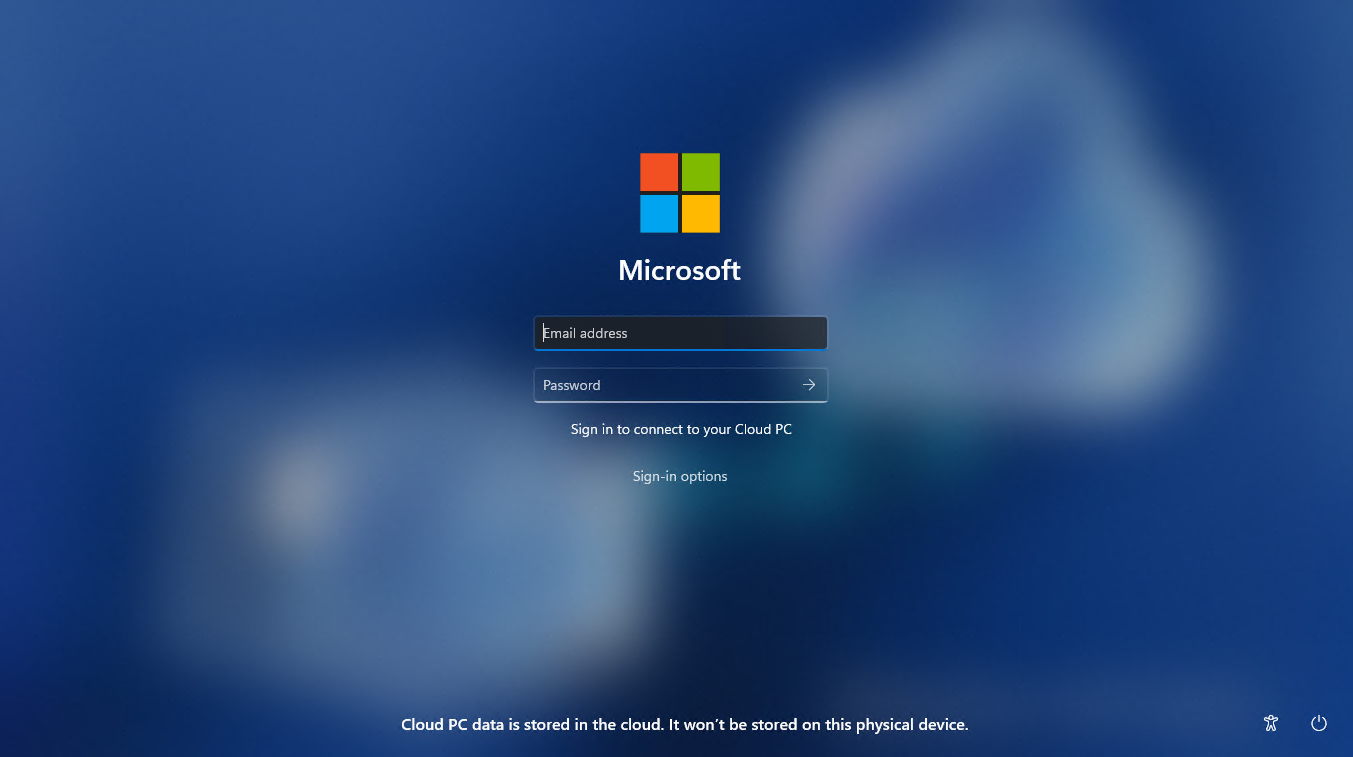
Example of customized logo and name on the login screen.
Fail fast mechanism for Windows 365 Boot: You no longer need to wait for the sign in process to the Cloud PC to complete only to find out Windows 365 Boot failed due to network issues or incomplete setup. The smart logic proactively informs users to resolve network issues or complete app setup so users can experience a smooth login to their Cloud PC.
Warning at login for setup issues.
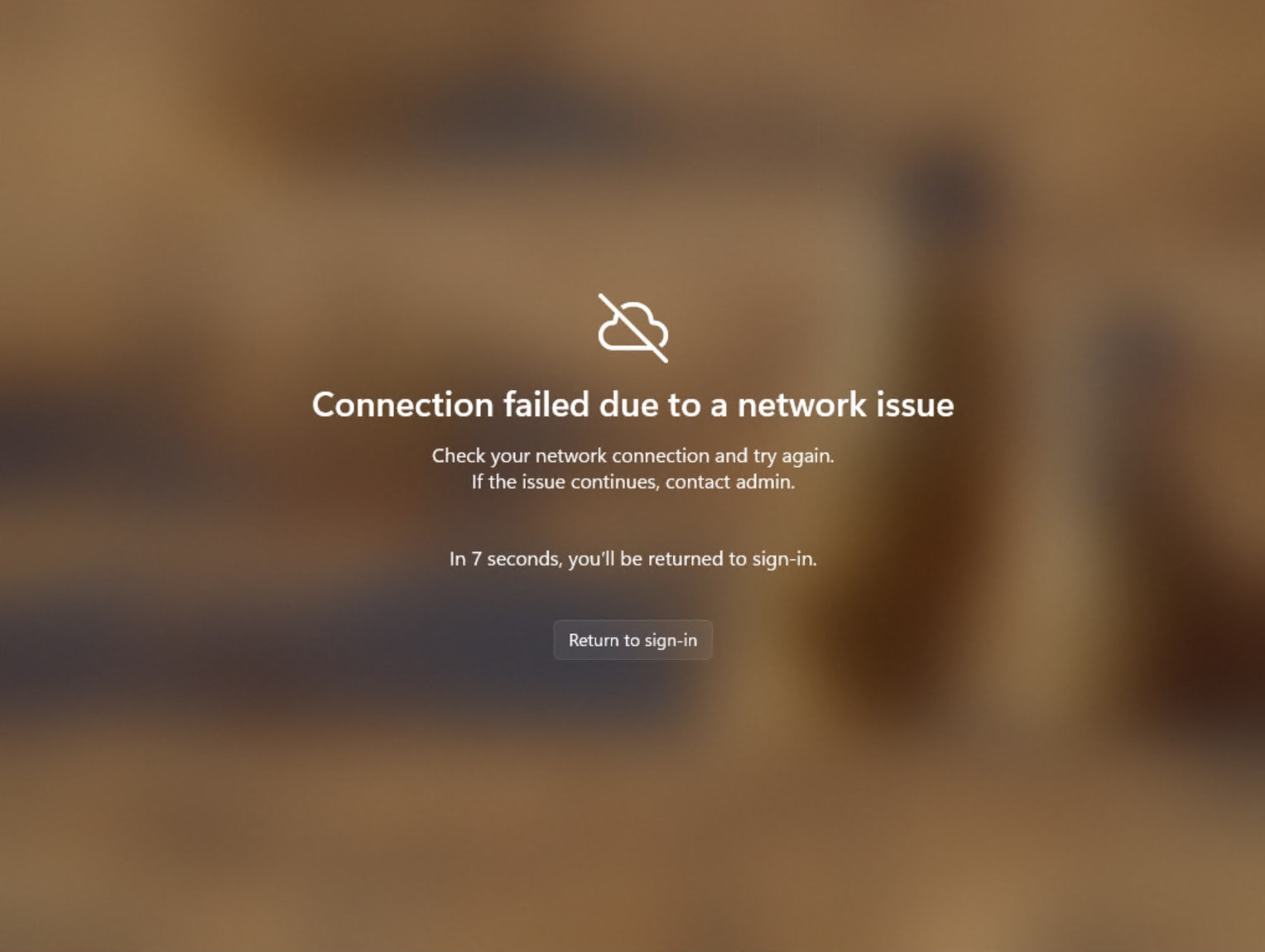
Notification when there are network issues trying to connect.
Manage local PC settings through Windows 365 Boot: With this feature, it is now easier for you to access and manage sound, display, and other device specific settings of their local PC directly from your Cloud PC in under Windows 365 Boot.
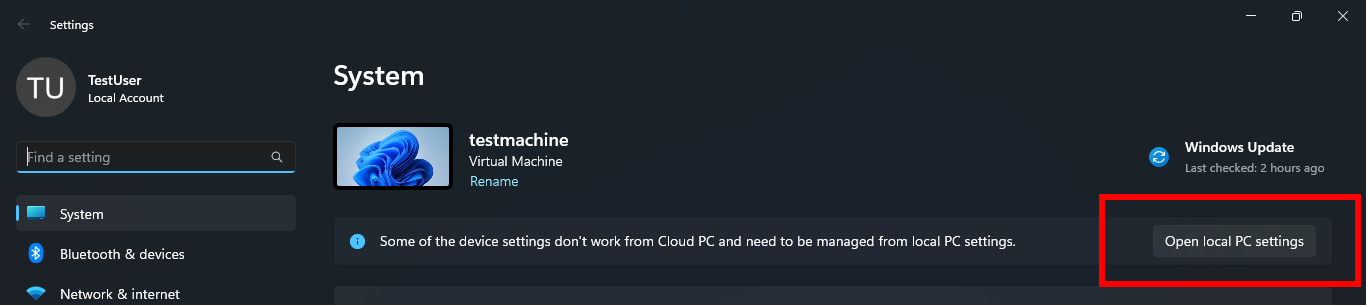
Button to open local PC settings while in Windows 365 Boot.
FEEDBACK: Please file feedback in Feedback Hub (Win + F) under Windows 365.
New features and improvements for Windows 365 Switch
The following improvements are beginning to roll out for Windows 365 Switch. (Local PC and Cloud PC should be on the same build.)Improved disconnect experience for Windows 365 Switch: You can now disconnect from their Cloud PC directly from their local PC. This can be done by going to Local PC > Task view > Right click on the Cloud PC button > Disconnect. We have also added tooltips on disconnect and sign-out options in the Cloud PC Start menu so that you can differentiate between these functionalities.
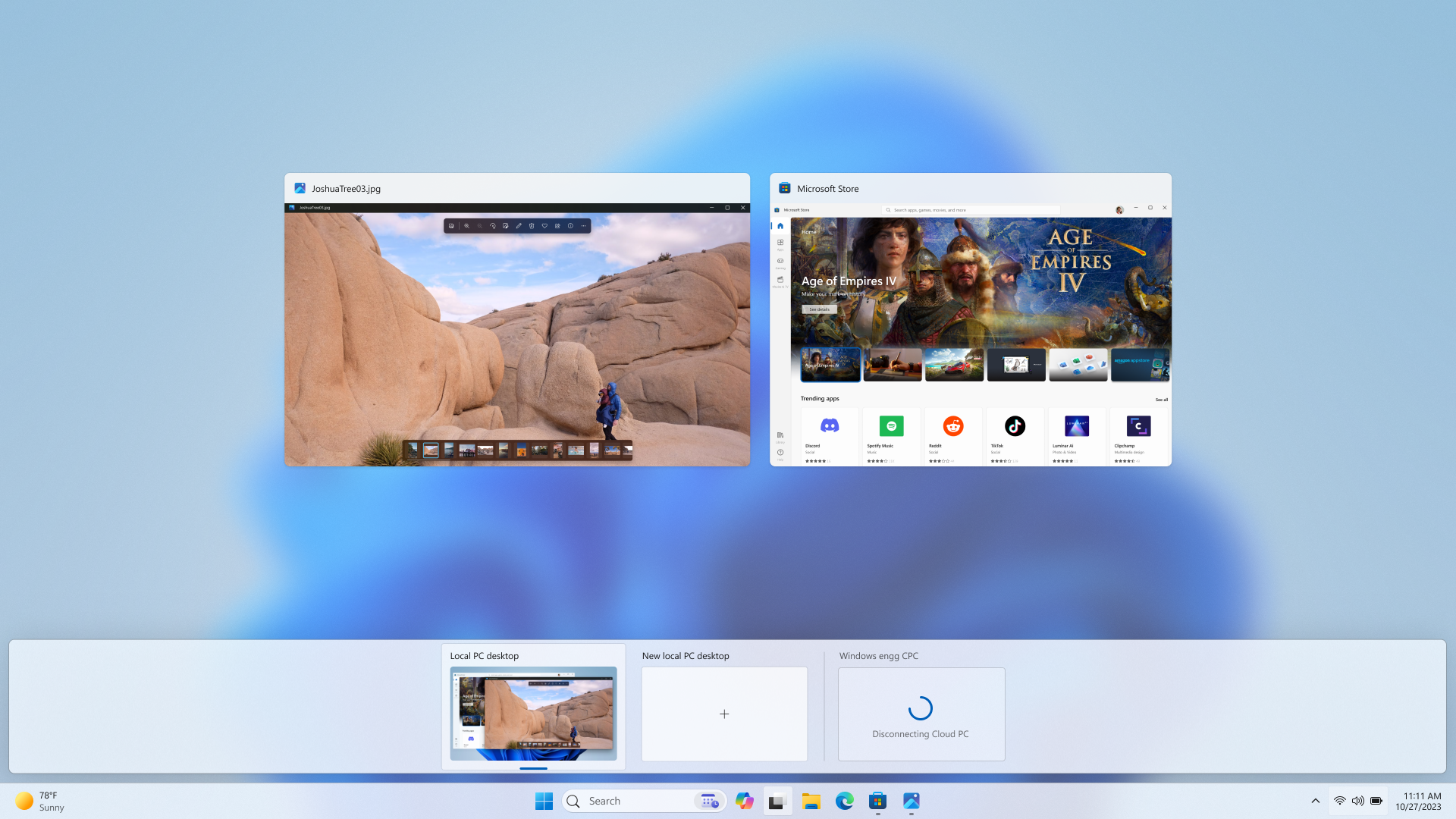
Disconnect experience for a Cloud PC as shown in Task view.
Desktop indicators to differentiate between Cloud PC and local PC for Windows 365 Switch: You will now see the term “Cloud PC” and “Local PC” on the desktop indicator when you switch between your respective PCs.
Gracefully handling increased connection time for Windows 365 Switch to Frontline Cloud PC: You will now see updates regarding the Cloud PC connection status and the connection timeout indicator while waiting on the connection screen. In case there is an error, you will now be able to copy the correlation ID using the new copy button in the error screen for quicker resolution.
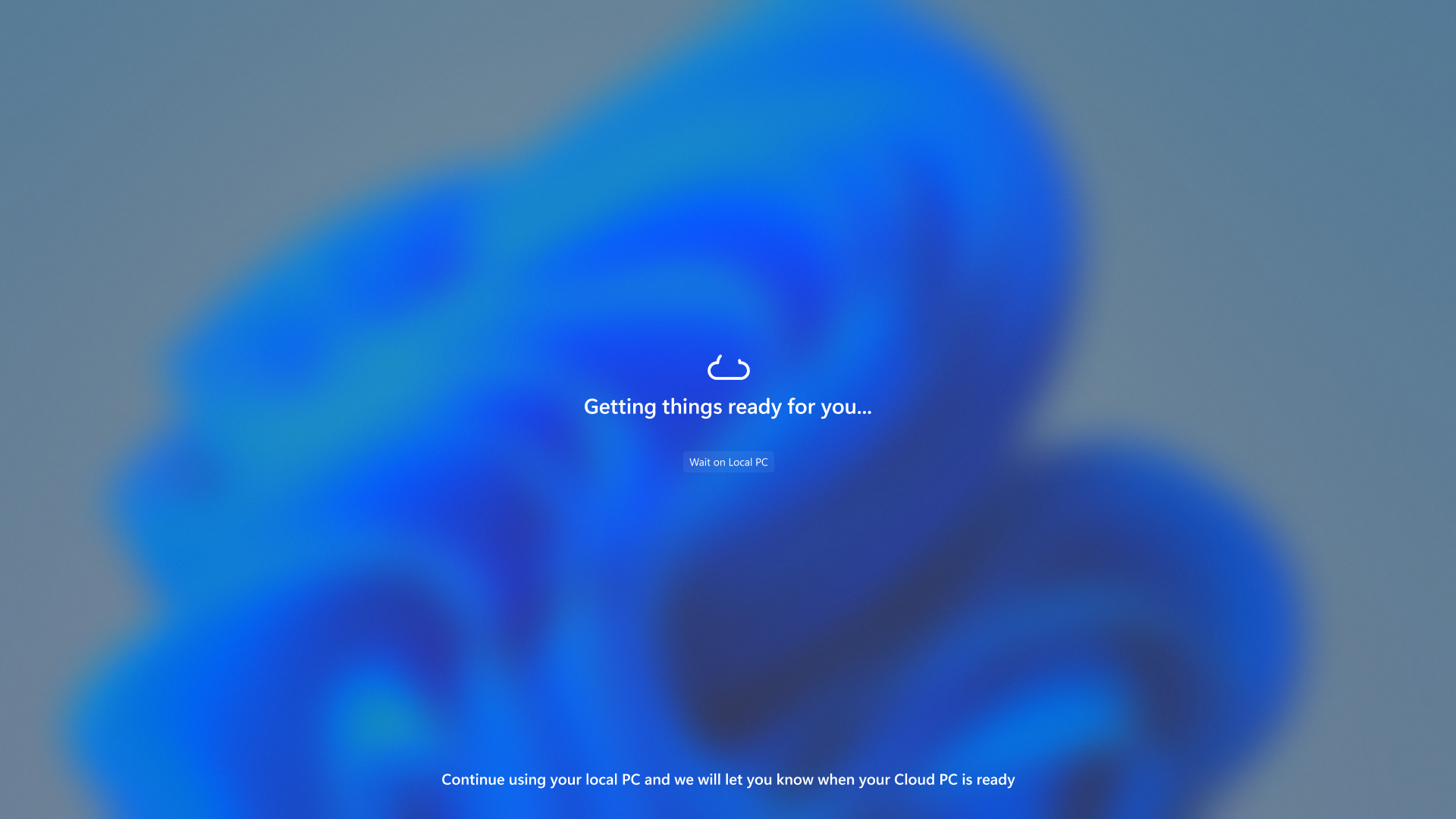
Text indicating the Connection status on the connection screen.
FEEDBACK: Please file feedback in Feedback Hub (Win + F) under Desktop Environment > Switch to Cloud PC (From Task view).
Improving discoverability of screen casting in Windows 11
Casting from your Windows PC allows you to wirelessly extend your display to another nearby PC, TV or other external displays. After trying some improvements to this experience out with Windows Insiders in the Dev Channel with Build 23516, we’re making some additional refinement to those improvements that focus on educating users about the Cast feature and improving its discoverability in Windows 11. Those improvements include:- When doing multitasking activities on your PC such as often switching between windows to complete a task or using Snap Assist to organize your screen space, we will provide the suggestion to Cast via a notification toast.
- We have updated the Cast flyout in Quick Settings with additional support for you in case you face any trouble discovering nearby displays, fixing connections, and more.
Connect to Wireless Display with Miracast in Windows 11
This tutorial will show you how to wirelessly connect your Windows 11 PC to a TV, projector, another PC, or other kind of external display that supports Miracast. Miracast is a wireless technology your PC, laptop, or tablet can use to project your screen to wireless TVs, projectors, and...
www.elevenforum.com
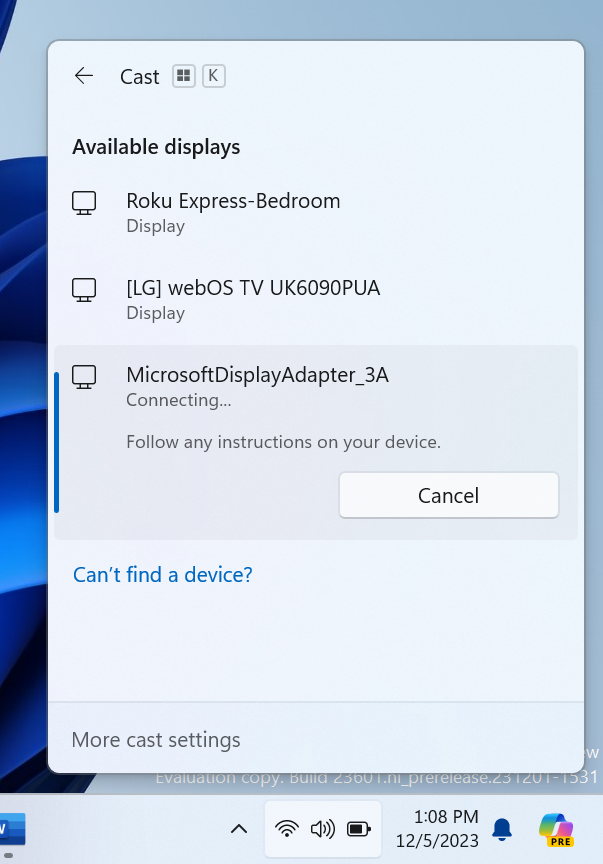
Cast flyout in Quick Settings now shows link for troubleshooting device discovery and other casting issues.
FEEDBACK: Please file feedback in Feedback Hub (WIN + F) under Display and Graphics > Wireless Display and Casting.
New widgets board settings
We’ve updated the widget settings experience, providing more ways for users to customize their widgets board experience. One of the new settings enables you to just show widgets on your widgets board and another makes it easier for you to discover how to personalize your feed content.
Enable or Disable Feed on Widgets Board in Windows 11
This tutorial will show you how to enable or disable news feeds on the widgets board for your account in Windows 11. Widgets in Windows are interactive elements that display dynamic content and provide quick access to various apps and features. You can view your location's current weather...
www.elevenforum.com
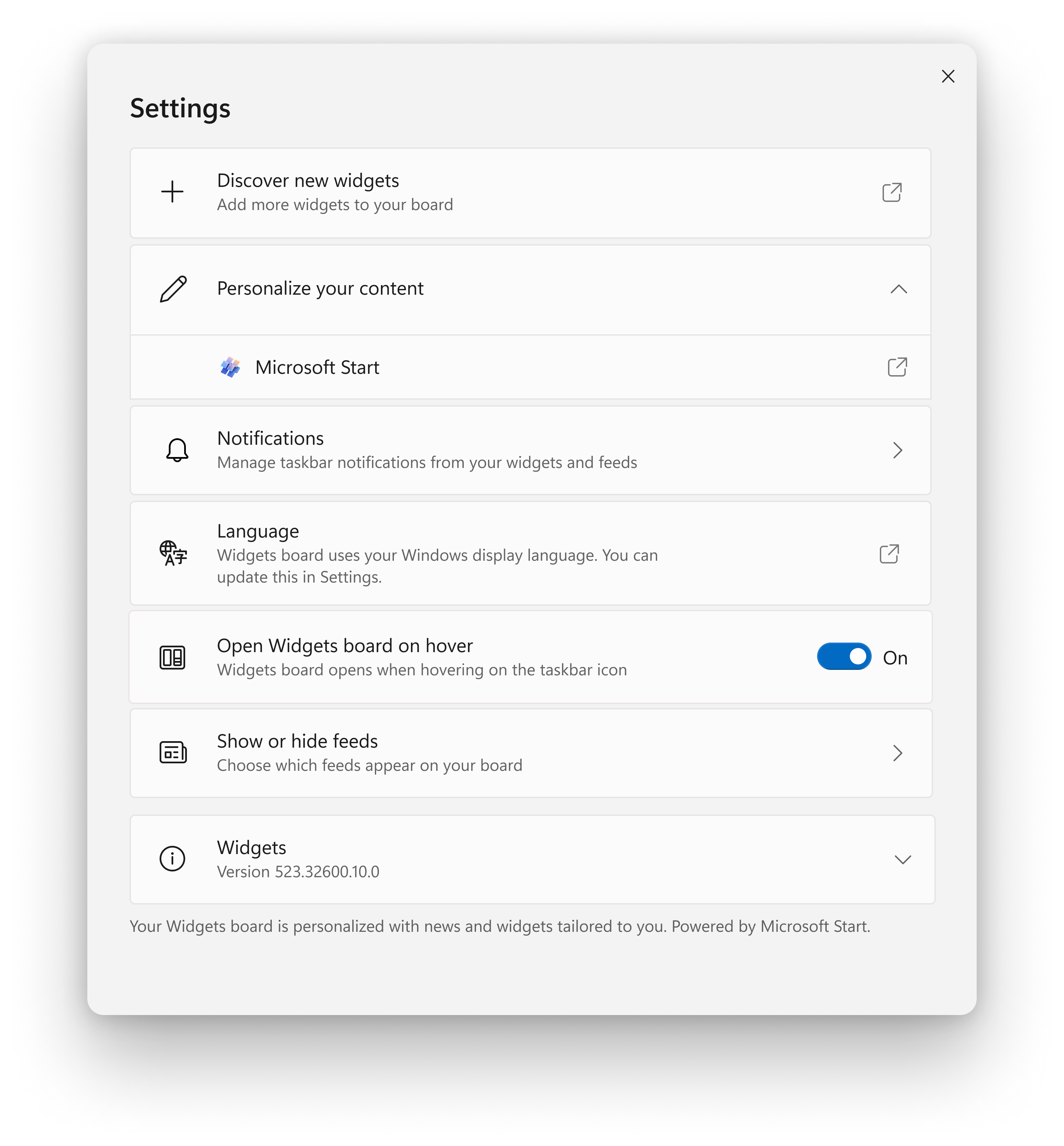
New widgets board settings.
The new settings experience also allows you to select the account you want to use for your Microsoft Start powered widgets and feeds. This means you are no longer limited to using the account you used to sign into Windows to drive those experiences, just like your other app powered widgets. You can easily manage the account used by Microsoft Start by navigating to ‘Microsoft Start’ settings under the ‘Personalize your content’ section in your widgets board settings. This change allows you to further personalize the experience to your preferences. The new settings experience is not limited by region.
[We are beginning to roll this out to Windows Insiders in the Canary, Dev, and Beta Channels this week, so the experience isn’t available to all Insiders just yet as we plan to monitor feedback before pushing it out to everyone.]
FEEDBACK: Please file feedback in Feedback Hub (WIN + F) under Desktop Environment > Widgets.
Changes and Improvements
[General]
- Starting early next week, Windows Insiders in the Dev Channel on Build 23601 will be prompted to reboot to install Windows Configuration Update (KB1234567). Windows Configuration Updates are what we use to new features via Controlled Feature Rollout (CFR) technology. Windows Configuration Update (KB1234567) does not enable any new features as we’re testing the delivery of these updates via our servicing pipeline, and the reboot prompt to install them. After rebooting to install this update, it will be listed under “Other Updates” under Settings > Windows Update > Update History.
KB1234567 Windows 11 Configuration Update for Dev Channel - Dec. 11
Starting early next week (today 12/11), Windows Insiders in the Dev Channel on Build 23601 will be prompted to reboot to install Windows Configuration Update (KB1234567). Windows Configuration Updates are what we use to new features via Controlled Feature Rollout (CFR) technology. Windows...
www.elevenforum.com
[Copilot in Windows*]
- We are trying out the ability to “undock” Copilot in Windows with Windows Insiders. Just click the new icon to unpin the Copilot panel at the top right in the header. While undocked, Copilot can appear above or below other apps in Windows while maintaining its fixed position on the desktop. This allows users to access Copilot while minimizing disruption to other user activities. Additionally, can resize the Copilot window for a more comfortable experience. Simply click-and-drag the edge of the Copilot window to adjust the width to your needs.
Pin or Unpin Copilot Side Pane on Desktop in Windows 11
This tutorial will show you how to pin or unpin the Copilot side pane on the right side of your desktop for your account in Windows 11. The Copilot setting in this tutorial is no longer available. A preview of Copilot in Windows will start rolling out with the next wave of continuous innovation...
www.elevenforum.com
Resize Copilot Side Pane on Desktop in Windows 11
This tutorial will show you how to resize the width of the Copilot side pane on the right side of your desktop for your account in Windows 11. The Copilot setting in this tutorial is no longer available. A preview of Copilot in Windows will start rolling out with the next wave of continuous...
www.elevenforum.com
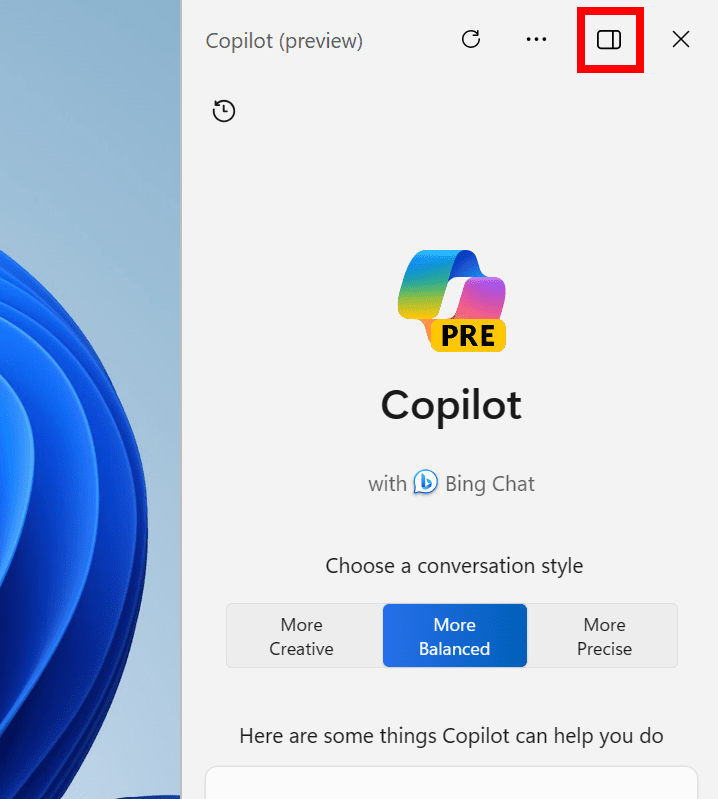
Click the new icon to unpin the Copilot panel at the top right in the header to undock Copilot. - We are trying out a change where when swiping from the right edge of the desktop on a touch display will open Copilot instead of notifications.
[Windows Share]
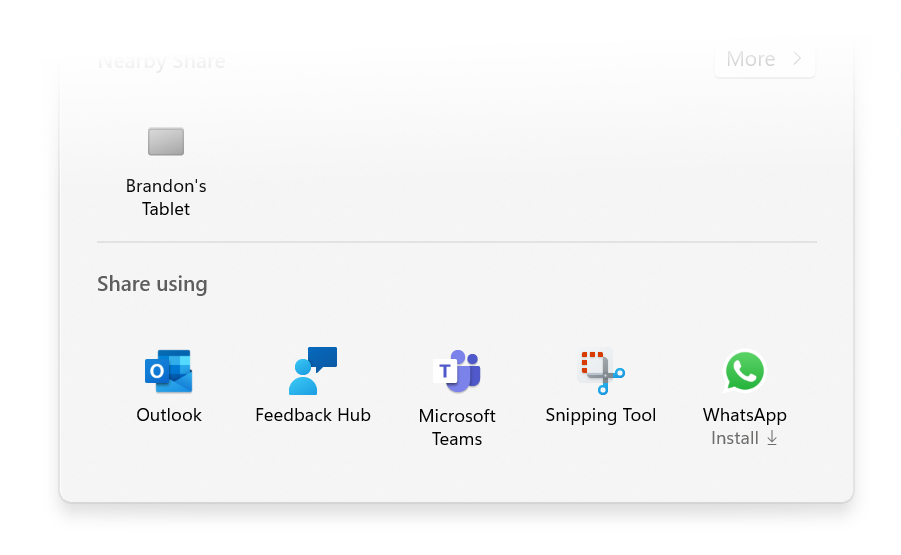
- The Windows share window now supports sharing with WhatsApp under the “Share using” section. If you don’t have WhatsApp installed, you can choose to install it from Windows share window directly. Over time, we plan to try this experience out with other apps as well.

Share File with App in Windows 11
This tutorial will show you how to share a file with an app in Windows 11. Windows Share in Windows 11 allows you to share file(s) with an app to send from. Starting with Windows 11 build 22631.3810, Microsoft is rolling out the ability to copy files from the Windows share window. Just click...
www.elevenforum.com
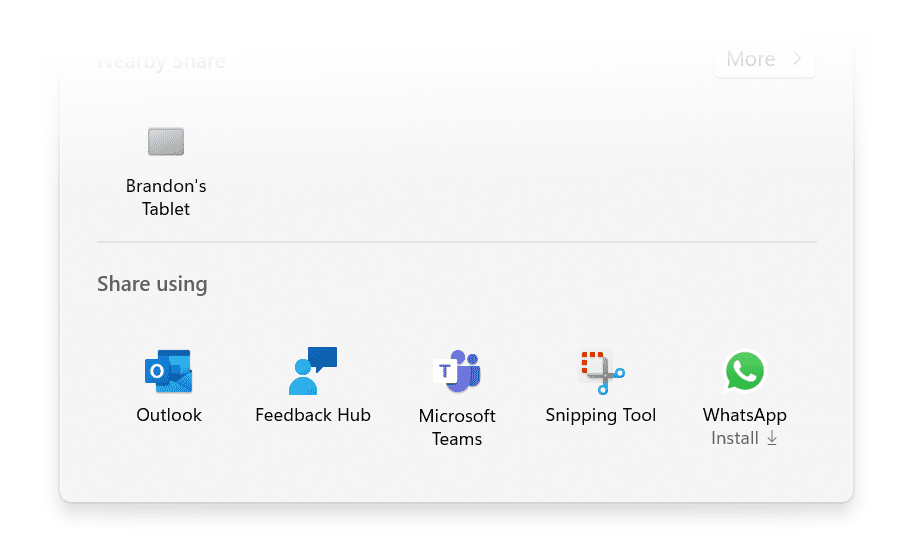
Share to or install WhatsApp directly from Windows share window.
[Nearby Sharing]
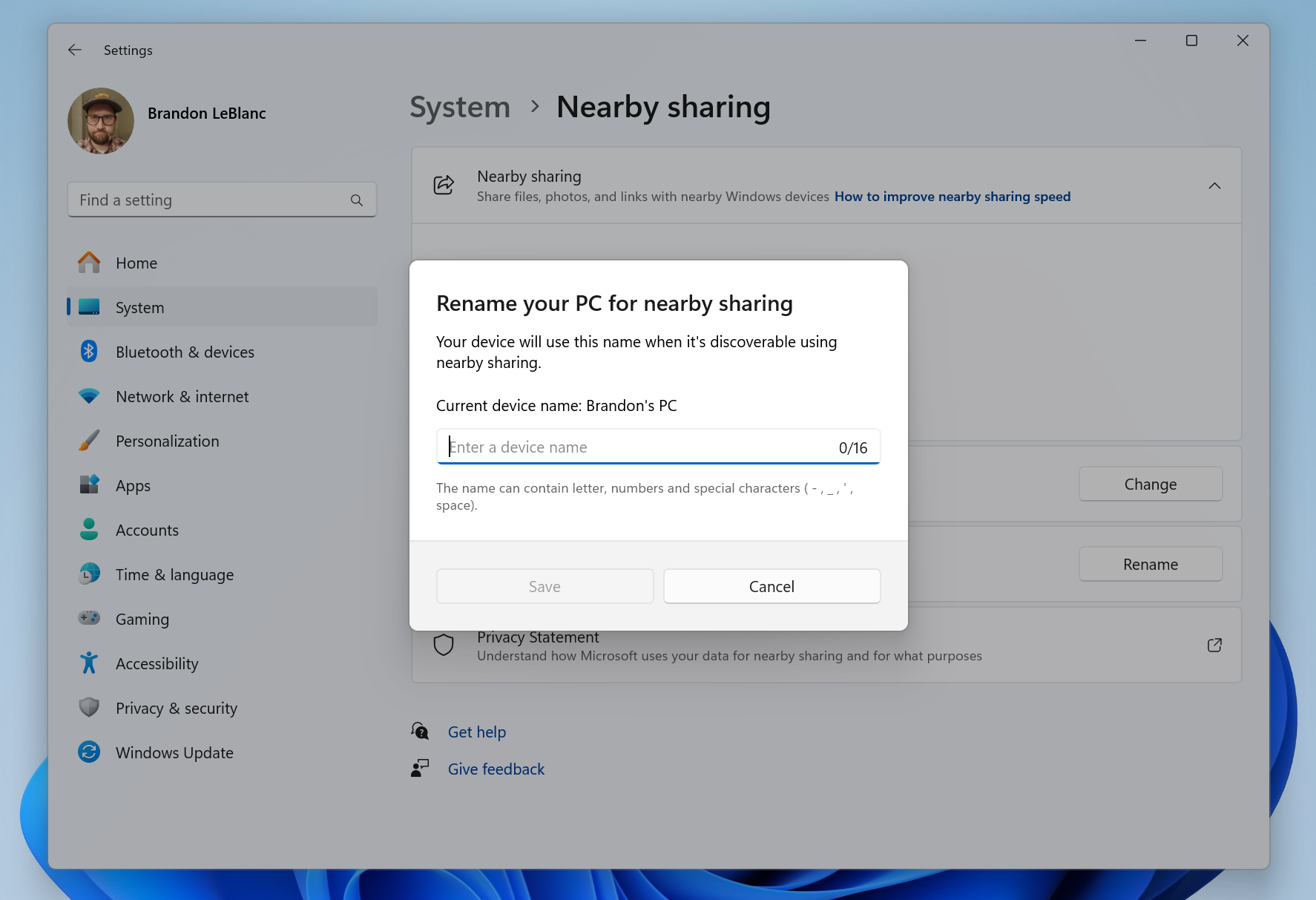
- We are introducing the ability to quickly give your device a more friendly name to identify sharing to and from with nearby share under Settings > System > Nearby sharing. This change originally began rolling out with Build 23545, but we are re-rolling it out with improvements to the experience. Let us know what you think.
Change Device Friendly Name for Nearby Sharing in Windows 11
This tutorial will show you how to change your device's friendly name to identify sharing to and from when it's discoverable using Nearby Sharing in Windows 11. Nearby sharing in Windows lets you share documents, photos, links to websites, and more with nearby devices by using Bluetooth or...
www.elevenforum.com
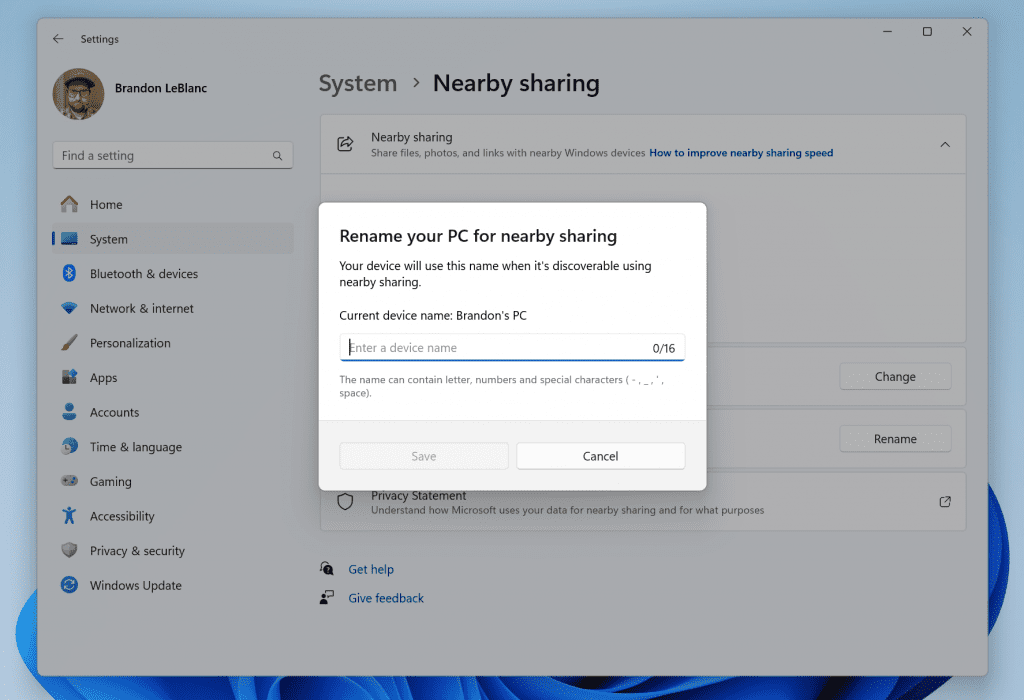
Give your device a more friendly name to identify sharing to and from with nearby share.
[Narrator]
- Narrator users can now use voice access to open applications, dictate text and interact with elements on the screen using their voice. Narrator users can use voice access to give Narrator commands using their voice . For e.g., “speak faster”, “read next line”, etc. To get started, search for “voice access” in Windows search and set it up.
Fixes
[Copilot in Windows*]
- Fixed an issue that was causing full screen apps to minimize on secondary monitors when launching Copilot.
- [ADDED] Copilot will no longer rearrange or push your desktop icons when launched.
[Start menu]
- Fixed an issue causing the Recommended section to appear blank for some Insiders.
[File Explorer]
- Fixed an issue impacting explorer.exe reliability.
[Taskbar]
- Fixed an issue where uncombined taskbar icons were cutting off the title instead of adjusting with the title length.
[Task Manager]
- When creating a dump file for a process, the dump file location should be selectable now, so you can copy it out.
[Settings]
- Fixed an issue where if you go to System > Nearby Sharing it was crashing Settings.
Known issues
[Copilot in Windows*]
- When first launching or after refreshing Copilot in Windows while using voice access, you’ll need to use “Show grid” commands to click in the “Ask me anything” box for the first time.
[Widgets]
[NEW] The Microsoft 365, Outlook Calendar, and To Do widgets get stuck in an error state when the Microsoft Start feed is disabled.FIXED as of 12/8.- [NEW] You may experience a loading delay when the Microsoft Start feed is reenabled.
- [NEW] Announcements from the Microsoft Start feed are still shown on the taskbar after the feed is hidden.
- [NEW] The Widgets Board should automatically close and reopen when enabling or disabling feeds.
- [NEW] Keyboard navigation from settings subpages back to the top-level Settings page is broken.
- [NEW] Incorrect spacing and fonts used in some settings pages.
Notepad Update
We are rolling out an update for Notepad (version 11.2311.29.0) to Windows Insiders in the Canary and Dev Channels that introduces the following improvements:Edit with Notepad: Easily access Notepad for file modifications directly from File Explorer. Just right-click on any file or multiple files in File Explorer to find the [Edit with Notepad] option in the context menu, a quick and streamlined way to open and edit files in Notepad.
Add or Remove "Edit in Notepad" Context Menu in Windows 11
This tutorial will show you how to add or remove the "Edit in Notepad" context menu for your account or all users in Windows 11. Notepad is a fast and simple text editor that can be used to view, edit, and search through plain text documents instantly. Starting with Notepad version...
www.elevenforum.com
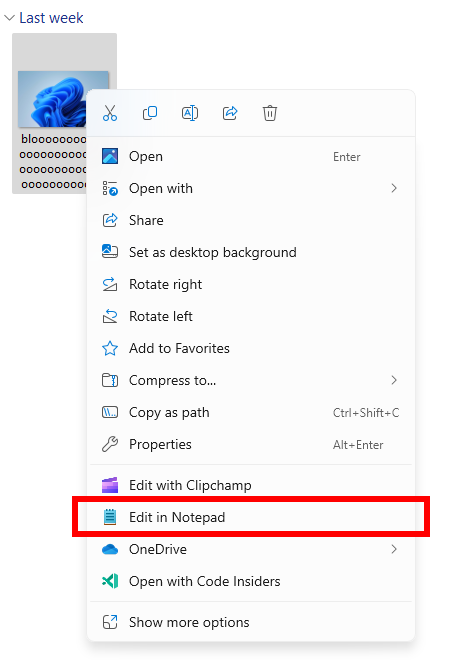
New Edit with Notepad option in the context menu in File Explorer.
Character Count: Keep track of your document’s length with the new character count display in the status bar. When text is selected, the status bar shows the character count for both the selected text and the entire document. If no text is selected, the character count for the entire document is displayed, ensuring you always have a clear view of your document’s length.
See Character Count in Notepad app in Windows 11
This tutorial will show you how to see the character count of text in the Notepad app in Windows 11. Notepad is a fast and simple text editor that can be used to view, edit, and search through plain text documents instantly. Starting with Notepad version 11.2311.29.0, you can now keep track of...
www.elevenforum.com
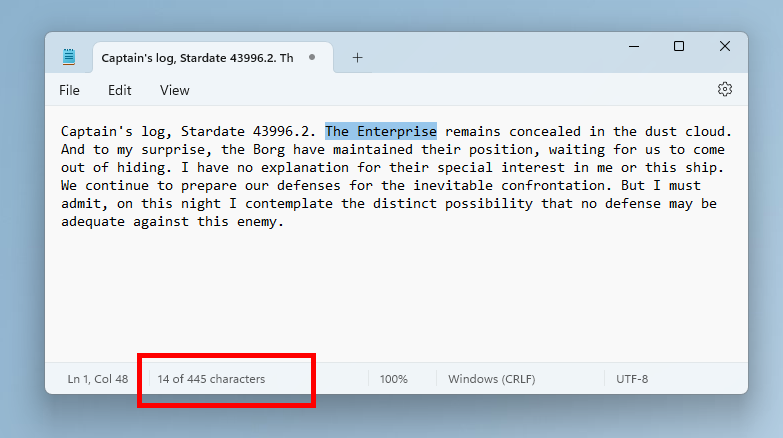
Character count for selected text in Notepad.
FEEDBACK: Please file feedback in Feedback Hub (WIN + F) under Apps > Notepad.
Microsoft Store Update
Windows Insiders in the Canary and Dev Channels running version 22311.xxxx.x of the Microsoft Store and higher will see the following improvement rolling out:Install as you browse: Introducing another quick way to get your favorite products: you can now install directly while browsing. Simply browse through the Store’s Home, Apps, or Games pages and hover over a product and click the install button. There are now fewer clicks to dive into new apps.
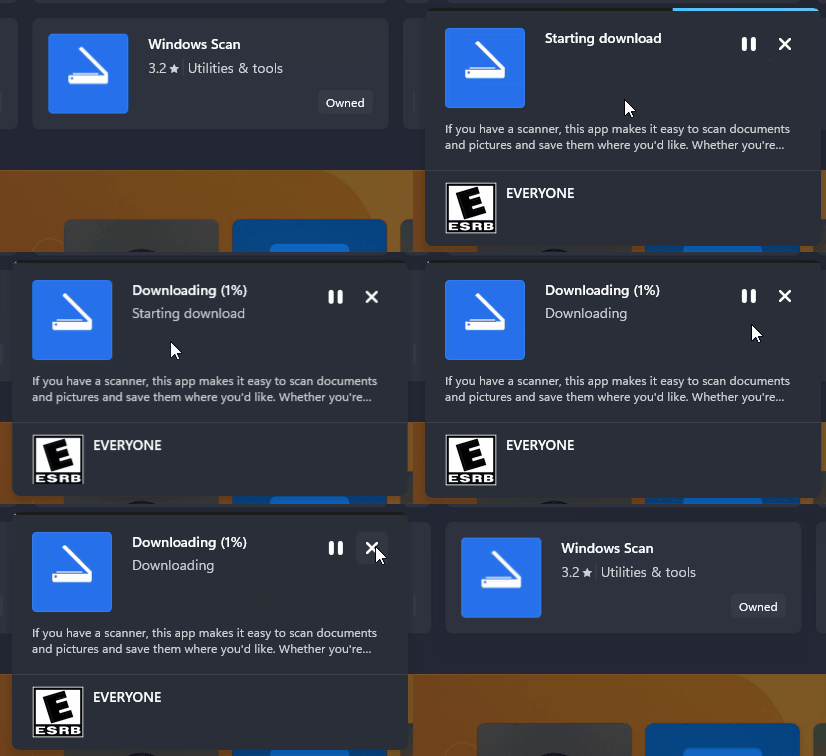
Install an app directly as you browse in the Microsoft Store.
Improving discoverability of instant games: A few months ago, the Microsoft Store introduced games that you can play without downloading. We’re making it easier to discover these games by having a dedicated page you can browse.
Performance while browsing: We’ve made performance improvements in the Microsoft Store that will make it smoother for you to browse and scroll through various pages.
FEEDBACK: Please file feedback in Feedback Hub (WIN + F) under Microsoft Store.
For developers
You can download the latest Windows Insider SDK at aka.ms/windowsinsidersdk.SDK NuGet packages are now also flighting at NuGet Gallery | WindowsSDK which include:
- .NET TFM packages for use in .NET apps as described at aka.ms/windowsinsidersdk
- C++ packages for Win32 headers and libs per architecture
- BuildTools package when you just need tools like MakeAppx.exe, MakePri.exe, and SignTool.exe
SDK flights are now published for both the Canary and Dev Channels, so be sure to choose the right version for your Insider Channel.
Remember to use adaptive code when targeting new APIs to make sure your app runs on all customer machines, particularly when building against the Dev Channel SDK. Feature detection is recommended over OS version checks, as OS version checks are unreliable and will not work as expected in all cases.
About the Dev Channel
REMINDER: The Dev Channel has been rebooted. Windows Insiders who were in the Dev Channel on 25000 series builds have been moved to the new Canary Channel. Going forward, the Dev Channel will receive 23000 series builds. Insiders who were moved to the Canary Channel and want to move back to the Dev Channel can follow these instructions to do a clean installation of Windows 11 and then re-join the Dev Channel to receive 23000 series builds.The Dev Channel receives builds that represent long lead work from our engineers with features and experiences that may never get released as we try out different concepts and get feedback. It is important to remember that the builds we release to the Dev Channel should not be seen as matched to any specific release of Windows and the features included may change over time, be removed, or replaced in Insider builds or may never be released beyond Windows Insiders to general customers. For more information, please read this blog post about how we plan to use the Dev Channel to incubate new ideas, work on long lead items, and control the states of individual features.
In some cases, features and experiences may go out to the Canary Channel first before going out to the Dev Channel however the Dev Channel will provide better platform stability. As we get closer to shipping, some features and experiences will also make their way to the Beta Channel when they are ready.
The desktop watermark you see at the lower right corner of your desktop is normal for these pre-release builds.
*Availability of Copilot in Windows: Copilot in Windows in preview is being rolled out gradually to Windows Insiders in select global markets. The initial markets for the Copilot in Windows preview include North America, United Kingdom and parts of Asia and South America. It is our intention to add additional markets over time.
Important Insider Links
- You can check out our Windows Insider Program documentation here.
- Check out Flight Hub for a complete look at what build is in which Insider channel.
Amanda & Brandon
Source:
Announcing Windows 11 Insider Preview Build 23601 (Dev Channel)
Hello Windows Insiders, today we are releasing Windows 11 Insider Preview Build 23601 to the Dev Channel. What’s new in Build 23601 New features and improvements for Windows 365 Boot
blogs.windows.com
Check Windows Updates
UUP Dump:
64-bit ISO download:
Select language for Windows 11 Insider Preview 23601.1000 (ni_prerelease) amd64
Select language for Windows 11 Insider Preview 23601.1000 (ni_prerelease) amd64 on UUP dump. UUP dump lets you download Unified Update Platform files, like Windows Insider updates, directly from Windows Update.
uupdump.net
ARM64 ISO download:
Select language for Windows 11 Insider Preview 23601.1000 (ni_prerelease) arm64
Select language for Windows 11 Insider Preview 23601.1000 (ni_prerelease) arm64 on UUP dump. UUP dump lets you download Unified Update Platform files, like Windows Insider updates, directly from Windows Update.
uupdump.net
UUP Dump - Download Windows Insider ISO
UUP Dump is the most practical and easy way to get ISO images of any Insider Windows 10 or Windows 11 version, as soon as Microsoft has released a new build. UUP Dump creates a download configuration file according to your choices, downloads necessary files directly from Microsoft servers, and...
www.elevenforum.com
Last edited: