UPDATE 5/22:
 www.elevenforum.com
Updated: 19 May 2026 - Extended pause for Windows Update is not yet available for this channel. Thank you to Insiders for pointing this out.
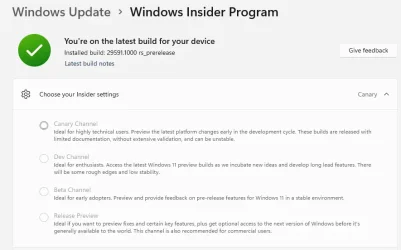
As a reminder, these release notes apply to those who are in the Canary 29500 series Channel. As we begin the transition to the updated Windows Insider Program, all new build release notes will be labeled under the new channel names, even though Insiders in the Canary 29500 series Channel may not yet find themselves having transitioned to Experimental (Future Platforms). See the Windows Insider Blog for more details.
 www.elevenforum.com
 www.elevenforum.com


 blogs.windows.com
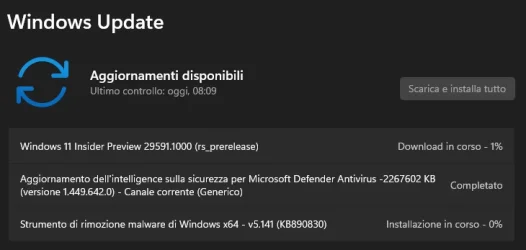
Check Windows Updates
ISO from Microsoft:
 www.elevenforum.com
UUP Dump:
64-bit ISO download:

ARM64 ISO download:
 www.elevenforum.com
Windows 11 Insider Experimental (Future Platforms) build 29595.1000 - May 22
Windows Insider Blog: Source: Check Windows Updates UUP Dump: 64-bit ISO download: https://uupdump.net/selectlang.php?id=0891407a-391d-4ded-add6-f92f90048090 ARM64 ISO download: https://uupdump.net/selectlang.php?id=18695d7e-8684-4557-a848-abf89ca07952...
www.elevenforum.com
Windows Insider Blog:
Updated: 19 May 2026 - Extended pause for Windows Update is not yet available for this channel. Thank you to Insiders for pointing this out.
As a reminder, these release notes apply to those who are in the Canary 29500 series Channel. As we begin the transition to the updated Windows Insider Program, all new build release notes will be labeled under the new channel names, even though Insiders in the Canary 29500 series Channel may not yet find themselves having transitioned to Experimental (Future Platforms). See the Windows Insider Blog for more details.
Microsoft improving your Windows Insider experience for Windows 11
Windows Insider Blog: Hello Windows Insiders, Today is the day we’re beginning to move to the new Experimental and Beta channels as announced earlier this month. As a reminder, most Insiders, those who are in the Dev and Beta channels today will transition to the new channels over time as...
www.elevenforum.com
[Windows Update]
We’re introducing new capabilities to enhance security and improve user control over the Windows update experience. This includes:- Ability to skip updates immediately during the out of box experience (OOBE)
Extend update pauses as many times as you need

Pause and Resume Updates for Windows 11
This tutorial will show you how to pause and resume updates for Windows 11. Windows Update keeps Windows 11 updated by automatically downloading and installing the latest updates, drivers, and hotfixes released by Microsoft. If you have a Windows Insider build of Windows 11 installed, you can...
www.elevenforum.com
- Always available options to shutdown and restart with updating
- More insight on available updates to make more informed installation decisions
[Shared audio]
Shared audio enables two people to listen to the same audio from a single Windows 11 PC at the same time. It uses Bluetooth® LE Audio broadcast technology to make sharing easy. For example, you can watch a movie while traveling or listen to music while studying together. To start sharing audio, open Quick settings from the taskbar, select Shared audio, choose two supported, paired, and connected devices, and then select Start sharing. To learn more about Shared audio, see Extending Bluetooth® LE Audio on Windows 11 with shared audio.
Use Shared Audio with Two Bluetooth LE Audio Devices in Windows 11
This tutorial will show you how to share and stop sharing output audio with two Bluetooth LE Audio devices on supported Windows 11 Copilot+ PC. Starting with Windows 11 build 26220.7051 (Dev and Beta), Microsoft is gradually rolling out shared audio (preview), a new experience built on...
www.elevenforum.com
[Storage]
- Updated Settings > System > Storage, so rather than seeing a UAC prompt immediately when you go to the page, you’ll only see it when going to view temporary files.
Reminder for Windows Insiders in the Canary 29500 Series Channel (soon transitioning to Experimental (Future Platforms))
- These builds can be unstable and may be released with limited documentation.
- The builds we release to the Canary 29500 Series Channel represent the latest platform changes early in the development cycle and should not be seen as matched to any specific release of Windows. Features and experiences included in these builds may never get released as we try out different concepts and get feedback. Features may change over time, be removed, or replaced and never get released beyond Windows Insiders. Some of these features and experiences could show up in future Windows releases when they're ready.
- Many features in the Canary 29500 Series Channel are rolled out using Controlled Feature Rollout technology, starting with a subset of Insiders and ramping up over time as we monitor feedback to see how they land before pushing them out to everyone in this channel.
- The desktop watermark shown at the lower right corner of the desktop is normal for Windows Insider pre-release builds.
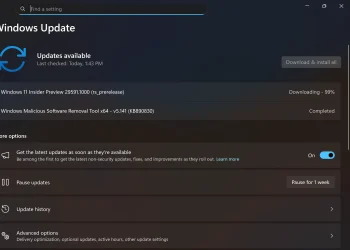
- For Windows Insiders who want to be the first to get features gradually rolled out to you, you can turn ON the toggle to get the latest updates as they are available via Settings > Windows Update. Over time, we will increase the rollouts of features to everyone with the toggle turned on. Should you keep this toggle off, new features will gradually be rolled out to your PC over time once they are ready.
- Some features in active development we preview with Windows Insiders may not be fully localized and localization will happen over time as features are finalized. As you see issues with localization in your language, please report those issues to us via Feedback Hub.
Source:
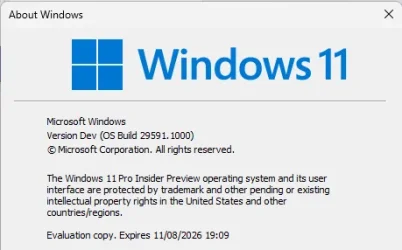
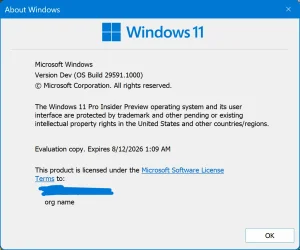
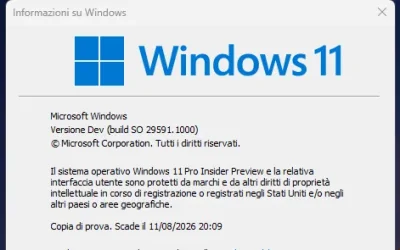
Experimental (Future Platforms) Preview Build 29591.1000 - Windows Insider Program
Release notes for Experimental (Future Platforms) Preview Build 29591.1000
learn.microsoft.com
Announcing new builds for 15 May 2026
Hello Windows Insiders, Today we will be expanding the rollout of the new Windows Insider Program changes to devices in the Beta Channel, which will be moved to the new Beta experience. Please see the announce
blogs.windows.com
Check Windows Updates
ISO from Microsoft:
Download Official Windows 11 ISO file from Microsoft
This tutorial will show you how to download an official Windows Server or Windows 11 64-bit or ARM64 ISO file from Microsoft. Microsoft provides ISO files for Windows Server and Windows 11 to download. You can use these ISO files to clean install or in-place upgrade Windows 11. The Flight Hub...
www.elevenforum.com
UUP Dump:
64-bit ISO download:
Select language for Windows 11 Insider Preview 29591.1000 (rs_prerelease) amd64
Select language for Windows 11 Insider Preview 29591.1000 (rs_prerelease) amd64 on UUP dump. UUP dump lets you download Unified Update Platform files, like Windows Insider updates, directly from Windows Update.
uupdump.net
ARM64 ISO download:
Select language for Windows 11 Insider Preview 29591.1000 (rs_prerelease) arm64
Select language for Windows 11 Insider Preview 29591.1000 (rs_prerelease) arm64 on UUP dump. UUP dump lets you download Unified Update Platform files, like Windows Insider updates, directly from Windows Update.
uupdump.net
UUP Dump - Download Windows Insider ISO
UUP Dump is the most practical and easy way to get ISO images of any Insider Windows 10 or Windows 11 version, as soon as Microsoft has released a new build. UUP Dump creates a download configuration file according to your choices, downloads necessary files directly from Microsoft servers, and...
www.elevenforum.com
Last edited: