
Windows 11 — Intermittent Black Screen While System Continues Running, Persists After Fresh Windows Installation


As someone early in the thread said that my stuff may be hardware failing. Would this card be worth a replacement for it? This 3070 is 6 years old give or take.
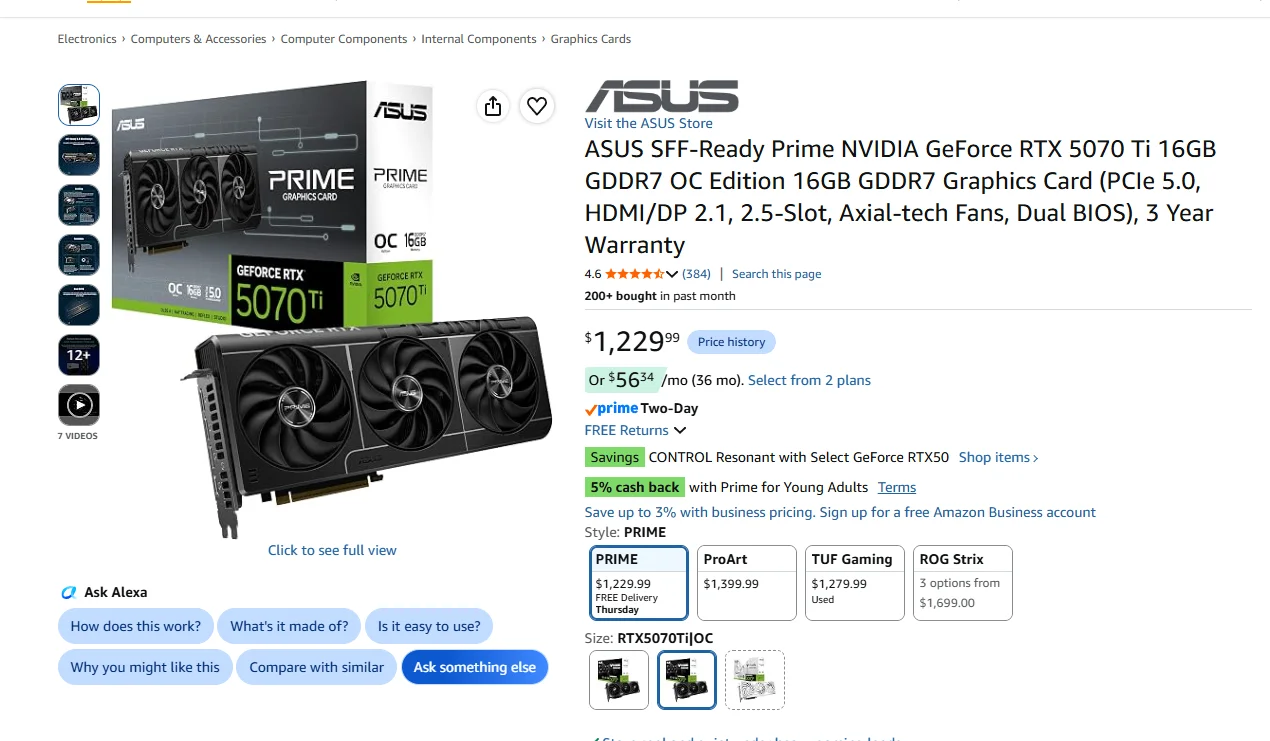

1791305054095.webp
 

My Computer My Computer

At a glance

Windows 11AMD Ryzen 9 5950X64 GB DDR4Nvidia GeForce RTX 3070
OS
Windows 11
Computer type
PC/Desktop
Manufacturer/Model
Custom Built
CPU
AMD Ryzen 9 5950X
Motherboard
MAG X5750 Tomahawk Max Wifi
Memory
64 GB DDR4
Graphics Card(s)
Nvidia GeForce RTX 3070
Sound Card
N/A
Monitor(s) Displays
Viotek
Screen Resolution
1920 x 1080
I run a 4095MB NVIDIA GeForce RTX 3060 and every few weeks I get a complete black screen when I'm doing something. As soon as I finish saying WTF it comes back and everything is fine. So far not a big enough problem for me to take any comprehensive action. Maybe it's just an RTX thing.
 

My Computer My Computer

At a glance

Win 11 26100.2894AMD Ryzen 7 9700X Granite Ridge AM5 3.8Ghz 8 ...GSkill Flare 5 32G DDR5GE Force RTX 3060 Dual Fas 12Gb GDDR6
OS
Win 11 26100.2894
Computer type
PC/Desktop
Manufacturer/Model
Spec Build
CPU
AMD Ryzen 7 9700X Granite Ridge AM5 3.8Ghz 8 Core
Motherboard
Gigbyte B650 Lorus Elite AX ICE AMD AM5 ATX
Memory
GSkill Flare 5 32G DDR5
Graphics Card(s)
GE Force RTX 3060 Dual Fas 12Gb GDDR6
Sound Card
On Board Realtek High Definition Audio
Monitor(s) Displays
MSI G274PF 27"
Screen Resolution
1920x1080@180KZ
Hard Drives
1 x 2Tb Samsung 970 2T VNAND, 1 x 2T Samsung 870 EVO SATA on board, 2 x 1TB external SSD's for backups
PSU
Corsair RM850e
Case
Thermaltake VTX 100
Cooling
3 x Front Case, 1 Rear, Hyper212 CPU
Keyboard
Logitech Wireless K295
Mouse
Logitech Wireless M190
Internet Speed
DL 935Mbps, UL 80Mbps
Browser
Edge 132.0.2957.127, Opera 116.0.5366.51, Firefox 134.02
Antivirus
MSE, CClnr, MWBytes, SAS
Other Info
MS Office Home 2024
I run a 4095MB NVIDIA GeForce RTX 3060 and every few weeks I get a complete black screen when I'm doing something. As soon as I finish saying WTF it comes back and everything is fine. So far not a big enough problem for me to take any comprehensive action. Maybe it's just an RTX thing.
Do you get the same thing I do? The fans spin up like an airplane, and then poof, the screen goes black. But it seems like the system is still working fine, like playing a game, watching a video, etc.?
 
Last edited:

My Computer My Computer

At a glance

Windows 11AMD Ryzen 9 5950X64 GB DDR4Nvidia GeForce RTX 3070
OS
Windows 11
Computer type
PC/Desktop
Manufacturer/Model
Custom Built
CPU
AMD Ryzen 9 5950X
Motherboard
MAG X5750 Tomahawk Max Wifi
Memory
64 GB DDR4
Graphics Card(s)
Nvidia GeForce RTX 3070
Sound Card
N/A
Monitor(s) Displays
Viotek
Screen Resolution
1920 x 1080

My Computers My Computers

  • At a glance

    All Branches but StableAMD Ryzen 7 7735HS 3200-4500 Mhz 8 cores x 232 GB DDR5Radeon Graphic / NVIDIA GeForce RTX 4060 8 GB...
    OS
    All Branches but Stable
    Computer type
    Laptop
    Manufacturer/Model
    Acer Nitro ANV15-51
    CPU
    AMD Ryzen 7 7735HS 3200-4500 Mhz 8 cores x 2
    Motherboard
    Sportage_RBH
    Memory
    32 GB DDR5
    Graphics Card(s)
    Radeon Graphic / NVIDIA GeForce RTX 4060 8 GB GDDR6
    Sound Card
    AMD/Realtek(R) Audio
    Monitor(s) Displays
    Integrated Monitor (15.3"vis)
    Screen Resolution
    FHD 1920X1080 16:9 144Hz
    Hard Drives
    KINGSTON OM8SEP4512Q-AA 1TB
    Western Digital 256GB
    PSU
    19V DC 6.32 A 120 W
    Cooling
    Dual Fans
    Mouse
    MS Bluetooth
    Internet Speed
    Fiber 1GB Cox -us & 1GB Orange-fr
    Browser
    Edge Canary- Firefox Nightly-Chrome Dev-Chrome Dev
    Antivirus
    Windows Defender
  • At a glance

    Windows 11 BetaAMD A9-94208 GB of DDR4AMD Radeon R5
    Operating System
    Windows 11 Beta
    Computer type
    Laptop
    Manufacturer/Model
    Asus X751BP
    CPU
    AMD A9-9420
    Memory
    8 GB of DDR4
    Graphics card(s)
    AMD Radeon R5
    Screen Resolution
    1600x900
    Hard Drives
    Seagate 1 TB

My Computer My Computer

At a glance

Windows 11AMD Ryzen 9 5950X64 GB DDR4Nvidia GeForce RTX 3070
OS
Windows 11
Computer type
PC/Desktop
Manufacturer/Model
Custom Built
CPU
AMD Ryzen 9 5950X
Motherboard
MAG X5750 Tomahawk Max Wifi
Memory
64 GB DDR4
Graphics Card(s)
Nvidia GeForce RTX 3070
Sound Card
N/A
Monitor(s) Displays
Viotek
Screen Resolution
1920 x 1080
Do you get the same thing I do? The fans spin up like an airplane, and then poof, the screen goes black. But it seems like the system is still working fine, like playing a game, watching a video, etc.?
I don't get the fan spin up, just a black blank screen all of a sudden. Then after a second or two the screen comes back and everything is fine. Very strange.
 

My Computer My Computer

At a glance

Win 11 26100.2894AMD Ryzen 7 9700X Granite Ridge AM5 3.8Ghz 8 ...GSkill Flare 5 32G DDR5GE Force RTX 3060 Dual Fas 12Gb GDDR6
OS
Win 11 26100.2894
Computer type
PC/Desktop
Manufacturer/Model
Spec Build
CPU
AMD Ryzen 7 9700X Granite Ridge AM5 3.8Ghz 8 Core
Motherboard
Gigbyte B650 Lorus Elite AX ICE AMD AM5 ATX
Memory
GSkill Flare 5 32G DDR5
Graphics Card(s)
GE Force RTX 3060 Dual Fas 12Gb GDDR6
Sound Card
On Board Realtek High Definition Audio
Monitor(s) Displays
MSI G274PF 27"
Screen Resolution
1920x1080@180KZ
Hard Drives
1 x 2Tb Samsung 970 2T VNAND, 1 x 2T Samsung 870 EVO SATA on board, 2 x 1TB external SSD's for backups
PSU
Corsair RM850e
Case
Thermaltake VTX 100
Cooling
3 x Front Case, 1 Rear, Hyper212 CPU
Keyboard
Logitech Wireless K295
Mouse
Logitech Wireless M190
Internet Speed
DL 935Mbps, UL 80Mbps
Browser
Edge 132.0.2957.127, Opera 116.0.5366.51, Firefox 134.02
Antivirus
MSE, CClnr, MWBytes, SAS
Other Info
MS Office Home 2024
I don't get the fan spin up, just a black blank screen all of a sudden. Then after a second or two the screen comes back and everything is fine. Very strange.
Ya mine goes poof and never comes back I have to cold boot it to get it back. That why I was thinking I should maybe just replace it?
 

My Computer My Computer

At a glance

Windows 11AMD Ryzen 9 5950X64 GB DDR4Nvidia GeForce RTX 3070
OS
Windows 11
Computer type
PC/Desktop
Manufacturer/Model
Custom Built
CPU
AMD Ryzen 9 5950X
Motherboard
MAG X5750 Tomahawk Max Wifi
Memory
64 GB DDR4
Graphics Card(s)
Nvidia GeForce RTX 3070
Sound Card
N/A
Monitor(s) Displays
Viotek
Screen Resolution
1920 x 1080

My Computer My Computer

At a glance

Windows 11 Pro 26H2
OS
Windows 11 Pro 26H2
Computer type
Laptop
Manufacturer/Model
Toshiba
Antivirus
Defender

My Computer My Computer

At a glance

Windows 11AMD Ryzen 9 5950X64 GB DDR4Nvidia GeForce RTX 3070
OS
Windows 11
Computer type
PC/Desktop
Manufacturer/Model
Custom Built
CPU
AMD Ryzen 9 5950X
Motherboard
MAG X5750 Tomahawk Max Wifi
Memory
64 GB DDR4
Graphics Card(s)
Nvidia GeForce RTX 3070
Sound Card
N/A
Monitor(s) Displays
Viotek
Screen Resolution
1920 x 1080
Here is the BSOD from post #6 you wanted me to run.

Are you just running only the crucial ram or also running GSkill?

Memory report states pair of BL32G36C16U4B.M16FB1 is in the A channel and pair of F4-3600C16-16GVKC is in the B channel.

Different capacities and manufacturers plus different sub-timings can cause stability issues.

Screenshot 2026-10-06 191704.webp
 

My Computer My Computer

At a glance

Windows 11 Pro
OS
Windows 11 Pro

Latest Support Threads

Back
Top Bottom




