I installed Windows 11 Home 24H2 on real hardware for testing purposes.
I performed the installation without Internet access because the installer did not include drivers for my wireless card.
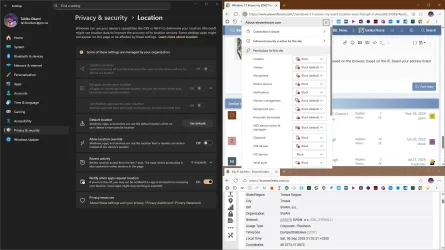
I used an online account requirement bypass and disabled location services during initial configuration.
When the desktop appeared, I confirmed that location services were disabled. I transferred the network card driver from USB stick, installed it and updated the system.
After several restarts I had a fully up-to-date system. Windows did not change the location setting on its own, so it remained disabled.
Imagine my surprise when it turned out that the weather widget in the left corner of the taskbar shows the weather for my exact location (a small village with only a couple of houses).
It is impossible for Windows to have obtained it from the IP address, because according to several websites, this address points to the nearest large city, which is over 100 km away, or to the ISP headquarters, which is several hundred kilometers away.
It gets even stranger, because the weather app, as set up in settings, does not have access to the location, it probably uses the system language to determine location and displays the weather for the capital city.
For reasons unknown to me, the widget on the taskbar knows my exact location. On what basis? Is this a mistake on Microsoft's part, which failed to ensure that the system appeared to respect user settings in every place and inadvertently shared its spy findings with the user?
If this isn't the right place to ask this question, I apologize and hope you can give me some advice where to ask. I originally wanted to ask on Reddit about privacy, but it turns out you have to wait seven days after creating an account and farm some karma points just to ask one simple question.
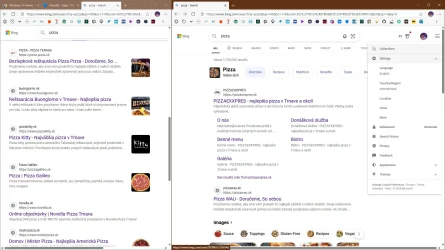
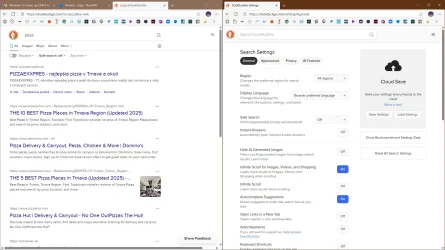
I also tried searching for solutions online, but all I found were overly confident comments saying that it was definitely the location based on the IP address, which doesn't make sense in my case. Copilot's suggestions are complete nonsense as always.
I performed the installation without Internet access because the installer did not include drivers for my wireless card.
I used an online account requirement bypass and disabled location services during initial configuration.
When the desktop appeared, I confirmed that location services were disabled. I transferred the network card driver from USB stick, installed it and updated the system.
After several restarts I had a fully up-to-date system. Windows did not change the location setting on its own, so it remained disabled.
Imagine my surprise when it turned out that the weather widget in the left corner of the taskbar shows the weather for my exact location (a small village with only a couple of houses).
It is impossible for Windows to have obtained it from the IP address, because according to several websites, this address points to the nearest large city, which is over 100 km away, or to the ISP headquarters, which is several hundred kilometers away.
It gets even stranger, because the weather app, as set up in settings, does not have access to the location, it probably uses the system language to determine location and displays the weather for the capital city.
For reasons unknown to me, the widget on the taskbar knows my exact location. On what basis? Is this a mistake on Microsoft's part, which failed to ensure that the system appeared to respect user settings in every place and inadvertently shared its spy findings with the user?
If this isn't the right place to ask this question, I apologize and hope you can give me some advice where to ask. I originally wanted to ask on Reddit about privacy, but it turns out you have to wait seven days after creating an account and farm some karma points just to ask one simple question.
I also tried searching for solutions online, but all I found were overly confident comments saying that it was definitely the location based on the IP address, which doesn't make sense in my case. Copilot's suggestions are complete nonsense as always.
- Windows Build/Version
- 24H2
My Computer
At a glance
Windows 11
- OS
- Windows 11