- Local time
- 10:45 AM
- Posts
- 78
- OS
- Windows 11
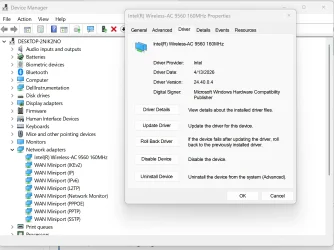
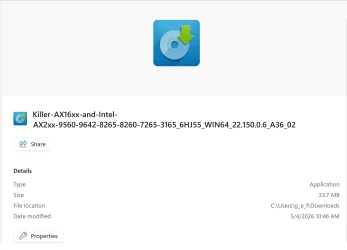
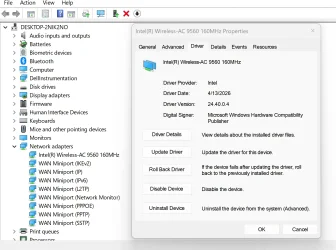
I followed the instructions on the Intel website and used their "Driver and Support Assistant" tool to update the Bluetooth and wifi drivers. That tool now reports that my drives and software are up to date.did you uninstall it first, then reboot and then install the latest driver?
Here are the results from a ping of the router:When you get into windows, open cmd and ping your router. See how long it takes. When hovering over the wifi symbol does it say establishing connection and then get stuck there for a bit?
Pinging 192.168.1.254 with 32 bytes of data:
Reply from 192.168.1.254: bytes=32 time=2ms TTL=64
Reply from 192.168.1.254: bytes=32 time=1ms TTL=64
Reply from 192.168.1.254: bytes=32 time=4ms TTL=64
Reply from 192.168.1.254: bytes=32 time=1ms TTL=64
Ping statistics for 192.168.1.254:
Packets: Sent = 4, Received = 4, Lost = 0 (0% loss),
Approximate round trip times in milli-seconds:
Minimum = 1ms, Maximum = 4ms, Average = 2ms
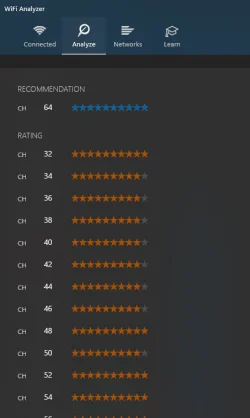
There is no wifi symbol in my systray until the laptop connects. Then hovering over it reports the connection and internet access. I would guess that means as soon as the preferred wifi connection is identified, it immediately connects. Again, until then, no wifi connections are "available". It takes fully 4 minutes to identify any available connections, at which point it connects to my preferred one immediately.
My Computer
At a glance
Windows 11Processor Intel(R) Core(TM) i7-8565U CPU @ 1....Installed Physical Memory (RAM) 16.0 GB
- OS
- Windows 11
- Computer type
- Laptop
- Manufacturer/Model
- Dell
- CPU
- Processor Intel(R) Core(TM) i7-8565U CPU @ 1.80GHz, 199
- Motherboard
- BaseBoard Manufacturer Dell Inc. BaseBoard Product 08YRWT BaseBoard Version A00
- Memory
- Installed Physical Memory (RAM) 16.0 GB