Windows IT Pro Blog:
Over a year of continued growth
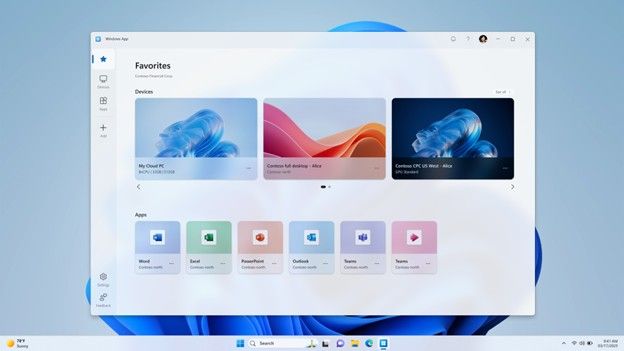
As more organizations continue to explore Windows 365 and Azure Virtual Desktop to support flexible work, expectations for reliability, performance, and cross‑platform consistency are rising. Over the past year, Windows App has evolved into a solution to support reliable, productive, and secure access to Windows in the cloud, no matter where or how users connected.Improved reliability
Reliability improvements focused on two critical moments: getting connected, and staying connected.First, we made targeted transport‑layer improvements when networks fluctuate or devices move between environments. RDP Multipath, uses redundant UDP paths to help improve failover during transient network issues and reduce dropped sessions that can lead to disruptive reconnects.
Secondly, we have made improvements with connection flows across platforms. Together, these changes help reduce common connection‑related friction for end users and IT teams.
Enhancing productivity
Windows App introduces updates intended to reduce workflow friction and help users access their remote resources more efficiently. Users can now launch remote resources from familiar entry points like Windows Start menu and Spotlight search on macOS and iOS, helping minimize the need to search or switch between tools.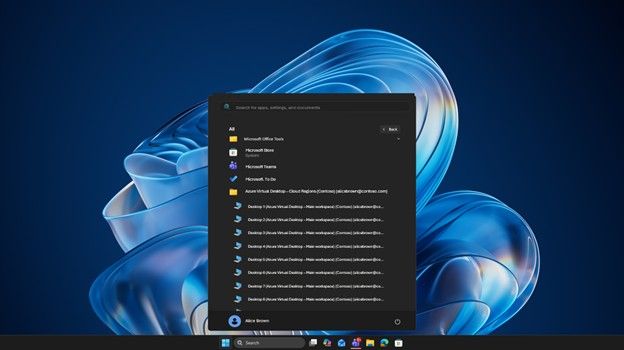
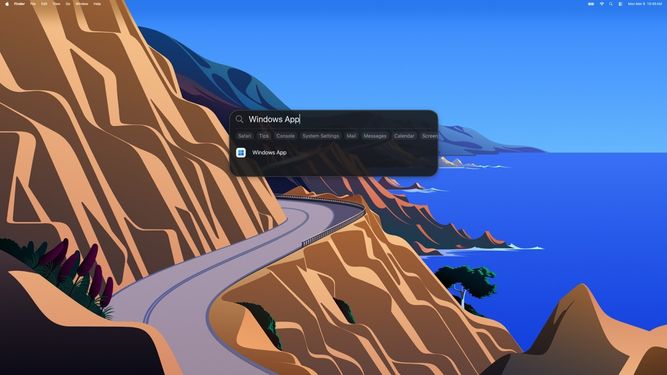
On macOS, task switching is designed to feel more consistent with native macOS navigation patterns. The cleaned‑up Option+Tab switcher, along with the ability to switch between remote apps from the Window menu and Dock, lets users move between workloads with the same ease they expect from native macOS apps.
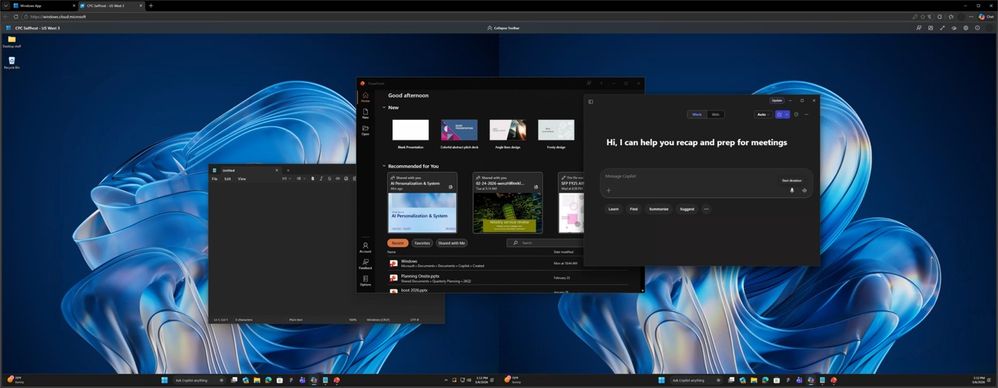
For users with large, high-definition and widescreen monitors who prefer browser-based access, Windows App on the web now supports split-screen layouts. Users accessing Windows App in a browser can work on two virtual monitors within a single browser window. This supports side‑by‑side work scenarios within a single browser window, without requiring an additional physical monitor setup.
Windows App on the web also makes file movement simple with enhanced clipboard‑based file transfer. Users can copy and paste files directly between their local device and their virtual desktop, making it easy to move content in and out of the session without extra setup or tools.
External monitor support is also improved on iOS with user experience optimizations like automatic resolution handling. To add to the desktop‑class experience on mobile, Windows App on iOS now supports Surface mouse. Users can pair a Surface Arc Mouse or Surface Mouse with their iPhone to get precise cursor control, improved navigation, and a more natural remote desktop experience - especially when working with external monitors or larger screens.
Users can resume their sessions through supported URI‑based links. With URI‑based ms‑avd links on Windows, users can launch their remote sessions directly from an email or internal site, jumping back into their workspace. And on iOS and iPadOS based devices, improved handling of lock and unlock events help streamline reconnection.
To enhance the user experience on shared devices, Windows App on Windows now includes auto logoff, helping sessions end cleanly and creating a fresh slate for the next user.
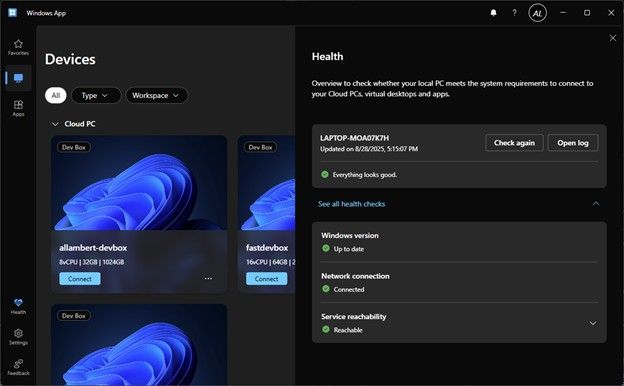
And when something does get in the way, built‑in health checks and diagnostics provide clearer visibility into network and connection conditions, helping users and IT teams identify potential issues.
A more consistent experience across platforms
Consistency across platforms is critical for IT teams supporting diverse devices and user workflows.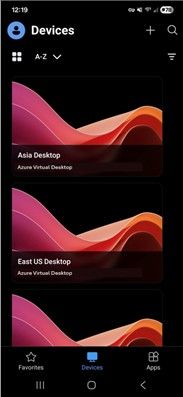
In 2025, Windows App expanded platform support and aligned core experiences across Windows, macOS, iOS, Android, and the web, helping organizations deliver a similar access model and collaboration experience.
Remote PC connections, a frequently requested capability, are now available in preview in Windows App on Windows, making it easier for users to connect to their physical or virtual PCs alongside their Cloud PCs and Azure Virtual Desktop resources, all from a single app. This is also available for users without a work or school account.
Windows App for Android became generally available in April of 2025, ensuring access to remote resources from Windows App across most major platforms. Additional updates across Windows 365 including support for external identities, making it easier to provide access to remote resources for external users. Windows 365 Switch support expanded to include Windows 11 Home edition and Windows 365 Boot updates now deliver a streamlined connection experience, a new Connection Center experience for users with multiple Cloud PCs and cross-region disaster recovery.
Collaboration in Windows 365 and Azure Virtual Desktop also expanded with Teams VDI 1.0 support on iOS and Android (GA) and Teams VDI 2.0 on macOS (preview), now providing an improved meeting experience across all native clients.
Strengthening security with Windows App
Security continued to be a key focus area for Windows App in 2025, with new client‑side protections designed to help customers access Cloud PCs and virtual desktops across devices more securely. One important capability is Microsoft Intune Mobile Application Management (MAM) support, which allows organizations to apply data loss prevention (DLP) controls when users access Windows resources through Windows App on iOS and Android. Using Intune App Protection Policies, IT admins can manage how corporate data is accessed and shared, such as helping to prevent copy/paste into personal devices, requiring AV installation, and this approach is well‑suited for BYOD scenarios without requiring full device enrollment.Windows App also introduced keyboard input protection, which is designed to help reduce exposure to certain keylogging and keystroke injection techniques during supported remote sessions. This client‑side security feature is particularly important in sensitive environments where users access high‑value workloads and data through virtualized Windows experiences. Together, these capabilities support Windows App as an access experience with built‑in security features for Windows in the cloud.
Preparing for the transition ahead
Starting March 27, 2026, the Remote Desktop client for Windows (MSI) and the web-based Remote Desktop client will no longer be supported in commercial clouds. Support for the Windows (MSI) client in Azure Government and Azure 21Vianet clouds ends on September 28, 2026. To maintain supported access to Azure Virtual Desktop and Windows 365 resources after these dates, customers are encouraged to begin planning migration to Windows App. Windows App on Windows now provides updated capabilities and IT management controls, and key feature gaps noted in the end-of-support blog have been addressed.Your Feedback Matters
We welcome feedback through the Microsoft Store and Feedback Hub to help guide future improvements.Get Started
Learn more in the Windows App documentation and find out about new features on the What’s new page. Find out more about what each platform supports here. Source:
Windows App Updates: Reliability, Productivity, and Security Improvements
The Windows App has seen a significant year of investment, with updates focused on improving connection reliability, usability, and customer‑driven...
 techcommunity.microsoft.com