DiBBz
Member
- Local time
- 4:25 PM
- Posts
- 10
- OS
- Windows 11
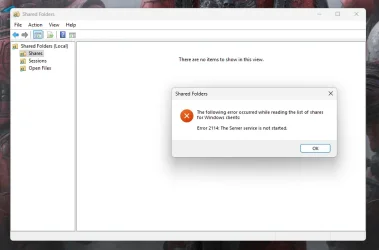
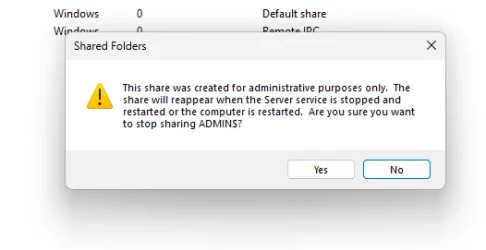
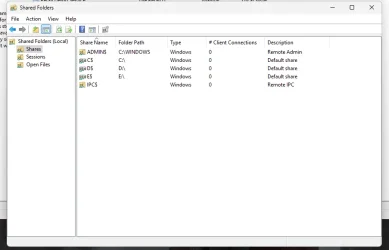
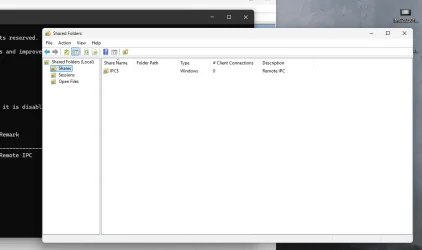
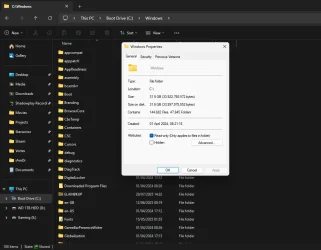
My windows folder and my user folder has a shared "Text & Icon" at the bottom of the explorer window when navigating through those directories. and i cant for the life of me get them to stop being shared amongst local network!

Ive tried many things shared online to to resolve this. including going to control panel itself for network & homegroups but clicking advanced just brings me back to the new settings menu for "Network & Internet" > Advanced Network Settings > Advanced Sharing Settings.
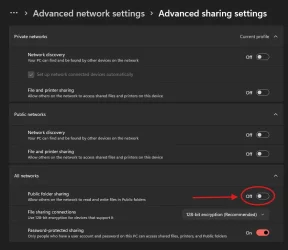
the red area is mostly my cause for concern as it cannot be toggled. it just straight up refuses to turn on for me to try turn off again.
Part of me thinks this could be related to massgrave as i had to initially sign in when i build the PC a couple months ago. and even tho its shows as me not be apart of an org in the settings under account. it still has my email address showing as the org in "Winver" command. despite there being no other user accounts but mine on the PC right now. so im guessing massgrave had deleted and just migrated privileges to a local profile. even tho i still had to do some reg tweaks in order to access settings cause it was showing blocked by an org.
Does anyone have any advise on how to go about fixing this issue ?
Ive tried many things shared online to to resolve this. including going to control panel itself for network & homegroups but clicking advanced just brings me back to the new settings menu for "Network & Internet" > Advanced Network Settings > Advanced Sharing Settings.
the red area is mostly my cause for concern as it cannot be toggled. it just straight up refuses to turn on for me to try turn off again.
Part of me thinks this could be related to massgrave as i had to initially sign in when i build the PC a couple months ago. and even tho its shows as me not be apart of an org in the settings under account. it still has my email address showing as the org in "Winver" command. despite there being no other user accounts but mine on the PC right now. so im guessing massgrave had deleted and just migrated privileges to a local profile. even tho i still had to do some reg tweaks in order to access settings cause it was showing blocked by an org.
Does anyone have any advise on how to go about fixing this issue ?
- Windows Build/Version
- 24H2 (26100. 4652)
My Computer
At a glance
Windows 11Ryzen 7 9800x3dCorsair Vengeance 32 GB (2 x 16 GB) DDR5-6000...RTX 2060 [SAVING FOR UPGRADE ATM]
- OS
- Windows 11
- Computer type
- PC/Desktop
- CPU
- Ryzen 7 9800x3d
- Motherboard
- Gigabyte B650 EAGLE AX
- Memory
- Corsair Vengeance 32 GB (2 x 16 GB) DDR5-6000 CL30 Memory
- Graphics Card(s)
- RTX 2060 [SAVING FOR UPGRADE ATM]
- Monitor(s) Displays
- 2x AOC
- Screen Resolution
- 1080p
- Hard Drives
- Kingston 250gb 2.5" SSD
Sabrent 1TB NVME
WD 1TB HDD
- PSU
- NZXT C650 Gold Modular
- Case
- Lianli LANCOOL 216
- Cooling
- ARCTIC Liquid Freezer III 280
- Keyboard
- Corsair K70 LUX
- Mouse
- Corsair Katar
- Internet Speed
- Gigabit 1000mbps (UP & DOWN)
- Browser
- Brave