indiecognition
New member
- Local time
- 8:39 AM
- Posts
- 2
- OS
- Windows 11
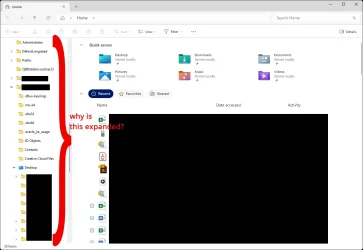
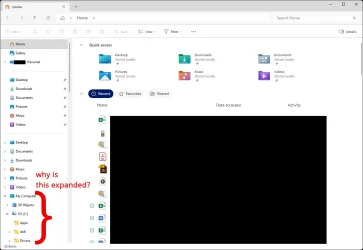
I'm helping someone set up their computer, and when I open File Explorer, the navigation pane opens with the user folder expanded. It's within the This PC item. This adds a lot of clutter and is unhelpful.
I've attached two screenshots.
How can I get it to open with everything collapsed in the navigation menu? I've already toggled the folder options to "Expand to open folder" and "Show all folders" on and back off. And I've restored defaults for the folder view options.
I can't figure out why it won't stay collapsed.
Thanks for the help!
I've attached two screenshots.
How can I get it to open with everything collapsed in the navigation menu? I've already toggled the folder options to "Expand to open folder" and "Show all folders" on and back off. And I've restored defaults for the folder view options.
I can't figure out why it won't stay collapsed.
Thanks for the help!
- Windows Build/Version
- Windows 11 Pro 25H2 build 26200.7462
Attachments
Last edited:
My Computer
At a glance
Windows 11
- OS
- Windows 11