Microsoft Dev Blogs:
Hey WinUI developers! If you’re new around here, WinUI Gallery is the go-to app for exploring WinUI 3 controls, samples, design guidance, and handy tools, all in one place. Today, we’re excited to announce WinUI Gallery 3.0, the first version of the Gallery built on the experimental channel of the Windows App SDK. That means you can try upcoming WinUI controls and APIs in the Gallery as soon as they ship in an experimental release.
Embracing experimental
Until now, new controls usually showed up in the Gallery after they reached a stable Windows App SDK release. By then, the APIs were mostly locked, and there wasn’t much room left to change them based on what you told us.Starting with 3.0, the Gallery targets the experimental Windows App SDK (currently 2.5.4-experimental) and ships it self-contained, so you don’t need to install anything extra. We’re doing this for two reasons:
- Get sample code to you sooner. When a new experimental WinUI release ships, the Gallery can ship samples for it right away. You can open the app, play with a new control, and copy working XAML and C# into your own project.
- Get your feedback sooner. Experimental APIs are where we can still make changes. The earlier you try them and tell us what works and what doesn’t, the better the stable version will be.
We’d love to hear what you think:
- Feedback on the samples? Open an issue on the WinUI Gallery repo.
- Feedback on the controls or APIs themselves? Open an issue on the WinUI repo.
Getting around is easier
A couple of quality-of-life improvements make the Gallery nicer to use every day:- Mouse back and forward buttons now navigate through the Gallery, just like in your browser (#2195), thanks @hoshiizumiya!
- Search finds more. Every control page now has search tags, so searching for terms like “context menu”, “carousel”, or “WCAG” finds the right page even when the query doesn’t match the control’s name (#2185).
- No more dead ends. When a search has no results, you now see your query, a few search tips, and a button to view all samples (#2255), thanks @Zakariathr22!
New samples
Thanks to the experimental channel, this release includes samples for a set of controls and APIs that are coming to WinUI.TableView (experimental)
TableView is a new native control for showing and editing large sets of tabular data. The new page has five examples, each focused on one capability: sorting, selection, and column resizing with a frozen first column; filtering and grouping with a shared TableViewSource; custom cell templates; editing with validation; and density, grid-line, and row-banding options with 1,000 virtualized rows (#2250).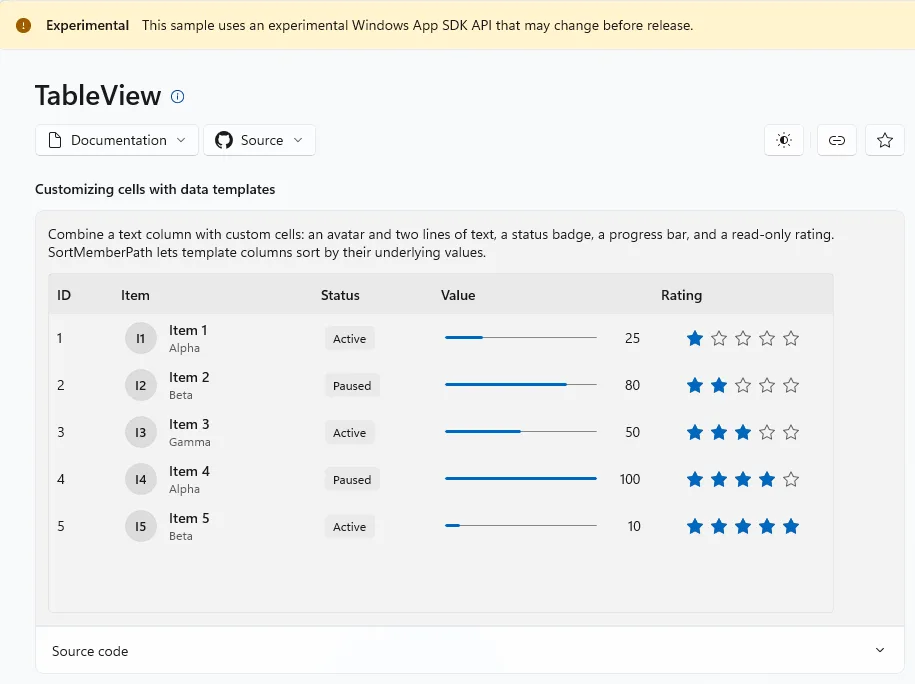
Charts (experimental)
The new Chart page introduces Microsoft.UI.Xaml.Controls.Charts. It starts with the App.xaml setup you need, then has one example per concept: line and bar charts, legends, sorted categories, axis ranges, grid lines and tick marks, combined series on shared axes, line styles, data markers and labels, date-time data built in code, and a series that updates live from an ObservableCollection (#2261).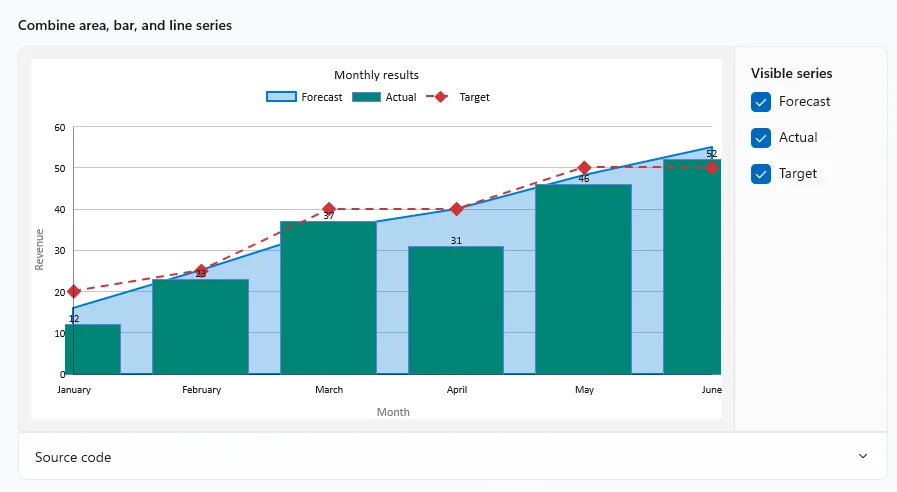
WrapPanel and LayoutPanel (experimental)
WrapPanel arranges items in rows or columns and wraps them onto a new line when they run out of space. Its samples let you change orientation and spacing, and stretch the last item to fill the line. LayoutPanel lets you use a Layout object, like the ones ItemsRepeater uses, to arrange a panel’s children. The sample plugs in a custom NonVirtualizingLayout (#2233).
PagerControl (experimental)
PagerControl lets users move through a numbered collection of pages. The samples cover a basic pager, the different display modes, and unbounded pagers for when you don’t know the total page count (#2233).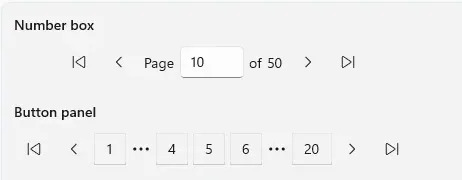
InkCanvas and InkToolbar (experimental)
InkCanvas and InkToolbar are coming to WinUI 3. The new page shows how to draw with pen, touch, or mouse on an InkCanvas, how to customize an InkToolbar with pens, pencils, highlighters, and an eraser, and how to save and restore ink strokes (#2245).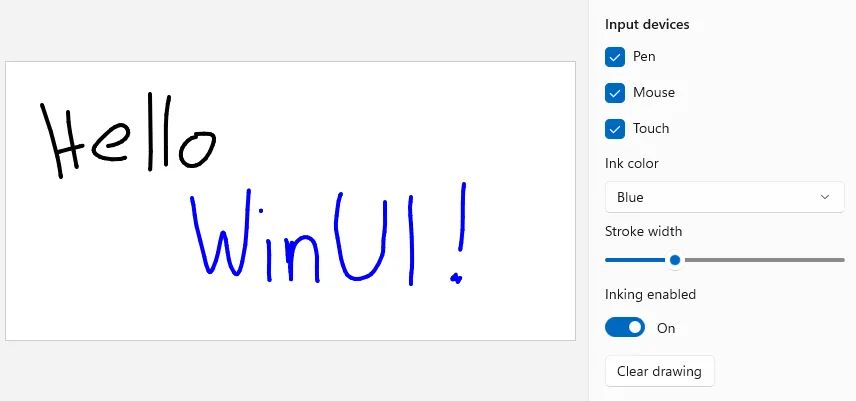
New windowing APIs
The new Window page shows how to create a top-level XAML window and set its size with new experimental Window properties: Width, Height, MinWidth, MinHeight, MaxWidth, and MaxHeight. You can try values live with NumberBox inputs and see the matching XAML and C#. We also renamed the Windowing section to Window and sorted its pages alphabetically (#2229, #2234).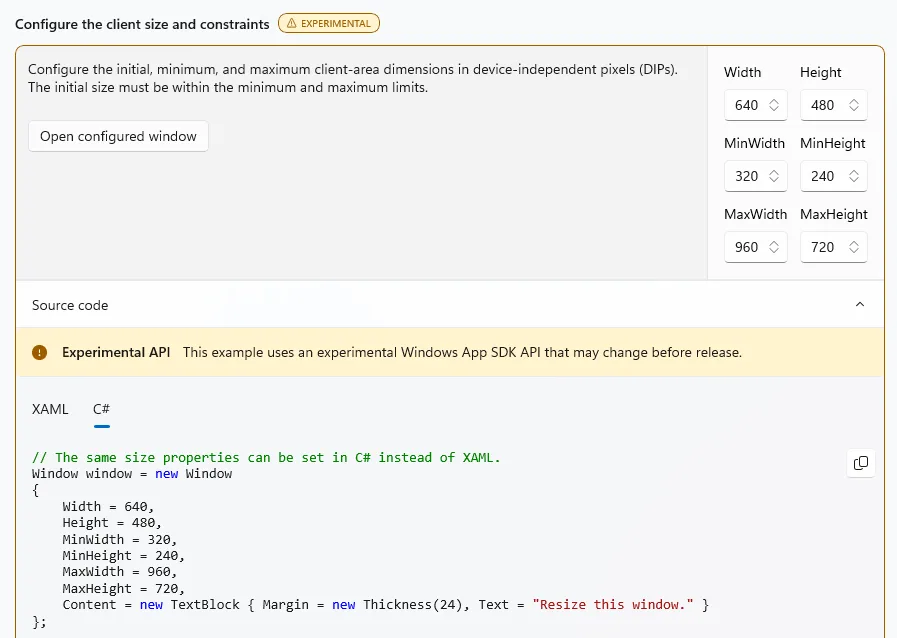
More sample updates
- ItemsRepeater: FlowLayout virtualization, with a counter that shows items as they’re realized (#2233)
- ListView: ScrollIntoView with alignment options, and saving and restoring scroll position with ListViewPersistenceHelper (#2179)
- TitleBar: a search box that stretches while the empty space around it stays draggable, plus TitleBar.IsDragRegion (#2182)
- Storage pickers: show file thumbnails (#2177)
- Image: animated GIFs (#2178)
- PipsPager: the WrapMode option (#2199)
- CaptureElement: pick which camera to preview (#2189)
- Templates: create a DataTemplate in code with the new DataTemplateElementFactory constructor (#2258)
- XAML resources: keep resources set from code in sync with the theme using SetThemeResourceBinding, with clearer guidance in InfoBars and the app’s own theme switch for trying it out (#2259, #2271), thanks @Zakariathr22!
- SystemBackdropElement: a clearer explanation of how theme updates work (#2186)
- TimePicker: updated guidance for regional clocks (#2224)
- AppWindow: a clearer warning and a fix for the misspelled PreferredHeightOption (#2241, #2227), thanks @Zakariathr22 and @YexuanXiao!
Other notable changes
- Simpler project: the Windows Application Packaging project (.wapproj) is gone (#2171), thanks @0x5bfa! Settings now use ApplicationDataSettingsProvider (#2197), thanks @ghost1372!
- SDK version on Home and Settings: you can now see which Windows App SDK version and channel the Gallery runs on.
Additional improvements and bugfixes
- Accessibility: more than ten fixes for Narrator announcements, keyboard navigation, focus visibility, color contrast, and accessible names, plus an updated Axe.Windows for automated checks.
- Sample code: fixed malformed XAML in 13 sample code snippets, plus fixes to the AppBarButton and SystemBackdrop snippets.
- Navigation: items that don’t open a page no longer stay selected after you click them, and the Status & info category now has its own info icon instead of a second speech bubble (#2270), thanks @FlorianBlasius!
- Removed: the ListBox sample. Use ListView instead.
Thanks!
A big thank you to everyone who contributed to this release: @0x5bfa, @ayushjai19, @eduardobragaxz, @FlorianBlasius, @ghost1372, @HO-COOH, @hoshiizumiya, @Jay-o-Way, @melgoharyme, @vineethkuttan, @YexuanXiao, and @Zakariathr22.Grab WinUI Gallery 3.0 from the Microsoft Store, try the new controls, and let us know what you think. If you want to contribute, check out the GitHub repo.
Happy coding!
Source: