- Local time
- 8:43 PM
- Posts
- 37
- OS
- Windows 11 Professional (x64) Version 24H2 (build 26100.4061)
I didn’t remove Graphics card so will try that,will check connectors for darkness burn marks but from memory they were ok,will keep an eye on POST lights etc but there wasnt any beeps ,everything else you mentioned seemed okGood, then we can rule out a bad Microsoft firmware update.
If your motherboard have beep/LED/display error codes, do you get any?
And when you hit the power button, does it sound as the PC is powering up? (this was easier to hear with floppy drive or mechanical disks)
Does the Power supply give you the right voltage?
When you open the computer to switch CMOS battery, did you smell anything like reminds you of burned electronics?
When you removed and put back all the power connectors to the motherboard, did it felt like resistant or did it slide a bit "to easy"?
Also have a look inside the connectors if it look like some pins are darker then the others.. That can be bad contact so it dont get the power.
If you have a PCIe graphic card and you also internal graphic on the board.. test to remove the Nvida card and see if the computer start.
That is the first few things that pops up in my mind.
Will try all suggestions tomorrow as my patience was dropping so better to have a break
My Computer
At a glance
Windows 11 Professional (x64) Version 24H2 (b...3.40 gigahertz Intel Core i7-6700 256 kilobyt...16GBDisplay Intel(R) HD Graphics 530 [Display ada...
- OS
- Windows 11 Professional (x64) Version 24H2 (build 26100.4061)
- Computer type
- PC/Desktop
- CPU
- 3.40 gigahertz Intel Core i7-6700 256 kilobyte primary
- Motherboard
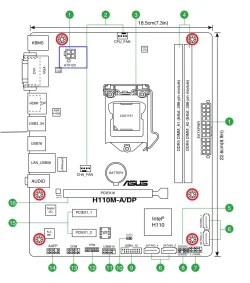
- Board: ASUSTeK COMPUTER INC. H110M-A/DP Rev X.0x
- Memory
- 16GB
- Graphics Card(s)
- Display Intel(R) HD Graphics 530 [Display adapter] NVIDIA GeForce RTX 3060 [Display adapter]
- Sound Card
- High Definition Audio Device Intel(R) Display Audio NVIDIA High Definition Audio
- Monitor(s) Displays
- Intel(R) HD Graphics 530 [Display adapter] NVIDIA GeForce RTX 3060 [Display adapter] LG 42LC46 [Monitor] (31.5"vis, February 2007)
- Screen Resolution
- 1920x1080
- Hard Drives
- (NTFS on drive 0) * 2.00 TB 1.66 TB free
d: (NTFS on drive 2) 1.00 TB 926.90 GB free
f: (NTFS on drive 1) 497.94 GB 379.74 GB free