Microsoft 365 Insider Blog:
Hi, Insiders! I am Prash Shirolkar, a Product Manager on the Excel team. I’m excited to share that you can now query modern Excel workbooks (like .xlsx, .xlsb, .xlsm, .ods) stored locally on your device using Microsoft 365 Copilot Chat, on Windows and Mac. Now you have the flexibility to query Copilot Chat wherever your Excel files are located.
Query your local Excel files with Copilot Chat
Previously, insights and analysis from Copilot Chat were limited to Excel workbooks stored in the cloud. With this new feature, analyzing your locally saved Excel workbooks with Copilot Chat makes it possible to stay productive even when you’re offline.How it works
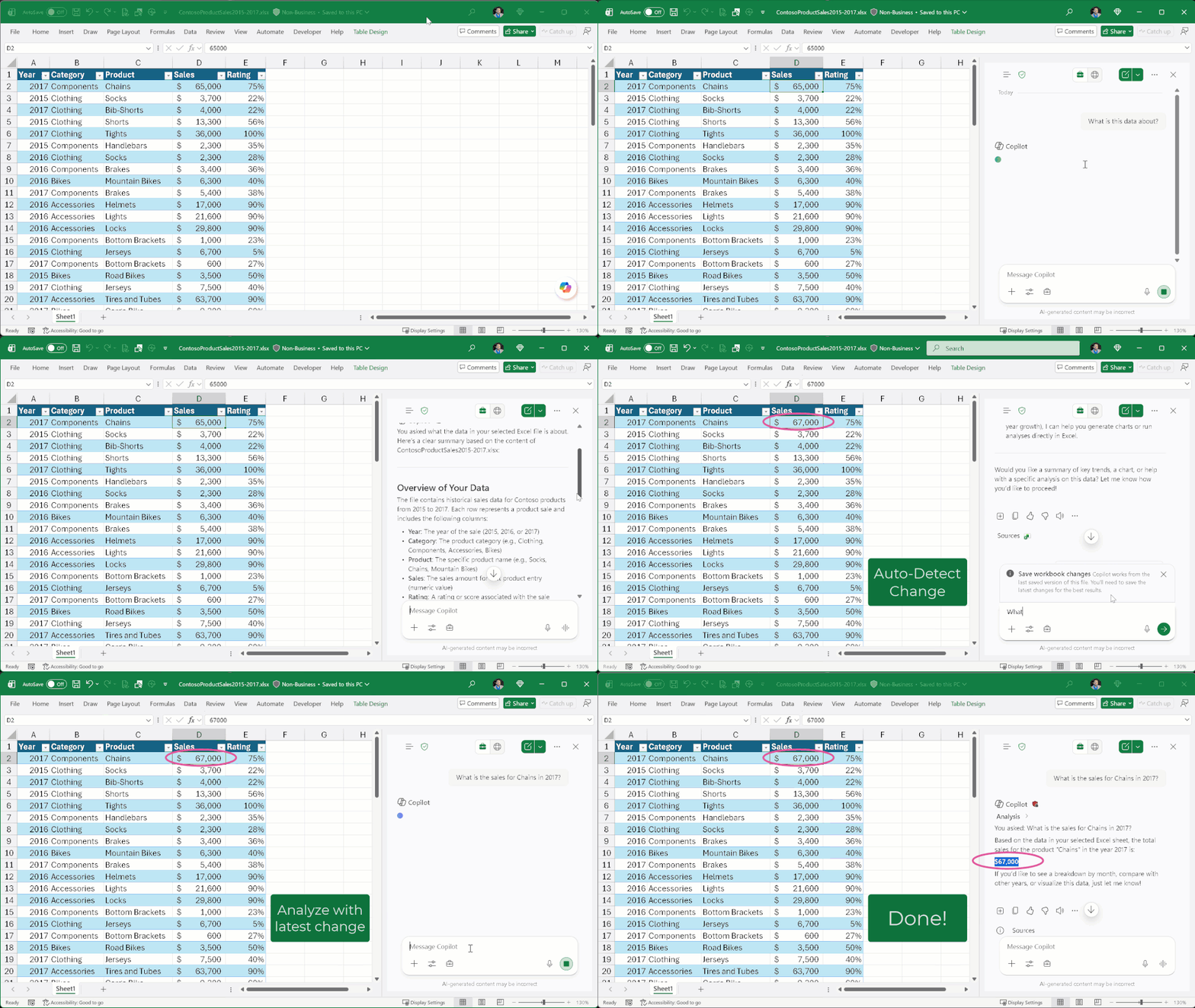
- In Excel for Windows or Excel for Mac, open a local file saved on your computer.
- In the ribbon, click the Copilot icon, select Chat, and then type your query.
Tips and tricks
If you make changes to your data, Copilot Chat will detect that a change has been made and will remind you to save your work. Saving your data ensures that Copilot Chat is working with the latest version of your file.Availability
This feature is available to Excel for Windows and Excel for Mac users with a Microsoft 365 Copilot license (get more details on licenses for businesses) running:- Windows: Version 2512 (Build 19530.20108) or later
- Mac: Version 16.104 (Build 25121423) or later
Feedback
We’d love to hear from you! Let us know what you think by selecting Help > Feedback and including #LocalFilesCopilot in your comments so we can easily find them! Source:

Query your local Excel files with Copilot Chat
Query modern Excel workbooks stored locally on your device using Microsoft 365 Copilot Chat, on Windows and Mac.
 techcommunity.microsoft.com