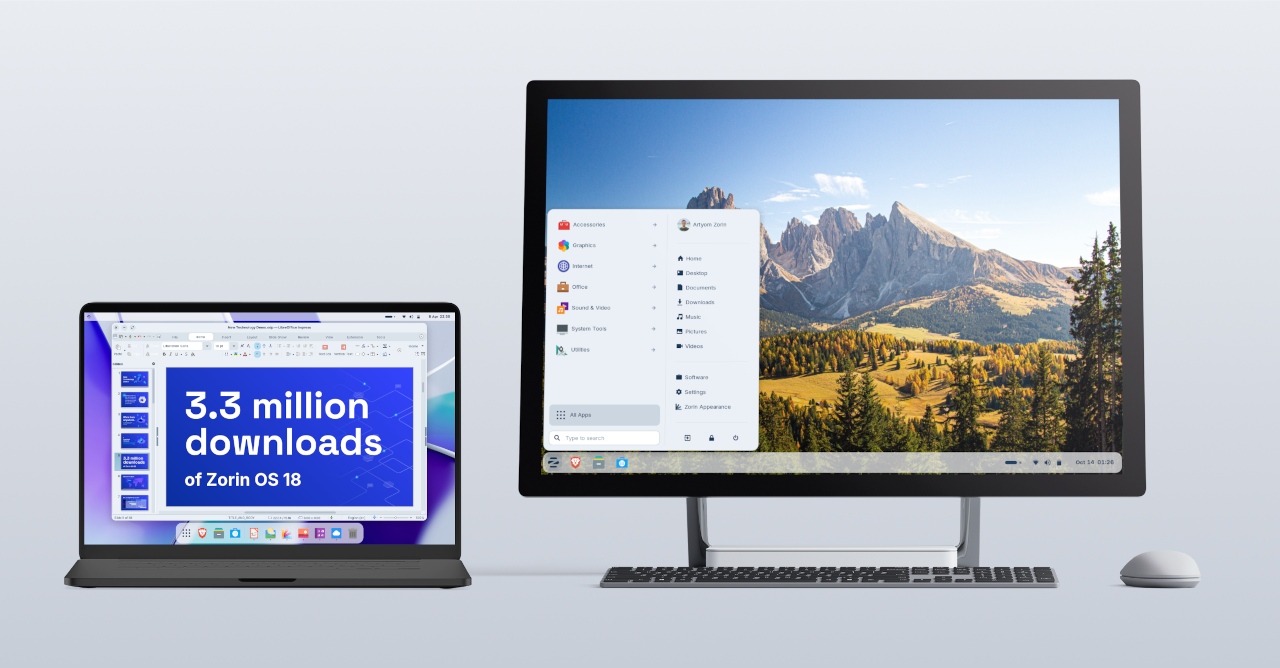
Zorin OS 18.1 Is Released


 Zorin Blog:

We’re thrilled to launch Zorin OS 18.1, just six months after the release of Zorin OS 18 and over 3.3 million downloads later.

It adds polish, new features, and better hardware support to our record-breaking version of Zorin OS. That means you’ll get an even better computing experience, whether you’re an existing Zorin OS user or you’re starting to make the switch from Windows.
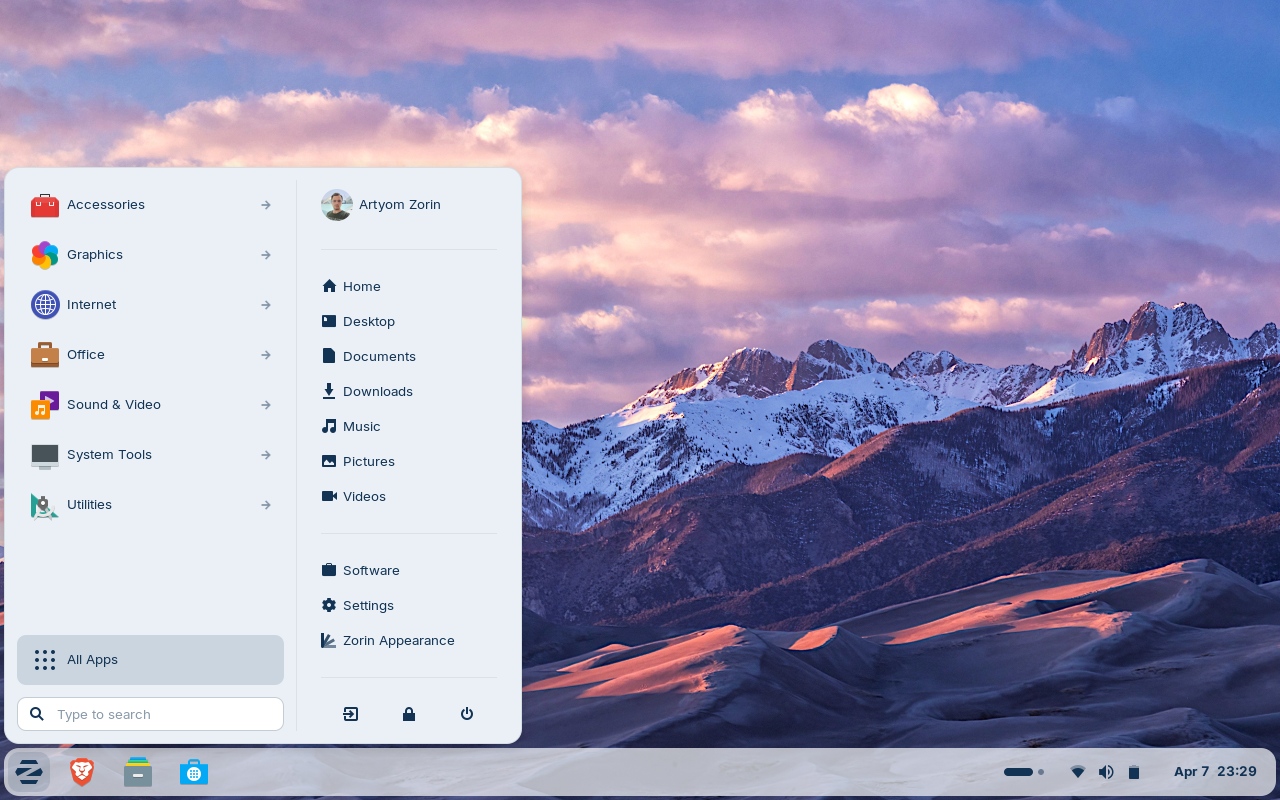
18.1-desktop.jpg


What’s new​

Suggested alternatives to more Windows apps​

We’ve expanded our built-in database to detect installer files for popular Windows apps by more than 40%. It now supports over 240 apps, recommending even more tailored alternatives to sideloading their Windows executables.

For example, when you launch the Windows installer for an app like Plex, Zorin OS displays a dialog that directs you to the best way to use that app: installing its native Linux version from the Software store. It also suggests the closest native alternatives to many Windows-only apps, like Evolution Mail in place of Microsoft Outlook, for instance.
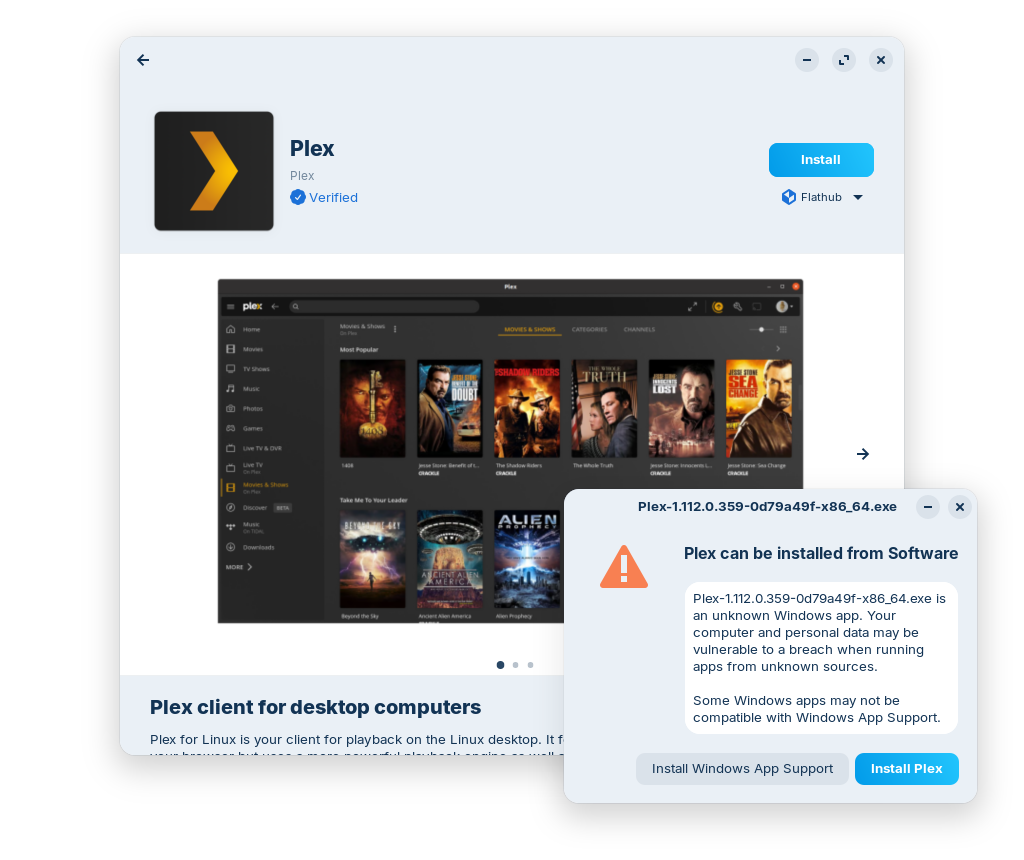
tailored-alternative-to-plex.png


If you’re migrating from Windows, this means you’ll get tailored guidance on how to use the most compatible versions of your favourite apps in Zorin OS. It’s one of many reasons why Zorin OS is the ideal choice for Windows users making the switch.

Many improvements to the desktop​

The Advanced Window Tiling feature introduces new options (accessible from the Zorin Menu → Zorin Appearance → Windows), including:
  • Bring all tiled windows to the foreground together when switching to a tiled app from the taskbar or dash.
  • Reorder tiling layouts from the edit layouts dialog in the Advanced Window Tiling settings.
  • Enhanced edge tiling, allowing you to snap windows to your active custom tiling layout instead of only screen half & quarter tiling.
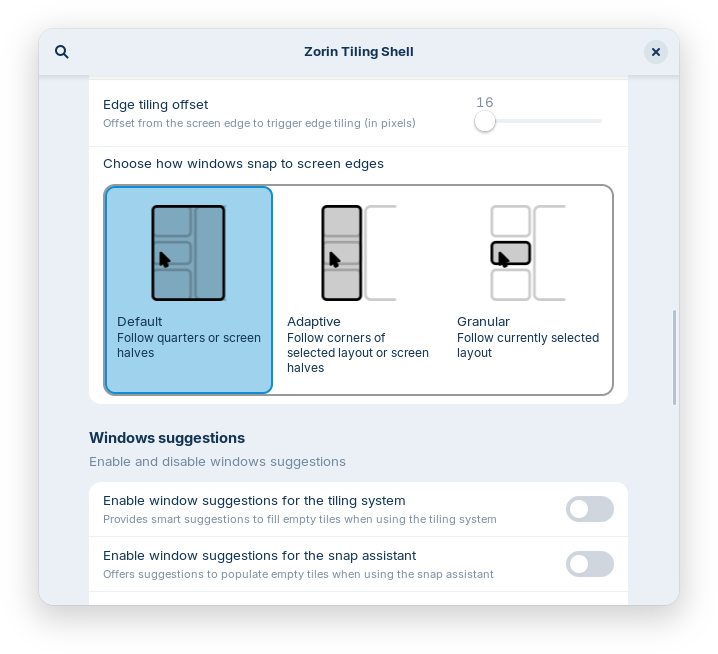
edge-tiling-options.png


The panel now works seamlessly with right-to-left scripts. That means if you’re using Zorin OS in a language like Arabic, Hebrew, or Urdu, your taskbar and panel layout will display right-to-left to match the rest of the system’s interface.

rtl-panel.jpg


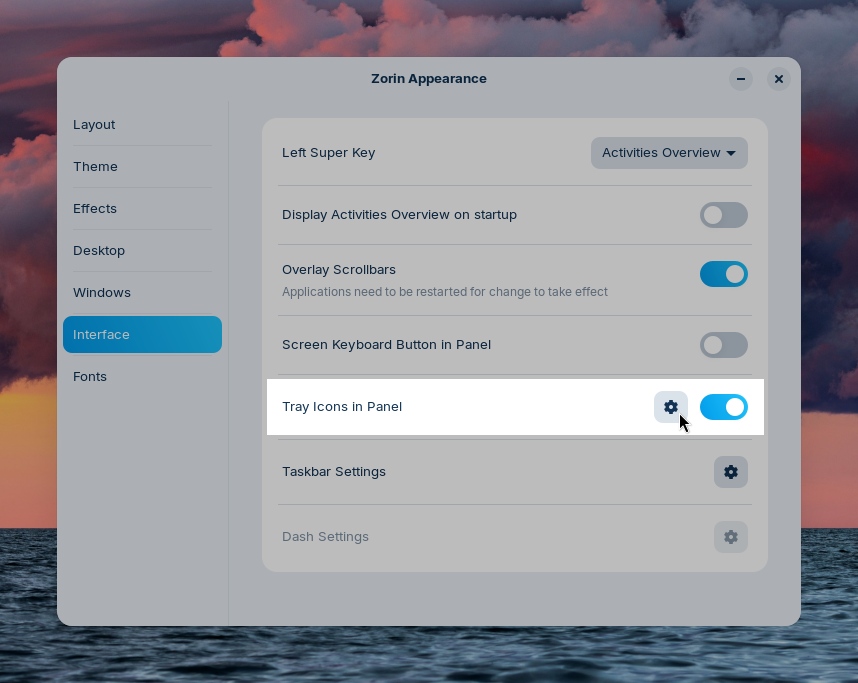
Some apps might display their own indicator icon in the panel tray, allowing you to view the app’s status or quickly access its functions. To let you decide if and how they’re displayed, we’ve added a toggle for “Tray Icons in the Panel” and settings for them to the Interface section of Zorin Appearance.
tray-icons-in-panel.jpg


You might also notice that Zorin OS 18.1 feels a bit faster and smoother. That’s because many performance enhancements and bug fixes have been implemented throughout the desktop in this latest release.

The latest LibreOffice​

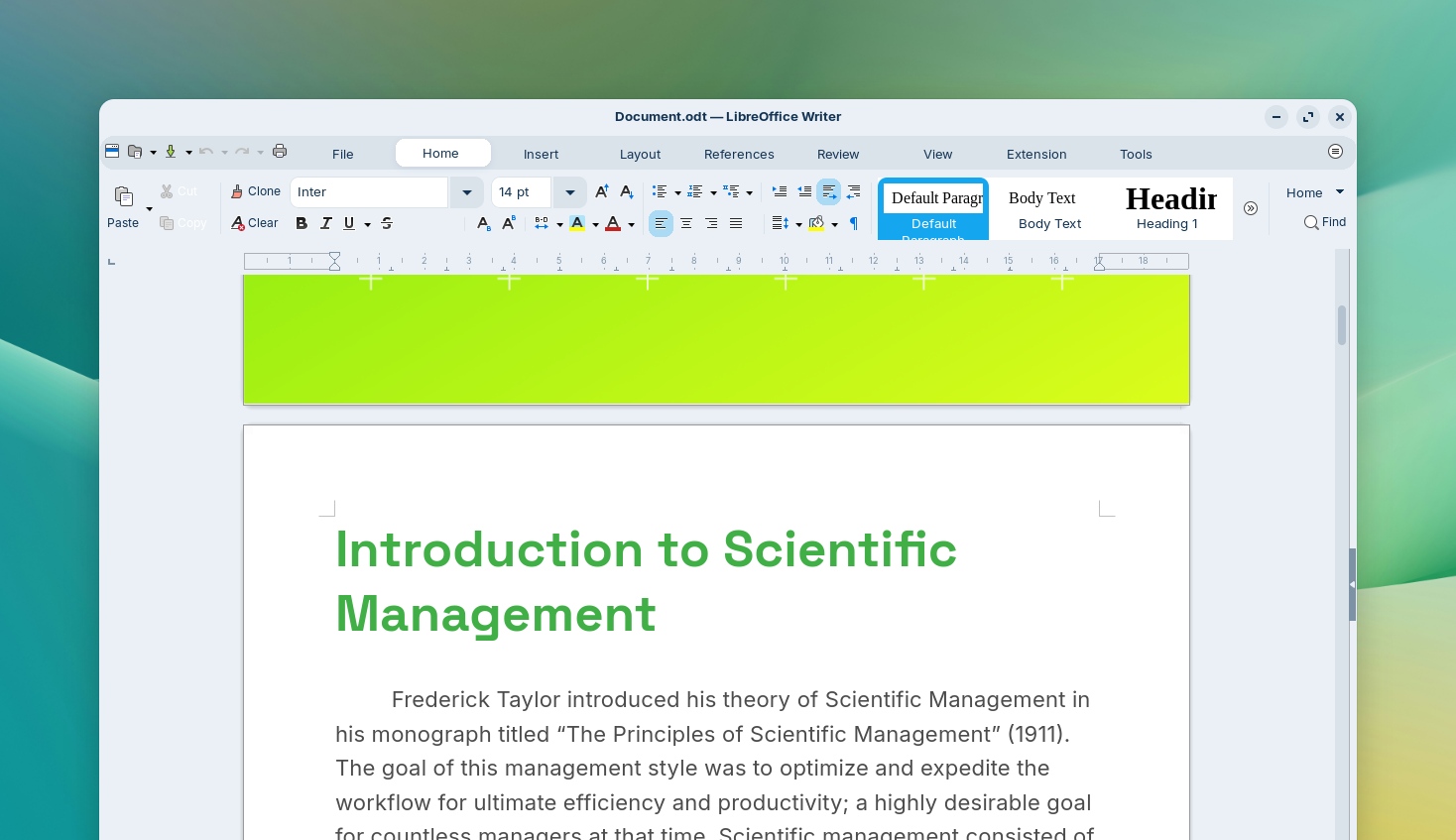
LibreOffice is one of the most essential apps in Zorin OS, and with this new release, it’s getting even better. We’ve included LibreOffice 26.2, the newest version of the award-winning office suite.

It brings even better compatibility with Microsoft Office/365 documents, Markdown support, connector shape objects in Calc and Writer, performance boosts, and many other improvements. Learn more about what’s new ›

With this upgrade, we’re further achieving our goal of making Zorin OS the best alternative to Windows for work.
libreoffice.jpg


Updated apps​

Many other pre-installed apps are updated in Zorin OS 18.1 for a more feature-rich experience out of the box. That also means you’ll need to download fewer software updates after installing Zorin OS on your computer for the first time.

Built-in support for Flatpak, AppImage, and Snap packages ensures you’ll have the latest versions of your favorite apps for years to come.

Lite edition now available​

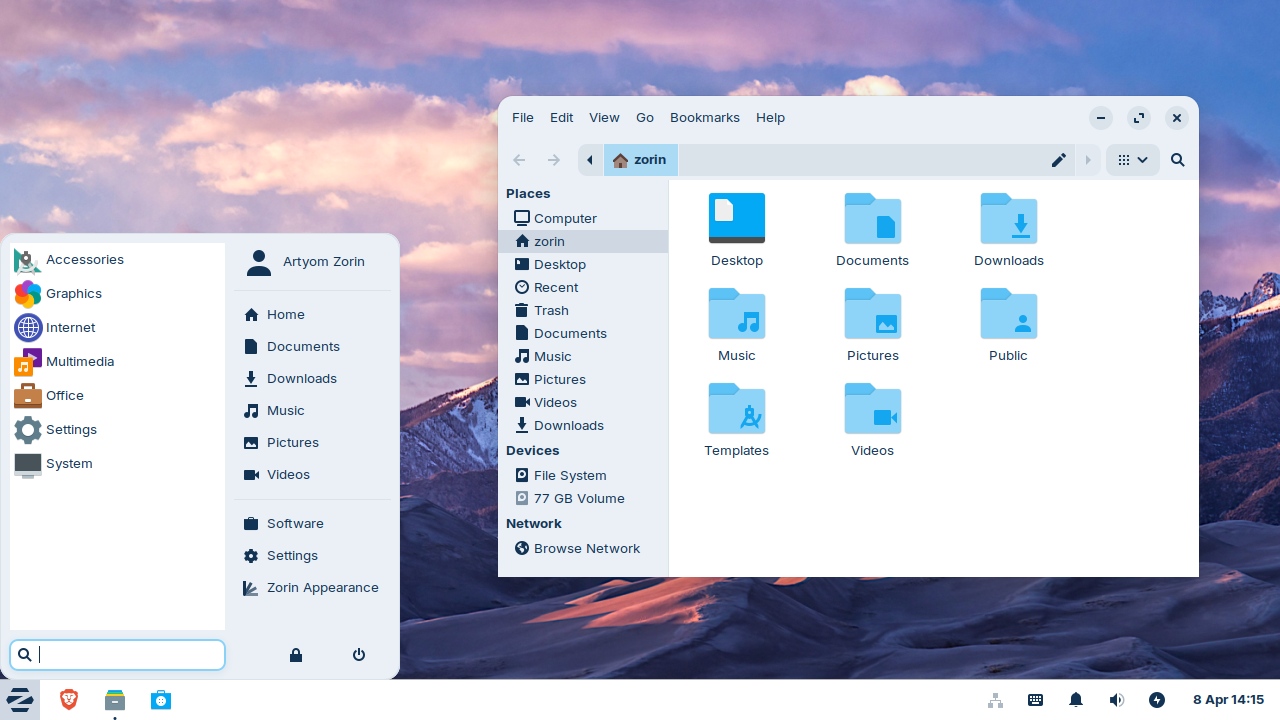
Alongside the launch of Zorin OS 18.1, we’re introducing the Lite edition to our latest release series. It’s our edition intended for old and lower-spec computers.
18.1-lite.jpg


What’s new since Zorin OS 17.3 Lite:
  • Based on the XFCE 4.20 desktop environment. Take advantage of the major features and improvements introduced in the newer version of the upstream desktop environment. Learn more ›
  • Redesigned File Manager app. The default interface has been streamlined to display its most useful features in a more sleek and compact way, making it better for smaller displays.
  • Fingerprint reader support. If your computer has a fingerprint reader, you can now enroll your fingerprints for authentication using the new “Fingerprints” section in the Settings app.
  • Updated desktop themes. The default theme has been tastefully refreshed with a more rounded appearance, giving it a sleek and inviting feel. Selected elements make use of a lighter colour palette, while backgrounds and sidebars have an increased tint, making it more comfortable on the eyes. You can also select from two new theme colours in Zorin Appearance: Yellow and Brown.
  • Seamless integration with Web Apps. Turn any website into a desktop app through an easily accessible interface. Your web apps will appear in the start menu and can be used just like native applications. Learn more ›

Better security and hardware compatibility​

Many built-in system technologies have received improvements for better security, compatibility, and performance.

Zorin OS 18.1 is now powered by the Linux kernel 6.17, the same version as in the latest Ubuntu 25.10. It comes with updated drivers to bring even better support for a wider range of hardware, such as:
  • NVIDIA graphics cards
  • Intel Xe3 graphics
  • AMD hybrid laptop GPUs
  • Lenovo ThinkPad and Samsung Galaxy Book laptops
  • Apple input devices, such as the Magic Mouse 2 and Touch Bar on Intel-based MacBooks Pros
  • Game controllers, including PlayStation 5 DualSense, Acer Nitro NGR200, and Turtle Beach Recon
  • Gaming handheld computers, including ASUS ROG Ally, Lenovo Legion Go, and OneXPlayer
The latest security patches are also pre-installed throughout the system. That means you can have peace of mind knowing you’re using the most secure version of Zorin OS ever.

Zorin OS 18.1 will continue to get support with software updates and security patches until June 2029. This makes it the perfect choice for large-scale deployments in businesses, schools, and organisations, where long-term support is vital.

How to get Zorin OS 18.1​

Upgrade​

  • If you’re using Zorin OS 18. You can upgrade to Zorin OS 18.1 by installing the latest updates from the Software Updater today.
  • If you’re using Zorin OS 17. You can directly upgrade to Zorin OS 18.1 without erasing your files and data. To do so, view our upgrade guide ›

Download​

All editions of Zorin OS 18.1 are now available from our website.

Download Zorin OS 18.1

If you’ve already purchased Zorin OS 18 Pro, you can download a new copy of Zorin OS 18.1 Pro from the download link in your original purchase email. If you lost access to this email, you can resend it here.

Buy a computer​

Are you thinking of getting a new computer? Buy a laptop or desktop with Zorin OS 18.1 pre-installed from our computer brand partners who help contribute to the Zorin OS project.

Browse computers with Zorin OS


 Source:

 
I tried to get the 18.1 update this morning using a ethernet connection to my router. The servers are very busy good luck trying to get the update. So if your connection fails it's not your problem.
 

My Computer My Computer

At a glance

Windows 11 & Zorin ProIntel® Core™ Ultra 9 Processor 275HX 2.7 GHz32 gbNVIDIA® GeForce RTX™ 5060 Laptop GPU
OS
Windows 11 & Zorin Pro
Computer type
Laptop
Manufacturer/Model
Asus Rog Strix G16
CPU
Intel® Core™ Ultra 9 Processor 275HX 2.7 GHz
Motherboard
AsusteK Computer
Memory
32 gb
Graphics Card(s)
NVIDIA® GeForce RTX™ 5060 Laptop GPU
Sound Card
Realtek High Definition Audio
Monitor(s) Displays
Laptop 16 inch
Screen Resolution
2560 X 1600
Hard Drives
Boot: Samsung 9100 NVME 2 TB Microsoft Storage Controller: Standard NVM Express Driver: Microsoft 6/21/2006. No SATA/AHCI on my motherboard or in bios
Mouse
Pad
Browser
Google Chrome
Antivirus
Microsoft
Other Info
Printer: HP Color LaserJet MFP M477dw
I tried to get the 18.1 update this morning using a ethernet connection to my router. The servers are very busy good luck trying to get the update. So if your connection fails it's not your problem.
Got it in 1:25 minutes, etherenet, but run thru my VPN which only gives me around 850Mb/s
 

My Computers My Computers

  • At a glance

    Windows 11 Pro 25H2 (26200.8655)Intel® Core™ i9-13900KS 3.20GHz128GB DDR5-5200 Kingston Fury Beast RGBZotac Trinity NVIDIA® GeForce® RTX 4090 24GB ...
    OS
    Windows 11 Pro 25H2 (26200.8655)
    Computer type
    PC/Desktop
    Manufacturer/Model
    CLX Intel Battlebox Ultimate (RA)
    CPU
    Intel® Core™ i9-13900KS 3.20GHz
    Motherboard
    ASUS ROG Maximus Z790 Hero WIFI - ATX
    Memory
    128GB DDR5-5200 Kingston Fury Beast RGB
    Graphics Card(s)
    Zotac Trinity NVIDIA® GeForce® RTX 4090 24GB GDDR6X
    Sound Card
    Realtek USB Audio
    Monitor(s) Displays
    Dell G3223Q 32" 4K Ultra HD
    Screen Resolution
    3840x2160 @144hz
    Hard Drives
    2TB x 2 Samsung 990 Pro 2280 NVMe M.2 SSD's
    2TB x 1 Samsung 980 Pro 2280 NVMe M.2 SSD
    4 TB x 1 My Passport Ultra External USB
    PSU
    1200W Corsair HX Ser HX1200 80+ Platinum
    Case
    Lian Li / Der Bauer 011DXL ROG
    Cooling
    Phanteks Glacier One 360 RGB AIO LC
    Keyboard
    Logitech K330 Wireless
    Mouse
    Logitech M310 Wireless
    Internet Speed
    1GB Fiber : 945/57
    Browser
    Brave
    Antivirus
    Defender - HitmanPro.Alert
    Other Info
    Macrium Reflect X
  • At a glance

    iPad Air
    Operating System
    iPad Air
    Computer type
    Tablet
    Manufacturer/Model
    Apple
I had better luck at noon and was able to update both of my systems to 18.1. I'm using it now on my laptop to give it a checkout,,, Okay so far
 

My Computer My Computer

At a glance

Windows 11 & Zorin ProIntel® Core™ Ultra 9 Processor 275HX 2.7 GHz32 gbNVIDIA® GeForce RTX™ 5060 Laptop GPU
OS
Windows 11 & Zorin Pro
Computer type
Laptop
Manufacturer/Model
Asus Rog Strix G16
CPU
Intel® Core™ Ultra 9 Processor 275HX 2.7 GHz
Motherboard
AsusteK Computer
Memory
32 gb
Graphics Card(s)
NVIDIA® GeForce RTX™ 5060 Laptop GPU
Sound Card
Realtek High Definition Audio
Monitor(s) Displays
Laptop 16 inch
Screen Resolution
2560 X 1600
Hard Drives
Boot: Samsung 9100 NVME 2 TB Microsoft Storage Controller: Standard NVM Express Driver: Microsoft 6/21/2006. No SATA/AHCI on my motherboard or in bios
Mouse
Pad
Browser
Google Chrome
Antivirus
Microsoft
Other Info
Printer: HP Color LaserJet MFP M477dw
Zorin has a done a lot of good work here with the suggestions of steering users to use more linux apps, but also having it have the choice of trying it in wine windows app support. Good stuff
 

My Computers My Computers

  • At a glance

    Windows 11 ProRyzen 7 5700 X3D64 GB DDR4 3600mhz Gskill Ripjaws VRTX 4070 Super , 12GB VRAM Asus EVO Overclock
    OS
    Windows 11 Pro
    Computer type
    PC/Desktop
    Manufacturer/Model
    Custom Built
    CPU
    Ryzen 7 5700 X3D
    Motherboard
    MSI MPG B550 GAMING PLUS
    Memory
    64 GB DDR4 3600mhz Gskill Ripjaws V
    Graphics Card(s)
    RTX 4070 Super , 12GB VRAM Asus EVO Overclock
    Monitor(s) Displays
    Gigabyte M27Q (rev. 2.0) 2560 x 1440 @ 170hz HDR
    Hard Drives
    2TB Samsung nvme ssd
    4TB Western Digital nvme ssd
    PSU
    CORSAIR RMx SHIFT Series™ RM750x 80 PLUS Gold Fully Modular ATX Power Supply
    Case
    CORSAIR 3500X ARGB Mid-Tower ATX PC Case – Black
    Cooling
    ID-COOLING FROSTFLOW X 240 CPU Water Cooler
    Keyboard
    Logitech G213
    Mouse
    Logitech G203
    Internet Speed
    1.2gbps Fiber 😎
  • At a glance

    Chrome OSIntel Pentium Quad Core4GB LPDDR4
    Operating System
    Chrome OS
    Computer type
    Laptop
    Manufacturer/Model
    HP Chromebook
    CPU
    Intel Pentium Quad Core
    Memory
    4GB LPDDR4
    Monitor(s) Displays
    14 Inch HD SVA anti glare micro edge display
    Hard Drives
    64 GB emmc

My Computer My Computer

At a glance

Windows 11 & Zorin ProIntel® Core™ Ultra 9 Processor 275HX 2.7 GHz32 gbNVIDIA® GeForce RTX™ 5060 Laptop GPU
OS
Windows 11 & Zorin Pro
Computer type
Laptop
Manufacturer/Model
Asus Rog Strix G16
CPU
Intel® Core™ Ultra 9 Processor 275HX 2.7 GHz
Motherboard
AsusteK Computer
Memory
32 gb
Graphics Card(s)
NVIDIA® GeForce RTX™ 5060 Laptop GPU
Sound Card
Realtek High Definition Audio
Monitor(s) Displays
Laptop 16 inch
Screen Resolution
2560 X 1600
Hard Drives
Boot: Samsung 9100 NVME 2 TB Microsoft Storage Controller: Standard NVM Express Driver: Microsoft 6/21/2006. No SATA/AHCI on my motherboard or in bios
Mouse
Pad
Browser
Google Chrome
Antivirus
Microsoft
Other Info
Printer: HP Color LaserJet MFP M477dw
I was wondering why my little 11 inch dell kept failing the 18 upgrade. It wasn't the laptop it was Zorin's servers were blocked with traffic. I did it the other morning and got it done after 2hrs of download of 400k a second. Seems like millions of people have had enough of MS and Apple's garbage and are moving to a streamlined alternative. I am waiting to see what happens in Windows land for the next 6 months regarding "listening" to their customers. I don't have much faith in the current leadership there. Satya NEEDS to go. He's ruined so much of windows, xbox and many other microsoft products that it's time for someone who is customer/consumer based to right the ship or there are going to be 50 million downloads of zorin.
 

My Computers My Computers

  • At a glance

    Windows 11 HomeIntel i7 10700128gb crucialnVidia RTX 2070 super
    OS
    Windows 11 Home
    Computer type
    PC/Desktop
    Manufacturer/Model
    Dell XPS 8940
    CPU
    Intel i7 10700
    Motherboard
    Dell
    Memory
    128gb crucial
    Graphics Card(s)
    nVidia RTX 2070 super
    Sound Card
    Dell
    Monitor(s) Displays
    2 24 inch Dell ultrasharp displays one touch enabled for video and photo editing
    Screen Resolution
    1080p
    Hard Drives
    Main Drive- XPG 2tb, Project drive - Kingston 1tb, Scratch drive - Kingston 512gb, Storage drive - Seagate barracuda 8tb
    PSU
    Dell
    Case
    Dell
    Cooling
    Custom Noctua setup
    Keyboard
    Vital Pro keyboard
    Mouse
    Vital Pro mouse
    Internet Speed
    Bell fibe 1.0 gbps
    Browser
    Edge
    Antivirus
    Defender
    Other Info
    Various printers, card readers, scanners etc for creative work. I built a NAS out of my old acer AC100 4 bay hot swap server with Xeon processor.
  • At a glance

    WIndows 11 Homeintel i7 1165G764gb of Ballistix DD4 ramIris Xe
    Operating System
    WIndows 11 Home
    Computer type
    Laptop
    Manufacturer/Model
    Dell Inspiron 5406 2 in 1
    CPU
    intel i7 1165G7
    Motherboard
    dell
    Memory
    64gb of Ballistix DD4 ram
    Graphics card(s)
    Iris Xe
    Sound Card
    dell
    Monitor(s) Displays
    14 inch touchscreen, plus a second 14 inch touchscreen via HDMI while on location
    Screen Resolution
    1080p
    Hard Drives
    Main drive - 2tb XPG, Storage drive - 1tb Seagate portable drive
    PSU
    dell plus a compact charger for travel
    Case
    dell
    Cooling
    repasted stock coolers
    Browser
    Edge
    Antivirus
    defender
    Other Info
    Thinking about getting an eGpu for this system to take on the road with us.

Latest Support Threads

Back
Top Bottom