
Current plan (subject to change):
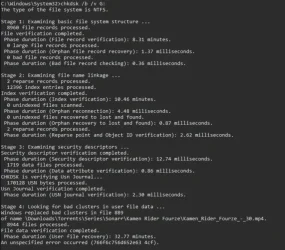
1) Complete chkdsk /b /v on all drives > post a new chkdskfromevent.bat into the newest post
2) Open administrative PS and copy and paste > post a share link
dism /online /get-drivers /format:table
3) Run Windows Driver Verifier (WDV) with multiple customized tests (post #17 steps #2 - #6)
4) Troubleshoot incompatible memory integrity drivers:
ssdudfu.sys
VIA_USB_ETS.sys
mbtusbser.sys
5) Perform an in place upgrade repair
6) Reassess the steps garlin requested
1) Complete chkdsk /b /v on all drives > post a new chkdskfromevent.bat into the newest post
2) Open administrative PS and copy and paste > post a share link
dism /online /get-drivers /format:table
3) Run Windows Driver Verifier (WDV) with multiple customized tests (post #17 steps #2 - #6)
4) Troubleshoot incompatible memory integrity drivers:
ssdudfu.sys
VIA_USB_ETS.sys
mbtusbser.sys
5) Perform an in place upgrade repair
6) Reassess the steps garlin requested
Last edited:
My Computer
At a glance
Windows 10Intel(R) Core(TM) i7-4800MQ CPU @ 2.70GHz16 GB Total: Manufacturer : Samsung MemoryTyp...NVIDIA Quadro K3100M; Intel(R) HD Graphics 4600
- OS
- Windows 10
- Computer type
- Laptop
- Manufacturer/Model
- HP
- CPU
- Intel(R) Core(TM) i7-4800MQ CPU @ 2.70GHz
- Motherboard
- Product : 190A Version : KBC Version 94.56
- Memory
- 16 GB Total: Manufacturer : Samsung MemoryType : DDR3 FormFactor : SODIMM Capacity : 8GB Speed : 1600
- Graphics Card(s)
- NVIDIA Quadro K3100M; Intel(R) HD Graphics 4600
- Sound Card
- IDT High Definition Audio CODEC; PNP Device ID HDAUDIO\FUNC_01&VEN_111D&DEV_76E0
- Hard Drives
- Model Hitachi HTS727575A9E364
- Antivirus
- Microsoft Defender
- Other Info
- Mobile Workstation




 Apple 13" Macbook Pro 2020 (m1)






