I have a windows 11 Pro pc and this afternoon it suddenly froze up on me and I could do nothing at all. I couldn't even click to restart the pc and after multiple attempts at ctrl+alt+delete the screen popped up but I could not do anything there either. The only thing that was working was the mouse and keyboard for hitting ctrl+alt+delete. I waited awhile to see if the pc would start working again, but no such luck and I eventually had to unplug the unit to shut it down. I left it unplugged for a little while, then plugged it back in and turned it on. It did turn on but is moving extremely slowly and I had to click multiple times in order to get it to allow me to even log in. I then started to review and copy a couple files to a flash drive and the pc did the same thing again and I eventually had to unplug it (I would have waited about an hour to see if anything happened but a storm was moving in and I wanted to shut down the pc before that storm moved in.
Any ideas or suggestions on what happened or how to resolve it would be greatly appreciated. I can not let you know the windows version since I don't want to turn that pc on again to only have to unplug it in order to shut it down again. It is windows 11 pro and it is up to date. I am sure the version that is running must be windows 11 version 23H2 (OS Build 22631.5472) (got that information from a past post)
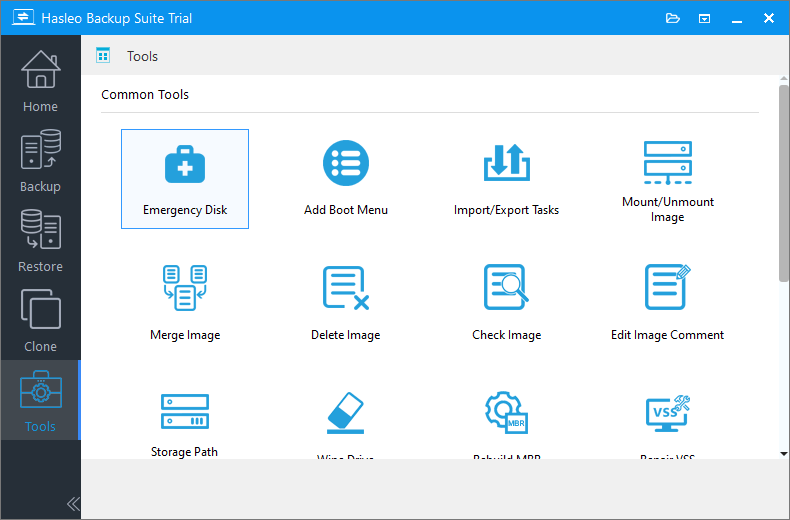
I did create a full backup with Haselo on Friday or Saturday so the backup isn't quite a week old. Just now sure if that is the way to go and if so would following the steps I found at How to use a Hasleo System Backup file to restore PC be the correct way to go and what if the pc freezes up before I can get to the step to restore the pc? I did follow the steps at antspants - Tips for using Hasleo Backup (Free) for the first time for creating my backups and create the Hasleo boot menu to the pc as well if that is of any help.
Thank You So Very Much for any suggestions and help.
Any ideas or suggestions on what happened or how to resolve it would be greatly appreciated. I can not let you know the windows version since I don't want to turn that pc on again to only have to unplug it in order to shut it down again. It is windows 11 pro and it is up to date. I am sure the version that is running must be windows 11 version 23H2 (OS Build 22631.5472) (got that information from a past post)
I did create a full backup with Haselo on Friday or Saturday so the backup isn't quite a week old. Just now sure if that is the way to go and if so would following the steps I found at How to use a Hasleo System Backup file to restore PC be the correct way to go and what if the pc freezes up before I can get to the step to restore the pc? I did follow the steps at antspants - Tips for using Hasleo Backup (Free) for the first time for creating my backups and create the Hasleo boot menu to the pc as well if that is of any help.
Thank You So Very Much for any suggestions and help.
Last edited:
My Computers
-
At a glance
windows 11 Pro11th Gen Intel Core i7-11390H (4 Cores, 8 Thr...32GB dual channel (DDR4)Intel® Iris® Xe- OS
- windows 11 Pro
- Computer type
- PC/Desktop
- Manufacturer/Model
- geekom mini IT11
- CPU
- 11th Gen Intel Core i7-11390H (4 Cores, 8 Threads, 12M
- Memory
- 32GB dual channel (DDR4)
- Graphics Card(s)
- Intel® Iris® Xe
- Monitor(s) Displays
- HP S2031
- Hard Drives
- 1TB SSD
-
At a glance
Windows 11 ProIntel Core i7-13620HDDR4: SO-DIMM 32GB- Operating System
- Windows 11 Pro
- Computer type
- PC/Desktop
- Manufacturer/Model
- Geekom Mini PC XT13 Pro
- CPU
- Intel Core i7-13620H
- Memory
- DDR4: SO-DIMM 32GB
- Monitor(s) Displays
- HPS2031
- Hard Drives
- M.2 1TB