I am running Brave 1.97.56 on Windows 11.
For those not familiar with Brave in the Settings you have the option to set a different default search engine for Normal and Private Windows.
The search engine setting for a Private Window is not working and a search in a Private Window uses the same search engine as a Normal Window.
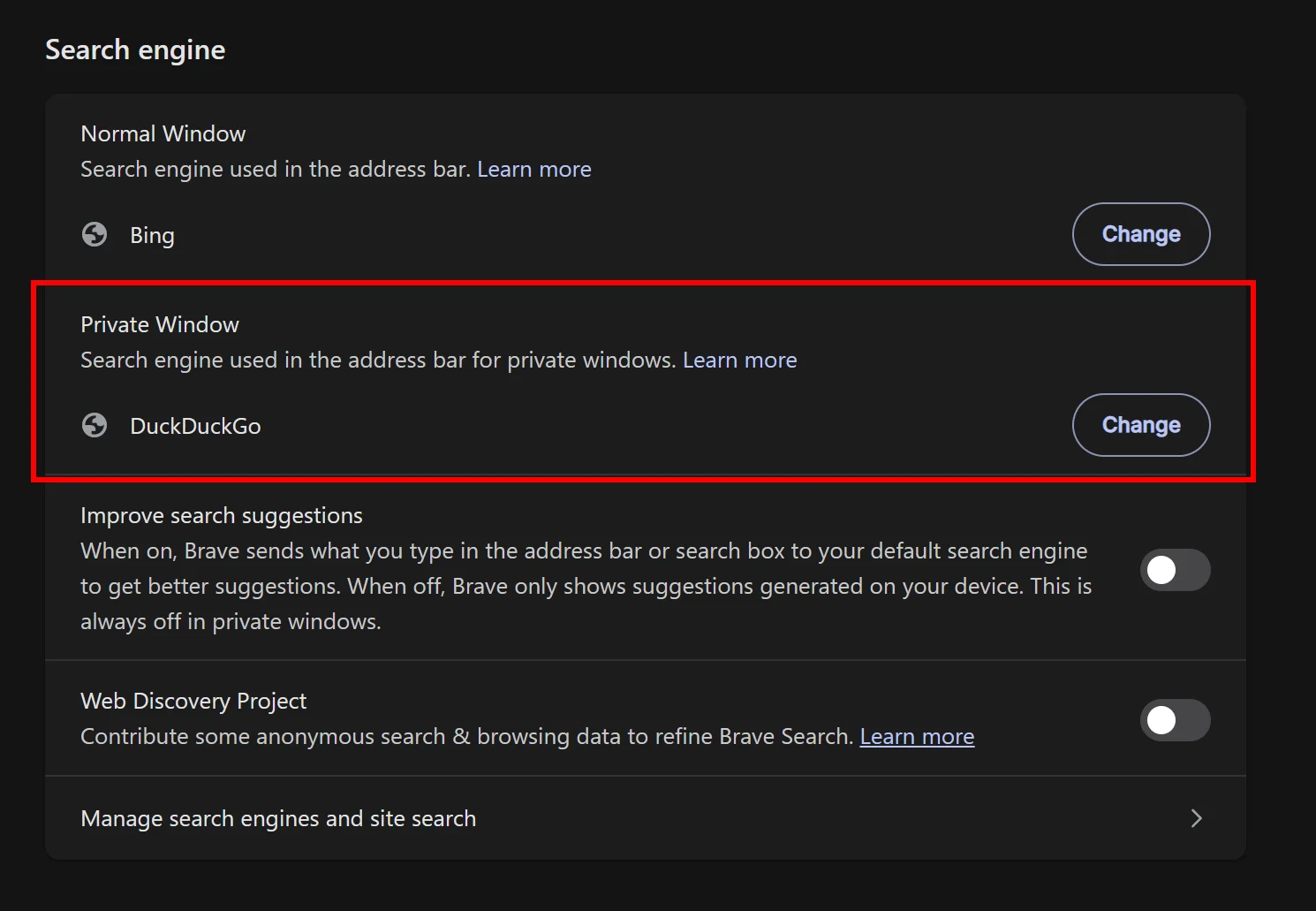
The first image DuckDuckGo is selected as the Search Engine For a Private Window.
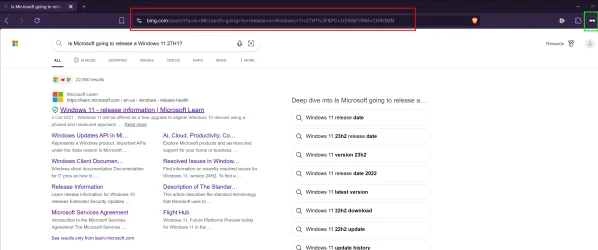
The Second Image the Search Results in a Private Window are from Bing the default Search Engine for a Normal Window. The Eye Icon inside the Green Frame is the indication of a Private Window.
For those not familiar with Brave in the Settings you have the option to set a different default search engine for Normal and Private Windows.
The search engine setting for a Private Window is not working and a search in a Private Window uses the same search engine as a Normal Window.
The first image DuckDuckGo is selected as the Search Engine For a Private Window.
The Second Image the Search Results in a Private Window are from Bing the default Search Engine for a Normal Window. The Eye Icon inside the Green Frame is the indication of a Private Window.
Attachments
My Computer
At a glance
Windows 11AMD Ryzen 8700G64 GBOnboard
- OS
- Windows 11
- Computer type
- PC/Desktop
- Manufacturer/Model
- Generic
- CPU
- AMD Ryzen 8700G
- Motherboard
- Gigabyte B650 UD AC
- Memory
- 64 GB
- Graphics Card(s)
- Onboard
- Sound Card
- Onboard
- Monitor(s) Displays
- Del U2723QE
- Screen Resolution
- 3840 x 2160
- Hard Drives
- Corsiar MP600 1TB
- PSU
- Silverstone 750 GOLD
- Case
- Silverstone FARA 513