- Local time
- 4:50 PM
- Posts
- 12,413
- Location
- The Lone Star State of Texas
- OS
- Windows 11 Pro 26H2 26300.9457
Yes, the upgrade it will 100% bomb if you don't have enough space, but there are other reasons as well. You have to have enough free space for the upgrade to create the windows.old folder. There is no fixed size requirement for creating that folder because no 2 computers are the same. It could be as much as 60gb if your user profile(s) is large or even a 100gb if your user profile is huge.but is it possible this all happened because of insufficient free disk space?
The Windows.old folder size is determined by the combination of the following.
- Your previous Windows installation size (Windows folder, Program Files, ProgramData)
- All User profiles (Desktop, Documents, Pictures, AppData)
- Installed programs
- Driver store
- Language packs and optional features
Before you clean off anything left by the failed upgade, you must first get your windows boot configuration automatically booting into Windows 10 and making sure you have no corrupt system files preventing the upgrade. To do that you Open a command prompt as administrator and type
dism /online /cleanup-image /restorehealth When complete restart. Then open command prompt as admin again and run
sfc /scannowPay attention to the scan results to see if SFC found anything it could not repair
Then, to clean up the disk, run Disk Cleanup as administrator and check every box. If the failed upgrade created any erroneous partitions you will have to manually deal with that. At this point download the iso, mount the iso and run the setup.exe file.
At the point you get your machine stable running Windows 10.At what point am I ready to reattempt the Win10->Win11 upgrade?
As I said there are various reasons an upgrade can fail, low disk space being one of them. Incompatible drivers is another. Mine failed because my user account was corrupted.. I ended up having to do a clean install.
I say again, Protect yourself. I strongly suggest you backup your personal files.
My Computers
-
At a glance
Windows 11 Pro 26H2 26300.9457i9-10900 10 core 20 threads32 gbnone-Intel UHD Graphics 630- OS
- Windows 11 Pro 26H2 26300.9457
- Computer type
- PC/Desktop
- Manufacturer/Model
- Dell Optiplex 7080
- CPU
- i9-10900 10 core 20 threads
- Motherboard
- DELL 0J37VM
- Memory
- 32 gb
- Graphics Card(s)
- none-Intel UHD Graphics 630
- Sound Card
- Integrated Realtek
- Monitor(s) Displays
- Benq 27
- Screen Resolution
- 2560x1440
- Hard Drives
- 2x1tb Solidigm m.2 nvme /External drives 512gb Samsung m.2 sata+2tb Kingston m2.nvme
- PSU
- 500w
- Case
- MT
- Cooling
- Dell Premium
- Keyboard
- Logitech wired
- Mouse
- Logitech wireless
- Internet Speed
- so slow I'm too embarrassed to tell
- Browser
- #1 Edge #2 Firefox
- Antivirus
- Defender+MWB Premium
-
At a glance
Windows 11 Pro 24H2 26200.9457AMD Ryzen 7 6800U32 gbintegrated- Operating System
- Windows 11 Pro 24H2 26200.9457
- Computer type
- PC/Desktop
- Manufacturer/Model
- Beelink Mini PC SER5
- CPU
- AMD Ryzen 7 6800U
- Memory
- 32 gb
- Graphics card(s)
- integrated
- Sound Card
- integrated
- Monitor(s) Displays
- Benq 27
- Screen Resolution
- 2560x1440
- Hard Drives
- 1TB Crucial nvme
- Keyboard
- Logitech wired
- Mouse
- Logitech wireless
- Internet Speed
- still too embarrassed to tell
- Browser
- Firefox
- Antivirus
- Defender
-
System 3 is non compliant Dell 9020 i7-4770/24gb ram Win11 PRO 26200.9457

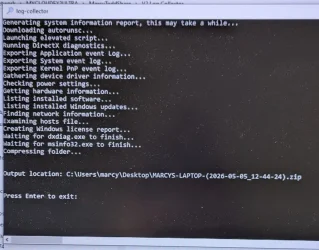

 ) When I asked her that same question a couple of days ago, she said there were no errors - not sure what she misunderstood then.