While viewing this thread open co-pilot and type"please analyze this thread". You will get your answer of why it can not be done and what 3rd party alternatives can and can not do.
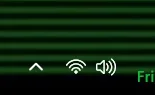
If you mean the power/network/sound icons group, yes you can customize them. First thing I learnt when I installed Windows 11 21H2 back in 2021 is that you must first ungroup them, otherwise any customized icons are ignored and you always see the default Windows 11 icons. To ungroup them I use Explorer Patcher. Since 24H2 the respective system file for the network icons is removed, so Explorer Patcher had its own copy in its application folder. I use Customizer God to extract the respective icons from the previous Windows versions of the appropriate system files (such as Windows 7 or 8.1) and import them into the Windows 11 respective system files. Of course you cannot modify these files directly or you will see errors. You must copy the original system files in another folder, modify the icons and then take ownership of the containing folder and the files in order to grant yourself full access to them. Then you must temporarily end task File Explorer from Task Manager, so these files are not used, and use a third-party file manager or Command Prompt to replace them with the modified versions. The files you need to modify are:
C:\Windows\SystemResources\batmeter.dll.mun for the power icons
C:\Windows\SystemResources\SndVolOSS.dll.mun for the sound icons and
C:\Program Files\ExplorerPatcher\pnidui.dll for the network icons. The last one can be modified directly without having to copy on another folder. Then restart File Explorer for the changes to take effect.
For the folder icons and most other system icons you must modify:
C:\Windows\SystemResources\imageres.dll.mun
For the USB safe removal icon you must modify:
C:\Windows\SystemResources\stobject.dll.mun
Samsung SSD 850 EVO 250GB SATA Device (250 GB, SATA-III)
Internet Speed
802.11g wireless 54 Mbps
Browser
MICROSOFT EDGE
Antivirus
WINDOWS DEFENDER
Other Info
Legacy MBR installation, no TPM, no Secure Boot, no WDDM 2.0 graphics drivers, no SSE4.2, cannot get more unsupported ;) This is only my test laptop. I had installed Windows 11 here before upgrading my main PC. For my main PC I use everyday see my 2nd system specs.
I even found a way to replace the keyboard layout language text (ENG and ΕΛ in my case for US English and Greek) with the respective language flag, see my respective thread:
Hello! I remember using some old versions of Mac OS X and instead of EN/GR had the respective country flag near the clock. Is there any utility to do the same in Windows 11? I have already downloaded Language Indicator Keyboard icon from Microsoft Store, but this shows the respective country...
www.elevenforum.com
The WiFi and the sound icons are from Windows 7. Admittedly they are much nicer than the default flat Windows 10/11 icons. Unfortunately these customizations are not permanent. Every cumulative update or upgrade to a newer version of Windows 11 might replace the respective system files and I have to customize them again. Better than nothing.
Samsung SSD 850 EVO 250GB SATA Device (250 GB, SATA-III)
Internet Speed
802.11g wireless 54 Mbps
Browser
MICROSOFT EDGE
Antivirus
WINDOWS DEFENDER
Other Info
Legacy MBR installation, no TPM, no Secure Boot, no WDDM 2.0 graphics drivers, no SSE4.2, cannot get more unsupported ;) This is only my test laptop. I had installed Windows 11 here before upgrading my main PC. For my main PC I use everyday see my 2nd system specs.