

Bottio96
New member
- Local time
- 11:57 PM
- Posts
- 6
- OS
- Windows 11
Hi,
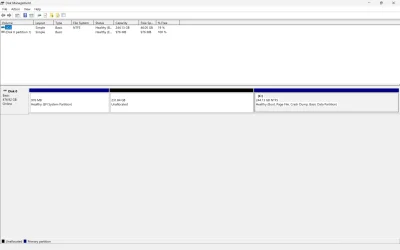
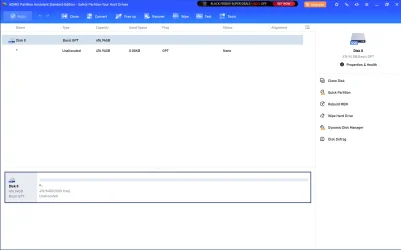
I want to extend the volume of disk C: by the unallocated space. But unallocated space is left to C: disk, so I cannot extend C: disk's volume (figure 1). To do so, I downloaded the AOMEI Partition Assistant. The issue is that AOMEI doesn't show C: disk and unallocated space, it just says that my disk has 100% unallocated space (figure 2). Does anyone have any ideas regarding this?
Thanks in advance!
I want to extend the volume of disk C: by the unallocated space. But unallocated space is left to C: disk, so I cannot extend C: disk's volume (figure 1). To do so, I downloaded the AOMEI Partition Assistant. The issue is that AOMEI doesn't show C: disk and unallocated space, it just says that my disk has 100% unallocated space (figure 2). Does anyone have any ideas regarding this?
Thanks in advance!
- Windows Build/Version
- Windows 11
Attachments
My Computer
At a glance
Windows 11
- OS
- Windows 11
- Computer type
- Laptop
- Manufacturer/Model
- Lenovo Ideapad











