Apple Newsroom:
Apple today released exciting new features and capabilities across each of its software platforms — iOS, iPadOS, macOS, watchOS, tvOS, and visionOS — and introduced a beautiful new design with Liquid Glass that brings even greater consistency across the Apple ecosystem. New Apple Intelligence features help break down language barriers with Live Translation, extend the capabilities of visual intelligence, and bring personalized, motivational audio insights with Workout Buddy on Apple Watch. Users will also find a range of updates across apps and experiences they use every day, including helpful ways to screen phone calls, customize messages on iPhone, and create delightful spatial scenes that bring photos to life. iPad users will experience an entirely new powerful and intuitive windowing system, and Mac gets the biggest update ever to Spotlight. Apple Watch introduces sleep score to give users a better understanding of sleep quality, plus Apple Vision Pro now features widgets and all-new Personas that are more natural and familiar.
A New Software Design with Liquid Glass
A beautiful new software design makes apps and system experiences more expressive and delightful while remaining instantly familiar. For the very first time, the new design extends across iOS, iPadOS, macOS, watchOS, and tvOS all at once to establish even more harmony while maintaining the elements that make each operating system unique. A new translucent material called Liquid Glass reflects and refracts its surroundings while dynamically transforming to help bring greater focus to content. Liquid Glass delivers a new level of vitality across controls, navigation, app icons, widgets, and more in both Apple and third-party apps.Apple Intelligence Elevates the User Experience Across Devices
New Apple Intelligence features are available today
Apple today released new Apple Intelligence features that elevate the user experience across iPhone, iPad, Mac, Apple Watch, and Apple Vision Pro.
www.apple.com
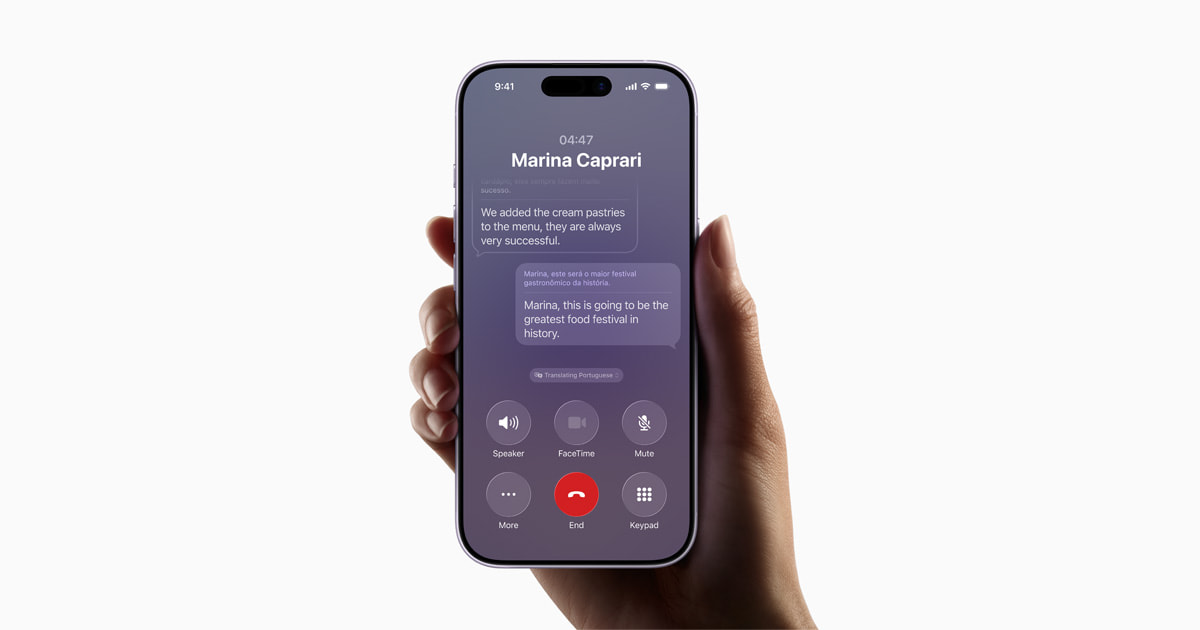
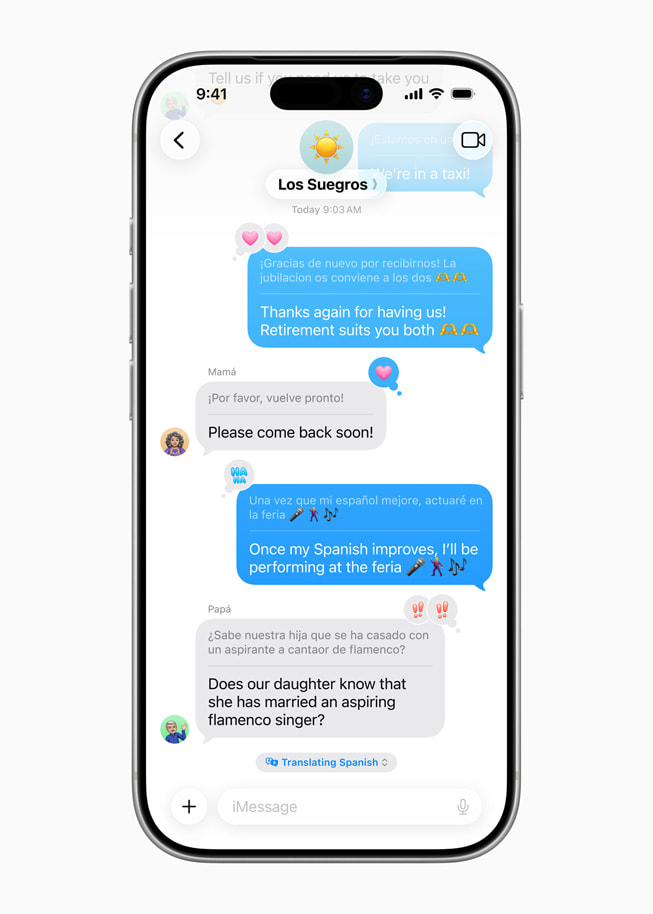
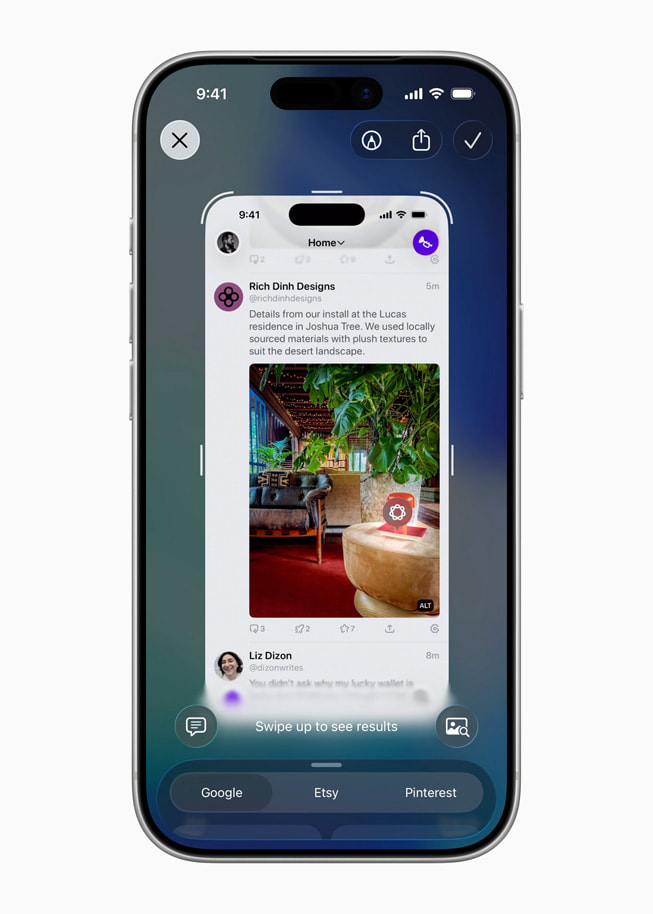
Building on the powerful set of existing features, new Apple Intelligence capabilities elevate the user experience across iPhone, iPad, Mac, Apple Watch, and Apple Vision Pro. Apple Intelligence helps users seamlessly communicate across languages with Live Translation in Messages, FaceTime, Phone, and with AirPods. With updates to visual intelligence, users can take a screenshot and ask ChatGPT questions about what they’re looking at on their screen to learn more, as well as search Google, Etsy, or other supported apps to find similar images and products. Users can now create a Genmoji by combining multiple emoji and tap into ChatGPT in Image Playground to unlock new image styles. Apple Intelligence also enhances the fitness experience on Apple Watch, iPhone, and AirPods with Workout Buddy, providing personalized, spoken motivation during workouts.



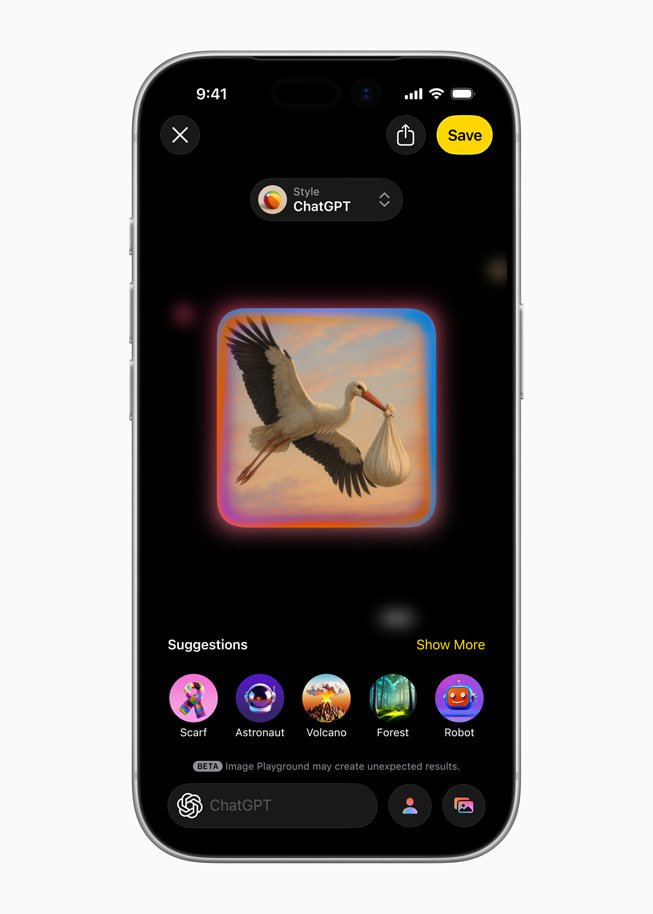
Additionally, Shortcuts can now tap into Apple Intelligence models directly to accelerate workflows. The on-device foundation model at the core of Apple Intelligence is also available to developers, with apps already offering users new intelligent, privacy-protected features that can even be experienced when offline. For example, Streaks intelligently suggests and automatically categorizes tasks in a user’s to-do list; CARROT Weather provides free, unlimited conversation around weather insights, all in the app’s signature tone; and Detail: AI Video Editor helps creatives by generating teleprompter scripts from outlines or existing text.

Shortcuts can now tap into Apple Intelligence models directly to accelerate workflows.
iOS 26 Improves the Features Users Rely on Every Day
OS - iOS 27
iOS 27 with all-new Siri AI powered by Apple Intelligence and new features for a more responsive, delightful experience.
www.apple.com
Featuring the new design with Liquid Glass, iOS 26 brings more customization options to the Lock Screen, including a sleek adaptive time presentation and delightful 3D spatial scenes, as well as enhancements to Camera, Photos, Safari, the Phone app, and more. To help users eliminate distractions and focus on the conversations that matter most, Call Screening can screen calls from unknown numbers, while Hold Assist can hold on the line until a live agent is available.8 In Messages, users can now choose to screen messages from unknown senders, create polls, and add backgrounds to conversations.


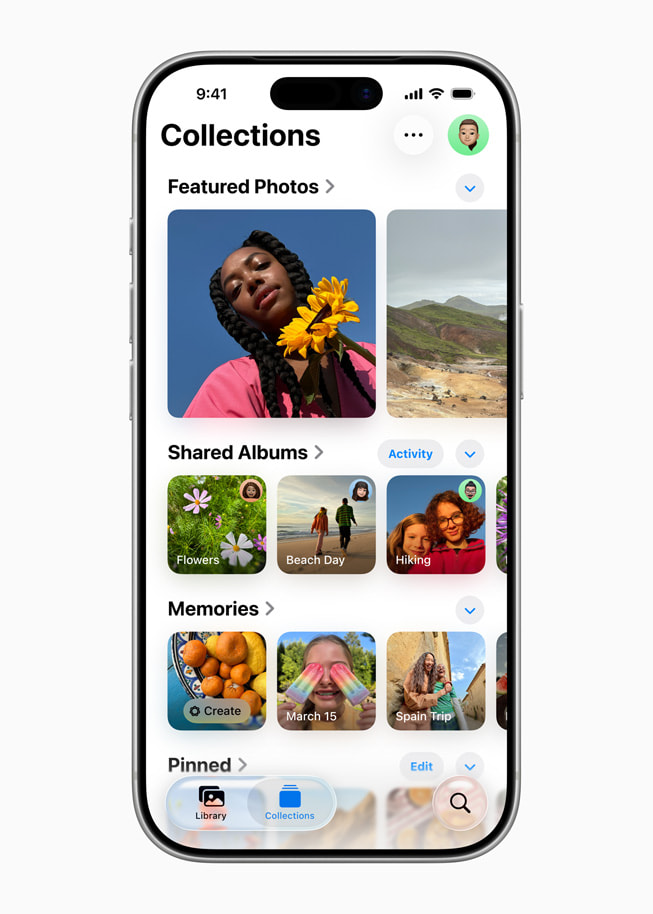
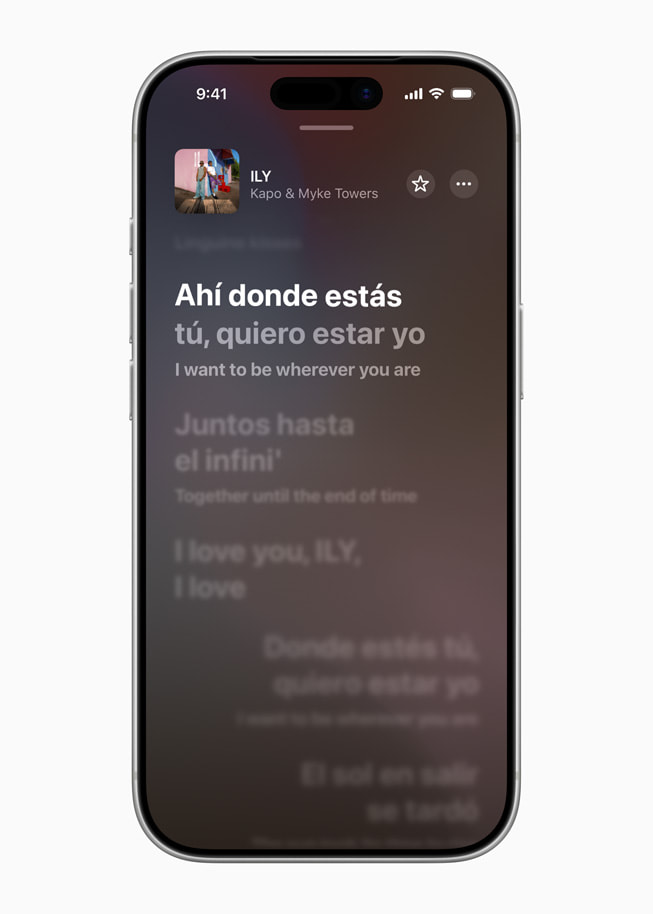
iOS 26 also adds Lyrics Translation and Pronunciation in Apple Music, Visited Places in Apple Maps, and order tracking in Apple Wallet.9,10 Updates to AirPods allow creators to record content with great sound quality and remotely control content capture in the Camera app. Additionally, iOS 26 introduces the Apple Games app, an all-new personalized gaming destination designed to help users jump back into the games they love, find their next favorite, and have more fun with their friends. Also, CarPlay users will see a new compact view for incoming calls, Tapbacks in Messages, as well as widgets and Live Activities.



iPadOS 26 Unlocks Powerful New Experiences on iPad
OS - iPadOS 27
iPadOS 27 with all-new Siri AI powered by Apple Intelligence and new features for a more responsive, delightful experience.
www.apple.com
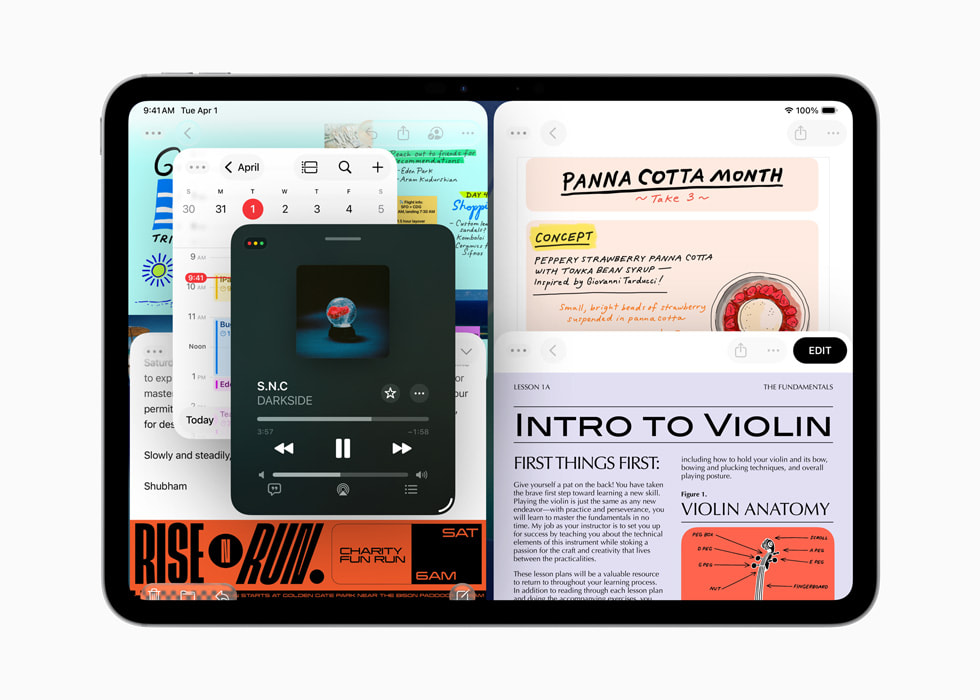
iPadOS 26, the biggest iPadOS release ever, takes a huge leap forward and unlocks powerful productivity updates that transform what users can do on iPad. A beautiful design brings a new look to iPad, plus an entirely new, powerful, and intuitive windowing system helps users control, organize, and switch between apps — all while maintaining the simplicity of iPad. With a new menu bar, users can access the commands available in an app with a simple swipe down from the top of the display, or by moving their cursor to the top. The supercharged Files app offers new ways to organize files and customize folders. Also, with folders in the Dock, users can conveniently access downloads, documents, and more from anywhere. The Preview app comes to iPad, giving users a dedicated app to view and edit PDFs, with Apple Pencil Markup and AutoFill built in. iPadOS 26 also unlocks new capabilities for creative pros with Background Tasks, more control over their audio input, and the ability to capture high-quality recordings with local capture. Journal comes to iPad, making it easy for users to capture and write about the details of everyday moments or special events using Apple Pencil or touch.


macOS Tahoe Turbocharges Productivity on Mac

OS - macOS 27 Golden Gate
macOS 27 Golden Gate with all-new Siri AI powered by Apple Intelligence and new features for a more responsive, delightful experience.
www.apple.com
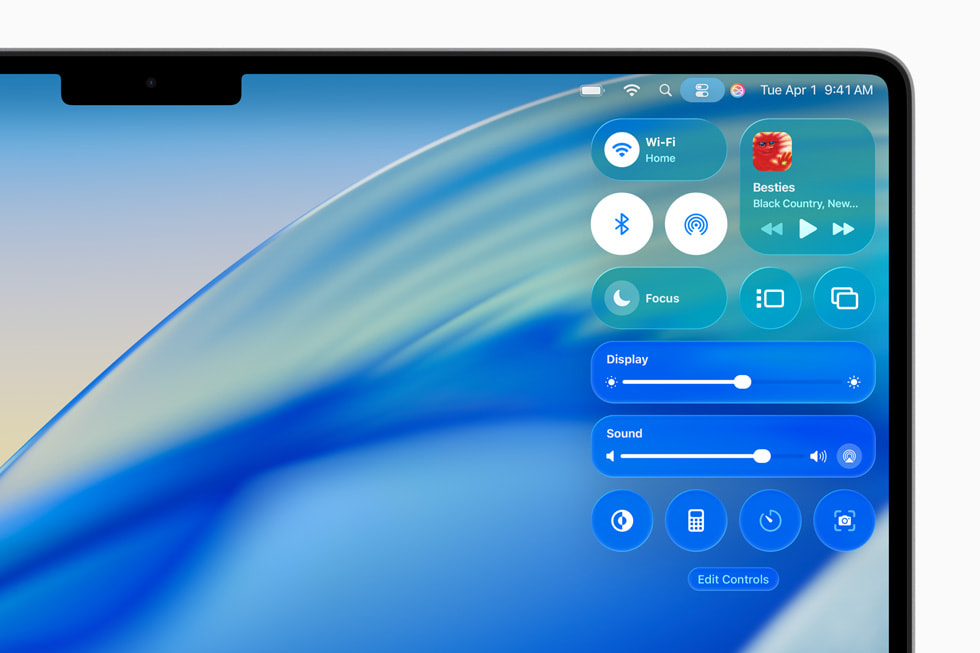
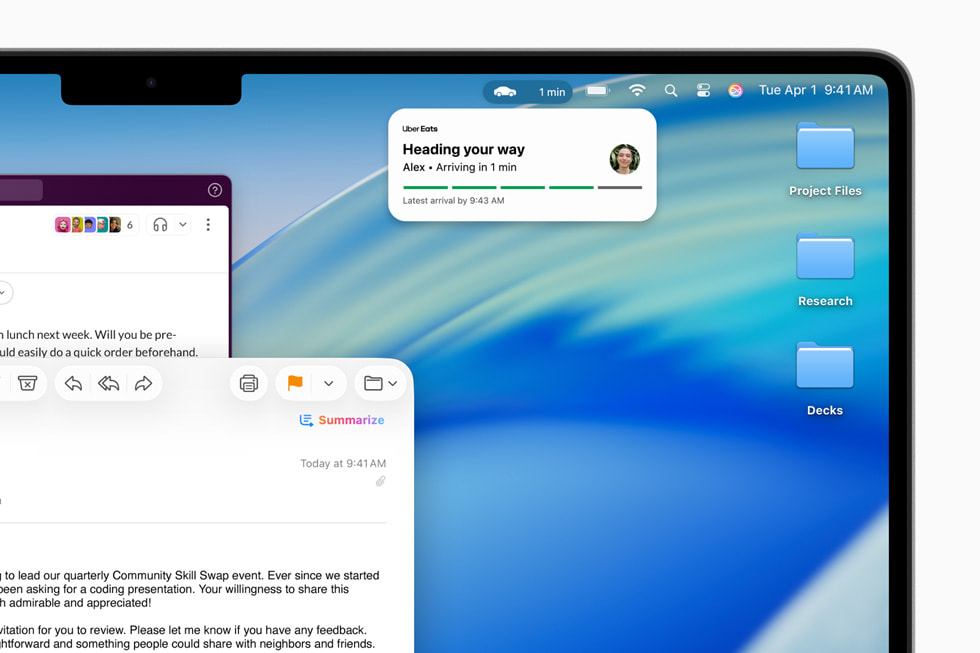
macOS Tahoe transforms the Mac experience with a stunning new design and powerful capabilities that turbocharge productivity. The new design offers users even more ways to personalize their Mac with an updated Control Center in addition to new color options for folders, app icons, and widgets. The menu bar is completely transparent, making the display feel even larger. With its biggest update ever, Spotlight offers all-new browsing views for files and apps, enhanced search, plus powerful action capabilities to quickly accomplish tasks like sending emails or creating events — all with the help of quick keys. Shortcuts get even more powerful with intelligent actions along with the ability to tap directly into Apple Intelligence models to automate complex tasks. Thanks to Continuity, the Phone app allows users to effortlessly access familiar features from iPhone — including Recents, Favorites, and Voicemails — alongside new features like Call Screening and Hold Assist. With Live Activities from iPhone now appearing directly on the Mac, staying informed about real-time events has never been easier.


watchOS 26 Delivers More Personalized Ways to Stay Healthy, Active, and Connected

OS - watchOS 27
watchOS 27 with all-new Siri powered by Apple Intelligence and new features for a more responsive and delightful experience.
www.apple.com
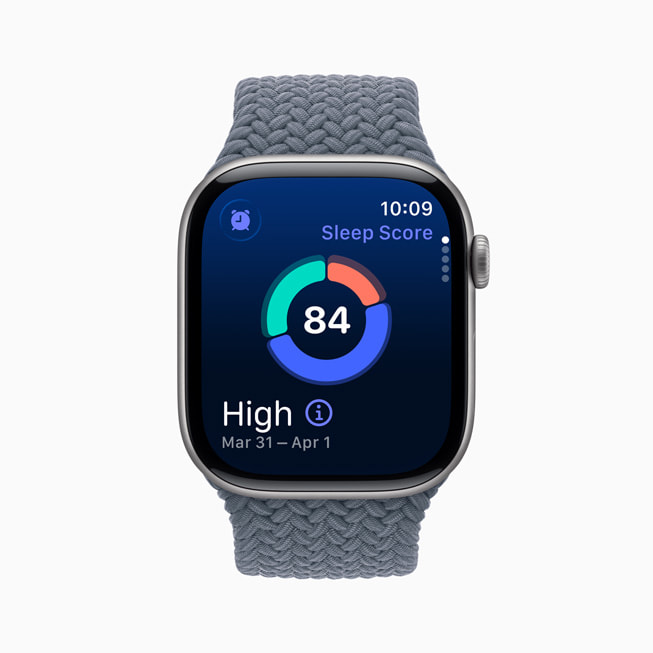
watchOS 26 offers even more intelligence to deliver more personalized ways to stay healthy, active, and connected, all within a beautiful new software design. A new sleep score feature comes to Apple Watch, so users can better understand the quality of their sleep and take steps to help make it more restorative. FDA-cleared hypertension notifications are now available on Apple Watch, which can alert users if signs of chronic high blood pressure — also known as hypertension — are detected, so they can begin making potentially lifesaving behavioral changes, or start treatment to reduce their risk of serious, long-term health events.11 Hypertension notifications are powered by a machine learning-based algorithm, and the feature was validated in a large clinical study.

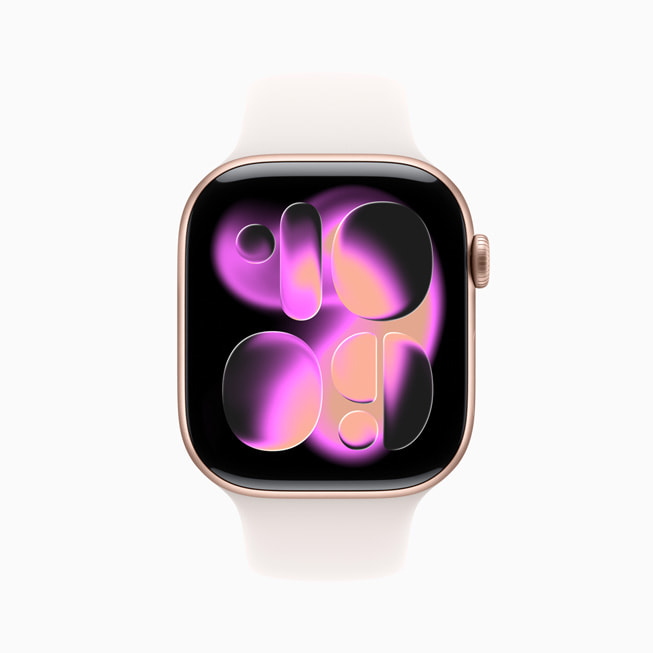
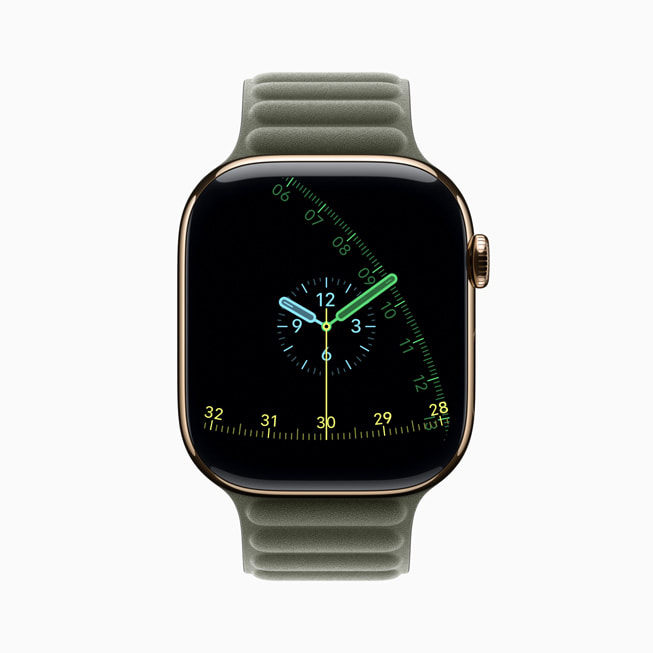
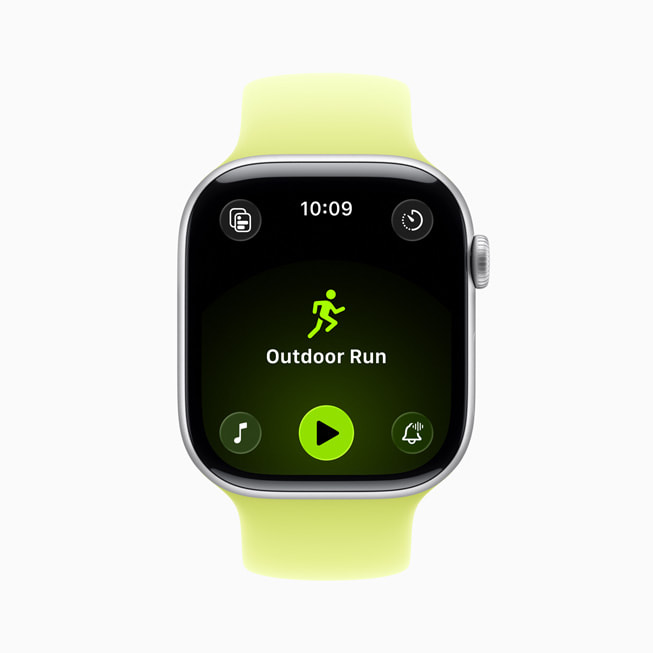
A redesigned watch face gallery includes two new watch faces: Flow and Exactograph. And Workout Buddy, a first-of-its-kind fitness experience powered by Apple Intelligence, provides personalized, motivational audio insights during workouts — with a dynamic generative voice built using voice data from Apple Fitness+ trainers — and the Workout app debuts the biggest update to its layout since introduction.6 Additionally, watchOS 26 makes everyday interactions even more convenient with Smart Stack hints, offering proactive prompts for actionable suggestions that are immediately useful; Live Translation in Messages allows texts to be translated automatically into a user’s preferred language;3 wrist flick, a new one-handed gesture, can be used to dismiss notifications and calls, silence alarms, plus return to the watch face;12 and the Notes app comes to Apple Watch.


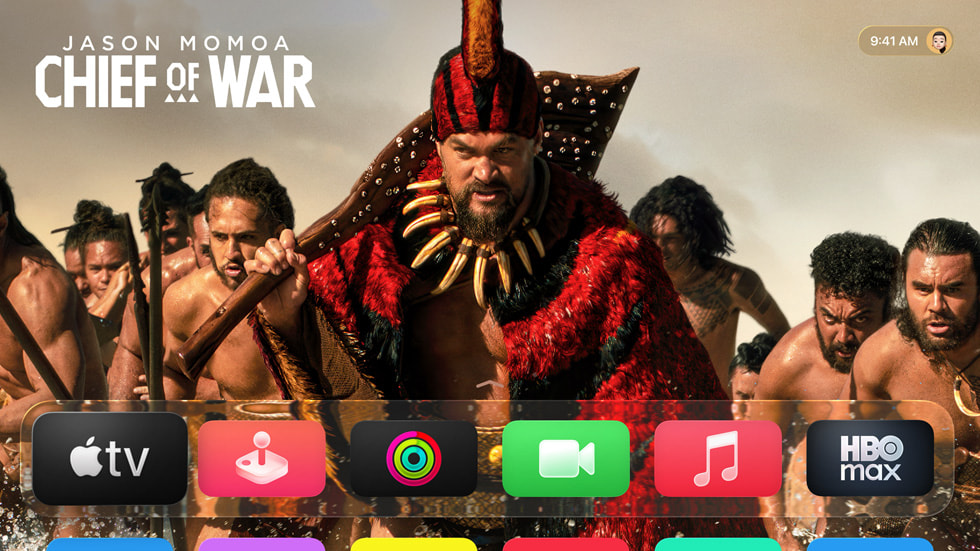
tvOS 26 Elevates the Apple TV Experience

Apple TV brings a beautiful redesign and enhanced home entertainment experience
Apple today previewed tvOS 26, making Apple TV even more immersive, enjoyable, and convenient.
www.apple.com
tvOS 26 makes Apple TV even more immersive, enjoyable, and convenient with a beautiful design along with engaging new features. Sing-along sessions reach a new level of fun with Sing in Apple Music, allowing users to transform their iPhone into a wireless microphone for Apple TV.13 Friends can join in with their own iPhone to queue up songs or react with onscreen emoji, all while real-time lyrics and visual effects bring the performance to life on the biggest screen in the home. Contact Posters on FaceTime simplify starting a call and spending time together from the comfort of the living room. Also, updates to profiles allow users to quickly return to their personalized recommendations, playlists, and watchlists.



visionOS 26 Brings Groundbreaking Spatial Experiences and New Features for Apple Vision Pro

OS - visionOS 27
visionOS 27 with all-new Siri AI powered by Apple Intelligence and new features for a more responsive, delightful experience.
www.apple.com
visionOS 26 brings powerful new spatial experiences to Apple Vision Pro, including widgets that integrate seamlessly into a user’s space and reappear every time they put on Vision Pro; more expressive, realistic Personas; and spatial scenes, which offer a new viewing experience with lifelike depth for photos. Spatial browsing transforms articles on Safari and lets developers embed 3D objects directly into web pages, plus users can share Vision Pro experiences with people in the same room — like watching the latest movie together or supercharging collaboration with coworkers. Users can unlock and view their iPhone while wearing Vision Pro, and can save their hand and eye data on iPhone to make sharing Vision Pro easier than ever. A new interactive Environment, Jupiter, lets users speed up time to see the planet’s enormous storms swirl across its surface. visionOS 26 also adds support for native playback of 180-degree, 360-degree, and wide field-of-view content from action cameras, including select models of Insta360, GoPro, as well as Canon, letting users enjoy their exciting 2D action footage the way it was meant to be seen.



Accessibility Features for Customization and Convenience
For users with a wide range of disabilities, new accessibility features bring the next level of customization and convenience to the Apple ecosystem. Accessibility Nutrition Labels on the App Store give developers a new way to inform users of supported accessibility features before they download an app. With the Magnifier app for Mac, users with low vision can connect to an external camera to zoom in and interact with their surroundings, such as text on a screen or whiteboard. Accessibility Reader, a new systemwide reading mode, offers extensive options for font, color, and spacing, as well as support for Spoken Content. Braille Access is a powerful new way for braille users with connected displays to interact with their Apple devices. For users who are deaf or hard of hearing, Live Listen controls come to Apple Watch with a new set of features, including real-time Live Captions.
For users who are deaf or hard of hearing, Live Listen controls come to Apple Watch with a new set of features, including real-time Live Captions.
Availability
iOS 26, iPadOS 26, macOS 26, watchOS 26, tvOS 26, and visionOS 26 are available today as free software updates. Some features may not be available in all regions or in all languages.
Hypertension notifications have received marketing authorization from the FDA and other global health authorities, including the U.S. and the EU. Hypertension notifications are not available in all regions. For more information on availability, visit apple.com/watchos/feature-availability.
Source:

New versions of Apple’s software platforms are available today
Apple today released exciting new features and capabilities across each of its software platforms — iOS, iPadOS, macOS, watchOS, tvOS, and visionOS.
www.apple.com
Last edited: