BSOD Crash Analysis: V2 Log Collector Logs (FROST)


frostXD

Member
Member
Local time
10:54 PM
Posts
8
OS
Microsoft Windows 11 Pro
I am experiencing system crashes and have gathered the diagnostic data using the V2 Log Collector.

Log Files
You can download the collected logs here:
V2 Log collector

Any help analyzing these dump files to identify the root cause of the BSODs would be greatly appreciated.
 

My Computer

System One

  • OS
    Microsoft Windows 11 Pro
    Computer type
    Laptop
    Manufacturer/Model
    Nitro ANV15-51
    CPU
    13th Gen Intel(R) Core(TM) i7-13620H
    Graphics Card(s)
    GPU 0 Intel(R) UHD Graphics GPU 1 NVIDIA GeForce RTX 4050 Laptop GPU
*** WARNING: Unable to verify timestamp for nvlddmkm.sys.

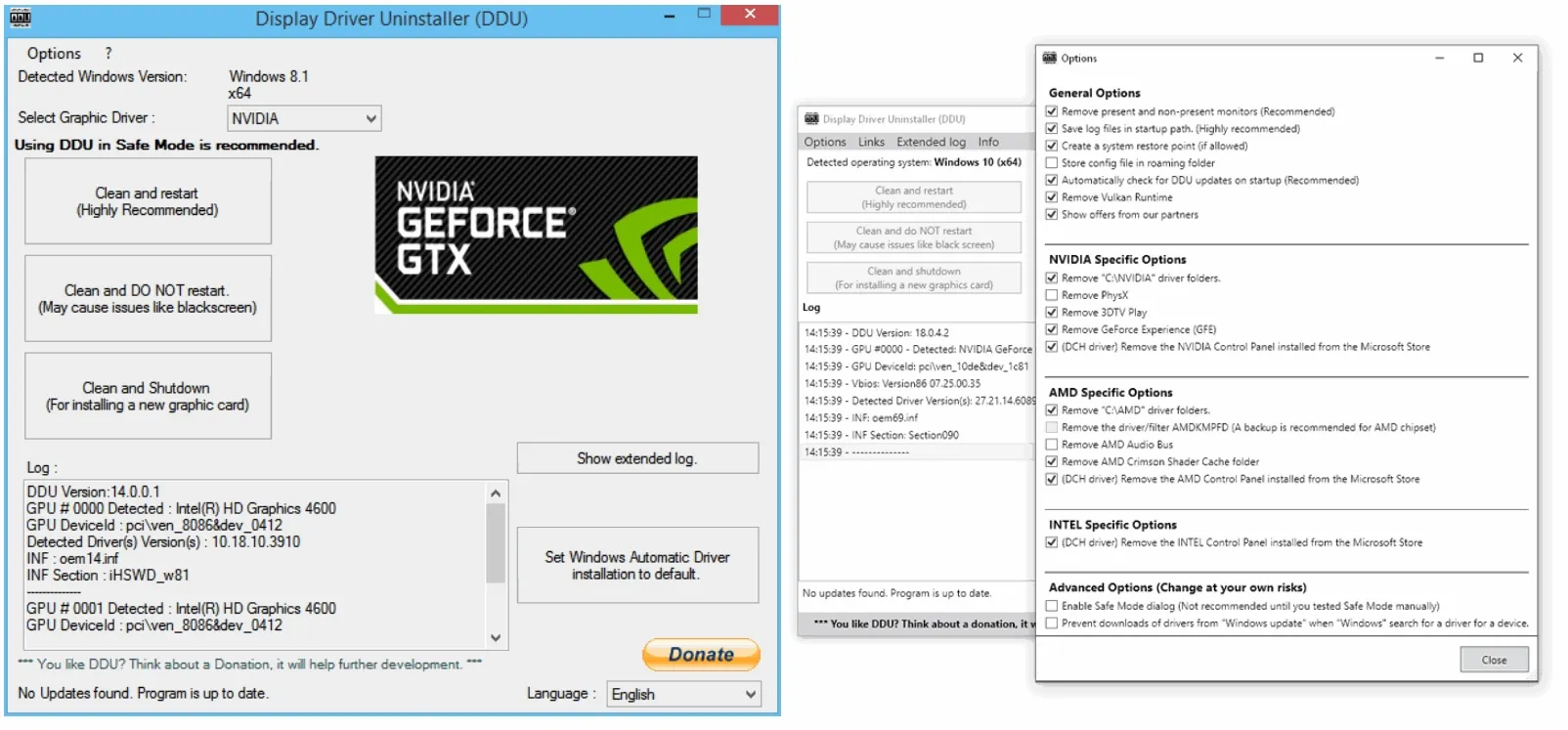
The graphics card driver caused the last BSoD error install the newest version from your GPU manufacturer website use Display Driver Uninstaller DDU to uninstall currently install GPU.driver.


My Computer

System One

  • OS
    Windows 11
    Computer type
    PC/Desktop
    Manufacturer/Model
    HP Pavilion
    CPU
    AMD Ryzen 7 5700G
    Motherboard
    Erica6
    Memory
    Micron Technology DDR4-3200 16GB
    Graphics Card(s)
    NVIDIA GeForce RTX 3060
    Sound Card
    Realtek ALC671
    Monitor(s) Displays
    Samsung SyncMaster U28E590
    Screen Resolution
    3840 x 2160
    Hard Drives
    SAMSUNG MZVLQ1T0HALB-000H1
Please search for > post share links

LastWriteTime Size (MB) FullName
------------- --------- --------
6/14/2026 5:04:59 PM 2350.3 C:\WINDOWS\MEMORY.DMP


LastWriteTime Size (MB) FullName
------------- --------- --------
5/25/2026 6:44:09 PM 2300.13 C:\WINDOWS\LiveKernelReports\UcmUcsiCx.sys-20260525-1844.dmp
 

My Computer

System One

  • OS
    Windows 10
    Computer type
    Laptop
    Manufacturer/Model
    HP
    CPU
    Intel(R) Core(TM) i7-4800MQ CPU @ 2.70GHz
    Motherboard
    Product : 190A Version : KBC Version 94.56
    Memory
    16 GB Total: Manufacturer : Samsung MemoryType : DDR3 FormFactor : SODIMM Capacity : 8GB Speed : 1600
    Graphics Card(s)
    NVIDIA Quadro K3100M; Intel(R) HD Graphics 4600
    Sound Card
    IDT High Definition Audio CODEC; PNP Device ID HDAUDIO\FUNC_01&VEN_111D&DEV_76E0
    Hard Drives
    Model Hitachi HTS727575A9E364
    Antivirus
    Microsoft Defender
    Other Info
    Mobile Workstation

My Computer

System One

  • OS
    Windows 11
    Computer type
    PC/Desktop
    Manufacturer/Model
    HP Pavilion
    CPU
    AMD Ryzen 7 5700G
    Motherboard
    Erica6
    Memory
    Micron Technology DDR4-3200 16GB
    Graphics Card(s)
    NVIDIA GeForce RTX 3060
    Sound Card
    Realtek ALC671
    Monitor(s) Displays
    Samsung SyncMaster U28E590
    Screen Resolution
    3840 x 2160
    Hard Drives
    SAMSUNG MZVLQ1T0HALB-000H1
1) Add WMIC:

Administrative command prompt:

Code:
DISM /Online /Add-Capability /CapabilityName:WMIC~~~~


2) Run Tuneup plus >post a share link


3) Enable regback:


4) See FreeBooter's post #2


5) Create a new restore point:

Create System Restore Point in Windows 10


6) See active EF threads on secure boot

Frequently asked questions about the Secure Boot update process - Microsoft Support
Secure Boot playbook for certificates expiring in 2026
Windows Secure Boot Key Creation and Management Guidance
Registry key updates for Secure Boot: Windows devices with IT-managed updates - Microsoft Support
Updating Microsoft Secure Boot keys before expiration in June 2026 | Windows 11 Forum
Secure boot update HowTo | Windows 11 Forum


Code:
Event[23583]
  Log Name: System
  Source: Microsoft-Windows-TPM-WMI
  Date: 2026-06-14T17:10:21.6700000Z
  Event ID: 1803
  Task: N/A
  Level: Error
  Opcode: Info 
  Keyword: N/A
  User: S-1-5-18
  User Name: NT AUTHORITY\SYSTEM
  Computer: Frost
  Description:
A PK-signed Key Exchange Key (KEK) cannot be found for this device. Check with the device manufacturer for proper key provisioning.
This device signature information is included here.
DeviceAttributes: FirmwareManufacturer:INSYDE Corp.;FirmwareVersion:V1.53;OEMModelNumber:Nitro ANV15-51;OEMModelBaseBoard:Sportage_RTH;OEMManufacturerName:Acer;OSArchitecture:amd64;
BucketId: f39267f6b630d4c2310556ce1b7771b65f96385845fdb76596934a710740a18f
BucketConfidenceLevel: High Confidence.
For more information, please see https://go.microsoft.com/fwlink/?linkid=2339472

Event[23584]
  Log Name: System
  Source: Microsoft-Windows-TPM-WMI
  Date: 2026-06-14T17:10:21.7240000Z
  Event ID: 1801
  Task: N/A
  Level: Error
  Opcode: Info 
  Keyword: N/A
  User: S-1-5-18
  User Name: NT AUTHORITY\SYSTEM
  Computer: Frost
  Description:
Updated Secure Boot certificates are available on this device but have not yet been applied to the firmware. Review the published guidance to complete the update and maintain full protection. This device signature information is included here.
DeviceAttributes: FirmwareManufacturer:INSYDE Corp.;FirmwareVersion:V1.53;OEMModelNumber:Nitro ANV15-51;OEMModelBaseBoard:Sportage_RTH;OEMManufacturerName:Acer;OSArchitecture:amd64;
BucketId: f39267f6b630d4c2310556ce1b7771b65f96385845fdb76596934a710740a18f
BucketConfidenceLevel: High Confidence
UpdateType: Windows UEFI CA 2023 (DB), Option ROM CA 2023 (DB), 3P UEFI CA 2023 (DB), KEK 2023, Boot Manager (2023)
For more information, please see https://go.microsoft.com/fwlink/?linkid=2301018.


Code:
Name    NVIDIA GeForce RTX 4050 Laptop GPU

PNP Device ID    PCI\VEN_10DE&DEV_28A1&SUBSYS_171E1025&REV_A1\4&2D946887&0&0030
Adapter Type    NVIDIA GeForce RTX 4050 Laptop GPU, NVIDIA compatible
Adapter Description    NVIDIA GeForce RTX 4050 Laptop GPU
Adapter RAM    (1,048,576) bytes
Installed Drivers    C:\WINDOWS\System32\DriverStore\FileRepository\nvacegpu.inf_amd64_414f102614035125\nvldumdx.dll,C:\WINDOWS\System32\DriverStore\FileRepository\nvacegpu.inf_amd64_414f102614035125\nvldumdx.dll,C:\WINDOWS\System32\DriverStore\FileRepository\nvacegpu.inf_amd64_414f102614035125\nvldumdx.dll,C:\WINDOWS\System32\DriverStore\FileRepository\nvacegpu.inf_amd64_414f102614035125\nvldumdx.dll
Driver Version    31.0.15.4618
INF File    oem30.inf (Section162 section)
Driver    C:\WINDOWS\SYSTEM32\DRIVERSTORE\FILEREPOSITORY\NVACEGPU.INF_AMD64_414F102614035125\NVLDDMKM.SYS (31.0.15.4618, 56.00 MB (58,724,896 bytes), 11/14/2023 1:04 AM)


Code:
nvlddmkm.sys Thu Nov  9 20:47:53 2023 (654D99D9)
 

My Computer

System One

  • OS
    Windows 10
    Computer type
    Laptop
    Manufacturer/Model
    HP
    CPU
    Intel(R) Core(TM) i7-4800MQ CPU @ 2.70GHz
    Motherboard
    Product : 190A Version : KBC Version 94.56
    Memory
    16 GB Total: Manufacturer : Samsung MemoryType : DDR3 FormFactor : SODIMM Capacity : 8GB Speed : 1600
    Graphics Card(s)
    NVIDIA Quadro K3100M; Intel(R) HD Graphics 4600
    Sound Card
    IDT High Definition Audio CODEC; PNP Device ID HDAUDIO\FUNC_01&VEN_111D&DEV_76E0
    Hard Drives
    Model Hitachi HTS727575A9E364
    Antivirus
    Microsoft Defender
    Other Info
    Mobile Workstation
Back
Top Bottom