Can't repair install with dism. The repair content could not be found anywhere


My Computers My Computers

  • At a glance

    Win 11 Pro 25H2, Build 26200.9278Intel Core i5 14500, 14th Generation64GB DDR4GeForce RTX 4060
    OS
    Win 11 Pro 25H2, Build 26200.9278
    Computer type
    PC/Desktop
    Manufacturer/Model
    Home Brew
    CPU
    Intel Core i5 14500, 14th Generation
    Motherboard
    Gigabyte B760M G P WIFI
    Memory
    64GB DDR4
    Graphics Card(s)
    GeForce RTX 4060
    Sound Card
    Chipset Realtek
    Monitor(s) Displays
    LG 45" Ultragear & Acer 24" 1080p
    Screen Resolution
    5120x1440 & 1920x1080
    Hard Drives
    Crucial P310 2TB 2280 PCIe Gen4 3D NAND NVMe M.2 SSD (O/S)
    Silicon Power 2TB US75 NVMe PCIe Gen4 M.2 2280 SSD (backup)
    Crucial BX500 2TB 3D NAND (2nd backup)
    Seagate 4TB Ironwolf, rotating HDD secondary backup
    External off-line backup Drives: 2 NVMe 4TB drives in external enclosures
    PSU
    Thermaltake Toughpower GF3 750W
    Case
    LIAN LI LANCOOL 216 E-ATX PC Case
    Cooling
    Lots of fans!
    Keyboard
    Microsoft Comfort Curve 2000
    Mouse
    Logitech G305
    Internet Speed
    Verizon FiOS 1GB
    Browser
    Firefox
    Antivirus
    Malware Bytes & Windows Defender Security
  • At a glance

    Win 11 Pro 25H2, Build 26200.9168Intel Core i5 1440032GB DDR5Intel 700 Embedded GPU
    Operating System
    Win 11 Pro 25H2, Build 26200.9168
    Computer type
    PC/Desktop
    Manufacturer/Model
    Home Brew
    CPU
    Intel Core i5 14400
    Motherboard
    Gigabyte B760M DS3H AX
    Memory
    32GB DDR5
    Graphics card(s)
    Intel 700 Embedded GPU
    Sound Card
    Realtek Embedded
    Monitor(s) Displays
    27" HP 1080p
    Screen Resolution
    1920x1080
    Hard Drives
    Crucial P310 2TB NVMe Gen4 SSD
    Samsung EVO 990 2TB NVMe Gen4 SSD
    Samsung 2TB SATA SSD
    Seagate 4TB Ironwolf, rotating HDD secondary backup
    PSU
    Thermaltake Smart BM3 650W
    Case
    Okinos Micro ATX Case
    Cooling
    Fans
    Keyboard
    Microsoft Comfort Curve 2000
    Mouse
    Logitech G305
    Internet Speed
    Verizon FiOS 1GB
    Browser
    Firefox
    Antivirus
    Malware Bytes & Windows Defender Security
  • Nimo N171 17" Laptop, (Intel i3-1215U, 16GB RAM, 2TB NVMe, Win11 Pro)
    Acemagic Vista Mini PC V1 (Intel N150, 16GB RAM, 1TB NVMe, Win11 Pro)
    HP ENVY h8-1540t, (24GB RAM, 2TB SSD, 2TB HDD, Win11 Pro)
Ok from further reading I believe we are all wrong in the advice we have given. I had copilot analyze
your thread and for once its answer makes sense. Here's what it said.
----------------------------------
What’s happening here isn’t a normal DISM failure — your system is stuck in a split‑build servicing state, where different parts of Windows are on different OS builds. This is why every repair method fails.

OK. And how did this happand on ALL three systems. Have the same problem on two Windows 11 installations and one Windows 10 installation ?!?!?

What kind of thing could do this to all three systems. And how on earth am I going toi fix this? I have tried restoring the oldest backup I have. But that didn't fix anything. And don't say a clean install. That is NOT an option. The Windows 10 system has 100eds of apps and games installed :-(
 

My Computers My Computers

  • At a glance

    Windows 10Intel Core i5-6600 3.30Ghz16 GBAsus Nvidia GeForce GTX 960
    OS
    Windows 10
    Computer type
    PC/Desktop
    Manufacturer/Model
    Asus
    CPU
    Intel Core i5-6600 3.30Ghz
    Motherboard
    Asus B150M
    Memory
    16 GB
    Graphics Card(s)
    Asus Nvidia GeForce GTX 960
    Sound Card
    Onboard
    Monitor(s) Displays
    Samsung
    Hard Drives
    Samsung SSD 850 EBO 128 GB
    WDC WD1003FZEX-00MK2A0
  • At a glance

    Windows 1111the Gen Intel Core i5-1135G7 2.40 GHz8 GBIntel Xe
    Operating System
    Windows 11
    Computer type
    Laptop
    Manufacturer/Model
    Asus ExpertBook
    CPU
    11the Gen Intel Core i5-1135G7 2.40 GHz
    Memory
    8 GB
    Graphics card(s)
    Intel Xe
    Sound Card
    Onboard
    Hard Drives
    NVMe WDC PC SN530 SDBPNPZ 256 GB
What will actually fix it
Right now, only two real solutions exist:

Option A — Use a 26200.9168 (or newer) ISO

If Microsoft releases an ISO for:

  • Windows 11 25H2 build 26200.9168, or
  • A newer build in the same branch (e.g., 26200.9278)
Then a repair install will work again.

Nope. Tried repair upgrade on Windows 11 with both 26200.9168 and 26200.9278 (from UUP). They both fail at SAFE_OS BOOT.
Haven't tried repair upgrade on the Windows 10 system yet. But I am very very afraid this will end up with the same result.
What on earth could have caused this. And on all computers (and on both Windows 10 and Windows 11).

Strange things is that repair install through Windows Update goes through without any errors. But doesn't fix anything still.

Option B — Full clean install

If no matching ISO becomes available, the only guaranteed fix is a clean install.

That is NOT an option. The Windows 10 system has way to many things installed. Some of them real old stuff. There must be another way?

✔ How You Ended Up With a Version Mismatch

The short version:Your system partially installed a newer Windows build (26200.9168), then rolled back — but the rollback didn’t fully revert the component store. This left Windows in a split‑build state, where different parts of the OS are on different versions. Once this happens, DISM and repair installs cannot fix it.

But is it even closly likely that the exact same thing happand on three different systems - and on both Windows 10 and Windows 11?

Isn't there a way to replace the files with wring version (if there is files in the "dism" system causing this)?

I'm getting so ****** fed up with all this things happening with updates. Wasn't like this before....
 

My Computers My Computers

  • At a glance

    Windows 10Intel Core i5-6600 3.30Ghz16 GBAsus Nvidia GeForce GTX 960
    OS
    Windows 10
    Computer type
    PC/Desktop
    Manufacturer/Model
    Asus
    CPU
    Intel Core i5-6600 3.30Ghz
    Motherboard
    Asus B150M
    Memory
    16 GB
    Graphics Card(s)
    Asus Nvidia GeForce GTX 960
    Sound Card
    Onboard
    Monitor(s) Displays
    Samsung
    Hard Drives
    Samsung SSD 850 EBO 128 GB
    WDC WD1003FZEX-00MK2A0
  • At a glance

    Windows 1111the Gen Intel Core i5-1135G7 2.40 GHz8 GBIntel Xe
    Operating System
    Windows 11
    Computer type
    Laptop
    Manufacturer/Model
    Asus ExpertBook
    CPU
    11the Gen Intel Core i5-1135G7 2.40 GHz
    Memory
    8 GB
    Graphics card(s)
    Intel Xe
    Sound Card
    Onboard
    Hard Drives
    NVMe WDC PC SN530 SDBPNPZ 256 GB
@LarsErikOsterud I saw that you ran a repair setup from a USB drive, but did you try running it directly from the ISO? It should be the same in theory, but I never run repair setup from a USB drive.


My Computer My Computer

At a glance

Windows 11 Enterprise 25H2
OS
Windows 11 Enterprise 25H2
@LarsErikOsterud I saw that you ran a repair setup from a USB drive, but did you try running it directly from the ISO? It should be the same in theory, but I never run repair setup from a USB drive.

I tried copying all the files to a local drive and then run it from there. Everything works OK until it fails at the end in SAFE_OS BOOT
 

My Computers My Computers

  • At a glance

    Windows 10Intel Core i5-6600 3.30Ghz16 GBAsus Nvidia GeForce GTX 960
    OS
    Windows 10
    Computer type
    PC/Desktop
    Manufacturer/Model
    Asus
    CPU
    Intel Core i5-6600 3.30Ghz
    Motherboard
    Asus B150M
    Memory
    16 GB
    Graphics Card(s)
    Asus Nvidia GeForce GTX 960
    Sound Card
    Onboard
    Monitor(s) Displays
    Samsung
    Hard Drives
    Samsung SSD 850 EBO 128 GB
    WDC WD1003FZEX-00MK2A0
  • At a glance

    Windows 1111the Gen Intel Core i5-1135G7 2.40 GHz8 GBIntel Xe
    Operating System
    Windows 11
    Computer type
    Laptop
    Manufacturer/Model
    Asus ExpertBook
    CPU
    11the Gen Intel Core i5-1135G7 2.40 GHz
    Memory
    8 GB
    Graphics card(s)
    Intel Xe
    Sound Card
    Onboard
    Hard Drives
    NVMe WDC PC SN530 SDBPNPZ 256 GB
Please select the win 10 computer for this thread.

Select one of the win 11 for a second thread.


1) Add WMIC as needed for windows 11


2) Run upgrade_failure_info.bat > post a share link


3) Run tuneup_plus_log.bat > post a share link


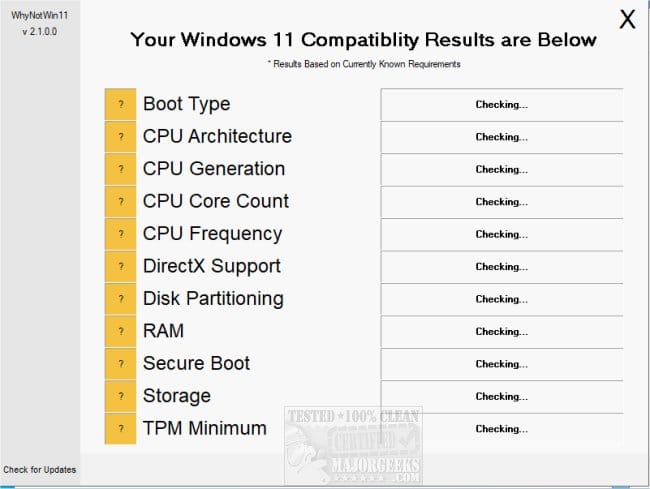
4) Run whynotwin11 > post a share link


5) Run the V2 log collector > post a share link


6) Search for > post share links

C:\Windows\Logs\CBS\CBS.log

C:\Windows\Logs\CBS\CbsPersist
 

My Computer My Computer

At a glance

Windows 10Intel(R) Core(TM) i7-4800MQ CPU @ 2.70GHz16 GB Total: Manufacturer : Samsung MemoryTyp...NVIDIA Quadro K3100M; Intel(R) HD Graphics 4600
OS
Windows 10
Computer type
Laptop
Manufacturer/Model
HP
CPU
Intel(R) Core(TM) i7-4800MQ CPU @ 2.70GHz
Motherboard
Product : 190A Version : KBC Version 94.56
Memory
16 GB Total: Manufacturer : Samsung MemoryType : DDR3 FormFactor : SODIMM Capacity : 8GB Speed : 1600
Graphics Card(s)
NVIDIA Quadro K3100M; Intel(R) HD Graphics 4600
Sound Card
IDT High Definition Audio CODEC; PNP Device ID HDAUDIO\FUNC_01&VEN_111D&DEV_76E0
Hard Drives
Model Hitachi HTS727575A9E364
Antivirus
Microsoft Defender
Other Info
Mobile Workstation
Ok from further reading I believe we are all wrong in the advice we have given. I had copilot analyze
your thread and for once its answer makes sense. Here's what it said.
----------------------------------
What’s happening here isn’t a normal DISM failure — your system is stuck in a split‑build servicing state, where different parts of Windows are on different OS builds. This is why every repair method fails.

ChatGPT:

I don't think the 26100/26200 numbers demonstrate a "split-build" problem. Windows 11 24H2 and 25H2 share the same servicing base, and Microsoft itself ships 25H2 build 26200.x with servicing-stack components numbered 26100.x, so seeing DISM report 26100.x while the Windows image is 26200.x is normal.

Also, you've now tried repair installs using both matching/newer 26200.9168 and 26200.9278 media and they still fail at SAFE_OS/BOOT. That doesn't fit Copilot's claim that a matching 26200 image should solve the supposed version mismatch.

I'd diagnose the SAFE_OS/BOOT failure from SetupDiag/setup logs rather than assume the differing build numbers are the cause.
 

My Computers My Computers

  • At a glance

    Windows 11 ProAMD Ryzen 9 9950X3DKingston FURY Beast 64GB (2x32GB) DDR5 6000MT/sASUS TUF Gaming Radeon RX 9070 OC Edition 16G...
    OS
    Windows 11 Pro
    Computer type
    PC/Desktop
    CPU
    AMD Ryzen 9 9950X3D
    Motherboard
    ASRock B650E Taichi Lite
    Memory
    Kingston FURY Beast 64GB (2x32GB) DDR5 6000MT/s
    Graphics Card(s)
    ASUS TUF Gaming Radeon RX 9070 OC Edition 16GB GDDR6
    Hard Drives
    Solidigm P44 Pro 2TB M.2 NVMe SSD
  • At a glance

    Windows 11 HomeIntel Core Ultra 9 275HX64GB (2x 32GB) DDR5-6400NVIDIA GeForce RTX 5080 16GB GDDR7 Laptop GPU
    Operating System
    Windows 11 Home
    Computer type
    Laptop
    Manufacturer/Model
    Lenovo Legion Pro 7i Gen 10 16"
    CPU
    Intel Core Ultra 9 275HX
    Memory
    64GB (2x 32GB) DDR5-6400
    Graphics card(s)
    NVIDIA GeForce RTX 5080 16GB GDDR7 Laptop GPU
    Hard Drives
    2x 1TB M.2 NVMe SSD (SK Hynix)
Hey. I actually found a solution!!!! Worked both on Windows 10 and Windows 11 too!!!!
Instead of doing a "repair install" with an ISO with the same or newer build (fails with SAFE_OS BOOT)
I tried "repair install" with an ISO with an older build (original 22H2 for Windows 10, older 25H2 for Windows 11).
Then it worked right away. I guess the file versions for ALL files must be different for it to reinstall properly?

Only trouble I got was with the Windows 10 ESU enrollment. ESU updates does not show up :-(
And when I try to enroll to ESU it just says that my computer is allready enrolled.
But something at the local side (on my system) must have been deleted in the "repair install".
Anyone have any idea on what I need to do to get the ESU back again?
 

My Computers My Computers

  • At a glance

    Windows 10Intel Core i5-6600 3.30Ghz16 GBAsus Nvidia GeForce GTX 960
    OS
    Windows 10
    Computer type
    PC/Desktop
    Manufacturer/Model
    Asus
    CPU
    Intel Core i5-6600 3.30Ghz
    Motherboard
    Asus B150M
    Memory
    16 GB
    Graphics Card(s)
    Asus Nvidia GeForce GTX 960
    Sound Card
    Onboard
    Monitor(s) Displays
    Samsung
    Hard Drives
    Samsung SSD 850 EBO 128 GB
    WDC WD1003FZEX-00MK2A0
  • At a glance

    Windows 1111the Gen Intel Core i5-1135G7 2.40 GHz8 GBIntel Xe
    Operating System
    Windows 11
    Computer type
    Laptop
    Manufacturer/Model
    Asus ExpertBook
    CPU
    11the Gen Intel Core i5-1135G7 2.40 GHz
    Memory
    8 GB
    Graphics card(s)
    Intel Xe
    Sound Card
    Onboard
    Hard Drives
    NVMe WDC PC SN530 SDBPNPZ 256 GB
For win 10 is it now upgraded to win 11?
 

My Computer My Computer

At a glance

Windows 10Intel(R) Core(TM) i7-4800MQ CPU @ 2.70GHz16 GB Total: Manufacturer : Samsung MemoryTyp...NVIDIA Quadro K3100M; Intel(R) HD Graphics 4600
OS
Windows 10
Computer type
Laptop
Manufacturer/Model
HP
CPU
Intel(R) Core(TM) i7-4800MQ CPU @ 2.70GHz
Motherboard
Product : 190A Version : KBC Version 94.56
Memory
16 GB Total: Manufacturer : Samsung MemoryType : DDR3 FormFactor : SODIMM Capacity : 8GB Speed : 1600
Graphics Card(s)
NVIDIA Quadro K3100M; Intel(R) HD Graphics 4600
Sound Card
IDT High Definition Audio CODEC; PNP Device ID HDAUDIO\FUNC_01&VEN_111D&DEV_76E0
Hard Drives
Model Hitachi HTS727575A9E364
Antivirus
Microsoft Defender
Other Info
Mobile Workstation
For win 10 is it now upgraded to win 11?

No. I repaired the Win10 installation with a Win10 22H2 ISO. The computer doesn't meet Win11 requirement (cpu is one gen to old
:-)

But the Win11 installation I repaired with just one version older ISO. Just had to be older then both versions in the "split" installation it seems :-)
 

My Computers My Computers

  • At a glance

    Windows 10Intel Core i5-6600 3.30Ghz16 GBAsus Nvidia GeForce GTX 960
    OS
    Windows 10
    Computer type
    PC/Desktop
    Manufacturer/Model
    Asus
    CPU
    Intel Core i5-6600 3.30Ghz
    Motherboard
    Asus B150M
    Memory
    16 GB
    Graphics Card(s)
    Asus Nvidia GeForce GTX 960
    Sound Card
    Onboard
    Monitor(s) Displays
    Samsung
    Hard Drives
    Samsung SSD 850 EBO 128 GB
    WDC WD1003FZEX-00MK2A0
  • At a glance

    Windows 1111the Gen Intel Core i5-1135G7 2.40 GHz8 GBIntel Xe
    Operating System
    Windows 11
    Computer type
    Laptop
    Manufacturer/Model
    Asus ExpertBook
    CPU
    11the Gen Intel Core i5-1135G7 2.40 GHz
    Memory
    8 GB
    Graphics card(s)
    Intel Xe
    Sound Card
    Onboard
    Hard Drives
    NVMe WDC PC SN530 SDBPNPZ 256 GB
Had you checked for an unsupported upgrade?
 

My Computer My Computer

At a glance

Windows 10Intel(R) Core(TM) i7-4800MQ CPU @ 2.70GHz16 GB Total: Manufacturer : Samsung MemoryTyp...NVIDIA Quadro K3100M; Intel(R) HD Graphics 4600
OS
Windows 10
Computer type
Laptop
Manufacturer/Model
HP
CPU
Intel(R) Core(TM) i7-4800MQ CPU @ 2.70GHz
Motherboard
Product : 190A Version : KBC Version 94.56
Memory
16 GB Total: Manufacturer : Samsung MemoryType : DDR3 FormFactor : SODIMM Capacity : 8GB Speed : 1600
Graphics Card(s)
NVIDIA Quadro K3100M; Intel(R) HD Graphics 4600
Sound Card
IDT High Definition Audio CODEC; PNP Device ID HDAUDIO\FUNC_01&VEN_111D&DEV_76E0
Hard Drives
Model Hitachi HTS727575A9E364
Antivirus
Microsoft Defender
Other Info
Mobile Workstation
Had you checked for an unsupported upgrade?

Now. Won't change that on my main system. I have tried that on an old Windows 10 laptop. And it runs Windows 11 now. But very slow :-)
 

My Computers My Computers

  • At a glance

    Windows 10Intel Core i5-6600 3.30Ghz16 GBAsus Nvidia GeForce GTX 960
    OS
    Windows 10
    Computer type
    PC/Desktop
    Manufacturer/Model
    Asus
    CPU
    Intel Core i5-6600 3.30Ghz
    Motherboard
    Asus B150M
    Memory
    16 GB
    Graphics Card(s)
    Asus Nvidia GeForce GTX 960
    Sound Card
    Onboard
    Monitor(s) Displays
    Samsung
    Hard Drives
    Samsung SSD 850 EBO 128 GB
    WDC WD1003FZEX-00MK2A0
  • At a glance

    Windows 1111the Gen Intel Core i5-1135G7 2.40 GHz8 GBIntel Xe
    Operating System
    Windows 11
    Computer type
    Laptop
    Manufacturer/Model
    Asus ExpertBook
    CPU
    11the Gen Intel Core i5-1135G7 2.40 GHz
    Memory
    8 GB
    Graphics card(s)
    Intel Xe
    Sound Card
    Onboard
    Hard Drives
    NVMe WDC PC SN530 SDBPNPZ 256 GB
Here is how to install or upgrade Windows 11 version 25H2 on an unsupported PC.


My Computer My Computer

At a glance

Windows 11AMD Ryzen 7 5700GMicron Technology DDR4-3200 16GBNVIDIA GeForce RTX 3060
OS
Windows 11
Computer type
PC/Desktop
Manufacturer/Model
HP Pavilion
CPU
AMD Ryzen 7 5700G
Motherboard
Erica6
Memory
Micron Technology DDR4-3200 16GB
Graphics Card(s)
NVIDIA GeForce RTX 3060
Sound Card
Realtek ALC671
Monitor(s) Displays
Samsung SyncMaster U28E590
Screen Resolution
3840 x 2160
Hard Drives
SAMSUNG MZVLQ1T0HALB-000H1
Run:

slmgr /dlv

Get-CimInstance SoftwareLicensingProduct |
Where-Object {$_.Name -match "ESU"} |
Select-Object Name, Description, LicenseStatus, PartialProductKey
 

My Computer My Computer

At a glance

Windows 10Intel(R) Core(TM) i7-4800MQ CPU @ 2.70GHz16 GB Total: Manufacturer : Samsung MemoryTyp...NVIDIA Quadro K3100M; Intel(R) HD Graphics 4600
OS
Windows 10
Computer type
Laptop
Manufacturer/Model
HP
CPU
Intel(R) Core(TM) i7-4800MQ CPU @ 2.70GHz
Motherboard
Product : 190A Version : KBC Version 94.56
Memory
16 GB Total: Manufacturer : Samsung MemoryType : DDR3 FormFactor : SODIMM Capacity : 8GB Speed : 1600
Graphics Card(s)
NVIDIA Quadro K3100M; Intel(R) HD Graphics 4600
Sound Card
IDT High Definition Audio CODEC; PNP Device ID HDAUDIO\FUNC_01&VEN_111D&DEV_76E0
Hard Drives
Model Hitachi HTS727575A9E364
Antivirus
Microsoft Defender
Other Info
Mobile Workstation
Only trouble I got was with the Windows 10 ESU enrollment. ESU updates does not show up :-(
And when I try to enroll to ESU it just says that my computer is allready enrolled.
But something at the local side (on my system) must have been deleted in the "repair install".
Anyone have any idea on what I need to do to get the ESU back again?

You could try to find a solution @ desmodder: Du hast nach Windows 10 ESU gesucht - Deskmodder.de

Here are several scripts: Windows 10 Consumer ESU Anmeldung (mit oder ohne Microsoft Konto) als Script [3. Update lokal klappt wieder]
 

My Computer My Computer

At a glance

Windows 11Intel Core i3 12 100 12th generationKingston DDR4-3200 16 GBytesIntel UHD 730
OS
Windows 11
Computer type
PC/Desktop
Manufacturer/Model
Gigabyte H610M H V2
CPU
Intel Core i3 12 100 12th generation
Motherboard
American Megatrend F35
Memory
Kingston DDR4-3200 16 GBytes
Graphics Card(s)
Intel UHD 730
Back
Top Bottom