
Hey,
I have 3 questions
1st Question: I want to know why backlit auto on when Windows 11 boots up. Is there any way to turn off and on it when I need it.
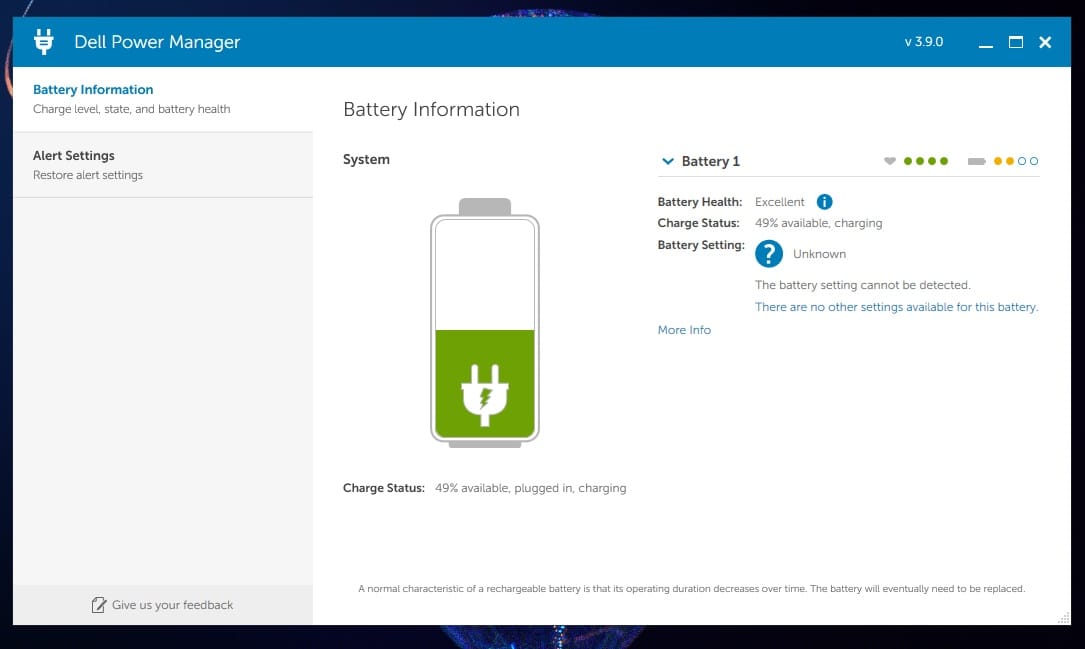
2nd Question: Is there any option in Alienware software or any other where we can charge battery upto 80% only and charger always plugged in.
3rd Question: How do I reduce GPU performance from Windows as I dont play games much.
Regards.
I have 3 questions
1st Question: I want to know why backlit auto on when Windows 11 boots up. Is there any way to turn off and on it when I need it.
2nd Question: Is there any option in Alienware software or any other where we can charge battery upto 80% only and charger always plugged in.
3rd Question: How do I reduce GPU performance from Windows as I dont play games much.
Regards.
Last edited:
My Computer
At a glance
Windows 11 Pro 25H2Intel(R) Core(TM) i5-8365U CPU @ 1.60GHz 1.90...32 GBIntel(R) UHD Graphics 620
- OS
- Windows 11 Pro 25H2
- Computer type
- Laptop
- Manufacturer/Model
- HP Elitebook 840 G6
- CPU
- Intel(R) Core(TM) i5-8365U CPU @ 1.60GHz 1.90 GHz
- Memory
- 32 GB
- Graphics Card(s)
- Intel(R) UHD Graphics 620
- Monitor(s) Displays
- 1# 14inch 2# 22inch
- Hard Drives
- Kingston SNV251000G
- Keyboard
- Aukey KM-G6 Mechanical Keyboard
- Mouse
- Bloody ESports ES7 Gaming Mouse
- Internet Speed
- 80 Mbps
- Browser
- 1# Chrome 2# Firefox
- Antivirus
- Microsoft Defender


![CropperCapture[110].jpg](/data/attachments/68/68364-10bc44fcd376f8be8e7f0ee6f1004f92.jpg?hash=ELxE_NN2-L)






