Disabling Adobe Acrobat Update


MK77P

Well-known member
Member
Local time
2:22 AM
Posts
155
OS
Windows 11
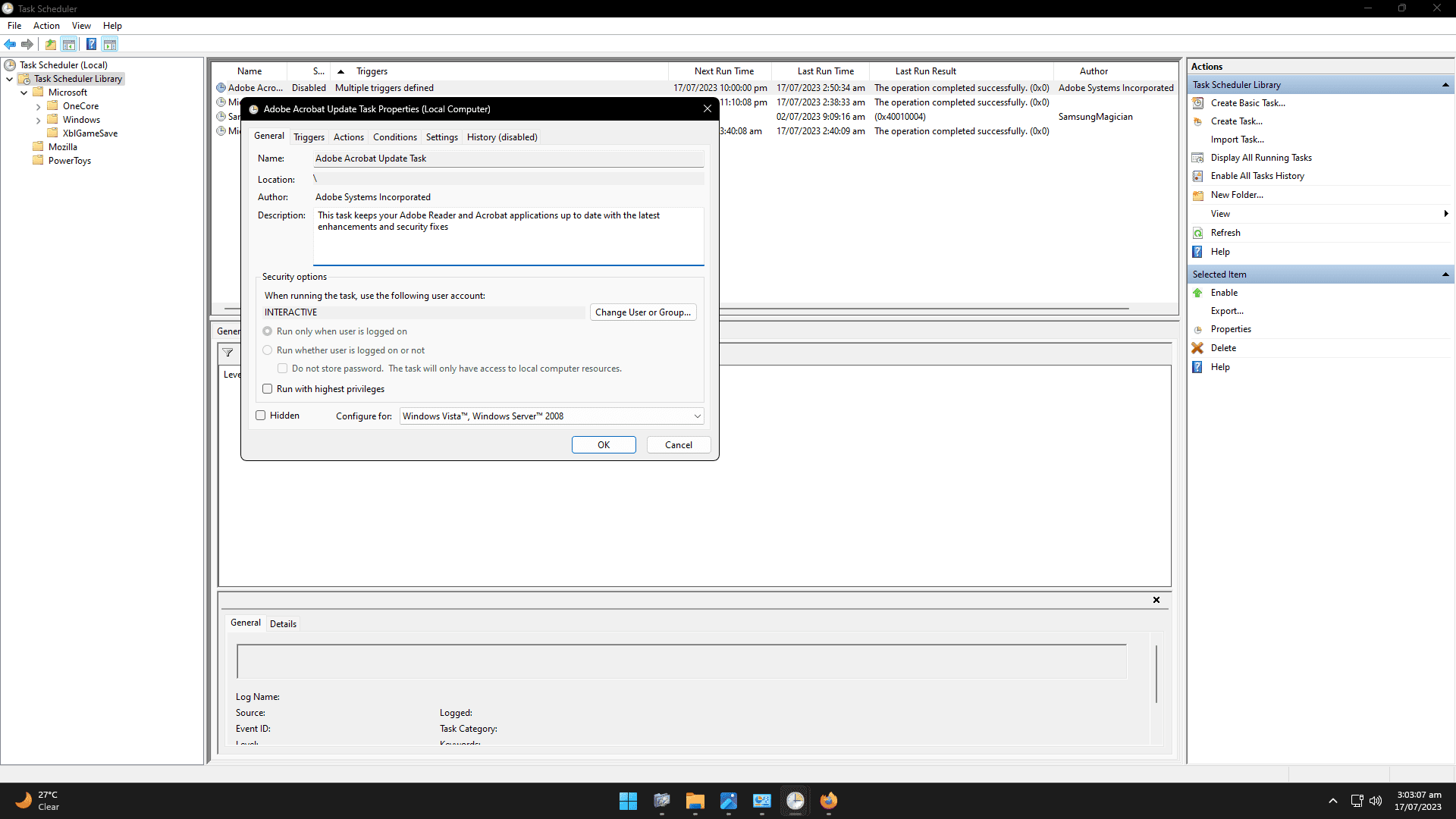
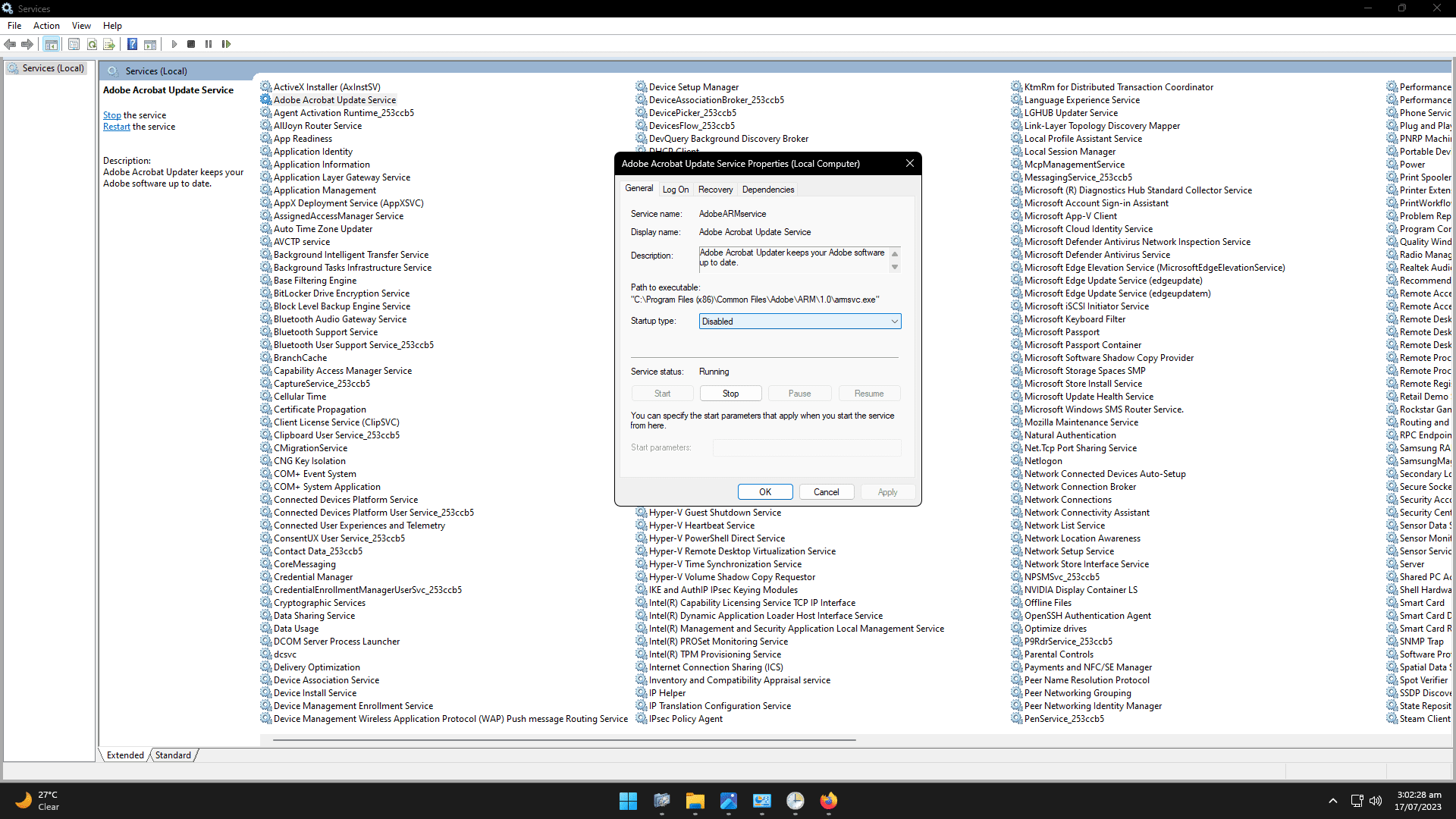
I'm trying to manually disable the Adobe Acrobat Update service/task and it seems there is one in Services and another in the Task Scheduler, do I disable both of them? as first I disabled the one in the Services but when checking on the one in the Task Scheduler it was "Ready" so I right clicked that and disabled it.

Do I disable both of them or disabling one is enough?

1.png


2.png
 

My Computer My Computer

At a glance

Windows 11Intel Core i5-14600KFCORSAIR VENGEANCE RGB PRO SL 32GB (2x16GB) DD...GIGABYTE 4080 Gaming OC
OS
Windows 11
Computer type
PC/Desktop
Manufacturer/Model
Custom
CPU
Intel Core i5-14600KF
Motherboard
MSI PRO Z690-A WIFI DDR4
Memory
CORSAIR VENGEANCE RGB PRO SL 32GB (2x16GB) DDR4 3200MHz CL16
Graphics Card(s)
GIGABYTE 4080 Gaming OC
Screen Resolution
1920 x 1080
Hard Drives
Kingston NV3 1TB, Kingston KC600 1TB, SAMSUNG 860 EVO 500GB
PSU
Lian Li Edge EG0850G 850W Gold
Cooling
ARCTIC Liquid Freezer III 360
Keyboard
Logitech G513 Carbon LIGHTSYNC RGB Mechanical
Mouse
Steelseries Prime
Browser
Firefox
I don't have an answer to your question / issue; but why are you trying to disable the service?

And what version of Acrobat?

I'm running Acrobat 2020 and have zero issues where I have a need to disable the update services.
 

My Computers My Computers

  • At a glance

    Windows 11 Pro 24H2 (Build 26100.4770)Intel Core 9 Ultra 285K64G (4x16) DDR5 Corsair RGB Dominator Platinu...Radeon (XFX Mercury) RX 9070XT OC (with Magne...
    OS
    Windows 11 Pro 24H2 (Build 26100.4770)
    Computer type
    PC/Desktop
    Manufacturer/Model
    Custom built
    CPU
    Intel Core 9 Ultra 285K
    Motherboard
    Gigabyte Aorus Z890 Xtreme AI Top
    Memory
    64G (4x16) DDR5 Corsair RGB Dominator Platinum (6400Mhz)
    Graphics Card(s)
    Radeon (XFX Mercury) RX 9070XT OC (with Magnetic Fans)
    Sound Card
    Onboard (DTS:X® Ultra Audio: ESS ES9280A DAC)
    Monitor(s) Displays
    27-inch Eizo Color Edge - CG2700X
    Screen Resolution
    3840 x 2160
    Hard Drives
    4 Samsung NVM 990 Pro drives: 1TB (OS), 2TB, 2 X 4TB.
    PSU
    Seasonic TX-1300 (1300 Watts)
    Case
    Cooler Master H500M
    Cooling
    Corsair Link Titan 280 RX RGB
    Keyboard
    Logitech Craft
    Mouse
    Logitech MX Master 3S
    Internet Speed
    1TB Download. 512mb Upload
    Browser
    Microsoft Edge Chromium
    Antivirus
    Windows Security
    Other Info
    System used for gaming, photography, music, school.
  • At a glance

    Windows 11 Pro 24H2 (Build 26100.4061)Intel Core i9-9900K32gig (4 x 8) Corsair Dominator Platinum DDR4...Radeon XFX Merc 7900XT (20gig)
    Operating System
    Windows 11 Pro 24H2 (Build 26100.4061)
    Computer type
    PC/Desktop
    Manufacturer/Model
    Custom built
    CPU
    Intel Core i9-9900K
    Motherboard
    Gigabyte Z390 Aorus Xtreme
    Memory
    32gig (4 x 8) Corsair Dominator Platinum DDR4 3600Mhz (B-Die)
    Graphics card(s)
    Radeon XFX Merc 7900XT (20gig)
    Sound Card
    Onboard
    Monitor(s) Displays
    24-Inch NEC PA242W
    Screen Resolution
    2880 x 1800
    Hard Drives
    2 X NVME, 1 X SATA SSD
    PSU
    EVGA Super Nova 1000 P2 (1000 Watt)
    Case
    Phantek Enthoo Luxe
    Cooling
    Corsair H115i Elite AIO Cooler
    Keyboard
    Logitech Keys
    Mouse
    Logitech MX Master 3
    Internet Speed
    1TB Download. 512mb Upload
    Browser
    Microsoft Edge Chromium
    Antivirus
    Windows Security
    Other Info
    Backup System
I don't have an answer to your question / issue; but why are you trying to disable the service?

And what version of Acrobat?

I'm running Acrobat 2020 and have zero issues where I have a need to disable the update services.
It's not about any issues, I just like to have manual updates rather than automatic updates as I don't want any programs downloading automatically while I'm gaming for instance because my internet isn't that fast.
 

My Computer My Computer

At a glance

Windows 11Intel Core i5-14600KFCORSAIR VENGEANCE RGB PRO SL 32GB (2x16GB) DD...GIGABYTE 4080 Gaming OC
OS
Windows 11
Computer type
PC/Desktop
Manufacturer/Model
Custom
CPU
Intel Core i5-14600KF
Motherboard
MSI PRO Z690-A WIFI DDR4
Memory
CORSAIR VENGEANCE RGB PRO SL 32GB (2x16GB) DDR4 3200MHz CL16
Graphics Card(s)
GIGABYTE 4080 Gaming OC
Screen Resolution
1920 x 1080
Hard Drives
Kingston NV3 1TB, Kingston KC600 1TB, SAMSUNG 860 EVO 500GB
PSU
Lian Li Edge EG0850G 850W Gold
Cooling
ARCTIC Liquid Freezer III 360
Keyboard
Logitech G513 Carbon LIGHTSYNC RGB Mechanical
Mouse
Steelseries Prime
Browser
Firefox
How about blocking the program that checks for update from Windows Firewall.
 

My Computer My Computer

At a glance

Windows 11AMD Ryzen 7 5700GMicron Technology DDR4-3200 16GBNVIDIA GeForce RTX 3060
OS
Windows 11
Computer type
PC/Desktop
Manufacturer/Model
HP Pavilion
CPU
AMD Ryzen 7 5700G
Motherboard
Erica6
Memory
Micron Technology DDR4-3200 16GB
Graphics Card(s)
NVIDIA GeForce RTX 3060
Sound Card
Realtek ALC671
Monitor(s) Displays
Samsung SyncMaster U28E590
Screen Resolution
3840 x 2160
Hard Drives
SAMSUNG MZVLQ1T0HALB-000H1
Back
Top Bottom