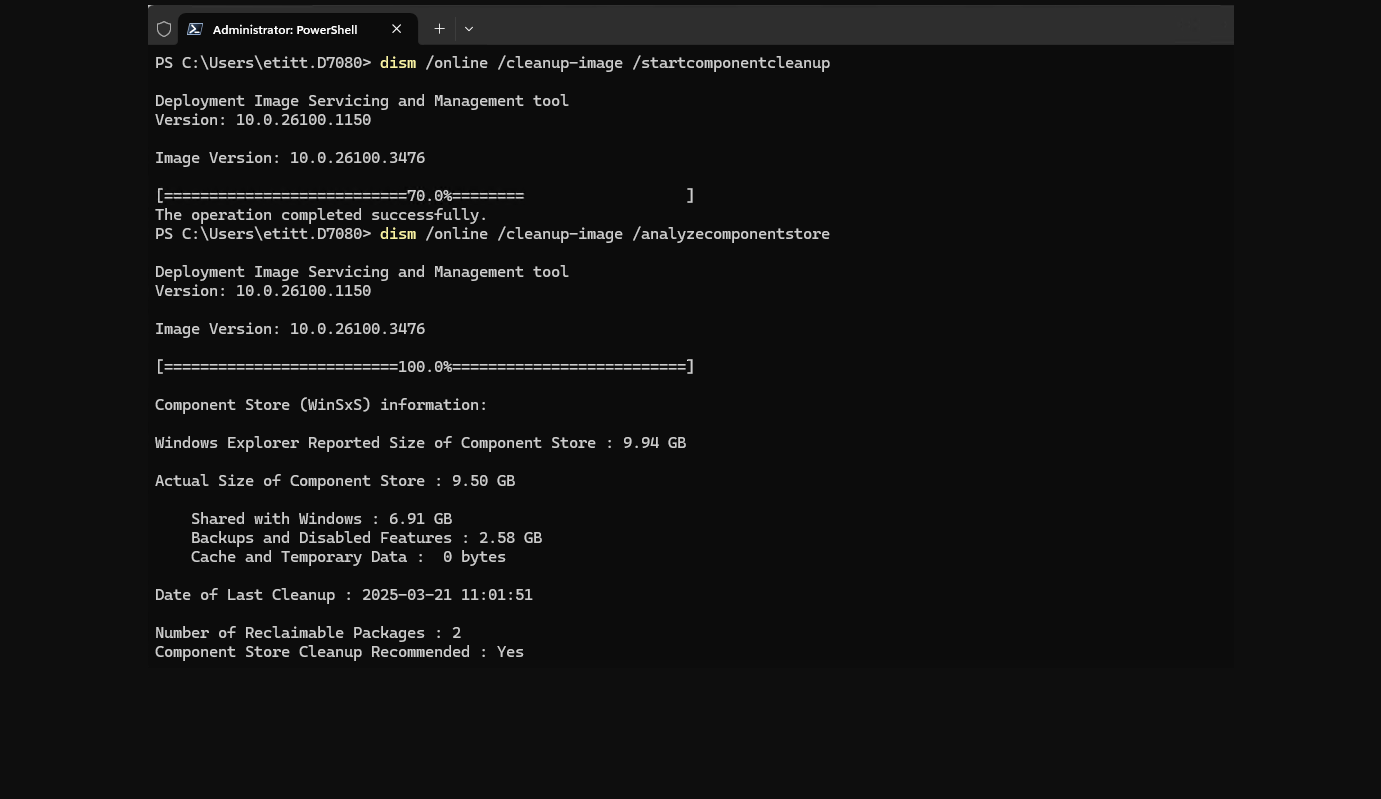
You DON'T: Those two packages remain as un-reclaimable for a reason.just done DISM /Online /Cleanup-Image /AnalyzeComponentStore and i get
Number of Reclaimable Packages : 2
Component Store Cleanup Recommended : Yes
how do i change it to Component Store Cleanup Recommended : No and Number of Reclaimable Packages : 0
i have done dism /online /cleanup-image /startcomponentcleanup a lot of times and still get the same thing
done DISM /Online /Cleanup-Image /AnalyzeComponentStore as well still get the same
Why You Shouldn’t Remove Un‑Reclaimable Component Store Packages

Un‑reclaimable packages are marked that way because Windows still needs them. They may include:
Core system libraries
Servicing stack components
Security components
Features that appear unused but are tied to dependencies
Removing them can break Windows in subtle or catastrophic ways.

Windows Update relies on the Component Store to:
Apply cumulative updates
Roll back failed updates
Perform DISM repairs
Enable or disable optional features
If you remove these packages, you may find that:
Updates fail
DISM /restorehealth can’t repair the system
SFC /scannow can’t restore missing files
Feature updates refuse to install

Even if a package looks old or unused, Windows may need it to:
Roll back to a previous version
Support side-by-side assemblies
Maintain compatibility with drivers or apps
Removing these can cause:
Random app crashes
Driver failures
Boot issues

Many people try to shrink WinSxS because it looks huge. But:
Much of the size is hard links, not actual disk usage
Windows already reclaims what it safely can
The “un‑reclaimable” portion is usually small and essential
Trying to manually remove it rarely saves meaningful space.

Microsoft explicitly warns that:
Deleting WinSxS files manually
Using third‑party “cleanup” tools
Removing packages not marked as reclaimable
…can corrupt the OS in ways that cannot be repaired.
This often leads to:
In-place upgrade repairs
Full reinstall
Data loss if the system becomes unbootable
 The bottom line
Un‑reclaimable packages are not bloat — they’re the backbone of Windows servicing. Removing them is almost guaranteed to cause problems down the line, even if the system seems fine at first.
My Computers
-
At a glance
Windows 11 25H2Intel Core Ultra 9 275HX (24-Core)64GB DDR5 6400MT/sNVIDIA GeForce RTX 5080 and Intel UHD Graphics- OS
- Windows 11 25H2
- Computer type
- Laptop
- Manufacturer/Model
- Alienware 18 Area-51
- CPU
- Intel Core Ultra 9 275HX (24-Core)
- Motherboard
- Alienware
- Memory
- 64GB DDR5 6400MT/s
- Graphics Card(s)
- NVIDIA GeForce RTX 5080 and Intel UHD Graphics
- Sound Card
- Onboard, Realtek high-performance Audio chips (ALC3329 & ALC1708))
- Monitor(s) Displays
- 300HZ 18-inch QHD 500 nit Comfort View+
- Screen Resolution
- 2560 x 1600
- Hard Drives
- 2TB NVMe M.2 PCIe Gen 5 SSD
- Case
- Magnesium Alloy
- Cooling
- Advanced Cryo-Tech Quad-Fan Cooling system & large vapor chamber
- Keyboard
- Cherry MX ultra low profile mechanical keyboard with per key AlienFX RGB lighting
- Mouse
- Logitech MX Master 4
- Browser
- Vivaldi (main), Firefox, Chrome, Edge
- Antivirus
- MS Defender and Malwarebytes Free
-
At a glance
Windows 11 26H2Qualcomm Snapdragon X Elite (12 Core) ARM bas...16GB LPDDR5Qualcomm Adreno X1-85- Operating System
- Windows 11 26H2
- Computer type
- Laptop
- Manufacturer/Model
- Microsoft Surface Laptop 7
- CPU
- Qualcomm Snapdragon X Elite (12 Core) ARM based CPU
- Motherboard
- Microsoft Corp.
- Memory
- 16GB LPDDR5
- Graphics card(s)
- Qualcomm Adreno X1-85
- Sound Card
- Omnisonic speakers with Dolby Atmos spatial sound
- Monitor(s) Displays
- 120 Hz 13.8-inch 600 nit PixelSense Flow touchscreen
- Screen Resolution
- 2304x1536
- Hard Drives
- 1TB NVMe Gen 4 SSD
- Case
- Anodized Aluminum
- Cooling
- Traditional active cooling fan system
- Keyboard
- Mechanical QWERTY, backlit when in use
- Mouse
- Logitech MX Master 4 and Surface Arc Mouse
- Browser
- Vivaldi (main), Firefox, Chrome, Edge
- Antivirus
- MS Defender and Malwarebytes Free