ChillWays
New member
- Local time
- 4:24 PM
- Posts
- 2
- OS
- Windows 11
I just found out about that GOP on NVIDIA GPUs are going to expire and I now wonder if I need to update the GOP on my NVIDIA GPU?
I have a 'MSI GTX 1650 D6 VENTUS XS OCV3' GPU on a 'B550M PRO-VDH WIFI' motherboard.
I have the latest version of the motherboard BIOS '7C95v2O'(2026-05-11), that has a updated Secure Boot Key =
 www.msi.com
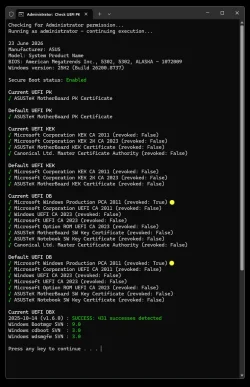
In 'Windows 11', it says that I have all the required certificates =
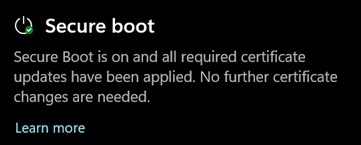
Am I safe or do I need to update the GOP?
My GPUs support page don't have a GOP or VBIOS updater =
Through Google I have found several 'NVIDIA Graphics Firmware Update Tools', but according to their description they are either for older or newer GPUs.
Is there a way for me to check if I need to update the GOP and can I update the GOP on my 'MSI GTX 1650 D6 VENTUS XS OCV3'?
I have a 'MSI GTX 1650 D6 VENTUS XS OCV3' GPU on a 'B550M PRO-VDH WIFI' motherboard.
I have the latest version of the motherboard BIOS '7C95v2O'(2026-05-11), that has a updated Secure Boot Key =
B550M PRO-VDH WIFI
Best AMD AM4 B550 MATX motherboard, lightning PCIe 4.0, lightning M.2, USB 3.2 Gen 1, M.2 heatsink, wifi AC, powerful overclocking, MSI PRO
www.msi.com
In 'Windows 11', it says that I have all the required certificates =
Am I safe or do I need to update the GOP?
My GPUs support page don't have a GOP or VBIOS updater =
Through Google I have found several 'NVIDIA Graphics Firmware Update Tools', but according to their description they are either for older or newer GPUs.
Is there a way for me to check if I need to update the GOP and can I update the GOP on my 'MSI GTX 1650 D6 VENTUS XS OCV3'?
- Windows Build/Version
- Windows 11 23H2
Last edited:
My Computer
At a glance
Windows 11
- OS
- Windows 11
- Computer type
- PC/Desktop
- Manufacturer/Model
- MSI