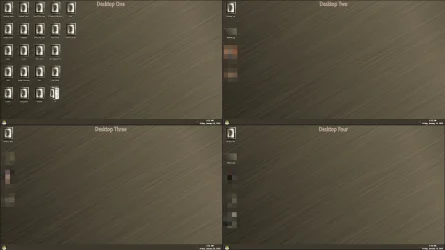
Do you use more than one desktop?
I have toyed with the idea before, but I soon realized that it is a bolted-on feature that Microsoft never finished. In a few certain ways, it kind of feels like it tries to mimic isolated workspaces (like on macOS and Linux) especially due to the settings that I mentioned in my post #27 being set to "Only on the desktop I'm using" by default. However, under the hood it's still just filtered views. That plus the fact that it feels "unfinished" are why I haven't reconsidered using the feature, even though I know that there are third-party open source tools that can fill in the missing parts and enhance it to make it more practical.
I also know that I can fix it myself by using the
IVirtualDesktopManager and the undocumented
IVirtualDesktopManagerInternal COM interfaces (either via COM interop in C# or via reflection and COM in PowerShell). No matter still, it would be of very limited use to me, as there exist other tools (free ones) that I find a lot more useful and hassle-free. Free tools that are hassle-free. Michael J. Fox in
The Secret of My Success.

Any tips and tricks that you'd like to share?
Yeah. Check out ExplorerPatcher's feature: Simple Window Switcher. It lets you customize and (IMO vastly) improve the Alt+Tab view, and also lets you use Alt +
key above Tab and Ctrl + Alt +
key above Tab to, in the Alt+Tab view, show only windows that belong to the same app as the currently active window. Also check out Windhawk mods like
Disable grouping on the taskbar and
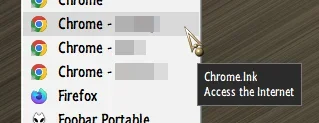
Click on empty taskbar space. I use them to enhance the functionality of the classic taskbar from Windows 10. I hide the taskbar button labels, and I ungroup the open app icons so each window gets its own separate icon. I set the icon size to Small so this gives me plenty of space on the taskbar to still be able to see all the icons at once. So, it effectively eliminates my need to create (and manage........) multiple virtual desktops for this sole purpose.
If you don't use the classic taskbar from Windows 10, i.e., ExplorerPatcher > settings > taskbar style: Windows 10 (ExplorerPatcher), then also check out Windhawk mods that let you customize the default Windows 11 taskbar. Sepcifically,
Windows 11 Taskbar Styler,
Taskbar Labels for Windows 11, and
Taskbar tray icon spacing and grid. By using all three of these together, while using the default Windows 11 taskbar you can still also get rid of the button labels and you can still also greatly reduce the icon size (and the taskbar height, which, by default, takes up almost as much screen estate as the Start screen of Windows 8 if you mean what I get...

). So, this could be a valid alternative choice to using the classic taskbar from Windows 10 like how I described in my previous paragraph, albeit you'd be sacrificing taskbar toolbars if you go this route.
My Windhawk mod-based utility to add toolbars to the default Windows 11 taskbar is still only a work in progress that I'll probrably never finish because I already did the hard part, and it works, but then I got bored because developing the GUI part is far too easy for it to still be fun. Who knows maybe the people who work at Microsoft felt the same about Windows so that's why they still haven't finished Windows 11. Let Copilot handle the work.