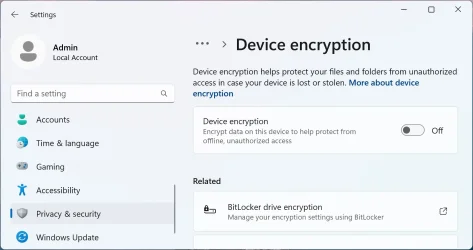
I need help figuring out what happened and what to do.
A far away relative has a Windows 11 PC that got too bloated, high CPU, freezes…
I tried fixing it earlier but gave up.
Since I don't have the time there to sort things, I thought I would install a new drive as a dual boot system, as I have done multiple times in the past decades.
The two old drives were 2.5" SATAs, and the new one is an NVMe. The PC is fully compatible with Windows 11, which I verified with the MS tool as well. I believe the old drive did not have BitLocker enabled, and while I saw an MS account, it required no password anywhere - not even for administrator options.
I first tried a Rufus made USB drive with MS account and BitLocker disabled, to try avoiding problems, but the install kept failing, on both Windows 11 installers, 2 latest versions of Win ISO, 2 versions of Rufus, online and offline, removing hardware… eventually I only managed to install it after making a new USB with nothing removed and disconnecting both old drives, as many wrote solved it for them. I used the MS account from the other install, I believe.
However, after re-connecting the old drives, now I have no boot menu *and* it requires BitLocker code to access the old drives from the F8 menu. I could find the code @ MS, it's dated new BTW, but we need to type it all every time, and then the new drive is locked for it.
I tried from the installer's terminal (after typing the BootLocker codes) the: bootrec /fixmbr /fixboot /scanOS /rebuildbcd. It found 3, but I can see no change.
Why? How can I fix that? I don't need the BitLocker. I hope for both OS working and for the menu. Or at least just have the old OS back working as normal.
Thank you for any help!
A far away relative has a Windows 11 PC that got too bloated, high CPU, freezes…
I tried fixing it earlier but gave up.
Since I don't have the time there to sort things, I thought I would install a new drive as a dual boot system, as I have done multiple times in the past decades.
The two old drives were 2.5" SATAs, and the new one is an NVMe. The PC is fully compatible with Windows 11, which I verified with the MS tool as well. I believe the old drive did not have BitLocker enabled, and while I saw an MS account, it required no password anywhere - not even for administrator options.
I first tried a Rufus made USB drive with MS account and BitLocker disabled, to try avoiding problems, but the install kept failing, on both Windows 11 installers, 2 latest versions of Win ISO, 2 versions of Rufus, online and offline, removing hardware… eventually I only managed to install it after making a new USB with nothing removed and disconnecting both old drives, as many wrote solved it for them. I used the MS account from the other install, I believe.
However, after re-connecting the old drives, now I have no boot menu *and* it requires BitLocker code to access the old drives from the F8 menu. I could find the code @ MS, it's dated new BTW, but we need to type it all every time, and then the new drive is locked for it.
I tried from the installer's terminal (after typing the BootLocker codes) the: bootrec /fixmbr /fixboot /scanOS /rebuildbcd. It found 3, but I can see no change.
Why?
How can I fix that? I don't need the BitLocker. I hope for both OS working and for the menu. Or at least just have the old OS back working as normal.Thank you for any help!
- Windows Build/Version
- Win11_25H2_English_x64_v2
My Computer
At a glance
Windows 11
- OS
- Windows 11