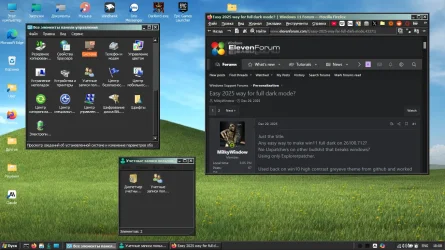
Easy 2025 way for full dark mode?


Safety also.
Thats complete bullshit. Repainting my car doesnt make it less nor more safety-wise. Too much evil personal experience with windows already. I am on level you would have to convince me at gunpoint.
What if you choose a color whereby you can't read anything anymore (Yellow background with white letters) on your screen?
Simple solution those "BIG BRAINERS MS" cant figure - put some kind of presentation overlay or live test it and run for eg 10 minutes then timeout reverse. Or with overlay key combinations that reverse changes then ask to accept. Just like modern games do on graphics settings for example.
And yes there are still items which should follow the theme.
Indeed thats how it should be ofcourse.
They are introduced slowly. The latest one was that copy file windows.
Sitting ducks for decades waiting for miracles will make me and you and everyone else here bald and senile till prophecy be true.
Is there a reason for not updating your LTSC? The whole purpose of LTSC is to get updates as long as possible. (give and take 10 years) Longer than a non-LTSC version would.
Do I really have to spell out my past traumas?
permanently shutdown any means of updating your version. You will forever sitting on the same version also.
Thats the whole point. I am slowly slowly making my win environment installations to my needs, covering personal beef with this OS's from years.
So there is no need to install LTSC if you are not updating your Windows.

LTSC means Long-Term Servicing Channel and not Life-Time Servicing Channel.....
Well I am already on LTSC. Huge pain in the "you know where". For me nowadays I feel burned out on polishing my win experience, either it is with software, or os settings etc. I am tired my eyes burns more and more, need more breaks, at the same time need to use pc more and more...everyone knows how it works nowadays. If I would find solution somewhere randomly already I wouldnt be posting here on this site registering and seeking help.
 
Last edited:

My Computer

System One

  • OS
    W11 24H2 26100.712
    Other Info
    Updates are disease.
Thats complete bullshit. Repainting my car doesnt make it less nor more safety-wise. Too much evil personal experience with windows already. I am on level you would have to convince me at gunpoint.

Simple solution those "BIG BRAINERS MS" cant figure - put some kind of presentation overlay or live test it and run for eg 10 minutes then timeout reverse. Or with overlay key combinations that reverse changes then ask to accept. Just like modern games do on graphics settings for example.

Indeed thats how it should be ofcourse.

Sitting ducks for decades waiting for miracles will make me and you and everyone else here bald and senile till prophecy be true.

Do I really have to spell out my past traumas?

Thats the whole point. I am slowly slowly making my win environment installations to my needs, covering personal beef with this OS's from years.

Well I am already on LTSC. Huge pain in the "you know where". For me nowadays I feel burned out on polishing my win experience, either it is with software, or os settings etc. I am tired my eyes burns more and more, need more breaks, at the same time need to use pc more and more...everyone knows how it works nowadays. If I would find solution somewhere randomly already I wouldnt be posting here on this site registering and seeking help.
Don't complain to me. Complain to Microsoft. Design your own OS then. Use Linux instead.
 

My Computer

System One

  • OS
    Win 11 Pro "25H2" Build 26200.8524, Zorin OS Pro
    Computer type
    PC/Desktop
    Manufacturer/Model
    Self built
    CPU
    Intel® Core™ i7-12700KF 12th Gen.
    Motherboard
    ASUS Prime Z690-A, BIOS v4505
    Memory
    32GB DDR5 5600-36 Vengeance
    Graphics Card(s)
    PCIe4.0 Asus NVIDIA RTX3060Ti
    Sound Card
    Onboard; Realtek
    Monitor(s) Displays
    34" LG 34UC79G-B Curved 21:9 144Hz
    Screen Resolution
    2560x1080 (No HDR)
    Hard Drives
    250Gb Samsung 870PRO NVMe (Win 11 Pro)
    1Tb Samsung 980PRO NVMe
    1Tb Samsung 970EVO NVMe
    2Tb Samsung 990PRO NVMe with heatsink.
    4Tb WDC WD40EZRZ Blue SATA (Int.)
    4Tb WDC WD40EZRZ Blue SATA (Int.)
    3Tb WDC WD30EFRZ Red SATA (Int.)
    256Gb Samsung 840PRO SSD (RHEL 9,5)
    256Gb Samsung 850PRO SSD (Zorin OS Pro 18)
    PSU
    Coolermaster 850W V2 Gold with internal 12cm exaust fan
    Case
    Be-Quiet Pure Base 600.
    Cooling
    3x Be-Quiet! 12/14cm "Silent Wings 4" casefans, 1x Arctic Freezer i35 CPU towerblock with fan.
    Keyboard
    Steelseries APEX 7 keyboard.
    Mouse
    Logitech G-502 Hero
    Internet Speed
    1Gb
    Browser
    Brave
    Antivirus
    F-Secure
    Other Info
    No Noise system.
    256Gb Kingston Travler USB 3.0 drive.
    64Gb Sandisk USB 3.2 drive. (Ventoy)
    8Gb Philips USB 3.0 drive. (Win. Inst.)
    8Gb Philips USB 3.0 drive. (Rescue disk)
    2Tb WD USB 3.0 Passport drive.
    USB Ext. 500Gb WD SATA drive.
    External USB 3.0 C.A. CD/DVD* burner.
Nowadays all programs use their own toolkits, so there is no universal way to change colors. For older software you can use Classic theme with a dark scheme, for instance.
 

My Computer

System One

  • OS
    Windows 11

My Computers

System One System Two

  • OS
    Windows 11 Pro
    Computer type
    PC/Desktop
    Manufacturer/Model
    Custom
    CPU
    AMD Ryzen 7 9800X3D
    Motherboard
    Gigabyte X870 Aorus Elite WiFi7 Motherboard
    Memory
    64GB
    Graphics Card(s)
    AMD Radeon RX 9070XT
    Sound Card
    Realtek ALC1220 HD Audio
    Monitor(s) Displays
    Dell Alienware AW3425DW 34.2" Curved OLED Gaming Monitor
    Screen Resolution
    3440x1440
    Hard Drives
    Kingston KC3000 M.2 NVMe Gen4 SSD 2TB
    WD Black SN850X NVMe SSD 4TB
    Crucial T500 M.2 2280 NVMe PCIe 4.0 SSD 4TB
    Kingston KC3000 M.2 NVMe Gen4 SSD 4TB
    PSU
    1000W Gigabyte UD1000GM 80 PLUS Gold
    Case
    Phanteks Enthoo Pro 2 D-RGB Tempered Glass Full Tower Black
    Internet Speed
    750Mbps
    Browser
    Firefox / Chrome / Edge / Brave
    Antivirus
    Kaspersky Standard
  • Operating System
    Windows 11 Pro
    Computer type
    Laptop
    Manufacturer/Model
    Lenovo
    CPU
    QuadCore Intel Core i5-10210U, 3100 MHz
    Motherboard
    Lenovo ThinkPad E15
    Memory
    16GB (2x8)
    Graphics card(s)
    Intel(R) UHD Graphics
    Sound Card
    Conexant CX8070 @ Intel Comet Point-LP PCH
    Monitor(s) Displays
    Lenovo N156HCA-EAB
    Screen Resolution
    1920 x 1080
    Hard Drives
    SAMSUNG MZVLB256HBHQ-000L7
    ST2000LM007-1R8174
    Internet Speed
    750 Mbps
    Browser
    Chrome / Edge / Firefox / Brave
    Antivirus
    Bitdefender Total Security

My Computer

System One

  • OS
    W11 24H2 26100.712
    Other Info
    Updates are disease.
Nowadays all programs use their own toolkits, so there is no universal way to change colors. For older software you can use Classic theme with a dark scheme, for instanc
Ofcourse. I meant here for windows as OS wide as OS itself not per every software you can find in web. Cant expect every soft to have dark mode ofcourse. The post is about win11 native elements.
 

My Computer

System One

  • OS
    W11 24H2 26100.712
    Other Info
    Updates are disease.
Can you or someone else list the switches? Everything I find is out of date.

Thanks
"Out of date.." That's true. Remember; with each new build these options maybe decrepitated and new ones are introduced. So you can look at a certain list of switches but they are only valid for a typical build. Someone made a GUI for it which scans the registry to find out which switches are available. But unfortunately he stopped his GitHub project because he decided to go to an other platform; Linux. You can see many switches with a cryptic descriptions and it is hard to understand what it will do. ViVeTool GUI; Releases · PeterStrick/ViVeTool-GUI

On this page there are some useful links to several pages that will mention switches that are available at a certain build with this ViVeTool. They have a hard time to interpret (trail and error) what they will do since MS will not disclose any information about these switches. The "list" (if there is one) will change all the time.... Vivetool for Windows 11: Ultimate Download and Beginner's Guide
 

My Computer

System One

  • OS
    Win 11 Pro "25H2" Build 26200.8524, Zorin OS Pro
    Computer type
    PC/Desktop
    Manufacturer/Model
    Self built
    CPU
    Intel® Core™ i7-12700KF 12th Gen.
    Motherboard
    ASUS Prime Z690-A, BIOS v4505
    Memory
    32GB DDR5 5600-36 Vengeance
    Graphics Card(s)
    PCIe4.0 Asus NVIDIA RTX3060Ti
    Sound Card
    Onboard; Realtek
    Monitor(s) Displays
    34" LG 34UC79G-B Curved 21:9 144Hz
    Screen Resolution
    2560x1080 (No HDR)
    Hard Drives
    250Gb Samsung 870PRO NVMe (Win 11 Pro)
    1Tb Samsung 980PRO NVMe
    1Tb Samsung 970EVO NVMe
    2Tb Samsung 990PRO NVMe with heatsink.
    4Tb WDC WD40EZRZ Blue SATA (Int.)
    4Tb WDC WD40EZRZ Blue SATA (Int.)
    3Tb WDC WD30EFRZ Red SATA (Int.)
    256Gb Samsung 840PRO SSD (RHEL 9,5)
    256Gb Samsung 850PRO SSD (Zorin OS Pro 18)
    PSU
    Coolermaster 850W V2 Gold with internal 12cm exaust fan
    Case
    Be-Quiet Pure Base 600.
    Cooling
    3x Be-Quiet! 12/14cm "Silent Wings 4" casefans, 1x Arctic Freezer i35 CPU towerblock with fan.
    Keyboard
    Steelseries APEX 7 keyboard.
    Mouse
    Logitech G-502 Hero
    Internet Speed
    1Gb
    Browser
    Brave
    Antivirus
    F-Secure
    Other Info
    No Noise system.
    256Gb Kingston Travler USB 3.0 drive.
    64Gb Sandisk USB 3.2 drive. (Ventoy)
    8Gb Philips USB 3.0 drive. (Win. Inst.)
    8Gb Philips USB 3.0 drive. (Rescue disk)
    2Tb WD USB 3.0 Passport drive.
    USB Ext. 500Gb WD SATA drive.
    External USB 3.0 C.A. CD/DVD* burner.

My Computer

System One

  • OS
    W11 24H2 26100.712
    Other Info
    Updates are disease.
Just the title.
Any easy way to make win11 full dark on 26100.712?
No Uxpatchers on other bullshit that breaks windows?
Using only Explorerpatcher,

Used back on win10 high contrast greyeve theme from github and worked wonders on everything.
Win11 dark mode is lacking ofcourse. most softwares flashbang or leave white window bars and classic control panel is still white not to mention other UI like run, winver, legacy copy-paste window etc.

Some tricks to use aside from downloading "patchers" only to break system?
Back in the days Greyevetheme was enough for me but ofcourse not on w11 anymore.

Have you tried ImmersiveUX? It may work for this afair.
 

My Computers

System One System Two

  • OS
    Windows 11 Pro 25H2 (WinMac v1.4.0)
    Computer type
    PC/Desktop
    CPU
    Intel Core i5-12400F
    Motherboard
    B760 GAMING X DDR4
    Memory
    16 GB (DDR4, 3200 MHz)
    Graphics Card(s)
    NVIDIA GeForce RTX 2070 Super
    Screen Resolution
    2560x1440 @ 240Hz
    Other Info
    I loved modding and customizing operating systems since very young age, gaining experience from all important systems, including Windows, Ubuntu, MacOS and Android, which led to creation of Windows 11 mod called WinMac. Seamlessly blending the elegance of macOS with the versatility of Windows, my customized interface elevates user experience through meticulously crafted modifications and UI enhancements.

    With WinMac, every interaction with Windows 11 environment is imbued with a touch of sophistication, where the boundaries between the Windows and Mac universes blur, offering a sublime computing experience that transcends conventional limitations of Windows 11.
  • Operating System
    macOS Sonoma
    Computer type
    Laptop
    Manufacturer/Model
    Apple MacBook Pro
    CPU
    Apple M3 Pro
    Memory
    18 GB
Thanks for trying. That is exactly the one I used on windows 10 and it worked wonders on 10. However somehow for me it doesnt work at all on my win11 build. Just doesnt load at all. Dunno why.
Strange. Works on Win 11 Pro for me. It's just a Win 11 theme like any other.
 

My Computer

System One

  • OS
    Windows 11 Pro
I use SecureUXTheme for quite a while now with Rectify11 themes and Windhawk mod I've built to automatically enable dark title bars with dark os mode, haven't encountered any problems at all. If not this, StartAllBack Dark Magic mode is as best as you can get.
could you share that title bar mod please?
 

My Computers

System One System Two

  • OS
    Windows 11
    Computer type
    Laptop
    Manufacturer/Model
    HP Pavilion Laptop 15-cw1xxx
    CPU
    AMD Ryzen 5 3500U with Radeon Vega Mobile Gfx
    Memory
    8.00 GB
    Graphics Card(s)
    AMD Radeon(TM) Vega 8 Graphics
    Sound Card
    Realtek High Definition Audio
    Monitor(s) Displays
    Generic PnP Monitor
    Screen Resolution
    1920x1080
    Hard Drives
    LITEON CV8-8E128-HP (SSD)
    WDC WD10SPZX-60Z10T0 (Hard Drive)
    PSU
    Microsoft ACPI-Compliant Control Method Battery
    Case
    Proprietary HP Pavilion Laptop 15 shell
    Cooling
    Active Fan Cooling
    Keyboard
    Standard PS/2 Keyboard
    Mouse
    ELAN Clickpad
    Internet Speed
    35.50 Mbps download 23.44 Mbps upload
    Browser
    Edge
    Antivirus
    Windows Defender
  • Operating System
    Windows 11 24h2
    Computer type
    PC/Desktop
    Manufacturer/Model
    Apple iMac "Core i5" 2.7 21.5" (Late 2012)
    CPU
    Intel® Core™ i5-3330S Processor
    Motherboard
    Ivy Bridge (LGA 1155)
    Memory
    8.00 GB DDR3 1600 MHz
    Graphics card(s)
    NVIDIA GeForce GT 640M
    Sound Card
    Cirrus Logic CS4206B (AB 90)
    Monitor(s) Displays
    Generic Monitor (iMac)
    Screen Resolution
    1920x1080
    Hard Drives
    APPLE HDD HTS541010A9E662 (Hard Drive 1TB)
    PSU
    Integrated
    Case
    iMac Aluminum Body
    Cooling
    Fan
    Keyboard
    HP SK-2085
    Mouse
    Lenovo
    Internet Speed
    90.8 Mbps download 23.4 Mbps upload
    Browser
    Google Chrome
    Antivirus
    Windows Defender

My Computers

System One System Two

  • OS
    Windows 11 Pro 25H2 (WinMac v1.4.0)
    Computer type
    PC/Desktop
    CPU
    Intel Core i5-12400F
    Motherboard
    B760 GAMING X DDR4
    Memory
    16 GB (DDR4, 3200 MHz)
    Graphics Card(s)
    NVIDIA GeForce RTX 2070 Super
    Screen Resolution
    2560x1440 @ 240Hz
    Other Info
    I loved modding and customizing operating systems since very young age, gaining experience from all important systems, including Windows, Ubuntu, MacOS and Android, which led to creation of Windows 11 mod called WinMac. Seamlessly blending the elegance of macOS with the versatility of Windows, my customized interface elevates user experience through meticulously crafted modifications and UI enhancements.

    With WinMac, every interaction with Windows 11 environment is imbued with a touch of sophistication, where the boundaries between the Windows and Mac universes blur, offering a sublime computing experience that transcends conventional limitations of Windows 11.
  • Operating System
    macOS Sonoma
    Computer type
    Laptop
    Manufacturer/Model
    Apple MacBook Pro
    CPU
    Apple M3 Pro
    Memory
    18 GB

My Computers

System One System Two

  • OS
    Windows 11
    Computer type
    Laptop
    Manufacturer/Model
    HP Pavilion Laptop 15-cw1xxx
    CPU
    AMD Ryzen 5 3500U with Radeon Vega Mobile Gfx
    Memory
    8.00 GB
    Graphics Card(s)
    AMD Radeon(TM) Vega 8 Graphics
    Sound Card
    Realtek High Definition Audio
    Monitor(s) Displays
    Generic PnP Monitor
    Screen Resolution
    1920x1080
    Hard Drives
    LITEON CV8-8E128-HP (SSD)
    WDC WD10SPZX-60Z10T0 (Hard Drive)
    PSU
    Microsoft ACPI-Compliant Control Method Battery
    Case
    Proprietary HP Pavilion Laptop 15 shell
    Cooling
    Active Fan Cooling
    Keyboard
    Standard PS/2 Keyboard
    Mouse
    ELAN Clickpad
    Internet Speed
    35.50 Mbps download 23.44 Mbps upload
    Browser
    Edge
    Antivirus
    Windows Defender
  • Operating System
    Windows 11 24h2
    Computer type
    PC/Desktop
    Manufacturer/Model
    Apple iMac "Core i5" 2.7 21.5" (Late 2012)
    CPU
    Intel® Core™ i5-3330S Processor
    Motherboard
    Ivy Bridge (LGA 1155)
    Memory
    8.00 GB DDR3 1600 MHz
    Graphics card(s)
    NVIDIA GeForce GT 640M
    Sound Card
    Cirrus Logic CS4206B (AB 90)
    Monitor(s) Displays
    Generic Monitor (iMac)
    Screen Resolution
    1920x1080
    Hard Drives
    APPLE HDD HTS541010A9E662 (Hard Drive 1TB)
    PSU
    Integrated
    Case
    iMac Aluminum Body
    Cooling
    Fan
    Keyboard
    HP SK-2085
    Mouse
    Lenovo
    Internet Speed
    90.8 Mbps download 23.4 Mbps upload
    Browser
    Google Chrome
    Antivirus
    Windows Defender

My Computers

System One System Two

  • OS
    Windows 11 Pro 25H2 (WinMac v1.4.0)
    Computer type
    PC/Desktop
    CPU
    Intel Core i5-12400F
    Motherboard
    B760 GAMING X DDR4
    Memory
    16 GB (DDR4, 3200 MHz)
    Graphics Card(s)
    NVIDIA GeForce RTX 2070 Super
    Screen Resolution
    2560x1440 @ 240Hz
    Other Info
    I loved modding and customizing operating systems since very young age, gaining experience from all important systems, including Windows, Ubuntu, MacOS and Android, which led to creation of Windows 11 mod called WinMac. Seamlessly blending the elegance of macOS with the versatility of Windows, my customized interface elevates user experience through meticulously crafted modifications and UI enhancements.

    With WinMac, every interaction with Windows 11 environment is imbued with a touch of sophistication, where the boundaries between the Windows and Mac universes blur, offering a sublime computing experience that transcends conventional limitations of Windows 11.
  • Operating System
    macOS Sonoma
    Computer type
    Laptop
    Manufacturer/Model
    Apple MacBook Pro
    CPU
    Apple M3 Pro
    Memory
    18 GB
FWIW, I installed StartAllBack on my laptop, and it extends dark mode, even to the Control Panel. I'm going to do the same on my desktop, and will probably purchase a licence after I test it for a while.
 
Last edited:

My Computers

System One System Two

  • OS
    Windows 11 Pro
    Computer type
    PC/Desktop
    Manufacturer/Model
    Custom
    CPU
    AMD Ryzen 7 9800X3D
    Motherboard
    Gigabyte X870 Aorus Elite WiFi7 Motherboard
    Memory
    64GB
    Graphics Card(s)
    AMD Radeon RX 9070XT
    Sound Card
    Realtek ALC1220 HD Audio
    Monitor(s) Displays
    Dell Alienware AW3425DW 34.2" Curved OLED Gaming Monitor
    Screen Resolution
    3440x1440
    Hard Drives
    Kingston KC3000 M.2 NVMe Gen4 SSD 2TB
    WD Black SN850X NVMe SSD 4TB
    Crucial T500 M.2 2280 NVMe PCIe 4.0 SSD 4TB
    Kingston KC3000 M.2 NVMe Gen4 SSD 4TB
    PSU
    1000W Gigabyte UD1000GM 80 PLUS Gold
    Case
    Phanteks Enthoo Pro 2 D-RGB Tempered Glass Full Tower Black
    Internet Speed
    750Mbps
    Browser
    Firefox / Chrome / Edge / Brave
    Antivirus
    Kaspersky Standard
  • Operating System
    Windows 11 Pro
    Computer type
    Laptop
    Manufacturer/Model
    Lenovo
    CPU
    QuadCore Intel Core i5-10210U, 3100 MHz
    Motherboard
    Lenovo ThinkPad E15
    Memory
    16GB (2x8)
    Graphics card(s)
    Intel(R) UHD Graphics
    Sound Card
    Conexant CX8070 @ Intel Comet Point-LP PCH
    Monitor(s) Displays
    Lenovo N156HCA-EAB
    Screen Resolution
    1920 x 1080
    Hard Drives
    SAMSUNG MZVLB256HBHQ-000L7
    ST2000LM007-1R8174
    Internet Speed
    750 Mbps
    Browser
    Chrome / Edge / Firefox / Brave
    Antivirus
    Bitdefender Total Security

Latest Support Threads

Back
Top Bottom