Accounts Enable or Disable Administrator Protection for Admin Approval Mode in Windows 11

  • Thread starter Thread starter Brink
  • Start date Published: Start date Updated Updated:
  • Tags Tags
    uac

Administrator_Protection_banner.webp

This tutorial will show you how to enable or disable Administrator Protection for admin approval mode elevations in Windows 11.

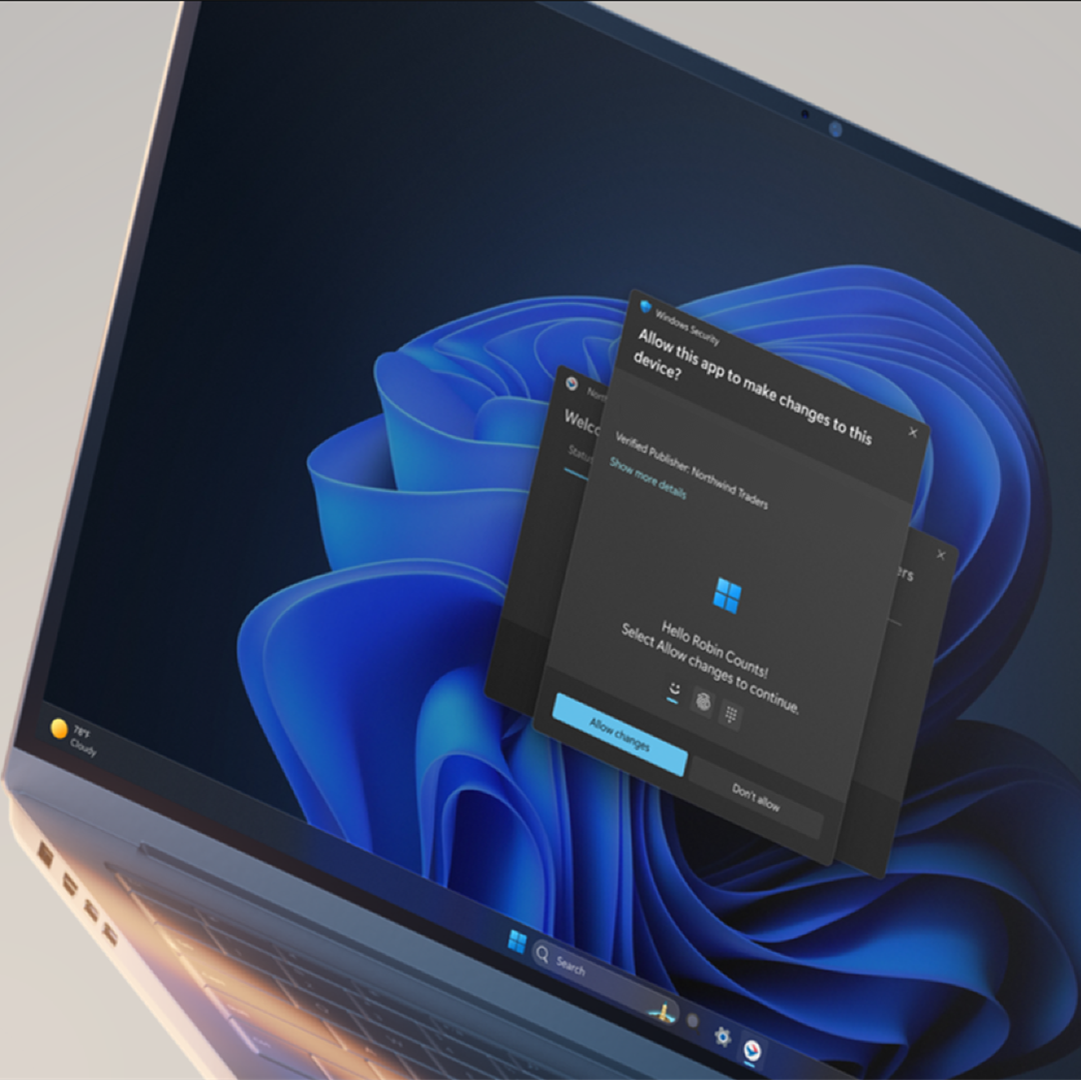
Starting with Windows 11 build 26100.9278 (24H2) and build 26200.9278 (25H2), Administrator protection aims to protect free-floating admin rights for administrators. It enables users to perform administrative tasks using just-in-time privileges. Administrator protection isn't classified as a formal security boundary. It hardens security against elevation-of-privilege attacks by introducing profile separation. This feature is turned off by default and can be enabled using OMA-URI in Microsoft Intune or through Group Policy. This feature was previously disclosed in October 2025 (KB5067036) and is now beginning to roll out.

You can enable Administrator Protection to use for Admin Approval Mode (aka: elevated rights) instead of User Account Control (UAC).

Administrator Protection is an upcoming platform security feature in Windows 11, which aims to protect free floating admin rights for administrator users allowing them to still perform all admin functions with just-in-time admin privileges. This feature is off by default and needs to be enabled via group policy. Microsoft plans to share more details about this feature at Microsoft Ignite.

Administrator protection requires that a user verify their identity with Windows Hello integrated authentication before allowing any action that requires administrator privileges. These actions include installing software, changing system settings like the time or the registry, and accessing sensitive data. Administrator protection minimizes the risk of the user making a system-level change by mistake, and, more importantly, helps prevent malware from making silent changes to the system without the user knowing.

At its core, Administrator protection operates on the principle of least privilege. The user is issued the deprivileged user token when they sign in to Windows. However, when admin privileges are needed, Windows will request that the user authorize the operation. Once the operation is authorized, Windows uses a hidden, system-generated, profile-separated user account to create an isolated admin token. This token is issued to the requesting process and is destroyed once the process ends. This ensures that admin privileges do not persist. The whole process is repeated when the user tries to perform another task that requires admin privileges.

Administrator protection introduces a new security boundary with our support to fix any reported security bugs. It should not be confused with User Account Control (UAC), which is more of a defense-in-depth feature. The architectural changes mentioned above help ensure that any access to or tampering with the code or data of elevated session cannot be done without authorization.

Benefits of Administrator protection:
  • Enhanced security: By requiring explicit authorization for every administrative task, Administrator protection protects Windows from accidental changes by users and changes by malware. It helps ensure that users are aware of potentially harmful actions before they occur, which provides an additional layer of defense against cyber threats.
  • The user is always in control: Administrator protection allows users to manage admin rights, granting or restricting access granularly to individual apps. This helps ensure that only authorized apps can make system changes, reducing the risk of accidental or malicious modifications.
  • Malware reduction: Malicious software often relies on admin privileges to change device settings and execute harmful actions. Administrator protection breaks the attack kill chain since malware will no longer be able to silently acquire admin privileges.
Admin Approval Mode runs in legacy mode by default, and uses User Account Control (UAC) for elevation approval.

If you enable Administrator Protection, Admin Approval Mode uses Windows Security for a more secure elevation approval instead of User Account Control (UAC). A C:\Users\ADMIN_<OriginalAdminProfileFolderName> profile folder (ex: "ADMIN_Brink") will be created by the system to use for Administrator Protection.

References:
You must be signed in as an administrator to enable or disable Administrator Protection.


Contents

  • Option One: Enable or Disable Administrator Protection for Admin Approval Mode in Windows Security
  • Option Two: Enable or Disable Administrator Protection for Admin Approval Mode in Local Security Policy
  • Option Three: Enable or Disable Administrator Protection for Admin Approval Mode using REG file


EXAMPLE: Administrator Protection enabled (Windows Security) and disabled (UAC)

UAC.png
Administrator_Protection_with_Windows_Security-1.png
Administrator_Protection_with_Windows_Security-2.webp


Option One

Enable or Disable Administrator Protection for Admin Approval Mode in Windows Security


1 Open Windows Security, and click/tap on Account protection. (see screenshot below)

Administrator_Protection_mode_Windows_Security-1.webp

2 Click/tap on the Administrator protection settings link under Administrator protection. (see screenshot below)

Administrator_Protection_mode_Windows_Security-2.webp

3 Turn on or off (default) Administrator protection for what you want. (see screenshot below)

Administrator_Protection_mode_Windows_Security-3.webp

4 Restart the computer to apply. (see screenshot below)

Administrator_Protection_mode_Windows_Security-4.webp


Option Two

Enable or Disable Administrator Protection for Admin Approval Mode in Local Security Policy


Local Security Policy is only available in the Windows 11 Pro, Enterprise, and Education editions.

All editions can use Option One or Option Three to change the same policy.


1 Open Local Security Policy (secpol.msc).

2 Perform the following actions: (see screenshot below)
  1. Expand open the Local Policies folder in the left pane.
  2. Click/tap on the Security Options subfolder in the left pane.
  3. Double click/tap on the User Account Control: Configure type of Admin Approval Mode policy in the right pane.
Administrator_Protection_secpol-1.png

3 In the Local Security Setting tab, select Legacy Admin Approval Mode (Default) (disable) or Admin Approval Mode with Administrator protection (enable) for what you want in the drop menu, and click/tap on OK. (see screenshot below)

Administrator_Protection_secpol-2.png


Option Three

Enable or Disable Administrator Protection for Admin Approval Mode using REG file


1 Do step 2 (enable) or step 3 (disable) below for what you would like to do.

2 Enable Administrator Protection for Admin Approval Mode

A) Click/tap on the Download button below to download the file below, and go to step 4 below.​

Enable_Administrator_Protection_for_Admin_Approval_Mode.reg


(Contents of REG file for reference)
Code:
Windows Registry Editor Version 5.00

[HKEY_LOCAL_MACHINE\SOFTWARE\Microsoft\Windows\CurrentVersion\Policies\System]
"TypeOfAdminApprovalMode"=dword:00000002

3 Disable Administrator Protection for Admin Approval Mode

This is the default setting.


A) Click/tap on the Download button below to download the file below, and go to step 4 below.​

Disable_Administrator_Protection_for_Admin_Approval_Mode.reg


(Contents of REG file for reference)
Code:
Windows Registry Editor Version 5.00

[HKEY_LOCAL_MACHINE\SOFTWARE\Microsoft\Windows\CurrentVersion\Policies\System]
"TypeOfAdminApprovalMode"=dword:00000001

4 Save the .reg file to your desktop.

5 If you have Smart App Control turned on, you will need to unblock the downloaded REG file.

6 Double click/tap on the downloaded .reg file to merge it.

7 When prompted, click/tap on Run, Yes (UAC), Yes, and OK to approve the merge.

8 Restart the computer to apply.

9 You can now delete the downloaded .reg file if you like.


That's it,
Shawn Brink


Attachments

Last edited:
Build 7961 post on Beta channel says it has been reintroduced, however it is still disabled on my laptop even with the group policy on. Is there a new group policy or method?

Hello, :alien:

It's still gradually rolling out in the Beta and Dev channel, so not everyone will have it back yet.
 

My Computers My Computers

  • At a glance

    Windows 11 Pro for WorkstationsIntel i7-8700K 5 GHz64 GB (4x16GB) G.SKILL TridentZ RGB DDR4 3600...ASUS ROG-STRIX-GTX1080TI-O11G-GAMING (11GB GD...
    OS
    Windows 11 Pro for Workstations
    Computer type
    PC/Desktop
    Manufacturer/Model
    Custom self build
    CPU
    Intel i7-8700K 5 GHz
    Motherboard
    ASUS ROG Maximus XI Formula Z390
    Memory
    64 GB (4x16GB) G.SKILL TridentZ RGB DDR4 3600 MHz (F4-3600C18D-32GTZR)
    Graphics Card(s)
    ASUS ROG-STRIX-GTX1080TI-O11G-GAMING (11GB GDDR5X)
    Sound Card
    Integrated Digital Audio (S/PDIF)
    Monitor(s) Displays
    2 x Samsung Odyssey G75 27"
    Screen Resolution
    2560x1440
    Hard Drives
    1TB Samsung 990 PRO M.2,
    4TB Samsung 990 PRO M.2,
    TerraMaster F8 SSD Plus NAS
    PSU
    Seasonic Prime Titanium 850W
    Case
    Thermaltake Core P3 wall mounted
    Cooling
    Corsair Hydro H115i
    Keyboard
    Amazon Basics Wired Full Keyboard MD005
    Mouse
    Logitech MX Master 4
    Internet Speed
    2 Gbps Download and 100 Mbps Upload
    Browser
    Chrome and Edge
    Antivirus
    Microsoft Defender
    Other Info
    Logitech Z625 speaker system,
    Logitech BRIO 4K Pro webcam,
    HP Color LaserJet Pro MFP M477fdn,
    CyberPower CP1500PFCLCD
    Galaxy S23 Plus phone
  • At a glance

    Windows 11 ProSnapdragon X Elite (12 core) 3.42 GHz16 GB LPDDR5x-7467 MHz
    Operating System
    Windows 11 Pro
    Computer type
    Laptop
    Manufacturer/Model
    Surface Laptop 7 Copilot+ PC
    CPU
    Snapdragon X Elite (12 core) 3.42 GHz
    Memory
    16 GB LPDDR5x-7467 MHz
    Monitor(s) Displays
    15" HDR
    Screen Resolution
    2496 x 1664
    Hard Drives
    1 TB SSD
    Internet Speed
    Wi-Fi 7 and Bluetooth 5.4
    Browser
    Chrome and Edge
    Antivirus
    Microsoft Defender
OK I suppose it is a new feature ID that is still unknown at the moment. The two previous IDs are still enabled here
 

My Computer My Computer

At a glance

Windows 11Intel(R) Core(TM) i7-1065G732 GBIntel Iris Plus / NVidia GeForce 1660 Ti Max-Q
OS
Windows 11
Computer type
Laptop
Manufacturer/Model
Microsoft Surface Book 3
CPU
Intel(R) Core(TM) i7-1065G7
Memory
32 GB
Graphics Card(s)
Intel Iris Plus / NVidia GeForce 1660 Ti Max-Q
Hello,

I recently stepped back from Insider builds after the way too many problems introduced in the Feb-Mar period. I'll stick with the Release for now.
I'm noticing though that Admin Protection seems completely unavailable now on 25H2 even with all features activated with ViveTool. Has anyone a different experience?
 

My Computer My Computer

At a glance

Windows 11Intel(R) Core(TM) i7-1065G732 GBIntel Iris Plus / NVidia GeForce 1660 Ti Max-Q
OS
Windows 11
Computer type
Laptop
Manufacturer/Model
Microsoft Surface Book 3
CPU
Intel(R) Core(TM) i7-1065G7
Memory
32 GB
Graphics Card(s)
Intel Iris Plus / NVidia GeForce 1660 Ti Max-Q
Hello,

I recently stepped back from Insider builds after the way too many problems introduced in the Feb-Mar period. I'll stick with the Release for now.
I'm noticing though that Admin Protection seems completely unavailable now on 25H2 even with all features activated with ViveTool. Has anyone a different experience?

Hello, :alien:

It's starting to roll back out again with Windows 11 build 26100.9267 (RP 24H2) and build 26200.9267 (RP 25H2) for Insiders.

Personally, I would avoid Admin Protection until it's fully baked.
 

My Computers My Computers

  • At a glance

    Windows 11 Pro for WorkstationsIntel i7-8700K 5 GHz64 GB (4x16GB) G.SKILL TridentZ RGB DDR4 3600...ASUS ROG-STRIX-GTX1080TI-O11G-GAMING (11GB GD...
    OS
    Windows 11 Pro for Workstations
    Computer type
    PC/Desktop
    Manufacturer/Model
    Custom self build
    CPU
    Intel i7-8700K 5 GHz
    Motherboard
    ASUS ROG Maximus XI Formula Z390
    Memory
    64 GB (4x16GB) G.SKILL TridentZ RGB DDR4 3600 MHz (F4-3600C18D-32GTZR)
    Graphics Card(s)
    ASUS ROG-STRIX-GTX1080TI-O11G-GAMING (11GB GDDR5X)
    Sound Card
    Integrated Digital Audio (S/PDIF)
    Monitor(s) Displays
    2 x Samsung Odyssey G75 27"
    Screen Resolution
    2560x1440
    Hard Drives
    1TB Samsung 990 PRO M.2,
    4TB Samsung 990 PRO M.2,
    TerraMaster F8 SSD Plus NAS
    PSU
    Seasonic Prime Titanium 850W
    Case
    Thermaltake Core P3 wall mounted
    Cooling
    Corsair Hydro H115i
    Keyboard
    Amazon Basics Wired Full Keyboard MD005
    Mouse
    Logitech MX Master 4
    Internet Speed
    2 Gbps Download and 100 Mbps Upload
    Browser
    Chrome and Edge
    Antivirus
    Microsoft Defender
    Other Info
    Logitech Z625 speaker system,
    Logitech BRIO 4K Pro webcam,
    HP Color LaserJet Pro MFP M477fdn,
    CyberPower CP1500PFCLCD
    Galaxy S23 Plus phone
  • At a glance

    Windows 11 ProSnapdragon X Elite (12 core) 3.42 GHz16 GB LPDDR5x-7467 MHz
    Operating System
    Windows 11 Pro
    Computer type
    Laptop
    Manufacturer/Model
    Surface Laptop 7 Copilot+ PC
    CPU
    Snapdragon X Elite (12 core) 3.42 GHz
    Memory
    16 GB LPDDR5x-7467 MHz
    Monitor(s) Displays
    15" HDR
    Screen Resolution
    2496 x 1664
    Hard Drives
    1 TB SSD
    Internet Speed
    Wi-Fi 7 and Bluetooth 5.4
    Browser
    Chrome and Edge
    Antivirus
    Microsoft Defender
So upset I can't even test it on my main machine because I get this error when attempting sign-in after enabling it. 🥲 If I create a whole new administrator account it works, but I don't get why my already existing account doesn't work with it.
dsff.webp
 

My Computer My Computer

At a glance

Windows 11AMD Ryzen 7 7445HSNvidia GeForce RTX 4050 Laptop GPU, AMD Radeo...
OS
Windows 11
Computer type
PC/Desktop
Manufacturer/Model
HP Victus Gaming Laptop 15-fb3xxx
CPU
AMD Ryzen 7 7445HS
Graphics Card(s)
Nvidia GeForce RTX 4050 Laptop GPU, AMD Radeon 740M iGPU
Screen Resolution
1920 x 1080p
Hard Drives
Samsung SSD 970 Evo Plus 1TB
Browser
Firefox
Antivirus
Windows Security
Not available for me with RP 26H2 26300.9278
 

My Computer My Computer

At a glance

Windows 11 Pro 25H2 (RP channel)AMD Ryzen 7 9800X3D 8-core64GB Corsair Titanium 6000/CL30MSI Suprim 5080 SOC
OS
Windows 11 Pro 25H2 (RP channel)
Computer type
PC/Desktop
Manufacturer/Model
MSI
CPU
AMD Ryzen 7 9800X3D 8-core
Motherboard
MEG X870E Godlike
Memory
64GB Corsair Titanium 6000/CL30
Graphics Card(s)
MSI Suprim 5080 SOC
Sound Card
Soundblaster AE-9
Monitor(s) Displays
ASUS TUF Gaming VG289Q
Screen Resolution
3840x2160
Hard Drives
Samsung 9100 Pro 4TB (gen 5 x4, system drive/games)
Samsung 990 Pro 2TB
Samsung 980 Pro 2TB
Samsung 870 Evo 4TB
Samsung 870 Evo 2TB
Samsung T9 4TB
PSU
Seasonic PX-2200
Case
Bequiet! Dark Base Pro 901
Cooling
Noctua NH-D15S Chromax black
Keyboard
Logitech G915 X (wired)
Mouse
Logitech G903 with PowerPlay charger
Internet Speed
900Mb/sec
Browser
Microsoft Edge
Antivirus
Windows Defender
thank you @Brink for the tutorial
my system updated with the latest preview and didn't get this admin approval
but my wifes system got the same update and had this admin approval enabled

i installed gpedit.msc on her Windows Home system and reset the approval back to legacy

many thanks
best of luck Steve ..
 

My Computers My Computers

  • At a glance

    Windows 11 HomeRyzen 7 5825u64GB DDR4 3200Ryzen 7 5825u
    OS
    Windows 11 Home
    Computer type
    PC/Desktop
    Manufacturer/Model
    HP 24" AiO
    CPU
    Ryzen 7 5825u
    Motherboard
    HP
    Memory
    64GB DDR4 3200
    Graphics Card(s)
    Ryzen 7 5825u
    Sound Card
    Realtek External 5w speaker bar.
    Monitor(s) Displays
    24" HP AiO
    Screen Resolution
    1920 x 1080 @60 Hz
    Hard Drives
    1TB WD Blue SN580 M2 SSD Partitioned C:/D: drives.
    2x 1TB USB HDD External Backup/Storage.
    all VeraCrypt encrypted.
    PSU
    90W external power brick
    Case
    24" All in One
    Cooling
    Default Air Cooling
    Keyboard
    Dell WiFi UK extended
    Mouse
    Dell WiFi 3 Button
    Internet Speed
    1GB full fibre
    Browser
    Vivaldi Browser/Email/Calendar
    Antivirus
    AVG Internet Security/Windows Defender
    Other Info
    Mainly Open Source Software
  • At a glance

    Ubuntu 22.04.5 LTSi5 7200u16GB DDR4Intel
    Operating System
    Ubuntu 22.04.5 LTS
    Computer type
    Laptop
    Manufacturer/Model
    Dell 13" Latitude 2017
    CPU
    i5 7200u
    Motherboard
    Dell
    Memory
    16GB DDR4
    Graphics card(s)
    Intel
    Sound Card
    Intel
    Monitor(s) Displays
    13" Dell Laptop
    Hard Drives
    250GB Crucial 2.5" SSD
    Mouse
    Generic WiFi 3 button
    Internet Speed
    WiFi only
    Browser
    Firefox
    Antivirus
    ClamAV TK
    Other Info
    Mainly Open Source Software
Apps (Powershell, Command, Macruim, Hasleo, Samsung Magician etc are now asking for admin approval. Windows Security is asking for Windows Hello password. Windows Pro 25H2 26200.9278 Admin ID. I will test my local non admin to see how it works.
 

My Computers My Computers

  • At a glance

    Windows 11 & Zorin ProIntel® Core™ Ultra 9 Processor 275HX 2.7 GHz32 gbNVIDIA® GeForce RTX™ 5060 Laptop GPU
    OS
    Windows 11 & Zorin Pro
    Computer type
    Laptop
    Manufacturer/Model
    Asus Rog Strix G16
    CPU
    Intel® Core™ Ultra 9 Processor 275HX 2.7 GHz
    Motherboard
    AsusteK Computer
    Memory
    32 gb
    Graphics Card(s)
    NVIDIA® GeForce RTX™ 5060 Laptop GPU
    Sound Card
    Realtek High Definition Audio
    Monitor(s) Displays
    Laptop 16 inch
    Screen Resolution
    2560 X 1600
    Hard Drives
    Boot: Samsung 9100 NVME 2 TB Microsoft Storage Controller: Standard NVM Express Driver: Microsoft 6/21/2006. No SATA/AHCI on my motherboard or in bios
    Mouse
    Pad
    Browser
    Google Chrome
    Antivirus
    Microsoft
    Other Info
    Printer: HP Color LaserJet MFP M477dw
  • At a glance

    Windows 11 Pro, Zorin ProIntel Nuc 8i7, Intel Nuc 8i5Intel internal
    Operating System
    Windows 11 Pro, Zorin Pro
    Computer type
    PC/Desktop
    Manufacturer/Model
    Intel
    CPU
    Intel Nuc 8i7, Intel Nuc 8i5
    Motherboard
    Intel
    Graphics card(s)
    Intel internal
    Monitor(s) Displays
    Dell U27
    Hard Drives
    Samsung 990 Pro
    Keyboard
    Dell USB
    Mouse
    Dell USB
    Antivirus
    Windows Defender
  • Dell 8500 Windows 10 Pro extended, Dell 8700 Windows 10 Pro extended , Hp Pavilion Linux
Apps (Powershell, Command, Macruim, Hasleo, Samsung Magician etc are now asking for admin approval.

Hasleo and Macrium have always asked for elevation.
 

My Computer My Computer

At a glance

Windows 11 Pro
OS
Windows 11 Pro
In scenarios where I did get AP successfully working I had AMD and Logitech services prompting for elevation at login. So it would appear these major companies need to update their software to work with this.
 

My Computer My Computer

At a glance

Windows 11AMD Ryzen 7 7445HSNvidia GeForce RTX 4050 Laptop GPU, AMD Radeo...
OS
Windows 11
Computer type
PC/Desktop
Manufacturer/Model
HP Victus Gaming Laptop 15-fb3xxx
CPU
AMD Ryzen 7 7445HS
Graphics Card(s)
Nvidia GeForce RTX 4050 Laptop GPU, AMD Radeon 740M iGPU
Screen Resolution
1920 x 1080p
Hard Drives
Samsung SSD 970 Evo Plus 1TB
Browser
Firefox
Antivirus
Windows Security
I just checked my local non admin ID it will only take my local Hello password not my admin password. This may be step 1 in the implementation process.
 

My Computers My Computers

  • At a glance

    Windows 11 & Zorin ProIntel® Core™ Ultra 9 Processor 275HX 2.7 GHz32 gbNVIDIA® GeForce RTX™ 5060 Laptop GPU
    OS
    Windows 11 & Zorin Pro
    Computer type
    Laptop
    Manufacturer/Model
    Asus Rog Strix G16
    CPU
    Intel® Core™ Ultra 9 Processor 275HX 2.7 GHz
    Motherboard
    AsusteK Computer
    Memory
    32 gb
    Graphics Card(s)
    NVIDIA® GeForce RTX™ 5060 Laptop GPU
    Sound Card
    Realtek High Definition Audio
    Monitor(s) Displays
    Laptop 16 inch
    Screen Resolution
    2560 X 1600
    Hard Drives
    Boot: Samsung 9100 NVME 2 TB Microsoft Storage Controller: Standard NVM Express Driver: Microsoft 6/21/2006. No SATA/AHCI on my motherboard or in bios
    Mouse
    Pad
    Browser
    Google Chrome
    Antivirus
    Microsoft
    Other Info
    Printer: HP Color LaserJet MFP M477dw
  • At a glance

    Windows 11 Pro, Zorin ProIntel Nuc 8i7, Intel Nuc 8i5Intel internal
    Operating System
    Windows 11 Pro, Zorin Pro
    Computer type
    PC/Desktop
    Manufacturer/Model
    Intel
    CPU
    Intel Nuc 8i7, Intel Nuc 8i5
    Motherboard
    Intel
    Graphics card(s)
    Intel internal
    Monitor(s) Displays
    Dell U27
    Hard Drives
    Samsung 990 Pro
    Keyboard
    Dell USB
    Mouse
    Dell USB
    Antivirus
    Windows Defender
  • Dell 8500 Windows 10 Pro extended, Dell 8700 Windows 10 Pro extended , Hp Pavilion Linux
One of my machines with public Build 26200.9278 turned on administrator protection without any warning.
The option is not available in settings, but Microsoft set it up in the Group Policy. I had to revert it back to Legacy Admin Approval Mode which shows as (Default).
Why are they changing that setting without user's approval?

1788565106567.webp
 

My Computer My Computer

At a glance

Windows 11 Pro 25H2Intel I9-9900K64GBNVIDIA RTX 2060
OS
Windows 11 Pro 25H2
Computer type
PC/Desktop
Manufacturer/Model
Dell XPS 8930
CPU
Intel I9-9900K
Memory
64GB
Graphics Card(s)
NVIDIA RTX 2060
Sound Card
NVIDIA High Definition Audio
Monitor(s) Displays
4k Samsung
Screen Resolution
3840 x 2160
Hard Drives
512GB NVMe, ADATA SU 800, 2TB HDD
In scenarios where I did get AP successfully working I had AMD and Logitech services prompting for elevation at login. So it would appear these major companies need to update their software to work with this.
The same issue for Intel Graphics App.
 

My Computer My Computer

At a glance

Windows 11 Pro 25H2Intel I9-9900K64GBNVIDIA RTX 2060
OS
Windows 11 Pro 25H2
Computer type
PC/Desktop
Manufacturer/Model
Dell XPS 8930
CPU
Intel I9-9900K
Memory
64GB
Graphics Card(s)
NVIDIA RTX 2060
Sound Card
NVIDIA High Definition Audio
Monitor(s) Displays
4k Samsung
Screen Resolution
3840 x 2160
Hard Drives
512GB NVMe, ADATA SU 800, 2TB HDD
I have 2 ID's on my primary laptop, one is my Microsoft ID and the other is a local ID. I have 2 Asus services that 'want' admin privilege. If I swap both ID's back and forth from Admin to standard, Windows Security asks for the one with Admin privileges. No system tasks are failing like they were a couple months ago... I'm leaving it on unless it breaks something...
 

My Computers My Computers

  • At a glance

    Windows 11 & Zorin ProIntel® Core™ Ultra 9 Processor 275HX 2.7 GHz32 gbNVIDIA® GeForce RTX™ 5060 Laptop GPU
    OS
    Windows 11 & Zorin Pro
    Computer type
    Laptop
    Manufacturer/Model
    Asus Rog Strix G16
    CPU
    Intel® Core™ Ultra 9 Processor 275HX 2.7 GHz
    Motherboard
    AsusteK Computer
    Memory
    32 gb
    Graphics Card(s)
    NVIDIA® GeForce RTX™ 5060 Laptop GPU
    Sound Card
    Realtek High Definition Audio
    Monitor(s) Displays
    Laptop 16 inch
    Screen Resolution
    2560 X 1600
    Hard Drives
    Boot: Samsung 9100 NVME 2 TB Microsoft Storage Controller: Standard NVM Express Driver: Microsoft 6/21/2006. No SATA/AHCI on my motherboard or in bios
    Mouse
    Pad
    Browser
    Google Chrome
    Antivirus
    Microsoft
    Other Info
    Printer: HP Color LaserJet MFP M477dw
  • At a glance

    Windows 11 Pro, Zorin ProIntel Nuc 8i7, Intel Nuc 8i5Intel internal
    Operating System
    Windows 11 Pro, Zorin Pro
    Computer type
    PC/Desktop
    Manufacturer/Model
    Intel
    CPU
    Intel Nuc 8i7, Intel Nuc 8i5
    Motherboard
    Intel
    Graphics card(s)
    Intel internal
    Monitor(s) Displays
    Dell U27
    Hard Drives
    Samsung 990 Pro
    Keyboard
    Dell USB
    Mouse
    Dell USB
    Antivirus
    Windows Defender
  • Dell 8500 Windows 10 Pro extended, Dell 8700 Windows 10 Pro extended , Hp Pavilion Linux
I have 2 ID's on my primary laptop, one is my Microsoft ID and the other is a local ID. I have 2 Asus services that 'want' admin privilege. If I swap both ID's back and forth from Admin to standard, Windows Security asks for the one with Admin privileges. No system tasks are failing like they were a couple months ago... I'm leaving it on unless it breaks something...
I wish Microsoft stopped these stupid experiments on Public Builds, I thought they were doing that just on insider builds, but now they do the same crap also for the general public. Pretty messy and confusing. 🤬🤷‍♂️
 

My Computer My Computer

At a glance

Windows 11 Pro 25H2Intel I9-9900K64GBNVIDIA RTX 2060
OS
Windows 11 Pro 25H2
Computer type
PC/Desktop
Manufacturer/Model
Dell XPS 8930
CPU
Intel I9-9900K
Memory
64GB
Graphics Card(s)
NVIDIA RTX 2060
Sound Card
NVIDIA High Definition Audio
Monitor(s) Displays
4k Samsung
Screen Resolution
3840 x 2160
Hard Drives
512GB NVMe, ADATA SU 800, 2TB HDD

Latest Support Threads

Back
Top Bottom