Phone Enable or Disable Use Camera from Android Mobile Devices in Windows 11


Cross_Device_banner.png

This tutorial will show you how to turn on or off the ability to use your Android phone or tablet camera in any video application for your account in Windows 11.

You can use your Android phone or tablet camera in any video application on your Windows 11 PC. With this feature, you’ll be able to wirelessly enjoy the high quality of your mobile device’s camera on your PC with flexibility and ease. Some of the abilities include being able to switch between front and back camera, pausing the stream during interruptions, and enjoying effects provided by your mobile model.

The Use as a connected camera setting requires your mobile device has Android 9.0+ and that your version of the Link to Windows phone application is 1.24012* or greater.

Starting with Windows 11 build 26100.7309 (24H2) and build 26200.7309 (25H2), you can now directly add and manage your mobile devices from Settings on your Windows PC by navigating to “Mobile Devices” under the Bluetooth & Devices section.

References:

This Use as a connected camera setting from your Android mobile devices will require linking your Android phone to the PC and Allow this PC to access your mobile devices to be turned on.


EXAMPLE: A phone and a PC window showing connected camera controls that are available when you connect your phone with your PC.

SW2.png


Here's How:

1 Open Settings (Win+I).

2 Click/tap on Bluetooth & devices on the left side, and click/tap on Mobile devices on the right side. (see screenshot below)


Mobile_Devices_Settings-1.webp

3 Under Mobile devices, click/tap on an added phone you want to manage. (see screenshot below)

Mobile devices you added will not be listed if Allow this PC to access content and capabilities from your mobile devices is turned off.


Mobile_Devices_Settings-2.webp

4 Turn On or Off (default) Use as a connected camera for what you want. (see screenshot below)

Mobile_Devices_Settings-3.webp

5 You can now close Settings if you like.


That's it,
Shawn Brink


Last edited:
Im just not seeing the option to use my phone as a camera.

Windows Insider Beta Program
Using Phone Link Version 1.24022.69.0
Updated everything

Clicking on Manage Mobile Devices shows Get new photo notifications instead of Use as a connected camera.

Ive unregisted and registed phone link. Ive even cleared the cache data on android and removed all windows to phone related sync and nothing.

Wondering if im doing something wrong

Untitled.png
 
Last edited:

My Computers My Computers

  • At a glance

    Windows 11AMD Ryzen 5 2600Corsair 32GB Dual-Channel DDR4 3200MHzMSI RX 580
    OS
    Windows 11
    Computer type
    PC/Desktop
    Manufacturer/Model
    Custom
    CPU
    AMD Ryzen 5 2600
    Motherboard
    Asrock B450M-HDV (AM4)
    Memory
    Corsair 32GB Dual-Channel DDR4 3200MHz
    Graphics Card(s)
    MSI RX 580
    Sound Card
    SteelSeries Sonar Virtual Audio
    Monitor(s) Displays
    Hannspree HL225HNB (21") & BenQ GC2870 (23")
    Screen Resolution
    1080p
    Hard Drives
    3TB Toshiba HDWD130 HDD
    1TB Western Digital WDC WD10EZEX HDD
    240GB Samsung Nvme SSD
    Keyboard
    Asus Tuf Gaming K3
    Mouse
    Asus ROG Keris Wireless
    Browser
    Google Chrome
    Antivirus
    IOBit Anti Malware
  • At a glance

    Windows 11Intel Core i5-1135G78 GB LPDDR4x MemoryIntel Iris Xe Graphics
    Operating System
    Windows 11
    Computer type
    Laptop
    Manufacturer/Model
    Samsung Galaxy Book LTE
    CPU
    Intel Core i5-1135G7
    Motherboard
    Samsung
    Memory
    8 GB LPDDR4x Memory
    Graphics card(s)
    Intel Iris Xe Graphics
    Sound Card
    Stereo Speakers ( 2 W x 2 ), Dolby Atmos, Internal Dual Array Digital Mic
    Monitor(s) Displays
    15.6" FHD LED Display, Anti-Glare
    Screen Resolution
    1920x1080
    Hard Drives
    256 GB NVMe SSD
    PSU
    54 Wh, 65 W USB Type-C Adapter
    Case
    Integrated, Mystic Silver
    Cooling
    Integrated
    Keyboard
    Pro keyboard with Numeric key
    Mouse
    Clickpad
    Browser
    Google Chrome, Edge
    Antivirus
    IOBit Anti Malware
Hello @KeplerXG, and welcome. :alien:

Your not doing anything wrong. Microsoft is slowly rolling out this feature, so you may have just not gotten yet. I haven't got it yet either.
 

My Computers My Computers

  • At a glance

    Windows 11 Pro for WorkstationsIntel i7-8700K 5 GHz64 GB (4x16GB) G.SKILL TridentZ RGB DDR4 3600...ASUS ROG-STRIX-GTX1080TI-O11G-GAMING (11GB GD...
    OS
    Windows 11 Pro for Workstations
    Computer type
    PC/Desktop
    Manufacturer/Model
    Custom self build
    CPU
    Intel i7-8700K 5 GHz
    Motherboard
    ASUS ROG Maximus XI Formula Z390
    Memory
    64 GB (4x16GB) G.SKILL TridentZ RGB DDR4 3600 MHz (F4-3600C18D-32GTZR)
    Graphics Card(s)
    ASUS ROG-STRIX-GTX1080TI-O11G-GAMING (11GB GDDR5X)
    Sound Card
    Integrated Digital Audio (S/PDIF)
    Monitor(s) Displays
    2 x Samsung Odyssey G75 27"
    Screen Resolution
    2560x1440
    Hard Drives
    1TB Samsung 990 PRO M.2,
    4TB Samsung 990 PRO M.2,
    TerraMaster F8 SSD Plus NAS
    PSU
    Seasonic Prime Titanium 850W
    Case
    Thermaltake Core P3 wall mounted
    Cooling
    Corsair Hydro H115i
    Keyboard
    Amazon Basics Wired Full Keyboard MD005
    Mouse
    Logitech MX Master 4
    Internet Speed
    2 Gbps Download and 100 Mbps Upload
    Browser
    Chrome and Edge
    Antivirus
    Microsoft Defender
    Other Info
    Logitech Z625 speaker system,
    Logitech BRIO 4K Pro webcam,
    HP Color LaserJet Pro MFP M477fdn,
    CyberPower CP1500PFCLCD
    Galaxy S23 Plus phone
  • At a glance

    Windows 11 ProSnapdragon X Elite (12 core) 3.42 GHz16 GB LPDDR5x-7467 MHz
    Operating System
    Windows 11 Pro
    Computer type
    Laptop
    Manufacturer/Model
    Surface Laptop 7 Copilot+ PC
    CPU
    Snapdragon X Elite (12 core) 3.42 GHz
    Memory
    16 GB LPDDR5x-7467 MHz
    Monitor(s) Displays
    15" HDR
    Screen Resolution
    2496 x 1664
    Hard Drives
    1 TB SSD
    Internet Speed
    Wi-Fi 7 and Bluetooth 5.4
    Browser
    Chrome and Edge
    Antivirus
    Microsoft Defender
I see the option and can enable it, but moment I try to use camera, connection disconnects. My desktop pc doest not have wifi if that is the problem. Phone link works normally.

edit. Just tried again, and now it works. (y)
 
Last edited:

My Computer My Computer

At a glance

Windows 11 Pro 64bit (release preview channel)i5 840016 GB DDR4RTX 3060 Ti
OS
Windows 11 Pro 64bit (release preview channel)
Computer type
PC/Desktop
Manufacturer/Model
Asus
CPU
i5 8400
Motherboard
ROG STRIX Z370-H GAMING
Memory
16 GB DDR4
Graphics Card(s)
RTX 3060 Ti
Sound Card
On Board
Monitor(s) Displays
Acer VG242Y P
Screen Resolution
1080p
Hard Drives
Intel 660p SSD
PSU
800w
Internet Speed
1000 Mbps
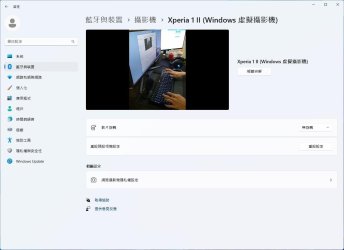
Can I use a resolution larger than 720P and remove the black bars on the sides more easily?
I've tried adjusting using the camara app but there is only an option for 720p 30fps
 

Attachments

  • 0.jpg
    0.jpg
    54.2 KB · Views: 123

My Computer My Computer

At a glance

Windows 11 Insider Preview 27871.1000Intel-i9 13900KG Skill F5-6400J3239G16G x2GeForce RTX™ 3060 GAMING X TRIO 12G
OS
Windows 11 Insider Preview 27871.1000
Computer type
PC/Desktop
Manufacturer/Model
MSI
CPU
Intel-i9 13900K
Motherboard
MAG Z690 TORPEDO
Memory
G Skill F5-6400J3239G16G x2
Graphics Card(s)
GeForce RTX™ 3060 GAMING X TRIO 12G
Sound Card
non
Monitor(s) Displays
ASUS ROG Strix XG309CM 30"/2560*1080/21:9/220Hz/1ms/IPS/HDMI/DP
Screen Resolution
2560x1080
Hard Drives
Micron Crucial P5 500G/M.2 PCIe 2280 TLC
Micron Crucial BX500 240GB SATAⅢ
Kingston KC3000 1TB PCIe 4.0 NVMe M.2 SSD
PSU
ROG-THOR-1000P2-GAMING
Case
non
Cooling
MSI MEG CORELIQUID S360
Keyboard
Corsair K70 PRO RGB
Mouse
Corsair M65 RGB Ultra
Internet Speed
100/40Mbps
Browser
Brave/Edge
Antivirus
Microsoft Defender
I created an account just to thank you for posting this.

The virtual camera was causing issues with my WFH pc after recent updates to the software we us.

Thanks!
 

My Computer My Computer

At a glance

Windows 11 Pro and Home
OS
Windows 11 Pro and Home
Computer type
PC/Desktop
Manufacturer/Model
Custom build, mostly Asus.
I created an account just to thank you for posting this.

The virtual camera was causing issues with my WFH pc after recent updates to the software we us.

Thanks!
You're most welcome Josh, and welcome. :shawn:
 

My Computers My Computers

  • At a glance

    Windows 11 Pro for WorkstationsIntel i7-8700K 5 GHz64 GB (4x16GB) G.SKILL TridentZ RGB DDR4 3600...ASUS ROG-STRIX-GTX1080TI-O11G-GAMING (11GB GD...
    OS
    Windows 11 Pro for Workstations
    Computer type
    PC/Desktop
    Manufacturer/Model
    Custom self build
    CPU
    Intel i7-8700K 5 GHz
    Motherboard
    ASUS ROG Maximus XI Formula Z390
    Memory
    64 GB (4x16GB) G.SKILL TridentZ RGB DDR4 3600 MHz (F4-3600C18D-32GTZR)
    Graphics Card(s)
    ASUS ROG-STRIX-GTX1080TI-O11G-GAMING (11GB GDDR5X)
    Sound Card
    Integrated Digital Audio (S/PDIF)
    Monitor(s) Displays
    2 x Samsung Odyssey G75 27"
    Screen Resolution
    2560x1440
    Hard Drives
    1TB Samsung 990 PRO M.2,
    4TB Samsung 990 PRO M.2,
    TerraMaster F8 SSD Plus NAS
    PSU
    Seasonic Prime Titanium 850W
    Case
    Thermaltake Core P3 wall mounted
    Cooling
    Corsair Hydro H115i
    Keyboard
    Amazon Basics Wired Full Keyboard MD005
    Mouse
    Logitech MX Master 4
    Internet Speed
    2 Gbps Download and 100 Mbps Upload
    Browser
    Chrome and Edge
    Antivirus
    Microsoft Defender
    Other Info
    Logitech Z625 speaker system,
    Logitech BRIO 4K Pro webcam,
    HP Color LaserJet Pro MFP M477fdn,
    CyberPower CP1500PFCLCD
    Galaxy S23 Plus phone
  • At a glance

    Windows 11 ProSnapdragon X Elite (12 core) 3.42 GHz16 GB LPDDR5x-7467 MHz
    Operating System
    Windows 11 Pro
    Computer type
    Laptop
    Manufacturer/Model
    Surface Laptop 7 Copilot+ PC
    CPU
    Snapdragon X Elite (12 core) 3.42 GHz
    Memory
    16 GB LPDDR5x-7467 MHz
    Monitor(s) Displays
    15" HDR
    Screen Resolution
    2496 x 1664
    Hard Drives
    1 TB SSD
    Internet Speed
    Wi-Fi 7 and Bluetooth 5.4
    Browser
    Chrome and Edge
    Antivirus
    Microsoft Defender
Hi all,

I've managed to get my phone working as my webcam but it's not recording audio - asking for me to go into privacy settings but I can't see where either on my pc or my phone to enable audio.

Using 24H2 and a samsung S21 that's fully updated AFAIK.
 

My Computer My Computer

At a glance

W11 24H27900X3D64gb DDR5 5600Palit 4070 super dual
OS
W11 24H2
Computer type
PC/Desktop
Manufacturer/Model
Self
CPU
7900X3D
Motherboard
Asus B650E-I
Memory
64gb DDR5 5600
Graphics Card(s)
Palit 4070 super dual
Sound Card
Onboard
Monitor(s) Displays
AOC Q27
Screen Resolution
1440p
Hard Drives
4tb M.2 SSD
PSU
SF750
Case
FormD T1
Cooling
Corsair H100x
Keyboard
Ducky something
Mouse
G203
Internet Speed
fast?
Antivirus
most of them
Highly necessary tutorial. ^^
 

My Computers My Computers

  • At a glance

    Win 11 Home ♦♦♦26300.9550 ♦♦♦♦♦♦♦26H2AMD Ryzen 7 3700XG.Skill (F4-3200C14D-16GTZKW)EVGA RTX 2070 (08G-P4-2171-KR)
    OS
    Win 11 Home ♦♦♦26300.9550 ♦♦♦♦♦♦♦26H2
    Computer type
    PC/Desktop
    Manufacturer/Model
    Built by Ghot® [May 2020]
    CPU
    AMD Ryzen 7 3700X
    Motherboard
    Asus Pro WS X570-ACE (BIOS 5302)
    Memory
    G.Skill (F4-3200C14D-16GTZKW)
    Graphics Card(s)
    EVGA RTX 2070 (08G-P4-2171-KR)
    Sound Card
    Realtek ALC1220P / ALC S1220A
    Monitor(s) Displays
    Dell U3011 30"
    Screen Resolution
    2560 x 1600
    Hard Drives
    2x Samsung 860 EVO 500GB,
    WD 4TB Black FZBX - SATA III,
    WD 8TB Black FZBX - SATA III,
    DRW-24B1ST CD/DVD Burner
    PSU
    PC Power & Cooling 750W Quad EPS12V
    Case
    Cooler Master ATCS 840 Tower
    Cooling
    CM Hyper 212 EVO (push/pull)
    Keyboard
    Ducky DK9008 Shine II Blue LED
    Mouse
    Logitech Optical M-100
    Internet Speed
    300/300
    Browser
    Firefox (latest)
    Antivirus
    Bitdefender Total Security
    Other Info
    Speakers: Klipsch Pro Media 2.1
  • At a glance

    Windows XP Pro 32bit w/SP3AMD Athlon 64 X2 5000+ (OC'd @ 3.2Ghz)TWIN2X2048-6400C4DHX (2 x 1GB, DDR2 800)EVGA 256-P2-N758-TR GeForce 8600GT SSC
    Operating System
    Windows XP Pro 32bit w/SP3
    Computer type
    PC/Desktop
    Manufacturer/Model
    Built by Ghot® (not in use)
    CPU
    AMD Athlon 64 X2 5000+ (OC'd @ 3.2Ghz)
    Motherboard
    ASUS M2N32-SLI Deluxe Wireless Edition
    Memory
    TWIN2X2048-6400C4DHX (2 x 1GB, DDR2 800)
    Graphics card(s)
    EVGA 256-P2-N758-TR GeForce 8600GT SSC
    Sound Card
    Onboard
    Monitor(s) Displays
    ViewSonic G90FB Black 19" Professional (CRT)
    Screen Resolution
    up to 2048 x 1536
    Hard Drives
    WD 36GB 10,000rpm Raptor SATA
    Seagate 80GB 7200rpm SATA
    Lite-On LTR-52246S CD/RW
    Lite-On LH-18A1P CD/DVD Burner
    PSU
    PC Power & Cooling Silencer 750 Quad EPS12V
    Case
    Generic Beige case, 80mm fans
    Cooling
    ZALMAN 9500A 92mm CPU Cooler
    Keyboard
    Logitech Classic Keybooard 200
    Mouse
    Logitech Optical M-BT96a
    Internet Speed
    300/300
    Browser
    Firefox 3.x ??
    Antivirus
    Symantec (Norton)
    Other Info
    Still assembled, still runs. Haven't turned it on for 15 years?
Highly necessary tutorial. ^^
I have it working well as a pure webcam but can't work out how to enable audio. I wonder if at some point in the process I've refused a permission but can't work out how to change it back.
 

My Computer My Computer

At a glance

W11 24H27900X3D64gb DDR5 5600Palit 4070 super dual
OS
W11 24H2
Computer type
PC/Desktop
Manufacturer/Model
Self
CPU
7900X3D
Motherboard
Asus B650E-I
Memory
64gb DDR5 5600
Graphics Card(s)
Palit 4070 super dual
Sound Card
Onboard
Monitor(s) Displays
AOC Q27
Screen Resolution
1440p
Hard Drives
4tb M.2 SSD
PSU
SF750
Case
FormD T1
Cooling
Corsair H100x
Keyboard
Ducky something
Mouse
G203
Internet Speed
fast?
Antivirus
most of them
I have it working well as a pure webcam but can't work out how to enable audio. I wonder if at some point in the process I've refused a permission but can't work out how to change it back.


Sorry, I can't help with that.
You couldn't force me to "tie" my phone to Windows... for any reason. ^^
 

My Computers My Computers

  • At a glance

    Win 11 Home ♦♦♦26300.9550 ♦♦♦♦♦♦♦26H2AMD Ryzen 7 3700XG.Skill (F4-3200C14D-16GTZKW)EVGA RTX 2070 (08G-P4-2171-KR)
    OS
    Win 11 Home ♦♦♦26300.9550 ♦♦♦♦♦♦♦26H2
    Computer type
    PC/Desktop
    Manufacturer/Model
    Built by Ghot® [May 2020]
    CPU
    AMD Ryzen 7 3700X
    Motherboard
    Asus Pro WS X570-ACE (BIOS 5302)
    Memory
    G.Skill (F4-3200C14D-16GTZKW)
    Graphics Card(s)
    EVGA RTX 2070 (08G-P4-2171-KR)
    Sound Card
    Realtek ALC1220P / ALC S1220A
    Monitor(s) Displays
    Dell U3011 30"
    Screen Resolution
    2560 x 1600
    Hard Drives
    2x Samsung 860 EVO 500GB,
    WD 4TB Black FZBX - SATA III,
    WD 8TB Black FZBX - SATA III,
    DRW-24B1ST CD/DVD Burner
    PSU
    PC Power & Cooling 750W Quad EPS12V
    Case
    Cooler Master ATCS 840 Tower
    Cooling
    CM Hyper 212 EVO (push/pull)
    Keyboard
    Ducky DK9008 Shine II Blue LED
    Mouse
    Logitech Optical M-100
    Internet Speed
    300/300
    Browser
    Firefox (latest)
    Antivirus
    Bitdefender Total Security
    Other Info
    Speakers: Klipsch Pro Media 2.1
  • At a glance

    Windows XP Pro 32bit w/SP3AMD Athlon 64 X2 5000+ (OC'd @ 3.2Ghz)TWIN2X2048-6400C4DHX (2 x 1GB, DDR2 800)EVGA 256-P2-N758-TR GeForce 8600GT SSC
    Operating System
    Windows XP Pro 32bit w/SP3
    Computer type
    PC/Desktop
    Manufacturer/Model
    Built by Ghot® (not in use)
    CPU
    AMD Athlon 64 X2 5000+ (OC'd @ 3.2Ghz)
    Motherboard
    ASUS M2N32-SLI Deluxe Wireless Edition
    Memory
    TWIN2X2048-6400C4DHX (2 x 1GB, DDR2 800)
    Graphics card(s)
    EVGA 256-P2-N758-TR GeForce 8600GT SSC
    Sound Card
    Onboard
    Monitor(s) Displays
    ViewSonic G90FB Black 19" Professional (CRT)
    Screen Resolution
    up to 2048 x 1536
    Hard Drives
    WD 36GB 10,000rpm Raptor SATA
    Seagate 80GB 7200rpm SATA
    Lite-On LTR-52246S CD/RW
    Lite-On LH-18A1P CD/DVD Burner
    PSU
    PC Power & Cooling Silencer 750 Quad EPS12V
    Case
    Generic Beige case, 80mm fans
    Cooling
    ZALMAN 9500A 92mm CPU Cooler
    Keyboard
    Logitech Classic Keybooard 200
    Mouse
    Logitech Optical M-BT96a
    Internet Speed
    300/300
    Browser
    Firefox 3.x ??
    Antivirus
    Symantec (Norton)
    Other Info
    Still assembled, still runs. Haven't turned it on for 15 years?
Hi all,

I've managed to get my phone working as my webcam but it's not recording audio - asking for me to go into privacy settings but I can't see where either on my pc or my phone to enable audio.

Using 24H2 and a samsung S21 that's fully updated AFAIK.
On your Samsung:

-Settings
-Apps
-Manage Apps
- type in 'Link to Windows' in search apps
-App Permissions
-Microphone
 

My Computers My Computers

  • At a glance

    All Branches but StableAMD Ryzen 7 7735HS 3200-4500 Mhz 8 cores x 232 GB DDR5Radeon Graphic / NVIDIA GeForce RTX 4060 8 GB...
    OS
    All Branches but Stable
    Computer type
    Laptop
    Manufacturer/Model
    Acer Nitro ANV15-51
    CPU
    AMD Ryzen 7 7735HS 3200-4500 Mhz 8 cores x 2
    Motherboard
    Sportage_RBH
    Memory
    32 GB DDR5
    Graphics Card(s)
    Radeon Graphic / NVIDIA GeForce RTX 4060 8 GB GDDR6
    Sound Card
    AMD/Realtek(R) Audio
    Monitor(s) Displays
    Integrated Monitor (15.3"vis)
    Screen Resolution
    FHD 1920X1080 16:9 144Hz
    Hard Drives
    KINGSTON OM8SEP4512Q-AA 1TB
    Western Digital 256GB
    PSU
    19V DC 6.32 A 120 W
    Cooling
    Dual Fans
    Mouse
    MS Bluetooth
    Internet Speed
    Fiber 1GB Cox -us & 1GB Orange-fr
    Browser
    Edge Canary- Firefox Nightly-Chrome Dev-Chrome Dev
    Antivirus
    Windows Defender
  • At a glance

    Windows 11 BetaAMD A9-94208 GB of DDR4AMD Radeon R5
    Operating System
    Windows 11 Beta
    Computer type
    Laptop
    Manufacturer/Model
    Asus X751BP
    CPU
    AMD A9-9420
    Memory
    8 GB of DDR4
    Graphics card(s)
    AMD Radeon R5
    Screen Resolution
    1600x900
    Hard Drives
    Seagate 1 TB
On your Samsung:

-Settings
-Apps
-Manage Apps
- type in 'Link to Windows' in search apps
-App Permissions
-Microphone

Isn't helping. Option not showing up. And have changed the permission settings back and forth from 'every time' and 'ask each time the app asks', no dice. Every other part of this is working well and I have a workaround in the form of my headset, allowing me to abandon my laptop entirely now, but it would still be nice if I didn't have to depend on 2 devices rather than 1.
 

My Computer My Computer

At a glance

W11 24H27900X3D64gb DDR5 5600Palit 4070 super dual
OS
W11 24H2
Computer type
PC/Desktop
Manufacturer/Model
Self
CPU
7900X3D
Motherboard
Asus B650E-I
Memory
64gb DDR5 5600
Graphics Card(s)
Palit 4070 super dual
Sound Card
Onboard
Monitor(s) Displays
AOC Q27
Screen Resolution
1440p
Hard Drives
4tb M.2 SSD
PSU
SF750
Case
FormD T1
Cooling
Corsair H100x
Keyboard
Ducky something
Mouse
G203
Internet Speed
fast?
Antivirus
most of them
Back
Top Bottom