Doctor Rashir
Active member
- Local time
- 12:27 AM
- Posts
- 4
- OS
- windows 10 Pro 22H2
I don't know exactly when this changed. I have the setting 'Expand to Current Folder' checked. When I click on some of the pinned folders the Explorer Navigation pane the location does not expand to the target folder. But some of them do expand to current folder.
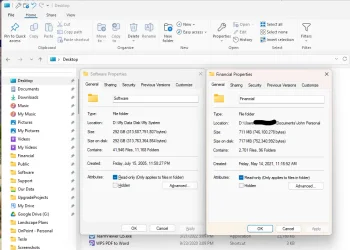
Below is a screenshot of the folders that do not expand, shown in red. There are several posts from 2023 that reference this but for me the issue appeared more recently. And I don't see any mention of only some of the folders don't expand. All the System shortcuts aren't expanding and some of ones I pinned don't expand.
Any clues to where to look to maybe solve this?
I'm on Windows 11, clearly, and updated from Windows 10 in June 2025. Version: 24H2. System is Asus with a Core i7-12700k.
Below is a screenshot of the folders that do not expand, shown in red. There are several posts from 2023 that reference this but for me the issue appeared more recently. And I don't see any mention of only some of the folders don't expand. All the System shortcuts aren't expanding and some of ones I pinned don't expand.
Any clues to where to look to maybe solve this?
I'm on Windows 11, clearly, and updated from Windows 10 in June 2025. Version: 24H2. System is Asus with a Core i7-12700k.
- Windows Build/Version
- Windows 11 Pro, 24H2, 26100.6584
Attachments

My Computer
At a glance
windows 10 Pro 22H22th Gen Intel(R) Core(TM) i7-12700K 3.61 GHz32 GB
- OS
- windows 10 Pro 22H2
- Computer type
- PC/Desktop
- Manufacturer/Model
- Custom Built
- CPU
- 2th Gen Intel(R) Core(TM) i7-12700K 3.61 GHz
- Motherboard
- ASUS TUF GAMING H670-PRO WIFI D4
- Memory
- 32 GB
- Hard Drives
- WD_BLACK 500GB SN850 NVMe SSD
WD_BLACK 1TB SN850 NVMe SSD
WD_BLACK 2TB SN850 NVMe SSD
WD_RED 2TB HDD RAID1