fan loud when screen off


timofort

Well-known member
Local time
1:33 PM
Posts
32
Location
France
OS
Windows 11 Pro 25H2
Hello,

On my Asus NUC 14 Pro +, with W11 24H2, I set a screen off after 5 min. of inactivity.

When screen is off, NUC fan often turns on max speed.

I can't know what is culprit, fan goes quiet again when I return to desktop. No process uses CPU in task manager after that.

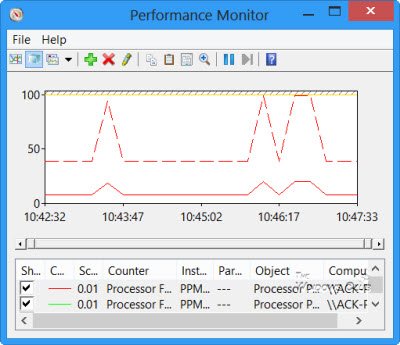
Is there a way to know process(es) using CPU heavily when screen is off, like a process monitor ?

Thanks
 
Windows Build/Version
W11 24H2

My Computers

System One System Two

  • OS
    Windows 11 Pro 25H2
    Computer type
    PC/Desktop
    Manufacturer/Model
    Asus NUC 14 Pro +
    CPU
    Intel Core Ultra 5 125H
    Motherboard
    NUC14RVS
    Memory
    32GB
    Graphics Card(s)
    Integrated Intel ARC
    Sound Card
    Integrated
    Monitor(s) Displays
    DELL U2719D
    Screen Resolution
    2560x1440
    Hard Drives
    SSD Crucial T500 - 4TB
    SSD Integral - 1TB
    PSU
    Integrated
    Case
    Integrated
    Cooling
    Integrated
    Keyboard
    Dell WK717
    Mouse
    Logitech M650L
    Internet Speed
    Orange / Fiber @ 1 gbps
    Browser
    Edge
    Antivirus
    Integrated (WD)
    Other Info
    Routers/Mesh TP-Link BE550 + TP-Link AX53
    Phone Google Pixel 7 @ Android 16 & Orange 4G
  • Operating System
    Windows 10 Pro x64
    Computer type
    PC/Desktop
    Manufacturer/Model
    Home made
    CPU
    Intel Core i3-3220
    Motherboard
    Intel DH77EB
    Memory
    12GB
    Graphics card(s)
    nVidia GT1030 GDDR5
    Sound Card
    Asus Xonar DX
    Monitor(s) Displays
    Sony FW-43BZ35F @ Android TV 9
    Screen Resolution
    3840x2160
    Hard Drives
    SSD Sandisk - 240GB
    HDD WD - 1.5TB
    PSU
    Antec Earthwatts 380W
    Case
    Lian-Li PC-C37
    Cooling
    Stock cooler
    Keyboard
    Logitech K400
    Browser
    Edge
    Antivirus
    Integrated (WD)
 

My Computer

System One

  • OS
    Home26H2Can
    Computer type
    PC/Desktop
    CPU
    AMD Ryzen 5 8600G (07/24)
    Motherboard
    ASROCK B650M-HDV/M.2 (07/24) BIOS 4.21 AGESA ComboAM5 1.3.0.1 (04/26)
    Memory
    2x32GB Kingston FURY DDR5 5600 MHz CL36 @5200 CL36 (07/24)
    Graphics Card(s)
    ASROCK Radeon RX 6600 Challenger D 8G @48FPS (08/24)
    Sound Card
    Creative Sound BlasterX AE-5 Plus (05/24)
    Monitor(s) Displays
    24" Philips 24M1N3200ZS/00 (05/24)
    Screen Resolution
    1920×1080@165Hz via DP1.4
    Hard Drives
    Kingston KC3000 NVMe 2TB (05/24)
    ADATA XPG GAMMIX S11 Pro 512GB (07/19)
    PSU
    Seasonic Core GM 550 Gold (04/24)
    Case
    Fractal Design Define 7 Mini with 3x Noctua NF-P14s/12@555rpm (04/24)
    Cooling
    Noctua NH-U12S with Noctua NF-P12 (04/24)
    Keyboard
    HP Pavilion Wired Keyboard 300 (07/24) + Rabalux 76017 Parker (01/24)
    Mouse
    Logitech M330 Silent Plus (01/26)
    Internet Speed
    500/100 Mbps via RouterOS (05/21) & TCP Optimizer
    Browser
    Edge, Brave for YouTube, LibreWolf for FB
    Antivirus
    NextDNS blocking 1/3 Traffic
    Other Info
    Phone: Motorola Moto G86 (02/26)
    Backup: Hasleo Backup Suite (PreOS)
    Headphones: Sennheiser RS170 (09/10)
    Chair: Huzaro Force 4.4 Grey Mesh (05/24)
    Notifier: Xiaomi Mi Band 9 Milanese (10/24)
    FlexCore USB-C 3.2 Gen 1 (M) to LAN (F) (08/25)
Thanks ;-)
 

My Computers

System One System Two

  • OS
    Windows 11 Pro 25H2
    Computer type
    PC/Desktop
    Manufacturer/Model
    Asus NUC 14 Pro +
    CPU
    Intel Core Ultra 5 125H
    Motherboard
    NUC14RVS
    Memory
    32GB
    Graphics Card(s)
    Integrated Intel ARC
    Sound Card
    Integrated
    Monitor(s) Displays
    DELL U2719D
    Screen Resolution
    2560x1440
    Hard Drives
    SSD Crucial T500 - 4TB
    SSD Integral - 1TB
    PSU
    Integrated
    Case
    Integrated
    Cooling
    Integrated
    Keyboard
    Dell WK717
    Mouse
    Logitech M650L
    Internet Speed
    Orange / Fiber @ 1 gbps
    Browser
    Edge
    Antivirus
    Integrated (WD)
    Other Info
    Routers/Mesh TP-Link BE550 + TP-Link AX53
    Phone Google Pixel 7 @ Android 16 & Orange 4G
  • Operating System
    Windows 10 Pro x64
    Computer type
    PC/Desktop
    Manufacturer/Model
    Home made
    CPU
    Intel Core i3-3220
    Motherboard
    Intel DH77EB
    Memory
    12GB
    Graphics card(s)
    nVidia GT1030 GDDR5
    Sound Card
    Asus Xonar DX
    Monitor(s) Displays
    Sony FW-43BZ35F @ Android TV 9
    Screen Resolution
    3840x2160
    Hard Drives
    SSD Sandisk - 240GB
    HDD WD - 1.5TB
    PSU
    Antec Earthwatts 380W
    Case
    Lian-Li PC-C37
    Cooling
    Stock cooler
    Keyboard
    Logitech K400
    Browser
    Edge
    Antivirus
    Integrated (WD)
Thanks for the link, you saved my day.
 

My Computer

System One

  • OS
    Windows 10
Well, I found culprit : it's dwm.exe (Desktop Window Manager). I read this with resource monitor.

I launch this before screen off, and read cpu average usage when screen on again.

I'm thinking about my graphics driver, which is integrated ARC on Core Ultra 5 : driver has been published in oct. 2024 according to device manager.

Perhaps a newer version could solve this problem ? I will try next days.
 

My Computers

System One System Two

  • OS
    Windows 11 Pro 25H2
    Computer type
    PC/Desktop
    Manufacturer/Model
    Asus NUC 14 Pro +
    CPU
    Intel Core Ultra 5 125H
    Motherboard
    NUC14RVS
    Memory
    32GB
    Graphics Card(s)
    Integrated Intel ARC
    Sound Card
    Integrated
    Monitor(s) Displays
    DELL U2719D
    Screen Resolution
    2560x1440
    Hard Drives
    SSD Crucial T500 - 4TB
    SSD Integral - 1TB
    PSU
    Integrated
    Case
    Integrated
    Cooling
    Integrated
    Keyboard
    Dell WK717
    Mouse
    Logitech M650L
    Internet Speed
    Orange / Fiber @ 1 gbps
    Browser
    Edge
    Antivirus
    Integrated (WD)
    Other Info
    Routers/Mesh TP-Link BE550 + TP-Link AX53
    Phone Google Pixel 7 @ Android 16 & Orange 4G
  • Operating System
    Windows 10 Pro x64
    Computer type
    PC/Desktop
    Manufacturer/Model
    Home made
    CPU
    Intel Core i3-3220
    Motherboard
    Intel DH77EB
    Memory
    12GB
    Graphics card(s)
    nVidia GT1030 GDDR5
    Sound Card
    Asus Xonar DX
    Monitor(s) Displays
    Sony FW-43BZ35F @ Android TV 9
    Screen Resolution
    3840x2160
    Hard Drives
    SSD Sandisk - 240GB
    HDD WD - 1.5TB
    PSU
    Antec Earthwatts 380W
    Case
    Lian-Li PC-C37
    Cooling
    Stock cooler
    Keyboard
    Logitech K400
    Browser
    Edge
    Antivirus
    Integrated (WD)
I found culprit behind culprit. dwm.exe panics because of sketchup 2017 when it's loaded during screen off.

Things are getting better when monitor is sleeping after I close sketchup.

Maybe sketchup has an option to avoid this drawback ?
 

My Computers

System One System Two

  • OS
    Windows 11 Pro 25H2
    Computer type
    PC/Desktop
    Manufacturer/Model
    Asus NUC 14 Pro +
    CPU
    Intel Core Ultra 5 125H
    Motherboard
    NUC14RVS
    Memory
    32GB
    Graphics Card(s)
    Integrated Intel ARC
    Sound Card
    Integrated
    Monitor(s) Displays
    DELL U2719D
    Screen Resolution
    2560x1440
    Hard Drives
    SSD Crucial T500 - 4TB
    SSD Integral - 1TB
    PSU
    Integrated
    Case
    Integrated
    Cooling
    Integrated
    Keyboard
    Dell WK717
    Mouse
    Logitech M650L
    Internet Speed
    Orange / Fiber @ 1 gbps
    Browser
    Edge
    Antivirus
    Integrated (WD)
    Other Info
    Routers/Mesh TP-Link BE550 + TP-Link AX53
    Phone Google Pixel 7 @ Android 16 & Orange 4G
  • Operating System
    Windows 10 Pro x64
    Computer type
    PC/Desktop
    Manufacturer/Model
    Home made
    CPU
    Intel Core i3-3220
    Motherboard
    Intel DH77EB
    Memory
    12GB
    Graphics card(s)
    nVidia GT1030 GDDR5
    Sound Card
    Asus Xonar DX
    Monitor(s) Displays
    Sony FW-43BZ35F @ Android TV 9
    Screen Resolution
    3840x2160
    Hard Drives
    SSD Sandisk - 240GB
    HDD WD - 1.5TB
    PSU
    Antec Earthwatts 380W
    Case
    Lian-Li PC-C37
    Cooling
    Stock cooler
    Keyboard
    Logitech K400
    Browser
    Edge
    Antivirus
    Integrated (WD)
Back
Top Bottom