Firefox with Hardware Acceleration and no freezing


DzigiBau

Well-known member
Local time
10:58 PM
Posts
35
OS
Windows 11 Pro
I could not find an answer for possibility to use Firefox browser in Windows 11 with hardware acceleration turned ON for watching videos on internet.

If I try, there are occasional freezes of Windows 11 which can be solved by hard reset only. Turning off hardware acceleration produces high CPU usage, making it very hot, which is not acceptable situation.

I would appreciate if anyone has some fix for it or we just have to wait for Firefox to solve it in the future.
 

My Computer My Computer

At a glance

Windows 11 ProAMD Ryzen 9 5900XT32GbAMD Radeon R9 280
OS
Windows 11 Pro
Computer type
PC/Desktop
CPU
AMD Ryzen 9 5900XT
Motherboard
Gigabyate B550 Aorus Elite V2
Memory
32Gb
Graphics Card(s)
AMD Radeon R9 280
Sound Card
SoundBlaster Z
@DzigiBau

It's possible that you're pushing the limits of your hardware.
Your computer is getting a bit long in the tooth.
 

My Computers My Computers

  • At a glance

    Win 11 Home ♦♦♦26200.8737 ♦♦♦♦♦♦♦25H2AMD Ryzen 7 3700XG.Skill (F4-3200C14D-16GTZKW)EVGA RTX 2070 (08G-P4-2171-KR)
    OS
    Win 11 Home ♦♦♦26200.8737 ♦♦♦♦♦♦♦25H2
    Computer type
    PC/Desktop
    Manufacturer/Model
    Built by Ghot® [May 2020]
    CPU
    AMD Ryzen 7 3700X
    Motherboard
    Asus Pro WS X570-ACE (BIOS 5302)
    Memory
    G.Skill (F4-3200C14D-16GTZKW)
    Graphics Card(s)
    EVGA RTX 2070 (08G-P4-2171-KR)
    Sound Card
    Realtek ALC1220P / ALC S1220A
    Monitor(s) Displays
    Dell U3011 30"
    Screen Resolution
    2560 x 1600
    Hard Drives
    2x Samsung 860 EVO 500GB,
    WD 4TB Black FZBX - SATA III,
    WD 8TB Black FZBX - SATA III,
    DRW-24B1ST CD/DVD Burner
    PSU
    PC Power & Cooling 750W Quad EPS12V
    Case
    Cooler Master ATCS 840 Tower
    Cooling
    CM Hyper 212 EVO (push/pull)
    Keyboard
    Ducky DK9008 Shine II Blue LED
    Mouse
    Logitech Optical M-100
    Internet Speed
    300/300
    Browser
    Firefox (latest)
    Antivirus
    Bitdefender Total Security
    Other Info
    Speakers: Klipsch Pro Media 2.1
  • At a glance

    Windows XP Pro 32bit w/SP3AMD Athlon 64 X2 5000+ (OC'd @ 3.2Ghz)TWIN2X2048-6400C4DHX (2 x 1GB, DDR2 800)EVGA 256-P2-N758-TR GeForce 8600GT SSC
    Operating System
    Windows XP Pro 32bit w/SP3
    Computer type
    PC/Desktop
    Manufacturer/Model
    Built by Ghot® (not in use)
    CPU
    AMD Athlon 64 X2 5000+ (OC'd @ 3.2Ghz)
    Motherboard
    ASUS M2N32-SLI Deluxe Wireless Edition
    Memory
    TWIN2X2048-6400C4DHX (2 x 1GB, DDR2 800)
    Graphics card(s)
    EVGA 256-P2-N758-TR GeForce 8600GT SSC
    Sound Card
    Onboard
    Monitor(s) Displays
    ViewSonic G90FB Black 19" Professional (CRT)
    Screen Resolution
    up to 2048 x 1536
    Hard Drives
    WD 36GB 10,000rpm Raptor SATA
    Seagate 80GB 7200rpm SATA
    Lite-On LTR-52246S CD/RW
    Lite-On LH-18A1P CD/DVD Burner
    PSU
    PC Power & Cooling Silencer 750 Quad EPS12V
    Case
    Generic Beige case, 80mm fans
    Cooling
    ZALMAN 9500A 92mm CPU Cooler
    Keyboard
    Logitech Classic Keybooard 200
    Mouse
    Logitech Optical M-BT96a
    Internet Speed
    300/300
    Browser
    Firefox 3.x ??
    Antivirus
    Symantec (Norton)
    Other Info
    Still assembled, still runs. Haven't turned it on for 15 years?
Agree with @Ghot. I am surprised that Windows 11 will run on a 12-year old (going of the CPU release date) device. Are you sure that the device officialy supports Windows 11?
 

My Computers My Computers

  • At a glance

    Windows 11 ProAMD Ryzen 9 8945HS32GB DDR5 SO-DIMMIntegrated AMD Radeon 780M (4.00 GHz)
    OS
    Windows 11 Pro
    Computer type
    PC/Desktop
    Manufacturer/Model
    GMKtec K11
    CPU
    AMD Ryzen 9 8945HS
    Memory
    32GB DDR5 SO-DIMM
    Graphics Card(s)
    Integrated AMD Radeon 780M (4.00 GHz)
    Monitor(s) Displays
    Benq 2250HM
    Screen Resolution
    1920 x 1080
    Hard Drives
    1 TB PCIe 4.0 NVMe M.2 SSD
  • At a glance

    Windows 11 HomeIntel® Core™ Ultra 7 - 255H processor16 GB LPDDR5 SDRAMIntel Arc 140T onboard graphics
    Operating System
    Windows 11 Home
    Computer type
    Laptop
    Manufacturer/Model
    ASUS Zenbook 14 OLED 14" Laptop - UX3405CA-QL192W
    CPU
    Intel® Core™ Ultra 7 - 255H processor
    Memory
    16 GB LPDDR5 SDRAM
    Graphics card(s)
    Intel Arc 140T onboard graphics
    Screen Resolution
    1920 x 1200 (16:10 WUXGA resolution) OLED Touchscreen
    Hard Drives
    1TB SSD
Thank you guys, but you are both wrong. Easy to explain. My room temperature here is 24C and when I use hardware monitor tool, I see that my CPU runs at 27C in normal work and it goes to 30-33C when I push it by some software. The same situation is with GPU which runs good with 33C, but with some video or graphical stuff it goes to 37-40C, which is acceptable. That means, running Windows 11 on my configuration is possible.

I know that Windows 11 has a problem with handling AMD CPUs, because of poor programing for "First Core Priority" stuff and handling L1, L2 and L3 cache, which probably will be solved in future updates.

If we speak about Firefox 115.0.2 only, then problem is with its poor software implementation for hardware acceleration of graphical or video contents. I see that when I open Event Viewer, go to the time of hang and see message that Firefox stopped responding, because some file is missing. It does not say what file, I can guess it, since it is related to files necessary for implementation of hardware acceleration for video content. As you probably know, but I will repeat it once again, that purpose of hardware acceleration is to use GPU for handling video content and to release CPU as much as possible, which is thing we all want. If I turn off hardware acceleration in Firefox settings, there is no hangs at all, but CPU will take over implementation of video content and that makes it work on 40-45C, which for some people is acceptable, but for me it is not.

That is the reason I think Firefox needs to make some update for better implementation of hardware acceleration for both AMD and Intel CPUs and GPUs, although they had that problem in November 2022, which they said it was solved, but it was not. The problem remains.

I am not the person who will invest some money to buy new more expensive computer in order to use Windows 11 (and I think I belong to huge majority of people who share this attitude), since it can be used on older configurations, like my 10 years old laptop, which runs an old Intel Celeron, with 4 cores CPU at 1.6Ghz. And guess what? Hardware acceleration inside Firefox works properly and there are no freezes of computer because of it.

It is poor software implementation of Firefox in this particular matter as well as it is poor software implementation of Windows 11 regarding handling AMD CPUs and their multi-core environment. I asked for some fix (although I thing there is no any of possible fixes) or we need to wait for Firefox to solve it in the future updates.

 

My Computer My Computer

At a glance

Windows 11 ProAMD Ryzen 9 5900XT32GbAMD Radeon R9 280
OS
Windows 11 Pro
Computer type
PC/Desktop
CPU
AMD Ryzen 9 5900XT
Motherboard
Gigabyate B550 Aorus Elite V2
Memory
32Gb
Graphics Card(s)
AMD Radeon R9 280
Sound Card
SoundBlaster Z
have same issue, could u find a solution?
 

My Computer My Computer

At a glance

Windows 11Core i5 9600K24GB DDR4AMD Radeon RX 6700 XT 12GB
OS
Windows 11
Computer type
PC/Desktop
CPU
Core i5 9600K
Motherboard
ASUS PRIME Z390-P
Memory
24GB DDR4
Graphics Card(s)
AMD Radeon RX 6700 XT 12GB
I could not find an answer for possibility to use Firefox browser in Windows 11 with hardware acceleration turned ON for watching videos on internet.

If I try, there are occasional freezes of Windows 11 which can be solved by hard reset only. Turning off hardware acceleration produces high CPU usage, making it very hot, which is not acceptable situation.

I would appreciate if anyone has some fix for it or we just have to wait for Firefox to solve it in the future.
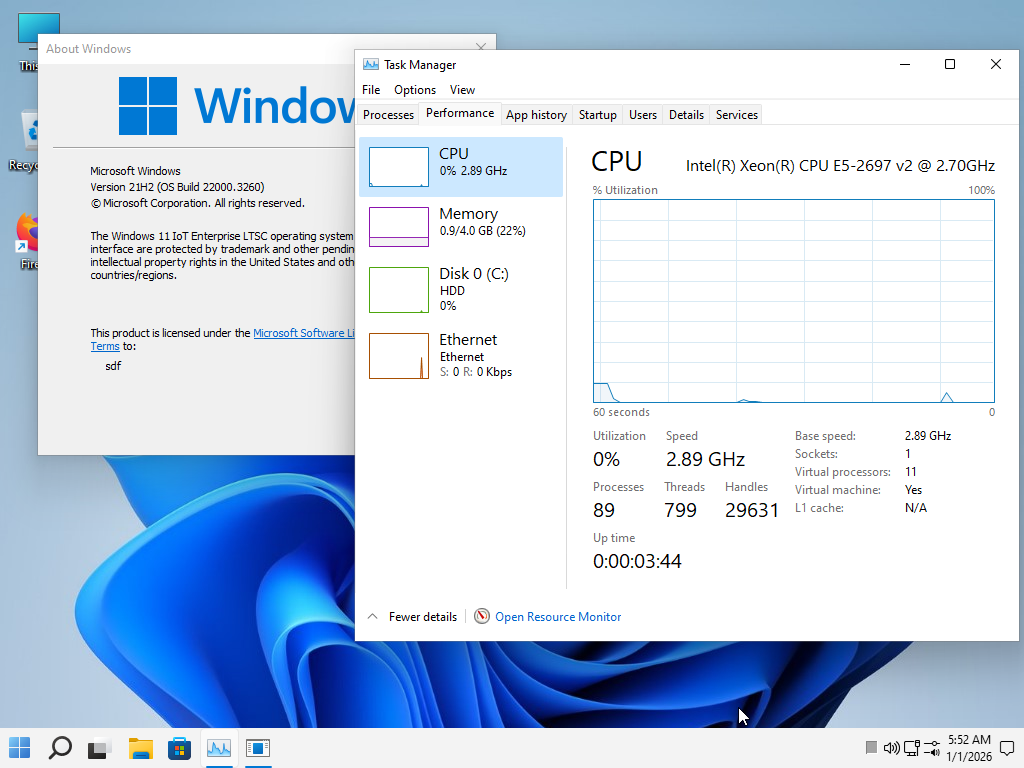
Try removing the modern and slow Windows 11 25h2 and install the older and faster Windows 11 21h2. I use it here on Firefox with a GTX 570 and it works perfectly without any hardware acceleration problems. I open more than 100 tabs at a time. The ISO I use is in my signature if you want a modified version without antivirus or bloatware.

fcajCX.png
 

My Computer My Computer

At a glance

Windows 11 Iot Enterprise 21h2 22000.3260xeon E5-2697v232gb 8x4gb ddr3 1333 mhzgtx 570 poit of view
OS
Windows 11 Iot Enterprise 21h2 22000.3260
Computer type
PC/Desktop
Manufacturer/Model
Asus
CPU
xeon E5-2697v2
Motherboard
rampage iv extreme
Memory
32gb 8x4gb ddr3 1333 mhz
Graphics Card(s)
gtx 570 poit of view
Sound Card
realtek HD (ALC898)
Monitor(s) Displays
samsung b2030
Screen Resolution
1600x900
Hard Drives
2tb hd 5400 rpm
3tb hd 5400 rpm
1tb nvme pcie 3.0
PSU
hx850w
Keyboard
mtek
Internet Speed
500/250 gpon
Browser
r3dfox 146.0
Antivirus
none
Back
Top Bottom