Solved Fixing Win11 without reformat/reinstall?


My Computers

System One System Two

  • OS
    Windows 11 Pro 25H2 (OS Build 26200.8524)
    Computer type
    Laptop
    Manufacturer/Model
    ASUS - ProArt PX13
    CPU
    AMD Ryzen AI 9 HX 370 w/Radeon 890M
    Motherboard
    AMI HN7306WU
    Memory
    32GB
    Graphics Card(s)
    NVIDIA GeForce RTX 4050 (and IGP Radeon 890M)
    Monitor(s) Displays
    external 24" Dell P2415Q
    Screen Resolution
    3840 x 2160 on external Dell, 2880 x 1800 on laptop screen
    Hard Drives
    1TB WD SSD
    Browser
    Vivaldi, Brave, Edge
    Antivirus
    Avast (free version)
  • Operating System
    Windows 11 Pro, 21H2 (Build 22000.376)
    Computer type
    Tablet
    Manufacturer/Model
    Surface Pro 6
    CPU
    i7-8650U
    Memory
    16 GB
    Graphics card(s)
    iGPU (Intel® UHD Graphics 620)
    Monitor(s) Displays
    Dell P2415Q
    Screen Resolution
    3840 x 2160 on external Dell, 2736 x 1824 on SP6 screen
    Hard Drives
    512GB PCIe Gen 3 x2 SSD
    Browser
    Vivaldi, Comodo Dragon, Edge
    Antivirus
    Avast (free edition)
If you have a working windows computer and a flash drive with free space then on the problematic computer files can be saved to > notepad > flash drive > upload working computer


Otherwise continue to post images.
Not sure what problematic computer files to save, so pictures it is...
 

My Computers

System One System Two

  • OS
    Windows 11 Pro 25H2 (OS Build 26200.8524)
    Computer type
    Laptop
    Manufacturer/Model
    ASUS - ProArt PX13
    CPU
    AMD Ryzen AI 9 HX 370 w/Radeon 890M
    Motherboard
    AMI HN7306WU
    Memory
    32GB
    Graphics Card(s)
    NVIDIA GeForce RTX 4050 (and IGP Radeon 890M)
    Monitor(s) Displays
    external 24" Dell P2415Q
    Screen Resolution
    3840 x 2160 on external Dell, 2880 x 1800 on laptop screen
    Hard Drives
    1TB WD SSD
    Browser
    Vivaldi, Brave, Edge
    Antivirus
    Avast (free version)
  • Operating System
    Windows 11 Pro, 21H2 (Build 22000.376)
    Computer type
    Tablet
    Manufacturer/Model
    Surface Pro 6
    CPU
    i7-8650U
    Memory
    16 GB
    Graphics card(s)
    iGPU (Intel® UHD Graphics 620)
    Monitor(s) Displays
    Dell P2415Q
    Screen Resolution
    3840 x 2160 on external Dell, 2736 x 1824 on SP6 screen
    Hard Drives
    512GB PCIe Gen 3 x2 SSD
    Browser
    Vivaldi, Comodo Dragon, Edge
    Antivirus
    Avast (free edition)
Please reboot > post images error messages or codes
 

My Computer

System One

  • OS
    Windows 10
    Computer type
    Laptop
    Manufacturer/Model
    HP
    CPU
    Intel(R) Core(TM) i7-4800MQ CPU @ 2.70GHz
    Motherboard
    Product : 190A Version : KBC Version 94.56
    Memory
    16 GB Total: Manufacturer : Samsung MemoryType : DDR3 FormFactor : SODIMM Capacity : 8GB Speed : 1600
    Graphics Card(s)
    NVIDIA Quadro K3100M; Intel(R) HD Graphics 4600
    Sound Card
    IDT High Definition Audio CODEC; PNP Device ID HDAUDIO\FUNC_01&VEN_111D&DEV_76E0
    Hard Drives
    Model Hitachi HTS727575A9E364
    Antivirus
    Microsoft Defender
    Other Info
    Mobile Workstation
Please reboot > take pictures > post images error messages or codes
1767508318884.webp
"We'll restart for you" never happens...

(That's actually an all-black screen with white text. It's also a mirror reflecting the yellow wall behind me.)
 

My Computers

System One System Two

  • OS
    Windows 11 Pro 25H2 (OS Build 26200.8524)
    Computer type
    Laptop
    Manufacturer/Model
    ASUS - ProArt PX13
    CPU
    AMD Ryzen AI 9 HX 370 w/Radeon 890M
    Motherboard
    AMI HN7306WU
    Memory
    32GB
    Graphics Card(s)
    NVIDIA GeForce RTX 4050 (and IGP Radeon 890M)
    Monitor(s) Displays
    external 24" Dell P2415Q
    Screen Resolution
    3840 x 2160 on external Dell, 2880 x 1800 on laptop screen
    Hard Drives
    1TB WD SSD
    Browser
    Vivaldi, Brave, Edge
    Antivirus
    Avast (free version)
  • Operating System
    Windows 11 Pro, 21H2 (Build 22000.376)
    Computer type
    Tablet
    Manufacturer/Model
    Surface Pro 6
    CPU
    i7-8650U
    Memory
    16 GB
    Graphics card(s)
    iGPU (Intel® UHD Graphics 620)
    Monitor(s) Displays
    Dell P2415Q
    Screen Resolution
    3840 x 2160 on external Dell, 2736 x 1824 on SP6 screen
    Hard Drives
    512GB PCIe Gen 3 x2 SSD
    Browser
    Vivaldi, Comodo Dragon, Edge
    Antivirus
    Avast (free edition)
This will produce a long list.

Look for Avast or asw

Open Windows RE > command prompt > type:

dism /image:c:\ /get-drivers
 

My Computer

System One

  • OS
    Windows 10
    Computer type
    Laptop
    Manufacturer/Model
    HP
    CPU
    Intel(R) Core(TM) i7-4800MQ CPU @ 2.70GHz
    Motherboard
    Product : 190A Version : KBC Version 94.56
    Memory
    16 GB Total: Manufacturer : Samsung MemoryType : DDR3 FormFactor : SODIMM Capacity : 8GB Speed : 1600
    Graphics Card(s)
    NVIDIA Quadro K3100M; Intel(R) HD Graphics 4600
    Sound Card
    IDT High Definition Audio CODEC; PNP Device ID HDAUDIO\FUNC_01&VEN_111D&DEV_76E0
    Hard Drives
    Model Hitachi HTS727575A9E364
    Antivirus
    Microsoft Defender
    Other Info
    Mobile Workstation
dropbox
google drive
GoFile.io

Also run Windows RE > post a share link
dism /image:c:\ /get-drivers /format:table
Finally figured out how to get that to actually create a file. I appended >c:\file.ext to it. Attached is the text file.
 

Attachments

My Computers

System One System Two

  • OS
    Windows 11 Pro 25H2 (OS Build 26200.8524)
    Computer type
    Laptop
    Manufacturer/Model
    ASUS - ProArt PX13
    CPU
    AMD Ryzen AI 9 HX 370 w/Radeon 890M
    Motherboard
    AMI HN7306WU
    Memory
    32GB
    Graphics Card(s)
    NVIDIA GeForce RTX 4050 (and IGP Radeon 890M)
    Monitor(s) Displays
    external 24" Dell P2415Q
    Screen Resolution
    3840 x 2160 on external Dell, 2880 x 1800 on laptop screen
    Hard Drives
    1TB WD SSD
    Browser
    Vivaldi, Brave, Edge
    Antivirus
    Avast (free version)
  • Operating System
    Windows 11 Pro, 21H2 (Build 22000.376)
    Computer type
    Tablet
    Manufacturer/Model
    Surface Pro 6
    CPU
    i7-8650U
    Memory
    16 GB
    Graphics card(s)
    iGPU (Intel® UHD Graphics 620)
    Monitor(s) Displays
    Dell P2415Q
    Screen Resolution
    3840 x 2160 on external Dell, 2736 x 1824 on SP6 screen
    Hard Drives
    512GB PCIe Gen 3 x2 SSD
    Browser
    Vivaldi, Comodo Dragon, Edge
    Antivirus
    Avast (free edition)
I'm running out of troubleshooting ideas.

Try startup settings menu options:

enable safe mode
disable driver signature enforcement
disable early launch anti-malware protection
disable automatic restart after failure

bcdedit /set {current} safeboot minimal


My Computer

System One

  • OS
    Windows 10
    Computer type
    Laptop
    Manufacturer/Model
    HP
    CPU
    Intel(R) Core(TM) i7-4800MQ CPU @ 2.70GHz
    Motherboard
    Product : 190A Version : KBC Version 94.56
    Memory
    16 GB Total: Manufacturer : Samsung MemoryType : DDR3 FormFactor : SODIMM Capacity : 8GB Speed : 1600
    Graphics Card(s)
    NVIDIA Quadro K3100M; Intel(R) HD Graphics 4600
    Sound Card
    IDT High Definition Audio CODEC; PNP Device ID HDAUDIO\FUNC_01&VEN_111D&DEV_76E0
    Hard Drives
    Model Hitachi HTS727575A9E364
    Antivirus
    Microsoft Defender
    Other Info
    Mobile Workstation
I'm running out of troubleshooting ideas.

Try startup settings menu options:

enable safe mode
disable driver signature enforcement
disable early launch anti-malware protection
disable automatic restart after failure

bcdedit /set {current} safeboot minimal

Interesting that Brink's tutorial shows:

1767510185590.webp

But mine doesn't have "Startup Settings," but it has "System Image Recovery" which AFAIK is not useful for my issue?

For bcdedit /set {current} safeboot minimal, what do I put for {current}?
 

My Computers

System One System Two

  • OS
    Windows 11 Pro 25H2 (OS Build 26200.8524)
    Computer type
    Laptop
    Manufacturer/Model
    ASUS - ProArt PX13
    CPU
    AMD Ryzen AI 9 HX 370 w/Radeon 890M
    Motherboard
    AMI HN7306WU
    Memory
    32GB
    Graphics Card(s)
    NVIDIA GeForce RTX 4050 (and IGP Radeon 890M)
    Monitor(s) Displays
    external 24" Dell P2415Q
    Screen Resolution
    3840 x 2160 on external Dell, 2880 x 1800 on laptop screen
    Hard Drives
    1TB WD SSD
    Browser
    Vivaldi, Brave, Edge
    Antivirus
    Avast (free version)
  • Operating System
    Windows 11 Pro, 21H2 (Build 22000.376)
    Computer type
    Tablet
    Manufacturer/Model
    Surface Pro 6
    CPU
    i7-8650U
    Memory
    16 GB
    Graphics card(s)
    iGPU (Intel® UHD Graphics 620)
    Monitor(s) Displays
    Dell P2415Q
    Screen Resolution
    3840 x 2160 on external Dell, 2736 x 1824 on SP6 screen
    Hard Drives
    512GB PCIe Gen 3 x2 SSD
    Browser
    Vivaldi, Comodo Dragon, Edge
    Antivirus
    Avast (free edition)
Please run this command:

bcdedit /set {default} safeboot minimal

Then:
dism /image:C:\ /cleanup-image /revertpendingactions /scratchdir:C:\scratch
sfc /scannow /offbootdir=C:\ /offwindir=C:\Windows
DISM /Image:C:\ /Cleanup-Image /RestoreHealth
 

My Computer

System One

  • OS
    Windows 10
    Computer type
    Laptop
    Manufacturer/Model
    HP
    CPU
    Intel(R) Core(TM) i7-4800MQ CPU @ 2.70GHz
    Motherboard
    Product : 190A Version : KBC Version 94.56
    Memory
    16 GB Total: Manufacturer : Samsung MemoryType : DDR3 FormFactor : SODIMM Capacity : 8GB Speed : 1600
    Graphics Card(s)
    NVIDIA Quadro K3100M; Intel(R) HD Graphics 4600
    Sound Card
    IDT High Definition Audio CODEC; PNP Device ID HDAUDIO\FUNC_01&VEN_111D&DEV_76E0
    Hard Drives
    Model Hitachi HTS727575A9E364
    Antivirus
    Microsoft Defender
    Other Info
    Mobile Workstation

My Computers

System One System Two

  • OS
    Windows 11 Pro 25H2 (OS Build 26200.8524)
    Computer type
    Laptop
    Manufacturer/Model
    ASUS - ProArt PX13
    CPU
    AMD Ryzen AI 9 HX 370 w/Radeon 890M
    Motherboard
    AMI HN7306WU
    Memory
    32GB
    Graphics Card(s)
    NVIDIA GeForce RTX 4050 (and IGP Radeon 890M)
    Monitor(s) Displays
    external 24" Dell P2415Q
    Screen Resolution
    3840 x 2160 on external Dell, 2880 x 1800 on laptop screen
    Hard Drives
    1TB WD SSD
    Browser
    Vivaldi, Brave, Edge
    Antivirus
    Avast (free version)
  • Operating System
    Windows 11 Pro, 21H2 (Build 22000.376)
    Computer type
    Tablet
    Manufacturer/Model
    Surface Pro 6
    CPU
    i7-8650U
    Memory
    16 GB
    Graphics card(s)
    iGPU (Intel® UHD Graphics 620)
    Monitor(s) Displays
    Dell P2415Q
    Screen Resolution
    3840 x 2160 on external Dell, 2736 x 1824 on SP6 screen
    Hard Drives
    512GB PCIe Gen 3 x2 SSD
    Browser
    Vivaldi, Comodo Dragon, Edge
    Antivirus
    Avast (free edition)
see edit

bcdedit /set {default} safeboot minimal


Also try:
bcdedit /set {default} recoveryenabled No

Reboot


dism /image:C:\ /cleanup-image /revertpendingactions /scratchdir:C:\scratch

Reboot

sfc /scannow /offbootdir=C:\ /offwindir=C:\Windows

dism /Image:C:\ /Cleanup-Image /RestoreHealth
 

My Computer

System One

  • OS
    Windows 10
    Computer type
    Laptop
    Manufacturer/Model
    HP
    CPU
    Intel(R) Core(TM) i7-4800MQ CPU @ 2.70GHz
    Motherboard
    Product : 190A Version : KBC Version 94.56
    Memory
    16 GB Total: Manufacturer : Samsung MemoryType : DDR3 FormFactor : SODIMM Capacity : 8GB Speed : 1600
    Graphics Card(s)
    NVIDIA Quadro K3100M; Intel(R) HD Graphics 4600
    Sound Card
    IDT High Definition Audio CODEC; PNP Device ID HDAUDIO\FUNC_01&VEN_111D&DEV_76E0
    Hard Drives
    Model Hitachi HTS727575A9E364
    Antivirus
    Microsoft Defender
    Other Info
    Mobile Workstation
see edit

bcdedit /set {default} safeboot minimal


Also try:
bcdedit /set {default} recoveryenabled No
1767511819678.webp


1767511918463.webp

dism /image:C:\ /cleanup-image /revertpendingactions /scratchdir:C:\scratch


First time I ran it as:
dism /image:C:/ /cleanup-image /revertpendingactions /scratchdir:C:\scratch
instead of
dism /image:C:\ /cleanup-image /revertpendingactions /scratchdir:C:\scratch
but apparently that didn't matter:

1767512914961.webp

Attached is the dism.log file.
 

Attachments

My Computers

System One System Two

  • OS
    Windows 11 Pro 25H2 (OS Build 26200.8524)
    Computer type
    Laptop
    Manufacturer/Model
    ASUS - ProArt PX13
    CPU
    AMD Ryzen AI 9 HX 370 w/Radeon 890M
    Motherboard
    AMI HN7306WU
    Memory
    32GB
    Graphics Card(s)
    NVIDIA GeForce RTX 4050 (and IGP Radeon 890M)
    Monitor(s) Displays
    external 24" Dell P2415Q
    Screen Resolution
    3840 x 2160 on external Dell, 2880 x 1800 on laptop screen
    Hard Drives
    1TB WD SSD
    Browser
    Vivaldi, Brave, Edge
    Antivirus
    Avast (free version)
  • Operating System
    Windows 11 Pro, 21H2 (Build 22000.376)
    Computer type
    Tablet
    Manufacturer/Model
    Surface Pro 6
    CPU
    i7-8650U
    Memory
    16 GB
    Graphics card(s)
    iGPU (Intel® UHD Graphics 620)
    Monitor(s) Displays
    Dell P2415Q
    Screen Resolution
    3840 x 2160 on external Dell, 2736 x 1824 on SP6 screen
    Hard Drives
    512GB PCIe Gen 3 x2 SSD
    Browser
    Vivaldi, Comodo Dragon, Edge
    Antivirus
    Avast (free edition)
Code:
2026-01-04 01:45:38, Error                 CBS    Exec: Cannot finalize session because execution is frozen.: 800f082f [Error,Facility=(000f),Code=2095 (0x082f)]
2026-01-04 01:45:38, Info                  CBS    Exec: Processing complete, session(Cancelling): 2716_570234: 800f082f [Error,Facility=(000f),Code=2095 (0x082f)]
2026-01-04 01:45:38, Error                 CBS    Session: 2716_570234 failed to perform cancelling all pending transactions. [HRESULT = 0x800f082f - CBS_E_EXCLUSIVE_WOULD_MERGE]


Do you have available a working Windows computer and a flash drive?
 

My Computer

System One

  • OS
    Windows 10
    Computer type
    Laptop
    Manufacturer/Model
    HP
    CPU
    Intel(R) Core(TM) i7-4800MQ CPU @ 2.70GHz
    Motherboard
    Product : 190A Version : KBC Version 94.56
    Memory
    16 GB Total: Manufacturer : Samsung MemoryType : DDR3 FormFactor : SODIMM Capacity : 8GB Speed : 1600
    Graphics Card(s)
    NVIDIA Quadro K3100M; Intel(R) HD Graphics 4600
    Sound Card
    IDT High Definition Audio CODEC; PNP Device ID HDAUDIO\FUNC_01&VEN_111D&DEV_76E0
    Hard Drives
    Model Hitachi HTS727575A9E364
    Antivirus
    Microsoft Defender
    Other Info
    Mobile Workstation
Code:
2026-01-04 01:45:38, Error                 CBS    Exec: Cannot finalize session because execution is frozen.: 800f082f [Error,Facility=(000f),Code=2095 (0x082f)]
2026-01-04 01:45:38, Info                  CBS    Exec: Processing complete, session(Cancelling): 2716_570234: 800f082f [Error,Facility=(000f),Code=2095 (0x082f)]
2026-01-04 01:45:38, Error                 CBS    Session: 2716_570234 failed to perform cancelling all pending transactions. [HRESULT = 0x800f082f - CBS_E_EXCLUSIVE_WOULD_MERGE]


Do you have available a working Windows computer and a flash drive?
Yes
 

My Computers

System One System Two

  • OS
    Windows 11 Pro 25H2 (OS Build 26200.8524)
    Computer type
    Laptop
    Manufacturer/Model
    ASUS - ProArt PX13
    CPU
    AMD Ryzen AI 9 HX 370 w/Radeon 890M
    Motherboard
    AMI HN7306WU
    Memory
    32GB
    Graphics Card(s)
    NVIDIA GeForce RTX 4050 (and IGP Radeon 890M)
    Monitor(s) Displays
    external 24" Dell P2415Q
    Screen Resolution
    3840 x 2160 on external Dell, 2880 x 1800 on laptop screen
    Hard Drives
    1TB WD SSD
    Browser
    Vivaldi, Brave, Edge
    Antivirus
    Avast (free version)
  • Operating System
    Windows 11 Pro, 21H2 (Build 22000.376)
    Computer type
    Tablet
    Manufacturer/Model
    Surface Pro 6
    CPU
    i7-8650U
    Memory
    16 GB
    Graphics card(s)
    iGPU (Intel® UHD Graphics 620)
    Monitor(s) Displays
    Dell P2415Q
    Screen Resolution
    3840 x 2160 on external Dell, 2736 x 1824 on SP6 screen
    Hard Drives
    512GB PCIe Gen 3 x2 SSD
    Browser
    Vivaldi, Comodo Dragon, Edge
    Antivirus
    Avast (free edition)
Again I'm running out of ideas.


On a working Windows computer please download Farbar 64 bit to a flash drive.

www.bleepingcomputer.com


Move the flash drive to the problematic computer.

Open Windows RE > Command Prompt > type: notepad and press Enter > select open > select "Computer" and find your flash drive letter and close the notepad.

Type:
diskpart
lis dis
lis vol
sel dis 0
det dis
lis par
sel dis 1
det dis
lis par
sel dis 2
det dis
lis par
exit

Type w:\frst64 > press Enter
(replace letter w with the flash drive letter)

After the disclaimer > press the scan button

It will make a log (FRST.txt) on the flash drive.

Please post a share link using Gofile - Cloud Storage Made Simple
 

My Computer

System One

  • OS
    Windows 10
    Computer type
    Laptop
    Manufacturer/Model
    HP
    CPU
    Intel(R) Core(TM) i7-4800MQ CPU @ 2.70GHz
    Motherboard
    Product : 190A Version : KBC Version 94.56
    Memory
    16 GB Total: Manufacturer : Samsung MemoryType : DDR3 FormFactor : SODIMM Capacity : 8GB Speed : 1600
    Graphics Card(s)
    NVIDIA Quadro K3100M; Intel(R) HD Graphics 4600
    Sound Card
    IDT High Definition Audio CODEC; PNP Device ID HDAUDIO\FUNC_01&VEN_111D&DEV_76E0
    Hard Drives
    Model Hitachi HTS727575A9E364
    Antivirus
    Microsoft Defender
    Other Info
    Mobile Workstation
On a working Windows computer please download Farbar 64 bit to a flash drive.

www.bleepingcomputer.com


Move the flash drive to the problematic computer.

Open Windows RE > Command Prompt > type: notepad and press Enter > select open > select "Computer" and find your flash drive letter and close the notepad.

Type:
diskpart
lis dis
lis vol
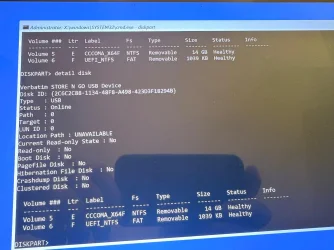
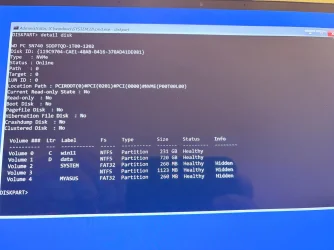
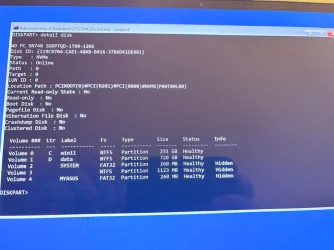
sel dis 0
det dis

1767514757470.webp
1767514901199.webp
sel dis 1
det dis

(disk 1 is the flash drive)
1767515036254.webp

1767515129286.webp
sel dis 2
det dis
lis par
exit
There is no Disk 2.

Type w:\frst64 > press Enter
(replace letter w with the flash drive letter)

After the disclaimer > press the scan button

It will make a log (FRST.txt) on the flash drive.

Please post a share link using Gofile - Cloud Storage Made Simple
Gofile - Cloud Storage Made Simple = FRST.txt
 

Attachments

  • 1767515103918.webp
    1767515103918.webp
    164.8 KB · Views: 1
  • 1767514877639.webp
    1767514877639.webp
    119.9 KB · Views: 1
  • 1767514835138.webp
    1767514835138.webp
    119.9 KB · Views: 1

My Computers

System One System Two

  • OS
    Windows 11 Pro 25H2 (OS Build 26200.8524)
    Computer type
    Laptop
    Manufacturer/Model
    ASUS - ProArt PX13
    CPU
    AMD Ryzen AI 9 HX 370 w/Radeon 890M
    Motherboard
    AMI HN7306WU
    Memory
    32GB
    Graphics Card(s)
    NVIDIA GeForce RTX 4050 (and IGP Radeon 890M)
    Monitor(s) Displays
    external 24" Dell P2415Q
    Screen Resolution
    3840 x 2160 on external Dell, 2880 x 1800 on laptop screen
    Hard Drives
    1TB WD SSD
    Browser
    Vivaldi, Brave, Edge
    Antivirus
    Avast (free version)
  • Operating System
    Windows 11 Pro, 21H2 (Build 22000.376)
    Computer type
    Tablet
    Manufacturer/Model
    Surface Pro 6
    CPU
    i7-8650U
    Memory
    16 GB
    Graphics card(s)
    iGPU (Intel® UHD Graphics 620)
    Monitor(s) Displays
    Dell P2415Q
    Screen Resolution
    3840 x 2160 on external Dell, 2736 x 1824 on SP6 screen
    Hard Drives
    512GB PCIe Gen 3 x2 SSD
    Browser
    Vivaldi, Comodo Dragon, Edge
    Antivirus
    Avast (free edition)
Try this restore point (again) > post an image

Restore point date: 2026-01-03 20:22


Were there results for:

sfc /scannow /offbootdir=C:\ /offwindir=C:\Windows

dism /Image:C:\ /Cleanup-Image /RestoreHealth


Search for any of these drivers:

S0 aswArDisk; system32\drivers\aswArDisk.sys [X]
S1 aswArPot; system32\drivers\aswArPot.sys [X]
S1 aswbidsdriver; system32\drivers\aswbidsdriver.sys [X]
S0 aswbidsh; system32\drivers\aswbidsh.sys [X]
S0 aswbuniv; system32\drivers\aswbuniv.sys [X]
S0 aswElam; system32\drivers\aswElam.sys [X]
S1 aswKbd; system32\drivers\aswKbd.sys [X]
S1 aswMonFlt; system32\drivers\aswMonFlt.sys [X]
S1 aswNetHub; system32\drivers\aswNetHub.sys [X]
S1 aswRdr; system32\drivers\aswRdr2.sys [X]
S0 aswRvrt; system32\drivers\aswRvrt.sys [X]
S1 aswSnx; system32\drivers\aswSnx.sys [X]
S1 aswSP; system32\drivers\aswSP.sys [X]
S3 aswStm; system32\drivers\aswStm.sys [X]
S0 aswVmm; system32\drivers\aswVmm.sys [X]

UpperFilters: [{4D36E96B-E325-11CE-BFC1-08002BE10318}] -> [aswKbd kbdclass]
 

My Computer

System One

  • OS
    Windows 10
    Computer type
    Laptop
    Manufacturer/Model
    HP
    CPU
    Intel(R) Core(TM) i7-4800MQ CPU @ 2.70GHz
    Motherboard
    Product : 190A Version : KBC Version 94.56
    Memory
    16 GB Total: Manufacturer : Samsung MemoryType : DDR3 FormFactor : SODIMM Capacity : 8GB Speed : 1600
    Graphics Card(s)
    NVIDIA Quadro K3100M; Intel(R) HD Graphics 4600
    Sound Card
    IDT High Definition Audio CODEC; PNP Device ID HDAUDIO\FUNC_01&VEN_111D&DEV_76E0
    Hard Drives
    Model Hitachi HTS727575A9E364
    Antivirus
    Microsoft Defender
    Other Info
    Mobile Workstation
Try this restore point (again) > post an image

Restore point date: 2026-01-03 20:22
The only restore point showing:
1767516424651.webp

It's going to reboot. I'll continue after it does...
 

My Computers

System One System Two

  • OS
    Windows 11 Pro 25H2 (OS Build 26200.8524)
    Computer type
    Laptop
    Manufacturer/Model
    ASUS - ProArt PX13
    CPU
    AMD Ryzen AI 9 HX 370 w/Radeon 890M
    Motherboard
    AMI HN7306WU
    Memory
    32GB
    Graphics Card(s)
    NVIDIA GeForce RTX 4050 (and IGP Radeon 890M)
    Monitor(s) Displays
    external 24" Dell P2415Q
    Screen Resolution
    3840 x 2160 on external Dell, 2880 x 1800 on laptop screen
    Hard Drives
    1TB WD SSD
    Browser
    Vivaldi, Brave, Edge
    Antivirus
    Avast (free version)
  • Operating System
    Windows 11 Pro, 21H2 (Build 22000.376)
    Computer type
    Tablet
    Manufacturer/Model
    Surface Pro 6
    CPU
    i7-8650U
    Memory
    16 GB
    Graphics card(s)
    iGPU (Intel® UHD Graphics 620)
    Monitor(s) Displays
    Dell P2415Q
    Screen Resolution
    3840 x 2160 on external Dell, 2736 x 1824 on SP6 screen
    Hard Drives
    512GB PCIe Gen 3 x2 SSD
    Browser
    Vivaldi, Comodo Dragon, Edge
    Antivirus
    Avast (free edition)
I've got to go to sleep, it's (03:02 AM).


Recovery option that's designed to save files:


Recovery option after manually backing up important files:


My Computer

System One

  • OS
    Windows 10
    Computer type
    Laptop
    Manufacturer/Model
    HP
    CPU
    Intel(R) Core(TM) i7-4800MQ CPU @ 2.70GHz
    Motherboard
    Product : 190A Version : KBC Version 94.56
    Memory
    16 GB Total: Manufacturer : Samsung MemoryType : DDR3 FormFactor : SODIMM Capacity : 8GB Speed : 1600
    Graphics Card(s)
    NVIDIA Quadro K3100M; Intel(R) HD Graphics 4600
    Sound Card
    IDT High Definition Audio CODEC; PNP Device ID HDAUDIO\FUNC_01&VEN_111D&DEV_76E0
    Hard Drives
    Model Hitachi HTS727575A9E364
    Antivirus
    Microsoft Defender
    Other Info
    Mobile Workstation
Try this restore point (again) > post an image

Restore point date: 2026-01-03 20:22

That'll teach me to be confident:

1767516701737.webp
Were there results for:

sfc /scannow /offbootdir=C:\ /offwindir=C:\Windows
1767517091326.webp

dism /Image:C:\ /Cleanup-Image /RestoreHealth

1767517348337.webp
Search for any of these drivers:

S0 aswArDisk; system32\drivers\aswArDisk.sys [X]
S1 aswArPot; system32\drivers\aswArPot.sys [X]
S1 aswbidsdriver; system32\drivers\aswbidsdriver.sys [X]
S0 aswbidsh; system32\drivers\aswbidsh.sys [X]
S0 aswbuniv; system32\drivers\aswbuniv.sys [X]
S0 aswElam; system32\drivers\aswElam.sys [X]
S1 aswKbd; system32\drivers\aswKbd.sys [X]
S1 aswMonFlt; system32\drivers\aswMonFlt.sys [X]
S1 aswNetHub; system32\drivers\aswNetHub.sys [X]
S1 aswRdr; system32\drivers\aswRdr2.sys [X]
S0 aswRvrt; system32\drivers\aswRvrt.sys [X]
S1 aswSnx; system32\drivers\aswSnx.sys [X]
S1 aswSP; system32\drivers\aswSP.sys [X]
S3 aswStm; system32\drivers\aswStm.sys [X]
S0 aswVmm; system32\drivers\aswVmm.sys [X]

UpperFilters: [{4D36E96B-E325-11CE-BFC1-08002BE10318}] -> [aswKbd kbdclass]
Where am I searching for them?
 

My Computers

System One System Two

  • OS
    Windows 11 Pro 25H2 (OS Build 26200.8524)
    Computer type
    Laptop
    Manufacturer/Model
    ASUS - ProArt PX13
    CPU
    AMD Ryzen AI 9 HX 370 w/Radeon 890M
    Motherboard
    AMI HN7306WU
    Memory
    32GB
    Graphics Card(s)
    NVIDIA GeForce RTX 4050 (and IGP Radeon 890M)
    Monitor(s) Displays
    external 24" Dell P2415Q
    Screen Resolution
    3840 x 2160 on external Dell, 2880 x 1800 on laptop screen
    Hard Drives
    1TB WD SSD
    Browser
    Vivaldi, Brave, Edge
    Antivirus
    Avast (free version)
  • Operating System
    Windows 11 Pro, 21H2 (Build 22000.376)
    Computer type
    Tablet
    Manufacturer/Model
    Surface Pro 6
    CPU
    i7-8650U
    Memory
    16 GB
    Graphics card(s)
    iGPU (Intel® UHD Graphics 620)
    Monitor(s) Displays
    Dell P2415Q
    Screen Resolution
    3840 x 2160 on external Dell, 2736 x 1824 on SP6 screen
    Hard Drives
    512GB PCIe Gen 3 x2 SSD
    Browser
    Vivaldi, Comodo Dragon, Edge
    Antivirus
    Avast (free edition)
Back
Top Bottom