I was hanging onto Windows 10 for grim death, but finally took the plunge and upgraded my Dell laptop to Windows 11 the other day. The upgrade itself seemed to go OK, and all my programs appear to be intact. I was dismayed to see the Quick Launch toolbar had been removed, but I found an app to replace that, and I can cope with any other minor changes.
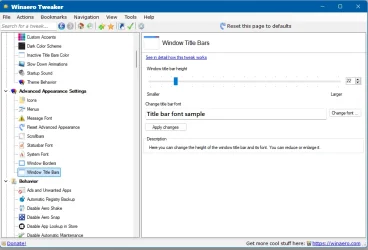
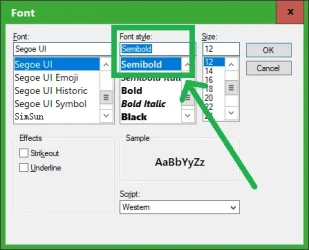
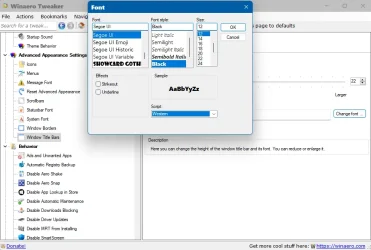
My fonts, however, were all set back to the default Windows font, which I don't like, so as always, I used Winaero Tweaker to change some of them. The problem is, text doesn't seem to be rendering correctly. If I use Verdana 10 Bold for title bars, the text just looks messy and blurred, although the non-bold is better, and looks OK in menus and as Icon titles.
General Windows text also looks incorrect and, not exactly blurred, but appears cut off on one side. The best way I can describe it is that it looks like pixels are missing from the left hand side of text, and the rest of the pixels in the text appear to be misaligned.
So I reverted back to the default font, and still text doesn't look right, with that, kind of, misalignment effect throughout the menus and Settings screens.
I've seen posts on Google about changing the scale from 125%, and back again, but mine is already set at 100%, which appears to be the default setting. I also tried changing the display resolution but that hasn't really solved anything either.
So, I'm a bit stuck and would appreciate any help. I also have another PC which is still on Windows 10, and I'm reluctant to upgrade if the fonts on that are also likely to be messed up.
Thanks.
My fonts, however, were all set back to the default Windows font, which I don't like, so as always, I used Winaero Tweaker to change some of them. The problem is, text doesn't seem to be rendering correctly. If I use Verdana 10 Bold for title bars, the text just looks messy and blurred, although the non-bold is better, and looks OK in menus and as Icon titles.
General Windows text also looks incorrect and, not exactly blurred, but appears cut off on one side. The best way I can describe it is that it looks like pixels are missing from the left hand side of text, and the rest of the pixels in the text appear to be misaligned.
So I reverted back to the default font, and still text doesn't look right, with that, kind of, misalignment effect throughout the menus and Settings screens.
I've seen posts on Google about changing the scale from 125%, and back again, but mine is already set at 100%, which appears to be the default setting. I also tried changing the display resolution but that hasn't really solved anything either.
So, I'm a bit stuck and would appreciate any help. I also have another PC which is still on Windows 10, and I'm reluctant to upgrade if the fonts on that are also likely to be messed up.
Thanks.
My Computer
At a glance
Windows 11
- OS
- Windows 11
- Computer type
- Laptop
- Manufacturer/Model
- Dell