Fresh Win11 Install ... A blow by blow encounter?


RuffHi

Well-known member
Local time
10:52 AM
Posts
50
OS
Windows 11 Pro 22H2 Build 22621.3374
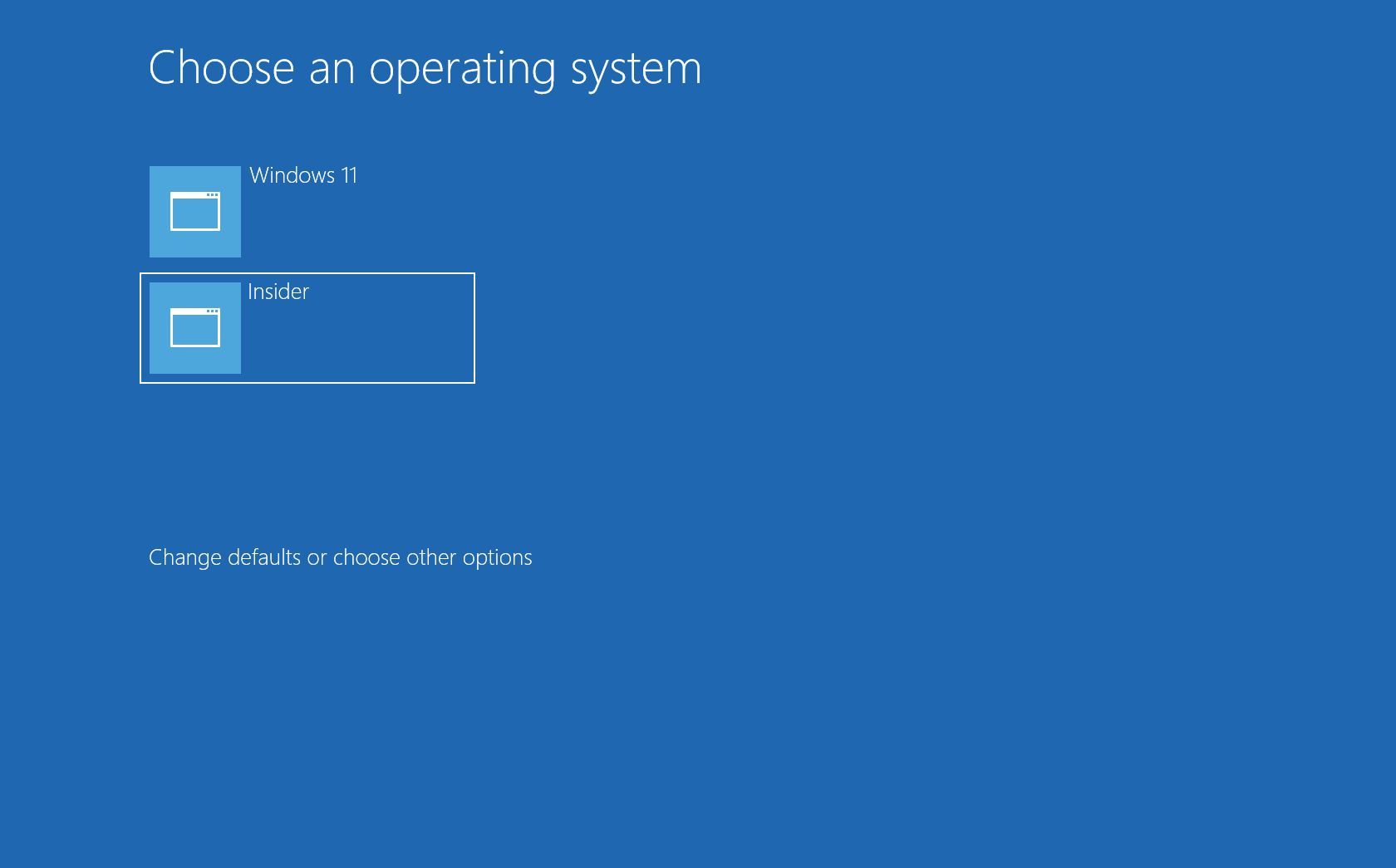
Evening All ... I am on Win10 in a x99 motherboard and am moving to a Z690 with all the trimmings. I am planning a fresh Win 11 install and keeping my Win 10 install (dual boot) so that I don't have to spend a few solid weeks installing everything I have on Win 10 onto my Win 11 machine.

Is there a guide re installing Win 11? I have an iso thumb drive ready to roll and a Win 11 Pro key ... after the initial install and the nagging that MS will give me about signing in, OneDrive, etc ... what is next? Patch update? Driver update? Other?

I know there are things about Win 11 that I will hate (no left task bar) ... is there some good guides on how to easy (or otherwise) yourself into Win 11? I did read (and will go back and read it again) the askwoody post about moving to Win 11.
 
Windows Build/Version
21H2 Build 19044.486

My Computer My Computer

At a glance

Windows 11 Pro 22H2 Build 22621.3374Intel Core i9-12900 2.4 GHz 16-Core ProcessorCORSAIR VENGEANCE DDR5 RAM 128GB (4x32GB) 520...NVIDIA Founders Edition GeForce RTX 3090 Ti 2...
OS
Windows 11 Pro 22H2 Build 22621.3374
Computer type
PC/Desktop
CPU
Intel Core i9-12900 2.4 GHz 16-Core Processor
Motherboard
MSI MPG Z690 CARBON WIFI ATX LGA1700 Motherboard
Memory
CORSAIR VENGEANCE DDR5 RAM 128GB (4x32GB) 5200MHz CL40
Graphics Card(s)
NVIDIA Founders Edition GeForce RTX 3090 Ti 24 GB Video Card
Monitor(s) Displays
1 x Samsung 34" Odyssey G5
PSU
SeaSonic PRIME PX-1300 1300 W 80+ Platinum Certified Fully Modular ATX Power Supply
Case
Anidees AI CRYSTAL XL PRO LITE ATX Full Tower Case
Cooling
Underwater, Heatkiller, EK, Alphacool
Internet Speed
Gig
Browser
Chrome
Antivirus
Yes
Before doing anything, make a full system image as well as recovery media using the backup application of your choice.
This procedure is specifically for Windows 11 but procedure is same for creating Windows 11 to dual boot with existing 10.


My Computers My Computers

  • At a glance

    Windows 11 Pro 26H2 26300.9457i9-10900 10 core 20 threads32 gbnone-Intel UHD Graphics 630
    OS
    Windows 11 Pro 26H2 26300.9457
    Computer type
    PC/Desktop
    Manufacturer/Model
    Dell Optiplex 7080
    CPU
    i9-10900 10 core 20 threads
    Motherboard
    DELL 0J37VM
    Memory
    32 gb
    Graphics Card(s)
    none-Intel UHD Graphics 630
    Sound Card
    Integrated Realtek
    Monitor(s) Displays
    Benq 27
    Screen Resolution
    2560x1440
    Hard Drives
    2x1tb Solidigm m.2 nvme /External drives 512gb Samsung m.2 sata+2tb Kingston m2.nvme
    PSU
    500w
    Case
    MT
    Cooling
    Dell Premium
    Keyboard
    Logitech wired
    Mouse
    Logitech wireless
    Internet Speed
    so slow I'm too embarrassed to tell
    Browser
    #1 Edge #2 Firefox
    Antivirus
    Defender+MWB Premium
  • At a glance

    Windows 11 Pro 24H2 26200.9457AMD Ryzen 7 6800U32 gbintegrated
    Operating System
    Windows 11 Pro 24H2 26200.9457
    Computer type
    PC/Desktop
    Manufacturer/Model
    Beelink Mini PC SER5
    CPU
    AMD Ryzen 7 6800U
    Memory
    32 gb
    Graphics card(s)
    integrated
    Sound Card
    integrated
    Monitor(s) Displays
    Benq 27
    Screen Resolution
    2560x1440
    Hard Drives
    1TB Crucial nvme
    Keyboard
    Logitech wired
    Mouse
    Logitech wireless
    Internet Speed
    still too embarrassed to tell
    Browser
    Firefox
    Antivirus
    Defender
  • System 3 is non compliant Dell 9020 i7-4770/24gb ram Win11 PRO 26200.9457
You have to check first if your hardware meets Win 11 requirements. Otherwise, you will have to do a different method.
Also, shortcuts and skipping sign ins usually just creates more problem. You have to be patient when dealing with the installation procedures.
If you know whether your hardware meets the requirements or not, that's how you will know what step to do next.
 

My Computers My Computers

  • At a glance

    Windows 11 ProAMD Ryzen 7 9800X3D32GB DDR5 CL30 Kingston FuryASUS Prime Radeon RX 9060 XT OC Edition 16GB
    OS
    Windows 11 Pro
    Computer type
    PC/Desktop
    CPU
    AMD Ryzen 7 9800X3D
    Motherboard
    MSI PRO B850-P Wifi
    Memory
    32GB DDR5 CL30 Kingston Fury
    Graphics Card(s)
    ASUS Prime Radeon RX 9060 XT OC Edition 16GB
    Monitor(s) Displays
    LG Ultrawide 34" 1440p+ MSI 27" 4K UHD
    Screen Resolution
    3440x1440
    Hard Drives
    Main Boot Drive : 512GB Adata XPG RGB Gen3x4 NVMe M.2 SSD
    PSU
    EVGA 750 Watts 80+ Gold
    Case
    Deepcool Genome II
    Cooling
    Thermalright Burst Assassin 120
    Internet Speed
    FTTH 3Gbps
    Browser
    Chrome
    Antivirus
    "Moderna"
  • At a glance

    Windows 11 Proi7-4790K16GB Corsair Vengeance ProMSI R9 290
    Operating System
    Windows 11 Pro
    Computer type
    PC/Desktop
    CPU
    i7-4790K
    Motherboard
    ASRock Xtreme6 Z97
    Memory
    16GB Corsair Vengeance Pro
    Graphics card(s)
    MSI R9 290
    Monitor(s) Displays
    LG Ultrawide 34"
    Screen Resolution
    3440x1440
    Hard Drives
    500GB Adata SSD (OS Only)
    PSU
    Thermaltake 475 Watts 80 Bronze
    Case
    Thermaltake Commander I Snow Edition
    Cooling
    Deep Cool Archer Air Cooler
    Keyboard
    Armageddon MKA-5R RGB-Hornet
    Mouse
    Logitech G402
    Internet Speed
    1Gbps
    Browser
    Chrome
    Antivirus
    Moderna :)
His hardware definitely meets requirements-i9 12900/MSI MPG Z690 CARBON WIFI ATX LGA1700 Motherboard with all the bells and whistles.
 

My Computers My Computers

  • At a glance

    Windows 11 Pro 26H2 26300.9457i9-10900 10 core 20 threads32 gbnone-Intel UHD Graphics 630
    OS
    Windows 11 Pro 26H2 26300.9457
    Computer type
    PC/Desktop
    Manufacturer/Model
    Dell Optiplex 7080
    CPU
    i9-10900 10 core 20 threads
    Motherboard
    DELL 0J37VM
    Memory
    32 gb
    Graphics Card(s)
    none-Intel UHD Graphics 630
    Sound Card
    Integrated Realtek
    Monitor(s) Displays
    Benq 27
    Screen Resolution
    2560x1440
    Hard Drives
    2x1tb Solidigm m.2 nvme /External drives 512gb Samsung m.2 sata+2tb Kingston m2.nvme
    PSU
    500w
    Case
    MT
    Cooling
    Dell Premium
    Keyboard
    Logitech wired
    Mouse
    Logitech wireless
    Internet Speed
    so slow I'm too embarrassed to tell
    Browser
    #1 Edge #2 Firefox
    Antivirus
    Defender+MWB Premium
  • At a glance

    Windows 11 Pro 24H2 26200.9457AMD Ryzen 7 6800U32 gbintegrated
    Operating System
    Windows 11 Pro 24H2 26200.9457
    Computer type
    PC/Desktop
    Manufacturer/Model
    Beelink Mini PC SER5
    CPU
    AMD Ryzen 7 6800U
    Memory
    32 gb
    Graphics card(s)
    integrated
    Sound Card
    integrated
    Monitor(s) Displays
    Benq 27
    Screen Resolution
    2560x1440
    Hard Drives
    1TB Crucial nvme
    Keyboard
    Logitech wired
    Mouse
    Logitech wireless
    Internet Speed
    still too embarrassed to tell
    Browser
    Firefox
    Antivirus
    Defender
  • System 3 is non compliant Dell 9020 i7-4770/24gb ram Win11 PRO 26200.9457
Thx for the replies. I've already tested my hardware (passed) and installed an older version of Win 11 (hence my knowledge about the MS nagging) on it. I am installing to a fresh nvme drive that is on a different pc to my Win 10 nvme so I don't have anything to backup. Once I have Win 11 installed and (relatively) stable, I will move my Win 10 drive over and set up the dual install.
 

My Computer My Computer

At a glance

Windows 11 Pro 22H2 Build 22621.3374Intel Core i9-12900 2.4 GHz 16-Core ProcessorCORSAIR VENGEANCE DDR5 RAM 128GB (4x32GB) 520...NVIDIA Founders Edition GeForce RTX 3090 Ti 2...
OS
Windows 11 Pro 22H2 Build 22621.3374
Computer type
PC/Desktop
CPU
Intel Core i9-12900 2.4 GHz 16-Core Processor
Motherboard
MSI MPG Z690 CARBON WIFI ATX LGA1700 Motherboard
Memory
CORSAIR VENGEANCE DDR5 RAM 128GB (4x32GB) 5200MHz CL40
Graphics Card(s)
NVIDIA Founders Edition GeForce RTX 3090 Ti 24 GB Video Card
Monitor(s) Displays
1 x Samsung 34" Odyssey G5
PSU
SeaSonic PRIME PX-1300 1300 W 80+ Platinum Certified Fully Modular ATX Power Supply
Case
Anidees AI CRYSTAL XL PRO LITE ATX Full Tower Case
Cooling
Underwater, Heatkiller, EK, Alphacool
Internet Speed
Gig
Browser
Chrome
Antivirus
Yes
Win 11 install started. I have my mb, ram on a mini-test bench with 1 NVMe drive available. Plug in the USB, reboot to the USB and ... options!
  1. language, region, keyboard: US / US / US
  2. Activate? No, not yet
  3. Version? Win 11 Pro
  4. T&Cs ... Ok
  5. Install Type: Custom
  6. Reformat major partition (drive had 3, P1: 299mb, P3: 594mb, P2: Balance

And the install is rolling.
 

My Computer My Computer

At a glance

Windows 11 Pro 22H2 Build 22621.3374Intel Core i9-12900 2.4 GHz 16-Core ProcessorCORSAIR VENGEANCE DDR5 RAM 128GB (4x32GB) 520...NVIDIA Founders Edition GeForce RTX 3090 Ti 2...
OS
Windows 11 Pro 22H2 Build 22621.3374
Computer type
PC/Desktop
CPU
Intel Core i9-12900 2.4 GHz 16-Core Processor
Motherboard
MSI MPG Z690 CARBON WIFI ATX LGA1700 Motherboard
Memory
CORSAIR VENGEANCE DDR5 RAM 128GB (4x32GB) 5200MHz CL40
Graphics Card(s)
NVIDIA Founders Edition GeForce RTX 3090 Ti 24 GB Video Card
Monitor(s) Displays
1 x Samsung 34" Odyssey G5
PSU
SeaSonic PRIME PX-1300 1300 W 80+ Platinum Certified Fully Modular ATX Power Supply
Case
Anidees AI CRYSTAL XL PRO LITE ATX Full Tower Case
Cooling
Underwater, Heatkiller, EK, Alphacool
Internet Speed
Gig
Browser
Chrome
Antivirus
Yes
Install complete (after a bunch of spinning circles and dots ... and reboots). Now for a bunch of MS hoops ...
  1. Confirm country and
  2. keyboard: ok
  3. Check for Updates: didn't seem to find any because it moved on quickly
  4. Name Device; ok
  5. Set Up Option: Personal
  6. MS Account: Do I have to? I want to keep rolling and add this detail later.

Time to google to see if I really, really have to.

Edit: That didn't take long ... How to Install Windows 11 Without a Microsoft Account

Answer: Turn off the internet connection.
 

My Computer My Computer

At a glance

Windows 11 Pro 22H2 Build 22621.3374Intel Core i9-12900 2.4 GHz 16-Core ProcessorCORSAIR VENGEANCE DDR5 RAM 128GB (4x32GB) 520...NVIDIA Founders Edition GeForce RTX 3090 Ti 2...
OS
Windows 11 Pro 22H2 Build 22621.3374
Computer type
PC/Desktop
CPU
Intel Core i9-12900 2.4 GHz 16-Core Processor
Motherboard
MSI MPG Z690 CARBON WIFI ATX LGA1700 Motherboard
Memory
CORSAIR VENGEANCE DDR5 RAM 128GB (4x32GB) 5200MHz CL40
Graphics Card(s)
NVIDIA Founders Edition GeForce RTX 3090 Ti 24 GB Video Card
Monitor(s) Displays
1 x Samsung 34" Odyssey G5
PSU
SeaSonic PRIME PX-1300 1300 W 80+ Platinum Certified Fully Modular ATX Power Supply
Case
Anidees AI CRYSTAL XL PRO LITE ATX Full Tower Case
Cooling
Underwater, Heatkiller, EK, Alphacool
Internet Speed
Gig
Browser
Chrome
Antivirus
Yes
Ok, gave it my MS account and it threatened to sync to my existing PC. That is exactly what I did not want to happen. I told it I am setting up a new device. We'll see if it can handle that.

Next step ... create a pin as a sign on option. Why? Everyone says that your passwords have to be long, complex and difficult to hack. Don't write them down, make sure you mix letters, numbers, greek symbols and roman gods.

And MS suggests a numeric pin as a 'pass' to your new PC! Can someone explain how this isn't a retrograde step from a security point of view?
 

My Computer My Computer

At a glance

Windows 11 Pro 22H2 Build 22621.3374Intel Core i9-12900 2.4 GHz 16-Core ProcessorCORSAIR VENGEANCE DDR5 RAM 128GB (4x32GB) 520...NVIDIA Founders Edition GeForce RTX 3090 Ti 2...
OS
Windows 11 Pro 22H2 Build 22621.3374
Computer type
PC/Desktop
CPU
Intel Core i9-12900 2.4 GHz 16-Core Processor
Motherboard
MSI MPG Z690 CARBON WIFI ATX LGA1700 Motherboard
Memory
CORSAIR VENGEANCE DDR5 RAM 128GB (4x32GB) 5200MHz CL40
Graphics Card(s)
NVIDIA Founders Edition GeForce RTX 3090 Ti 24 GB Video Card
Monitor(s) Displays
1 x Samsung 34" Odyssey G5
PSU
SeaSonic PRIME PX-1300 1300 W 80+ Platinum Certified Fully Modular ATX Power Supply
Case
Anidees AI CRYSTAL XL PRO LITE ATX Full Tower Case
Cooling
Underwater, Heatkiller, EK, Alphacool
Internet Speed
Gig
Browser
Chrome
Antivirus
Yes
Yikes ... it doesn't want much, does it. First born? I turned on location and everything else is OFF. And I am not actively going to tell MS anything about my preferences.

Pair with phone? Oh, ok. Failed!

Games? No thank you.

And now it is really checking for updates.
 

My Computer My Computer

At a glance

Windows 11 Pro 22H2 Build 22621.3374Intel Core i9-12900 2.4 GHz 16-Core ProcessorCORSAIR VENGEANCE DDR5 RAM 128GB (4x32GB) 520...NVIDIA Founders Edition GeForce RTX 3090 Ti 2...
OS
Windows 11 Pro 22H2 Build 22621.3374
Computer type
PC/Desktop
CPU
Intel Core i9-12900 2.4 GHz 16-Core Processor
Motherboard
MSI MPG Z690 CARBON WIFI ATX LGA1700 Motherboard
Memory
CORSAIR VENGEANCE DDR5 RAM 128GB (4x32GB) 5200MHz CL40
Graphics Card(s)
NVIDIA Founders Edition GeForce RTX 3090 Ti 24 GB Video Card
Monitor(s) Displays
1 x Samsung 34" Odyssey G5
PSU
SeaSonic PRIME PX-1300 1300 W 80+ Platinum Certified Fully Modular ATX Power Supply
Case
Anidees AI CRYSTAL XL PRO LITE ATX Full Tower Case
Cooling
Underwater, Heatkiller, EK, Alphacool
Internet Speed
Gig
Browser
Chrome
Antivirus
Yes
Attempt #1 to Install a super fresh version of Win 11 failed. It cycled a few times and then up comes my Win 10 desktop (curtesy of OneDrive).

I am going to trash this version and start again. Any suggestions on how to set up a local version without a MS Account would be very welcome.
 

My Computer My Computer

At a glance

Windows 11 Pro 22H2 Build 22621.3374Intel Core i9-12900 2.4 GHz 16-Core ProcessorCORSAIR VENGEANCE DDR5 RAM 128GB (4x32GB) 520...NVIDIA Founders Edition GeForce RTX 3090 Ti 2...
OS
Windows 11 Pro 22H2 Build 22621.3374
Computer type
PC/Desktop
CPU
Intel Core i9-12900 2.4 GHz 16-Core Processor
Motherboard
MSI MPG Z690 CARBON WIFI ATX LGA1700 Motherboard
Memory
CORSAIR VENGEANCE DDR5 RAM 128GB (4x32GB) 5200MHz CL40
Graphics Card(s)
NVIDIA Founders Edition GeForce RTX 3090 Ti 24 GB Video Card
Monitor(s) Displays
1 x Samsung 34" Odyssey G5
PSU
SeaSonic PRIME PX-1300 1300 W 80+ Platinum Certified Fully Modular ATX Power Supply
Case
Anidees AI CRYSTAL XL PRO LITE ATX Full Tower Case
Cooling
Underwater, Heatkiller, EK, Alphacool
Internet Speed
Gig
Browser
Chrome
Antivirus
Yes
I am going to try the rufus method from How to Install Windows 11 Without a Microsoft Account. The check boxes indicate that I can skip the MS account requirements AND the data collection questions (nice!).

Edit: It has a new option box ... Create a local account with username [username from my win10 machine] ... double check that one!
 

My Computer My Computer

At a glance

Windows 11 Pro 22H2 Build 22621.3374Intel Core i9-12900 2.4 GHz 16-Core ProcessorCORSAIR VENGEANCE DDR5 RAM 128GB (4x32GB) 520...NVIDIA Founders Edition GeForce RTX 3090 Ti 2...
OS
Windows 11 Pro 22H2 Build 22621.3374
Computer type
PC/Desktop
CPU
Intel Core i9-12900 2.4 GHz 16-Core Processor
Motherboard
MSI MPG Z690 CARBON WIFI ATX LGA1700 Motherboard
Memory
CORSAIR VENGEANCE DDR5 RAM 128GB (4x32GB) 5200MHz CL40
Graphics Card(s)
NVIDIA Founders Edition GeForce RTX 3090 Ti 24 GB Video Card
Monitor(s) Displays
1 x Samsung 34" Odyssey G5
PSU
SeaSonic PRIME PX-1300 1300 W 80+ Platinum Certified Fully Modular ATX Power Supply
Case
Anidees AI CRYSTAL XL PRO LITE ATX Full Tower Case
Cooling
Underwater, Heatkiller, EK, Alphacool
Internet Speed
Gig
Browser
Chrome
Antivirus
Yes
 

My Computers My Computers

  • At a glance

    Win7,Win11i7-97002x16gb 3600mhz
    OS
    Win7,Win11
    Computer type
    PC/Desktop
    CPU
    i7-9700
    Motherboard
    gigabyte b365m ds3h
    Memory
    2x16gb 3600mhz
    Monitor(s) Displays
    benq gw2480
    PSU
    bequiet pure power 11 400CM
    Cooling
    cryorig m9i
  • At a glance

    win7,win11i5-84002x8gb 3200
    Operating System
    win7,win11
    Computer type
    PC/Desktop
    CPU
    i5-8400
    Motherboard
    gigabyte b365m ds3h
    Memory
    2x8gb 3200
    PSU
    xfx pro 450
Zaaah-weee. Thanks for that video link. It answered most of my gripes re Win 11 and also showed me how to set up things like curser size on Win 11 (My Win 10 curser is big and greed ;-))
 

My Computer My Computer

At a glance

Windows 11 Pro 22H2 Build 22621.3374Intel Core i9-12900 2.4 GHz 16-Core ProcessorCORSAIR VENGEANCE DDR5 RAM 128GB (4x32GB) 520...NVIDIA Founders Edition GeForce RTX 3090 Ti 2...
OS
Windows 11 Pro 22H2 Build 22621.3374
Computer type
PC/Desktop
CPU
Intel Core i9-12900 2.4 GHz 16-Core Processor
Motherboard
MSI MPG Z690 CARBON WIFI ATX LGA1700 Motherboard
Memory
CORSAIR VENGEANCE DDR5 RAM 128GB (4x32GB) 5200MHz CL40
Graphics Card(s)
NVIDIA Founders Edition GeForce RTX 3090 Ti 24 GB Video Card
Monitor(s) Displays
1 x Samsung 34" Odyssey G5
PSU
SeaSonic PRIME PX-1300 1300 W 80+ Platinum Certified Fully Modular ATX Power Supply
Case
Anidees AI CRYSTAL XL PRO LITE ATX Full Tower Case
Cooling
Underwater, Heatkiller, EK, Alphacool
Internet Speed
Gig
Browser
Chrome
Antivirus
Yes
I know there are things about Win 11 that I will hate (no left task bar) ...

You can align the taskbar to the left

1673983533764.png
 

My Computers My Computers

  • At a glance

    Win 11 Pro 26H2 26300.9711Intel® Core™ i7-14700KG.SKILL Ripjaws S5 Series 64GB (2 x 32GB) DDR5ASUS GeForce RTX 4070 Super 12GB
    OS
    Win 11 Pro 26H2 26300.9711
    Computer type
    PC/Desktop
    Manufacturer/Model
    Self Built
    CPU
    Intel® Core™ i7-14700K
    Motherboard
    ASUS TUF Z690-PLUS WIFI (BIOS 4601)
    Memory
    G.SKILL Ripjaws S5 Series 64GB (2 x 32GB) DDR5
    Graphics Card(s)
    ASUS GeForce RTX 4070 Super 12GB
    Sound Card
    Sound Blaster AE-5 Plus
    Monitor(s) Displays
    ASUS TUF Gaming 27" 2K HDR Gaming
    Screen Resolution
    2560 x 1440
    Hard Drives
    Samsung 990 Pro 1TB NVMe (Win 11 25H2)
    SK hynix P41 500GB NVMe
    SK hynix P41 2TB NVMe (x3)
    Crucial P3 Plus 4TB
    PSU
    Corsair RM850x Shift
    Case
    Antec Dark Phantom DP502 FLUX
    Cooling
    Corsair Nautilus 360 RS AIO
    Keyboard
    Logitech MK 320
    Mouse
    Razer Basilisk V3
    Internet Speed
    750Mbs
    Browser
    Firefox
    Antivirus
    Winows Security
    Other Info
    MR 8.1 Home
  • At a glance

    Win 11 Pro 25H2 26300.9711Intel Core i5-1140064 GB DDR4MSI GeForce RTX 3060 Ventus 2X 12GB
    Operating System
    Win 11 Pro 25H2 26300.9711
    Computer type
    PC/Desktop
    Manufacturer/Model
    Self Built
    CPU
    Intel Core i5-11400
    Motherboard
    Asus TUF Gaming Z590 Plus WiFi (BIOS 2803)
    Memory
    64 GB DDR4
    Graphics card(s)
    MSI GeForce RTX 3060 Ventus 2X 12GB
    Sound Card
    SoundBlaster Audigy Fx V2
    Monitor(s) Displays
    Samsung F27T350
    Screen Resolution
    1920x1080
    Hard Drives
    Samsung 980 Pro 1TB
    Samsung 970 EVO Plus 2TB
    Samsung 870 EVO 500GB SSD
    PSU
    Corsair HX750
    Case
    Cougar MX330-G Window
    Cooling
    Thermalright Frozen Edge 240 Black AIO
    Internet Speed
    350Mbps
    Browser
    Firefox
    Antivirus
    Windows Security
  • System Three
    Win 11 Pro 25H2 26300.9711
    ASUS PRIME Z370-P II BIOS 3004 7/12/21
    Intel Core i7-8700 CPU @ 3.20GHz
    32GB DDR4 RAM (4x8)
    Samsung 980 Pro 500 GB
    SK hynix P41 1 TB
    EVGA RTX 2060 (used)
    iGPU Intel UHD Graphics 630 (backup)
    Cooler Master Hyper 212
    Mid-Tower Desktop
Thx for the info. I meant left side of screen ... running up and down. I recall a side app that allowed / did that.
 

My Computer My Computer

At a glance

Windows 11 Pro 22H2 Build 22621.3374Intel Core i9-12900 2.4 GHz 16-Core ProcessorCORSAIR VENGEANCE DDR5 RAM 128GB (4x32GB) 520...NVIDIA Founders Edition GeForce RTX 3090 Ti 2...
OS
Windows 11 Pro 22H2 Build 22621.3374
Computer type
PC/Desktop
CPU
Intel Core i9-12900 2.4 GHz 16-Core Processor
Motherboard
MSI MPG Z690 CARBON WIFI ATX LGA1700 Motherboard
Memory
CORSAIR VENGEANCE DDR5 RAM 128GB (4x32GB) 5200MHz CL40
Graphics Card(s)
NVIDIA Founders Edition GeForce RTX 3090 Ti 24 GB Video Card
Monitor(s) Displays
1 x Samsung 34" Odyssey G5
PSU
SeaSonic PRIME PX-1300 1300 W 80+ Platinum Certified Fully Modular ATX Power Supply
Case
Anidees AI CRYSTAL XL PRO LITE ATX Full Tower Case
Cooling
Underwater, Heatkiller, EK, Alphacool
Internet Speed
Gig
Browser
Chrome
Antivirus
Yes
Thx for the info. I meant left side of screen ... running up and down. I recall a side app that allowed / did that.

Ah, okay.
 

My Computers My Computers

  • At a glance

    Win 11 Pro 26H2 26300.9711Intel® Core™ i7-14700KG.SKILL Ripjaws S5 Series 64GB (2 x 32GB) DDR5ASUS GeForce RTX 4070 Super 12GB
    OS
    Win 11 Pro 26H2 26300.9711
    Computer type
    PC/Desktop
    Manufacturer/Model
    Self Built
    CPU
    Intel® Core™ i7-14700K
    Motherboard
    ASUS TUF Z690-PLUS WIFI (BIOS 4601)
    Memory
    G.SKILL Ripjaws S5 Series 64GB (2 x 32GB) DDR5
    Graphics Card(s)
    ASUS GeForce RTX 4070 Super 12GB
    Sound Card
    Sound Blaster AE-5 Plus
    Monitor(s) Displays
    ASUS TUF Gaming 27" 2K HDR Gaming
    Screen Resolution
    2560 x 1440
    Hard Drives
    Samsung 990 Pro 1TB NVMe (Win 11 25H2)
    SK hynix P41 500GB NVMe
    SK hynix P41 2TB NVMe (x3)
    Crucial P3 Plus 4TB
    PSU
    Corsair RM850x Shift
    Case
    Antec Dark Phantom DP502 FLUX
    Cooling
    Corsair Nautilus 360 RS AIO
    Keyboard
    Logitech MK 320
    Mouse
    Razer Basilisk V3
    Internet Speed
    750Mbs
    Browser
    Firefox
    Antivirus
    Winows Security
    Other Info
    MR 8.1 Home
  • At a glance

    Win 11 Pro 25H2 26300.9711Intel Core i5-1140064 GB DDR4MSI GeForce RTX 3060 Ventus 2X 12GB
    Operating System
    Win 11 Pro 25H2 26300.9711
    Computer type
    PC/Desktop
    Manufacturer/Model
    Self Built
    CPU
    Intel Core i5-11400
    Motherboard
    Asus TUF Gaming Z590 Plus WiFi (BIOS 2803)
    Memory
    64 GB DDR4
    Graphics card(s)
    MSI GeForce RTX 3060 Ventus 2X 12GB
    Sound Card
    SoundBlaster Audigy Fx V2
    Monitor(s) Displays
    Samsung F27T350
    Screen Resolution
    1920x1080
    Hard Drives
    Samsung 980 Pro 1TB
    Samsung 970 EVO Plus 2TB
    Samsung 870 EVO 500GB SSD
    PSU
    Corsair HX750
    Case
    Cougar MX330-G Window
    Cooling
    Thermalright Frozen Edge 240 Black AIO
    Internet Speed
    350Mbps
    Browser
    Firefox
    Antivirus
    Windows Security
  • System Three
    Win 11 Pro 25H2 26300.9711
    ASUS PRIME Z370-P II BIOS 3004 7/12/21
    Intel Core i7-8700 CPU @ 3.20GHz
    32GB DDR4 RAM (4x8)
    Samsung 980 Pro 500 GB
    SK hynix P41 1 TB
    EVGA RTX 2060 (used)
    iGPU Intel UHD Graphics 630 (backup)
    Cooler Master Hyper 212
    Mid-Tower Desktop
I now have a Win 11 install using local account. Next step is to work out where I want to store my data. I definitely want to move my user account to a different drive ... I am thinking to my future OneDrive drive (NVMe drive, not cloud drive yet). I also have a NAS for longer term storage, manuals, software d/l, plex media, etc.

Time to do some research about moving user accounts for both Win 10 and 11, dual boots, having different desktop folders for two boots (one for Win 10, one for Win 11), etc.

Thanks all for the help ... I will be back with the continuing story.
 

My Computer My Computer

At a glance

Windows 11 Pro 22H2 Build 22621.3374Intel Core i9-12900 2.4 GHz 16-Core ProcessorCORSAIR VENGEANCE DDR5 RAM 128GB (4x32GB) 520...NVIDIA Founders Edition GeForce RTX 3090 Ti 2...
OS
Windows 11 Pro 22H2 Build 22621.3374
Computer type
PC/Desktop
CPU
Intel Core i9-12900 2.4 GHz 16-Core Processor
Motherboard
MSI MPG Z690 CARBON WIFI ATX LGA1700 Motherboard
Memory
CORSAIR VENGEANCE DDR5 RAM 128GB (4x32GB) 5200MHz CL40
Graphics Card(s)
NVIDIA Founders Edition GeForce RTX 3090 Ti 24 GB Video Card
Monitor(s) Displays
1 x Samsung 34" Odyssey G5
PSU
SeaSonic PRIME PX-1300 1300 W 80+ Platinum Certified Fully Modular ATX Power Supply
Case
Anidees AI CRYSTAL XL PRO LITE ATX Full Tower Case
Cooling
Underwater, Heatkiller, EK, Alphacool
Internet Speed
Gig
Browser
Chrome
Antivirus
Yes
I now have a Win 11 install using local account. Next step is to work out where I want to store my data. I definitely want to move my user account to a different drive ... I am thinking to my future OneDrive drive (NVMe drive, not cloud drive yet)....
If you want to use OneDrive you need an MS account, but you can use one and still keep your local account for signing in on the PC.


My Computers My Computers

  • At a glance

    Windows 11 HomeAMD Athlon Silver 3050U8GBRadeon Graphics
    OS
    Windows 11 Home
    Computer type
    Laptop
    Manufacturer/Model
    Acer Aspire 3 A315-23-R9VY
    CPU
    AMD Athlon Silver 3050U
    Memory
    8GB
    Graphics Card(s)
    Radeon Graphics
    Monitor(s) Displays
    laptop screen
    Screen Resolution
    1366x768 native resolution, up to 2560x1440 with Radeon Virtual Super Resolution
    Hard Drives
    1TB Samsung EVO 870 SSD (from April 2026: 250GB EVO 850)
    Internet Speed
    150 Mbps
    Browser
    Edge, Firefox
    Antivirus
    Defender
    Other Info
    UPDATE - 11 April 2026: due to lid hinges starting to break up this laptop has been retired from active duty. The OS with all software and files has been migrated to my System Seven in 'Other systems' to carry on as my general purpose 'main machine'.

    I've now clean installed 25H2 and used Garlin's scripts to update Secure Boot to CA 2023 and revoke the PCA 2011 certificates. It's new role is to test secure boot issues.

    Info for 2021-2026:
    fully 'Windows 11 ready' laptop. Windows 10 C: partition migrated from my old unsupported 'main machine' then upgraded to 11. A test migration ran Insider builds for 2 months. When 11 was released on 5th October 2021 it was re-imaged back to 10 and was offered the upgrade in Windows Update on 20th October. Windows Update offered the 22H2 Feature Update on 20th September 2022. It got the 23H2 Feature Update on 4th November 2023 through Windows Update, 24H2 on 3rd October 2024 through Windows Update by setting the Target Release Version for 24H2, and 25H2 on 30th September 2025 through Windows Update by setting the Target Release Version for 25H2.
  • At a glance

    Windows 11 ProIntel® Core™ i5-520M8GB(integrated graphics) Intel HD Graphics
    Operating System
    Windows 11 Pro
    Computer type
    Laptop
    Manufacturer/Model
    Dell Latitude E4310
    CPU
    Intel® Core™ i5-520M
    Motherboard
    0T6M8G
    Memory
    8GB
    Graphics card(s)
    (integrated graphics) Intel HD Graphics
    Screen Resolution
    1366x768
    Hard Drives
    500GB Crucial MX500 SSD
    Browser
    Firefox, Edge
    Antivirus
    Defender
    Other Info
    unsupported machine: Legacy bios, MBR, TPM 1.2, upgraded from W10 to W11 using W10/W11 hybrid install media workaround.

    In-place upgrade to 22H2 using ISO and a workaround.
    Feature Update to 23H2 by manually installing the Enablement Package.
    In-place upgrade to 24H2 using hybrid 23H2/24H2 install media.
    Upgraded to 25H2 by Enablement Package.
    Upgraded to 26H2 by Enablement Package.

    Also running Insider Experimental 263xx and 29xxx builds and Windows 10 as native boot .vhdx.
  • My SYSTEM THREE is a Dell Latitude 5410, i7-10610U, 32GB RAM, 512GB NVMe ssd, supported device running Windows 11 Pro.

    My SYSTEM FOUR was a 2-in-1 convertible Lenovo Yoga 11e (1st gen) type 20DA, Celeron N2930, 8GB RAM, 256GB ssd. Unsupported device. This has now been sold. It has been replaced by my System Eight.

    My SYSTEM FIVE is a Dell Latitude 3190 2-in-1, Pentium Silver N5030, 8GB RAM, 1TB NVMe ssd, supported device running Windows 11 Pro, plus Insider Beta, Experimental 263xx and 29xxx builds (and a few others) as a native boot .vhdx.

    My SYSTEM SIX is a Dell Latitude 5550, Core Ultra 7 165H, 64GB RAM, 1TB NVMe SSD, supported device, Windows 11 Pro, Hyper-V host machine. Updated to 25H2 on 30th September 2025.

    My SYSTEM SEVEN is a Lenovo Thinkpad T580, 1920x1080 touchscreen, Intel Core i7-8650U, 16GB RAM, 512GB NVMe SSD + 2nd 512GB NVMe SSD, a supported device for Windows 11. This is my current general purpose 'main machine'. The installed Windows 11 Home from my System One has been migrated to this machine. As its new home has an existing digital licence for Pro I've been able to upgrade the migrated OS from Home to Pro.
    29 Sept. 2026 Feature Update to 26H2 through Windows Update.

    My SYSTEM EIGHT is a 2-in-1 convertible Lenovo Yoga 11e (5th gen) type 20LN, Celeron N4120, 8GB RAM, 512GB NVMe ssd, a supported device for Windows 11. Currently running Windows 11 Pro, plus Insider Beta, Experimental 263xx and 29xxx builds as native boot vhdx.
Thanks for the info.

I have a OneDrive account but the data structure has got away from me a bit ... ok, a lot. I am planning on using a Fresh Build of Win 11 to reset my data structure ... and then fold in my OneDrive account. The longer term plan is to dual boot Win 10 and 11 and have them both using the same OneDrive setup.

If I create a Win11 SM account (and associated OneDrive install, can I merge the Win 11 account with my existing account?
 

My Computer My Computer

At a glance

Windows 11 Pro 22H2 Build 22621.3374Intel Core i9-12900 2.4 GHz 16-Core ProcessorCORSAIR VENGEANCE DDR5 RAM 128GB (4x32GB) 520...NVIDIA Founders Edition GeForce RTX 3090 Ti 2...
OS
Windows 11 Pro 22H2 Build 22621.3374
Computer type
PC/Desktop
CPU
Intel Core i9-12900 2.4 GHz 16-Core Processor
Motherboard
MSI MPG Z690 CARBON WIFI ATX LGA1700 Motherboard
Memory
CORSAIR VENGEANCE DDR5 RAM 128GB (4x32GB) 5200MHz CL40
Graphics Card(s)
NVIDIA Founders Edition GeForce RTX 3090 Ti 24 GB Video Card
Monitor(s) Displays
1 x Samsung 34" Odyssey G5
PSU
SeaSonic PRIME PX-1300 1300 W 80+ Platinum Certified Fully Modular ATX Power Supply
Case
Anidees AI CRYSTAL XL PRO LITE ATX Full Tower Case
Cooling
Underwater, Heatkiller, EK, Alphacool
Internet Speed
Gig
Browser
Chrome
Antivirus
Yes
OH the PAIN!!!
I've installed Win-11 at least six times now. I use an ISO that was pre-conditioned with Rufus, to eliminate most of the pain of the install.
Answer a few basic questions, DO NOT enter a password and "continue >" on to completion.
First thing after I get a desktop, is to right click on the Taskbar and in the resulting menu scroll all the way to the bottom and select "Left" as the icon position. See the picture in a previous post.

From there on, the rest of the install is just what I've been doing for many years and many versions of Windows.

Cheers Mates!
TM :cool:
 

Latest Support Threads

Back
Top Bottom