Solved Game Crashes Randomly


My Computer

System One

  • OS
    Windows 11
    Computer type
    PC/Desktop
    CPU
    AMD Ryzen 7 5700G
    Motherboard
    MAG B550 MAX WIFI
    Memory
    32Gbs
    Graphics Card(s)
    AMD Radeon RX 6800
    Monitor(s) Displays
    2
    Screen Resolution
    1920x1080
    PSU
    MAG A750GL
1) For new BSODs > post new V2 share links into the newest post


The drive tests so far have not identified the bad block reported on 10/30.


2) Run: GSmart Control (all supported drives)


Click Self-Tests tab > Test type > Extended Self-test > Execute (run overnight)

Copy and paste the results > post a share link


Click Attributes tab > for any entries that are red or pink post share links of the full results window


3) Run Samsung Magician: (all supported drives)
Drive Details
Update software /firmware
Diagnostic Scan > full scan
Performance Benchmark
Over Provisioning
Performance Optimization


4) In approximately one week repeat Chkdsk /b /v C: and Chkdsk /b /v G: > post a new

https://www.tenforums.com/attachmen...-files-use-bsod-debugging-chkdskfromevent.bat


Code:
10/30/2025 7:00:25 PM:  The device, \Device\Harddisk3\DR3, has a bad block
10/30/2025 7:00:15 PM:  The device, \Device\Harddisk3\DR3, has a bad block.
.


Code:
10/30/2025 7:00:25 PM
A corruption was discovered in the file system structure on volume G:.

The exact nature of the corruption is unknown.  The file system structures need to be scanned and fixed offline.


- System

  - Provider

   [ Name]  Ntfs
   [ Guid]  {dd70bc80-ef44-421b-8ac3-cd31da613a4e}
 
   EventID 55
 
   Version 0
 
   Level 2
 
   Task 0
 
   Opcode 0
 
   Keywords 0x8000000000000000
 
  - TimeCreated

   [ SystemTime]  2025-10-31T00:00:25.2170135Z
 
   EventRecordID 1329
 
   Correlation
 
  - Execution

   [ ProcessID]  4
   [ ThreadID]  12704
 
   Channel System
 
   Computer DESKTOP-11FOK1C
 
  - Security

   [ UserID]  S-1-5-18
 

- EventData

  DriveName G:
  DeviceName \Device\HarddiskVolume13
  CorruptionState 0x0
  HeaderFlags 0x822
  Severity Critical
  Origin File System Driver
  Verb Force Full Chkdsk
  Description The exact nature of the corruption is unknown. The file system structures need to be scanned and fixed offline.
  Signature 0x6c3cf718
  Outcome Pseudo Verb
  SampleLength 0
  SampleData
  SourceFile 0x46
  SourceLine 7570
  SourceTag 9
  AdditionalInfo 0xd0000032
  CallStack Ntfs+0x106202, Ntfs+0x298be, Ntfs+0x234aa0, Ntfs+0x1bc533, Ntfs+0x1b9f86, Ntfs+0x2e639, ntoskrnl+0x2db8ac, ntoskrnl+0x4815ea, ntoskrnl+0x69fb94

 

My Computer

System One

  • OS
    Windows 10
    Computer type
    Laptop
    Manufacturer/Model
    HP
    CPU
    Intel(R) Core(TM) i7-4800MQ CPU @ 2.70GHz
    Motherboard
    Product : 190A Version : KBC Version 94.56
    Memory
    16 GB Total: Manufacturer : Samsung MemoryType : DDR3 FormFactor : SODIMM Capacity : 8GB Speed : 1600
    Graphics Card(s)
    NVIDIA Quadro K3100M; Intel(R) HD Graphics 4600
    Sound Card
    IDT High Definition Audio CODEC; PNP Device ID HDAUDIO\FUNC_01&VEN_111D&DEV_76E0
    Hard Drives
    Model Hitachi HTS727575A9E364
    Antivirus
    Microsoft Defender
    Other Info
    Mobile Workstation
1) For new BSODs > post new V2 share links into the newest post


The drive tests so far have not identified the bad block reported on 10/30.


2) Run: GSmart Control (all supported drives)


Click Self-Tests tab > Test type > Extended Self-test > Execute (run overnight)

Copy and paste the results > post a share link


Click Attributes tab > for any entries that are red or pink post share links of the full results window


3) Run Samsung Magician: (all supported drives)
Drive Details
Update software /firmware
Diagnostic Scan > full scan
Performance Benchmark
Over Provisioning
Performance Optimization


4) In approximately one week repeat Chkdsk /b /v C: and Chkdsk /b /v G: > post a new

https://www.tenforums.com/attachmen...-files-use-bsod-debugging-chkdskfromevent.bat


Code:
10/30/2025 7:00:25 PM:  The device, \Device\Harddisk3\DR3, has a bad block
10/30/2025 7:00:15 PM:  The device, \Device\Harddisk3\DR3, has a bad block.
.


Code:
10/30/2025 7:00:25 PM
A corruption was discovered in the file system structure on volume G:.

The exact nature of the corruption is unknown.  The file system structures need to be scanned and fixed offline.


- System

  - Provider

   [ Name]  Ntfs
   [ Guid]  {dd70bc80-ef44-421b-8ac3-cd31da613a4e}
 
   EventID 55
 
   Version 0
 
   Level 2
 
   Task 0
 
   Opcode 0
 
   Keywords 0x8000000000000000
 
  - TimeCreated

   [ SystemTime]  2025-10-31T00:00:25.2170135Z
 
   EventRecordID 1329
 
   Correlation
 
  - Execution

   [ ProcessID]  4
   [ ThreadID]  12704
 
   Channel System
 
   Computer DESKTOP-11FOK1C
 
  - Security

   [ UserID]  S-1-5-18
 

- EventData

  DriveName G:
  DeviceName \Device\HarddiskVolume13
  CorruptionState 0x0
  HeaderFlags 0x822
  Severity Critical
  Origin File System Driver
  Verb Force Full Chkdsk
  Description The exact nature of the corruption is unknown. The file system structures need to be scanned and fixed offline.
  Signature 0x6c3cf718
  Outcome Pseudo Verb
  SampleLength 0
  SampleData
  SourceFile 0x46
  SourceLine 7570
  SourceTag 9
  AdditionalInfo 0xd0000032
  CallStack Ntfs+0x106202, Ntfs+0x298be, Ntfs+0x234aa0, Ntfs+0x1bc533, Ntfs+0x1b9f86, Ntfs+0x2e639, ntoskrnl+0x2db8ac, ntoskrnl+0x4815ea, ntoskrnl+0x69fb94

Here are the test results as of now will test for crash shortly.
 

Attachments

My Computer

System One

  • OS
    Windows 11
    Computer type
    PC/Desktop
    CPU
    AMD Ryzen 7 5700G
    Motherboard
    MAG B550 MAX WIFI
    Memory
    32Gbs
    Graphics Card(s)
    AMD Radeon RX 6800
    Monitor(s) Displays
    2
    Screen Resolution
    1920x1080
    PSU
    MAG A750GL

Attachments

My Computer

System One

  • OS
    Windows 11
    Computer type
    PC/Desktop
    CPU
    AMD Ryzen 7 5700G
    Motherboard
    MAG B550 MAX WIFI
    Memory
    32Gbs
    Graphics Card(s)
    AMD Radeon RX 6800
    Monitor(s) Displays
    2
    Screen Resolution
    1920x1080
    PSU
    MAG A750GL
Some of the links were not able to be viewed or were missing.

For GSmart please take pictures > post images or share links

For Samsung Magician > please perform each menu option > post images or share links
(some drives are not supported)


Run: gather_additional_dump_files > post a share link


My Computer

System One

  • OS
    Windows 10
    Computer type
    Laptop
    Manufacturer/Model
    HP
    CPU
    Intel(R) Core(TM) i7-4800MQ CPU @ 2.70GHz
    Motherboard
    Product : 190A Version : KBC Version 94.56
    Memory
    16 GB Total: Manufacturer : Samsung MemoryType : DDR3 FormFactor : SODIMM Capacity : 8GB Speed : 1600
    Graphics Card(s)
    NVIDIA Quadro K3100M; Intel(R) HD Graphics 4600
    Sound Card
    IDT High Definition Audio CODEC; PNP Device ID HDAUDIO\FUNC_01&VEN_111D&DEV_76E0
    Hard Drives
    Model Hitachi HTS727575A9E364
    Antivirus
    Microsoft Defender
    Other Info
    Mobile Workstation
1) Read this link on Windows Driver Verifier (WDV):

Enable and Disable Driver Verifier in Windows 10


2) Create a new restore point:


3) Learn the methods to recover from BSOD caused by WDV by booting into safe mode and running one or more of these commands:

verifier /reset

verifier /bootmode resetonbootfail


(option nine and seven)


4) Plan to run the tool with various customized test settings.

a) Test all non-Microsoft drivers

b) Test no Microsoft drivers

c) For the first run of WDV select the 3 customized tests displayed in the TF tutorial


5) Whenever the WDV tool is started if there is no immediate BSOD then open administrative command prompt and copy and paste:

verifier /querysettings

Post a share link.


Customized tests will then be posted for the next run of WDV.


WDV can run continuously during the testing.


For any BSOD post a new V2 share link into the newest post.
 

My Computer

System One

  • OS
    Windows 10
    Computer type
    Laptop
    Manufacturer/Model
    HP
    CPU
    Intel(R) Core(TM) i7-4800MQ CPU @ 2.70GHz
    Motherboard
    Product : 190A Version : KBC Version 94.56
    Memory
    16 GB Total: Manufacturer : Samsung MemoryType : DDR3 FormFactor : SODIMM Capacity : 8GB Speed : 1600
    Graphics Card(s)
    NVIDIA Quadro K3100M; Intel(R) HD Graphics 4600
    Sound Card
    IDT High Definition Audio CODEC; PNP Device ID HDAUDIO\FUNC_01&VEN_111D&DEV_76E0
    Hard Drives
    Model Hitachi HTS727575A9E364
    Antivirus
    Microsoft Defender
    Other Info
    Mobile Workstation
Some of the links were not able to be viewed or were missing.

For GSmart please take pictures > post images or share links

For Samsung Magician > please perform each menu option > post images or share links
(some drives are not supported)


Run: gather_additional_dump_files > post a share link


I will do the above shortly but these should all the note pads and screenshots and they should be good to access
 

Attachments

My Computer

System One

  • OS
    Windows 11
    Computer type
    PC/Desktop
    CPU
    AMD Ryzen 7 5700G
    Motherboard
    MAG B550 MAX WIFI
    Memory
    32Gbs
    Graphics Card(s)
    AMD Radeon RX 6800
    Monitor(s) Displays
    2
    Screen Resolution
    1920x1080
    PSU
    MAG A750GL
For GSmart please take pictures > post images or share links
(gsmart links need special software to open their saved links)


Click Self-Tests tab > Test type > Extended Self-test > Execute (run overnight)

Copy and paste the results > post a share link


Click Attributes tab > for any entries that are red or pink post share links of the full results window


Also run:


Last edited:

My Computer

System One

  • OS
    Windows 10
    Computer type
    Laptop
    Manufacturer/Model
    HP
    CPU
    Intel(R) Core(TM) i7-4800MQ CPU @ 2.70GHz
    Motherboard
    Product : 190A Version : KBC Version 94.56
    Memory
    16 GB Total: Manufacturer : Samsung MemoryType : DDR3 FormFactor : SODIMM Capacity : 8GB Speed : 1600
    Graphics Card(s)
    NVIDIA Quadro K3100M; Intel(R) HD Graphics 4600
    Sound Card
    IDT High Definition Audio CODEC; PNP Device ID HDAUDIO\FUNC_01&VEN_111D&DEV_76E0
    Hard Drives
    Model Hitachi HTS727575A9E364
    Antivirus
    Microsoft Defender
    Other Info
    Mobile Workstation
For GSmart please take pictures > post images or share links
(gsmart links need special software to open their saved links)


Click Self-Tests tab > Test type > Extended Self-test > Execute (run overnight)

Copy and paste the results > post a share link


Click Attributes tab > for any entries that are red or pink post share links of the full results window


Also run:


Here are the pictures of the GSmart tests
 

Attachments

My Computer

System One

  • OS
    Windows 11
    Computer type
    PC/Desktop
    CPU
    AMD Ryzen 7 5700G
    Motherboard
    MAG B550 MAX WIFI
    Memory
    32Gbs
    Graphics Card(s)
    AMD Radeon RX 6800
    Monitor(s) Displays
    2
    Screen Resolution
    1920x1080
    PSU
    MAG A750GL
Whenever the WDV tool is started if there is no immediate BSOD then open administrative command prompt and copy and paste:

verifier /querysettings

Post a share link.


For any BSOD post a new V2 share link into the newest post.


For each run or test you'll post either:

a) verifier /querysettings

or

b) V2

The results will be viewed and instructions for the next run(s) or test(s) will be posted.


The Western Digital (WDC) tests can run overnight while sleeping.
 
Last edited:

My Computer

System One

  • OS
    Windows 10
    Computer type
    Laptop
    Manufacturer/Model
    HP
    CPU
    Intel(R) Core(TM) i7-4800MQ CPU @ 2.70GHz
    Motherboard
    Product : 190A Version : KBC Version 94.56
    Memory
    16 GB Total: Manufacturer : Samsung MemoryType : DDR3 FormFactor : SODIMM Capacity : 8GB Speed : 1600
    Graphics Card(s)
    NVIDIA Quadro K3100M; Intel(R) HD Graphics 4600
    Sound Card
    IDT High Definition Audio CODEC; PNP Device ID HDAUDIO\FUNC_01&VEN_111D&DEV_76E0
    Hard Drives
    Model Hitachi HTS727575A9E364
    Antivirus
    Microsoft Defender
    Other Info
    Mobile Workstation
Whenever the WDV tool is started if there is no immediate BSOD then open administrative command prompt and copy and paste:

verifier /querysettings

Post a share link.


For any BSOD post a new V2 share link into the newest post.


For each run or test you'll post either:

a) verifier /querysettings

or

b) V2

The results will be viewed and instructions for the next run(s) or test(s) will be posted.


The Western Digital (WDC) tests can run overnight while sleeping.
So I believe I may have found my issue. I think it is my GPU. I have been running 3DMark stress tests because that is the quickest way I found to replicate the crashes and I finally decided to isolate the GPU by switching to my onboard graphics and running the stress test and it managed to not crash and go through the entire stress test without fail
 

My Computer

System One

  • OS
    Windows 11
    Computer type
    PC/Desktop
    CPU
    AMD Ryzen 7 5700G
    Motherboard
    MAG B550 MAX WIFI
    Memory
    32Gbs
    Graphics Card(s)
    AMD Radeon RX 6800
    Monitor(s) Displays
    2
    Screen Resolution
    1920x1080
    PSU
    MAG A750GL
The GPU was the likely cause.

Running WDV when performed can find a misbehaving driver.
 

My Computer

System One

  • OS
    Windows 10
    Computer type
    Laptop
    Manufacturer/Model
    HP
    CPU
    Intel(R) Core(TM) i7-4800MQ CPU @ 2.70GHz
    Motherboard
    Product : 190A Version : KBC Version 94.56
    Memory
    16 GB Total: Manufacturer : Samsung MemoryType : DDR3 FormFactor : SODIMM Capacity : 8GB Speed : 1600
    Graphics Card(s)
    NVIDIA Quadro K3100M; Intel(R) HD Graphics 4600
    Sound Card
    IDT High Definition Audio CODEC; PNP Device ID HDAUDIO\FUNC_01&VEN_111D&DEV_76E0
    Hard Drives
    Model Hitachi HTS727575A9E364
    Antivirus
    Microsoft Defender
    Other Info
    Mobile Workstation
The GPU was the likely cause.

Running WDV when performed can find a misbehaving driver.
When running WDV I don’t know if it worked or not but it didnt cause a crash or anything. But I may have done it wrong luckily I have a 3060 ti I can use and hopefully not have any further issues
 

My Computer

System One

  • OS
    Windows 11
    Computer type
    PC/Desktop
    CPU
    AMD Ryzen 7 5700G
    Motherboard
    MAG B550 MAX WIFI
    Memory
    32Gbs
    Graphics Card(s)
    AMD Radeon RX 6800
    Monitor(s) Displays
    2
    Screen Resolution
    1920x1080
    PSU
    MAG A750GL
When running WDV post either querysettings or V2 results.

Nothing was posted.
 

My Computer

System One

  • OS
    Windows 10
    Computer type
    Laptop
    Manufacturer/Model
    HP
    CPU
    Intel(R) Core(TM) i7-4800MQ CPU @ 2.70GHz
    Motherboard
    Product : 190A Version : KBC Version 94.56
    Memory
    16 GB Total: Manufacturer : Samsung MemoryType : DDR3 FormFactor : SODIMM Capacity : 8GB Speed : 1600
    Graphics Card(s)
    NVIDIA Quadro K3100M; Intel(R) HD Graphics 4600
    Sound Card
    IDT High Definition Audio CODEC; PNP Device ID HDAUDIO\FUNC_01&VEN_111D&DEV_76E0
    Hard Drives
    Model Hitachi HTS727575A9E364
    Antivirus
    Microsoft Defender
    Other Info
    Mobile Workstation
When running WDV post either querysettings or V2 results.

Nothing was posted.
Okay let me switch back to GPU and I’ll run WDV and get the post! If it is GPU is there a way to fix it?
 

My Computer

System One

  • OS
    Windows 11
    Computer type
    PC/Desktop
    CPU
    AMD Ryzen 7 5700G
    Motherboard
    MAG B550 MAX WIFI
    Memory
    32Gbs
    Graphics Card(s)
    AMD Radeon RX 6800
    Monitor(s) Displays
    2
    Screen Resolution
    1920x1080
    PSU
    MAG A750GL
When available post WDC drive testing results.

For this drive: WDC WD10EZEX-21M2NA0

Rerun HD Sentinel > post images or share links instead of a text report

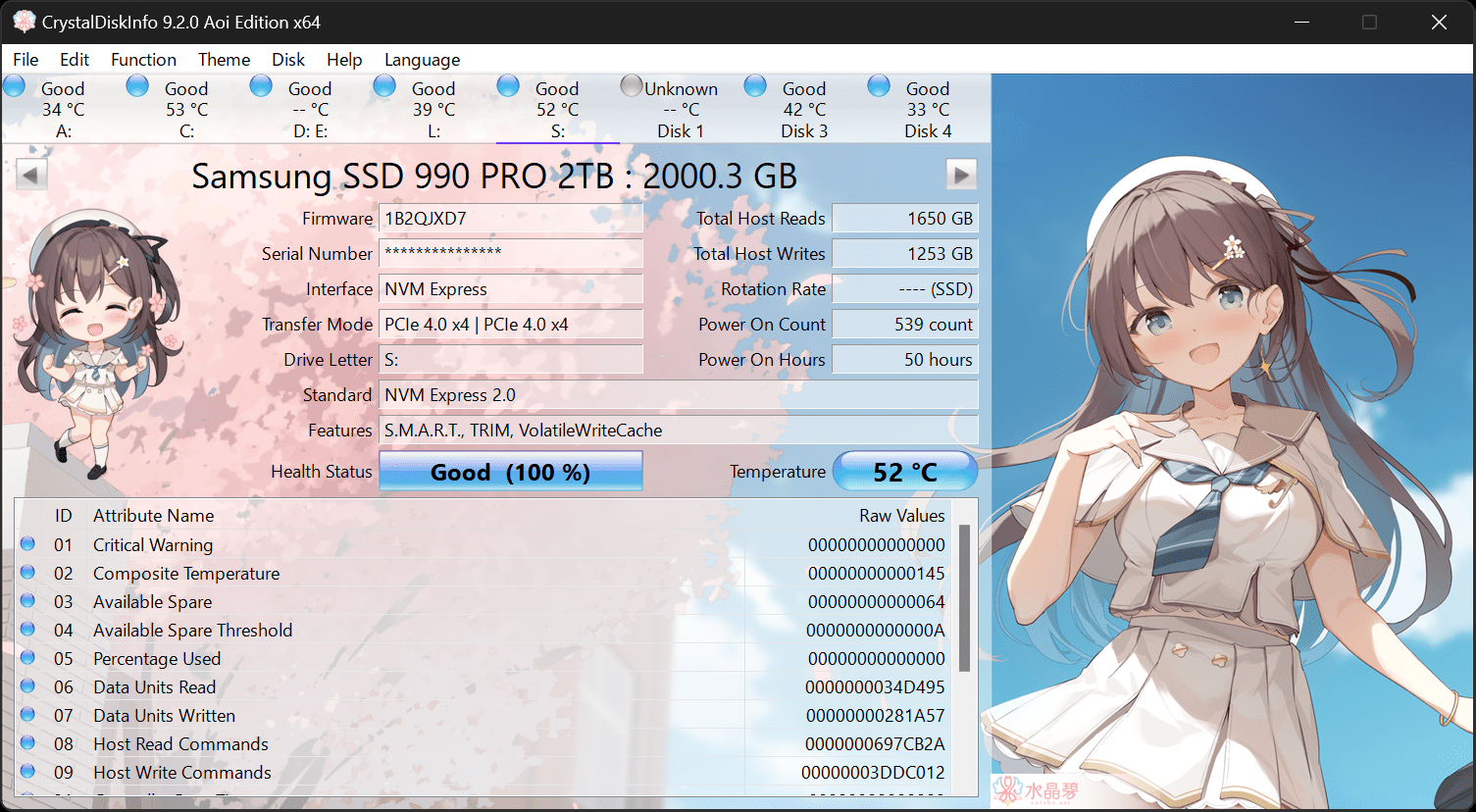
Run: Crystal Disk: (all drives)
 

My Computer

System One

  • OS
    Windows 10
    Computer type
    Laptop
    Manufacturer/Model
    HP
    CPU
    Intel(R) Core(TM) i7-4800MQ CPU @ 2.70GHz
    Motherboard
    Product : 190A Version : KBC Version 94.56
    Memory
    16 GB Total: Manufacturer : Samsung MemoryType : DDR3 FormFactor : SODIMM Capacity : 8GB Speed : 1600
    Graphics Card(s)
    NVIDIA Quadro K3100M; Intel(R) HD Graphics 4600
    Sound Card
    IDT High Definition Audio CODEC; PNP Device ID HDAUDIO\FUNC_01&VEN_111D&DEV_76E0
    Hard Drives
    Model Hitachi HTS727575A9E364
    Antivirus
    Microsoft Defender
    Other Info
    Mobile Workstation
When available post WDC drive testing results.

For this drive: WDC WD10EZEX-21M2NA0

Rerun HD Sentinel > post images or share links instead of a text report

Run: Crystal Disk: (all drives)
I actually did away with this drive. It was just a Hard Drive and was not being utilized so I did away with it
 

My Computer

System One

  • OS
    Windows 11
    Computer type
    PC/Desktop
    CPU
    AMD Ryzen 7 5700G
    Motherboard
    MAG B550 MAX WIFI
    Memory
    32Gbs
    Graphics Card(s)
    AMD Radeon RX 6800
    Monitor(s) Displays
    2
    Screen Resolution
    1920x1080
    PSU
    MAG A750GL
Were you planning to run WDV?
 

My Computer

System One

  • OS
    Windows 10
    Computer type
    Laptop
    Manufacturer/Model
    HP
    CPU
    Intel(R) Core(TM) i7-4800MQ CPU @ 2.70GHz
    Motherboard
    Product : 190A Version : KBC Version 94.56
    Memory
    16 GB Total: Manufacturer : Samsung MemoryType : DDR3 FormFactor : SODIMM Capacity : 8GB Speed : 1600
    Graphics Card(s)
    NVIDIA Quadro K3100M; Intel(R) HD Graphics 4600
    Sound Card
    IDT High Definition Audio CODEC; PNP Device ID HDAUDIO\FUNC_01&VEN_111D&DEV_76E0
    Hard Drives
    Model Hitachi HTS727575A9E364
    Antivirus
    Microsoft Defender
    Other Info
    Mobile Workstation

Attachments

My Computer

System One

  • OS
    Windows 11
    Computer type
    PC/Desktop
    CPU
    AMD Ryzen 7 5700G
    Motherboard
    MAG B550 MAX WIFI
    Memory
    32Gbs
    Graphics Card(s)
    AMD Radeon RX 6800
    Monitor(s) Displays
    2
    Screen Resolution
    1920x1080
    PSU
    MAG A750GL
If possible please copy and paste querysettings results to notepad > post a share link


Please restart WDV with these groups of customized tests:


Group a:
Code:
    [ ] 0x02000000 Code integrity checks.
    [ ] 0x00020000 DDI compliance checking.
    [ ] 0x00080000 DDI compliance checking (additional).
    [ ] 0x00008000 Power framework delay fuzzing.
    [ ] 0x00010000 Port/miniport interface checking.
    [ ] 0x00000080 DMA checking.
    [ ] 0x00000100 Security checks.


Group b:
Code:
    [ ] 0x00000010 I/O verification.
    [ ] 0x01000000 VM switch verification.
    [ ] 0x00000200 Force pending I/O requests.
    [ ] 0x00000400 IRP logging.
    [ ] 0x00002000 Invariant MDL checking for stack.
    [ ] 0x00004000 Invariant MDL checking for driver.
    [ ] 0x00000020 Deadlock detection.


Group c:
Code:
    [ ] 0x00000001 Special pool.
    [ ] 0x00000002 Force IRQL checking.
    [ ] 0x00000008 Pool tracking.
    [ ] 0x00040000 Systematic low resources simulation.
    [ ] 0x00200000 NDIS/WIFI verification.
    [ ] 0x00800000 Kernel synchronization delay fuzzing.
    [ ] 0x00000800 Miscellaneous checks.


For each group if there is no immediate BSOD then open administrative command prompt and copy and paste:

verifier /querysettings

Post a share link.


For any BSOD post a new V2 share link into the newest post.
 

My Computer

System One

  • OS
    Windows 10
    Computer type
    Laptop
    Manufacturer/Model
    HP
    CPU
    Intel(R) Core(TM) i7-4800MQ CPU @ 2.70GHz
    Motherboard
    Product : 190A Version : KBC Version 94.56
    Memory
    16 GB Total: Manufacturer : Samsung MemoryType : DDR3 FormFactor : SODIMM Capacity : 8GB Speed : 1600
    Graphics Card(s)
    NVIDIA Quadro K3100M; Intel(R) HD Graphics 4600
    Sound Card
    IDT High Definition Audio CODEC; PNP Device ID HDAUDIO\FUNC_01&VEN_111D&DEV_76E0
    Hard Drives
    Model Hitachi HTS727575A9E364
    Antivirus
    Microsoft Defender
    Other Info
    Mobile Workstation
Back
Top Bottom