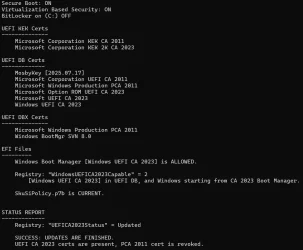
So your disk setup is exactly the situation my script needs to be concerned about. A lot of over-simplified advice for determining your EFI partition is simply take partitions marked SYSTEM (or EFI), and arbitrarily select the lowest one. That assumes your UEFI's boot order (which an user can change in the BIOS menu) goes the same ascending order as the physical drive numbering.
Without knowing your PC's history, or even what was the intent behind this setup, it's possible to pick the wrong EFI partition and update its boot manager. And we end up not fixing it for Secure Boot purposes.
The "HarddiskVolume" notation doesn't represent a physical drive, but a numbering scheme for disk volumes. Windows boots up and inventories all of the drives it sees, and all recognizable volumes (ignoring volumes which aren't Windows). Based on the arbitrary order collected by the list, Windows assigns each volume an increasing number. HarddiskVolume1 is the always lowest (or first) volume, but it might not represent the EFI you booted from. Say you have a dual-boot system, and recently booted from a higher numbered drive.
I don't provide the HarddiskVolume address as a means to identifying where the active EFI partition. But it's a working folder address. If you didn't want to mount the EFI volume before reading it (mountvol S: /s) or assign a drive letter from diskpart, then you can see the EFI's files using:
Code:
dir \\.\HarddiskVolume1\EFI\
This is a folder pathname shortcut that Windows provides. Mounting the EFI to read it might disturb something you have already done with drive letters, or confuse a tool because now the EFI has changed its mount state.
If you were given the disk and partition number of the EFI, would that make it easier to know where the boot manager lives? Not really. "mountvol /s" doesn't take any disk or partition numbers. If you're using diskpart, you can only assign drive letters to a volume so disk/partition is not always a direct mapping to the right volume.
My goal isn't to figure out all the possible EFI's to be found, or what's in them. Who knows, some of them might be "empty" of boot files or you don't want me tampering with them because they have a specific purpose for staying on that version. I'm trying to report the current boot manager's status, and gently identify where it can be found (by an accessible folder name, and not by disk/partition).


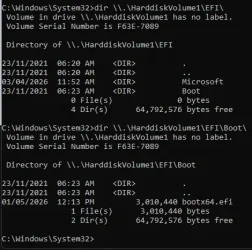
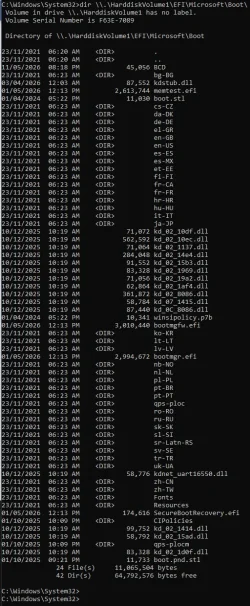
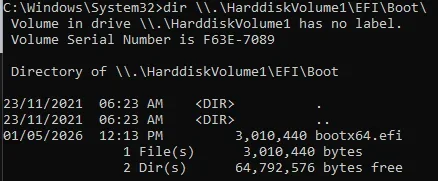



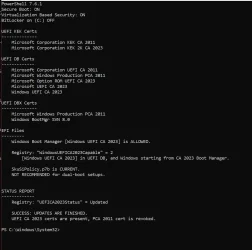
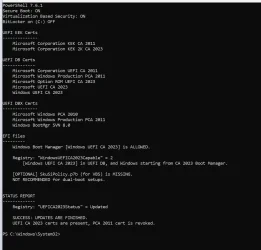

 As a special bonus, it worked just fine on my system!