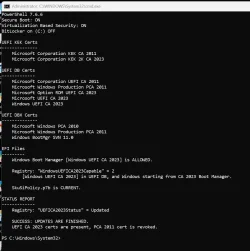
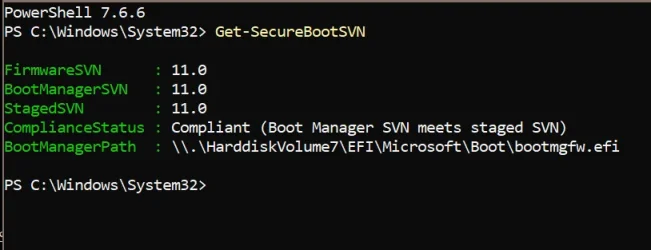
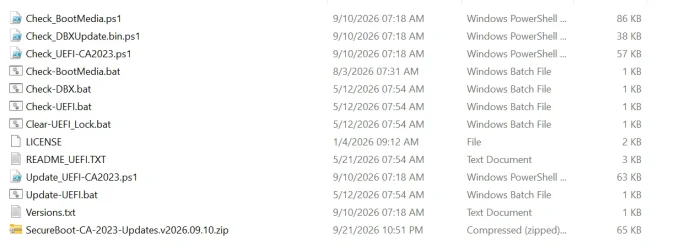
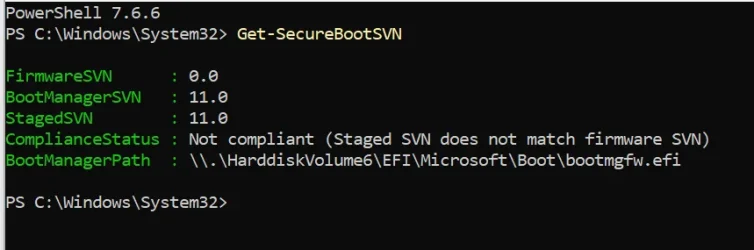
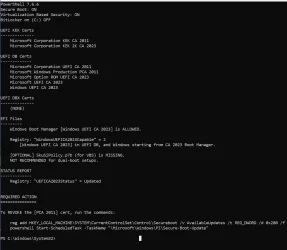
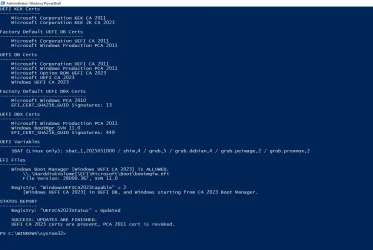
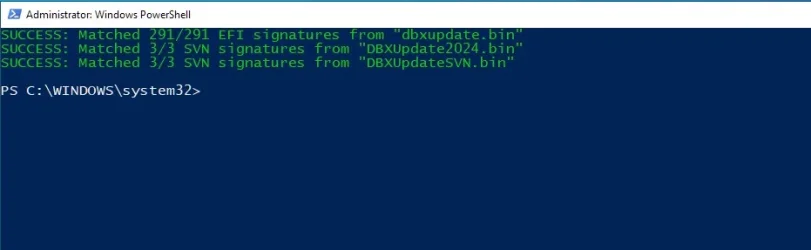
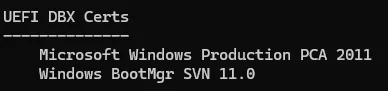
Isn't the DBX Certs the list of the ones that are no longer valid?
Just the certificates, not the SVN. That's just where it's being displayed.
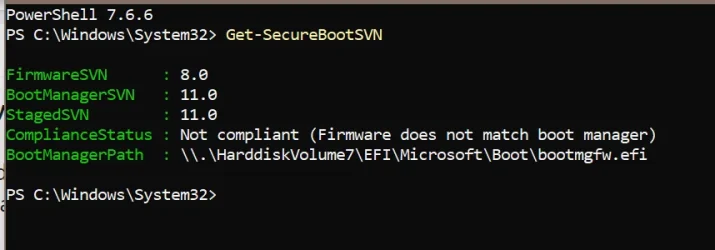
But your SVN is actually no longer valid as we're up to 11.0
My Computers
-
At a glance
Win 11 Pro 25H2 26200.9550Intel® Core™ i7-14700KG.SKILL Ripjaws S5 Series 64GB (2 x 32GB) DDR5ASUS GeForce RTX 4070 Super 12GB- OS
- Win 11 Pro 25H2 26200.9550
- Computer type
- PC/Desktop
- Manufacturer/Model
- Self Built
- CPU
- Intel® Core™ i7-14700K
- Motherboard
- ASUS TUF Z690-PLUS WIFI (BIOS 4505)
- Memory
- G.SKILL Ripjaws S5 Series 64GB (2 x 32GB) DDR5
- Graphics Card(s)
- ASUS GeForce RTX 4070 Super 12GB
- Sound Card
- Sound Blaster AE-5 Plus
- Monitor(s) Displays
- ASUS TUF Gaming 27" 2K HDR Gaming
- Screen Resolution
- 2560 x 1440
- Hard Drives
- Samsung 990 Pro 1TB NVMe (Win 11 25H2)
SK hynix P41 500GB NVMe
SK hynix P41 2TB NVMe (x3)
Crucial P3 Plus 4TB
- PSU
- Corsair RM850x Shift
- Case
- Antec Dark Phantom DP502 FLUX
- Cooling
- Corsair Nautilus 360 RS AIO
- Keyboard
- Logitech MK 320
- Mouse
- Razer Basilisk V3
- Internet Speed
- 750Mbs
- Browser
- Firefox
- Antivirus
- Winows Security
- Other Info
- MR 8.1 Home
-
At a glance
Win 11 Pro 25H2 26200.9550Intel Core i5-1140064 GB DDR4MSI GeForce RTX 3060 Ventus 2X 12GB- Operating System
- Win 11 Pro 25H2 26200.9550
- Computer type
- PC/Desktop
- Manufacturer/Model
- Self Built
- CPU
- Intel Core i5-11400
- Motherboard
- Asus TUF Gaming Z590 Plus WiFi (BIOS 2803)
- Memory
- 64 GB DDR4
- Graphics card(s)
- MSI GeForce RTX 3060 Ventus 2X 12GB
- Sound Card
- SoundBlaster Audigy Fx V2
- Monitor(s) Displays
- Samsung F27T350
- Screen Resolution
- 1920x1080
- Hard Drives
- Samsung 980 Pro 1TB
Samsung 970 EVO Plus 2TB
Samsung 870 EVO 500GB SSD
- PSU
- Corsair HX750
- Case
- Cougar MX330-G Window
- Cooling
- Thermalright Frozen Edge 240 Black AIO
- Internet Speed
- 350Mbps
- Browser
- Firefox
- Antivirus
- Windows Security
-
System Three
Win 11 Pro 25H2 26200.9550
ASUS PRIME Z370-P II BIOS 3004 7/12/21
Intel Core i7-8700 CPU @ 3.20GHz
32GB DDR4 RAM (4x8)
EVGA RTX 2060 (used)
iGPU Intel UHD Graphics 630 (backup)
Cooler Master Hyper 212
Mid-Tower Desktop