ToddeSwe
Member
- Local time
- 8:56 PM
- Posts
- 30
- OS
- Windows 11
My Computer
At a glance
Windows 11Ryzen 532RTX 4060
- OS
- Windows 11
- Computer type
- PC/Desktop
- Manufacturer/Model
- AMD
- CPU
- Ryzen 5
- Motherboard
- MSI
- Memory
- 32
- Graphics Card(s)
- RTX 4060
Follow along with the video below to see how to install our site as a web app on your home screen.
Note: This feature may not be available in some browsers.
Thank you so very much! I am getting a newer version of my calibrator and when it has arrived i will try this.Uninstall both spyder and displaycal.
Power off shutdown and restart.
In Terminal[admin],type in ---dism /online /cleanup-image /restorehealth ---and run it.
When completed,type in---sfc /scannow---and continue to run it until a clean report is given.
Decide which app is to be used for calibrating and install and run it.
If the situation is normal,then install the remaing app if needed.
You can't manually select an ICM/ICC profile in the Color Management control panel?Hi!
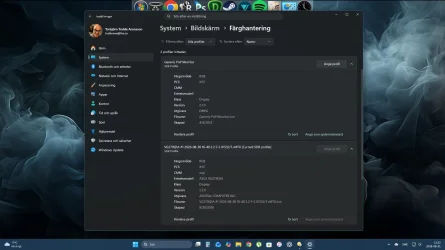
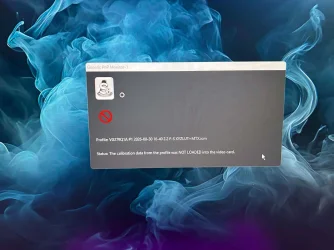
Suddenly my win 11 wont load my calibrate profile shown i the screendump. Why and how can i fix it?
I use an older calibrate Spyder 3 or something and software displaycal. It has worked all the time eccept for a week or so...
I can select it but not set as default, but npw when i looked the calibrated one is gone as well.You can't manually select an ICM/ICC profile in the Color Management control panel?
I'm not following this very well.I can select it but not set as default, but npw when i looked the calibrated one is gone as well.![]()
I can select it but not set as default, but npw when i looked the calibrated one is gone as well.
I'm not following this very well.
ICC and ICM profiles are saved in C:\Windows\System32\spool\drivers\color.
You should be able to load any of those using the Color Management control panel. And set a loaded one as default. If you can't do that, I have no idea why.
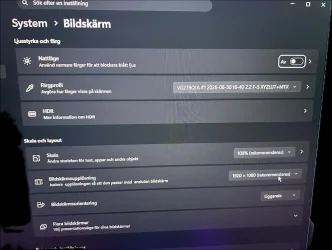
Warning: Win11 Automatic Color Management forces the monitor gamut to be set to something like sRGB if it is enabled. I disable it to run DisplayCal/Argyll CMS. (My monitor is an OLED, with a wider gamut than sRGB.)
I will be back when and if the new one is making this problems as well. Should be somewhere after the 12 of septemper.System > Display > Colour management
Colour management Automatically manage colour for apps should be off.
Go to Colour Calibration > Display colour > Calibrate display, that will make a profile for test purposes, you can remove it later if you wish.
It maybe labelled something like:
"sRGB display profile with display hardware configuration data derived from calibration (1)"
You should be able to apply & see immediately on using the Set profile button.
Once the Set profile has been selected, Set as system default is greyed out.
The purpose of the test is that you have a working reference profile
Maybe the one you are deriving from your application is somehow not quite right.
I don't understand.No i can't set it as default. But now it has been selected at startup for a whole 24 hours or a couple of reboots and restarts. As i said before i'm expecting a newer calibrator and when it arrives i will remove everything i have done with the old one i have and give the new one a go.
Thanks for your interest in my problem.