@Trebo58
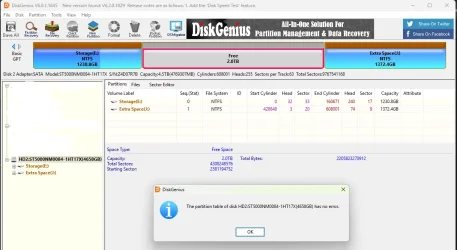
The DiskGenius Screenshot you put out in post#65 is nothing different than what is shown in Disk Management. The middle partiton is shown as free. Please right click on the middle partition and in the popup menu click on
Recover Lost files and it should scan the partition and try to find out. I hadn't used DiskGenius anytime. Check what happens when you try to Recover the files and report. Wait for any further instructions from
@SIW2 .
As for GetDataBack recommended by
@spapakons: I had always used freeware TestDisk to recover data in these forums. Where TestDisk cannot repair a file system corruption ( Yes, if TestDisk finds the Master File Table is corrupt. it will try to repair and in 90% of the cases it will fail to repair MFT), TestDisk Author Christophe Grenier himself recommends using Commercial Software GetDataBack and/or Active@file recovery in such cases This did happen in a few cases and we had redirected them to these commercial softwares
If you prefer to go directly to these software , you can jollywell try these. These are "Try before you buy" software. You can install these software and try to recover the data,If it shows your data, you can even open the files and check the file Integrity. If you are saisfied you can buy the licence to copy the files.
GetDataaback
GetDataBack — Data Recovery Software for Failed Hard Drives USD 79
Active@ File Recovery Free demo
Active@ File Recovery: download evaluation version for free Standard Personal USD 29.95