How do I get old-style file explorer back


smoketoxdoc

Well-known member
Member
Local time
5:05 AM
Posts
58
OS
Windows 11
I generally run all my PC's on Linux, but I have several that are dual-boot with Win 11, so I can give clients real PowerPoint pptx files instead of pptx files made in LibreOffice.

I had to download data files from a commercial backup service I use for a PowerPoint presentation I will give in a few days. When I went to find the downloaded ZIP files where I would normally find them in File Explorer, they were not there is the Gallery view that File Explorer gave me. Instead, I had to search for *.zip to find them.

What do I need to do to get File Explorer back so where it was several months ago?

Thank you,

John
 
Windows Build/Version
Edition Windows 11 Pro Version 24H2 Installed on ‎3/‎17/‎2024 OS build 26080.1 Experience Windows Feature Experience Pack 1000.26100.1.0

My Computers My Computers

  • At a glance

    Windows 1132 gbNVidia
    OS
    Windows 11
    Computer type
    Laptop
    Manufacturer/Model
    Dell Precision 7720
    Memory
    32 gb
    Graphics Card(s)
    NVidia
    Monitor(s) Displays
    built on
    Screen Resolution
    1920 x 1080
    Browser
    Edge
    Other Info
    This is stock Dell 7720. Only thing not stock is that it is dual boot with Ubuntu Unity 25.04 and SSD has two exFAT partitions for my files. They can be accessed by both Ubuntu and Win software.
  • At a glance

    Windows 11AM D RYZEN 700032 GBAMD RADEON
    Operating System
    Windows 11
    Computer type
    Laptop
    Manufacturer/Model
    HP Laptop 17-cp3005dx
    CPU
    AM D RYZEN 7000
    Motherboard
    don't know
    Memory
    32 GB
    Graphics card(s)
    AMD RADEON
    Sound Card
    don't know
    Monitor(s) Displays
    built in on laptop
    Screen Resolution
    1920 x 1080
    Browser
    firefox
    Other Info
    Running most everything I need under WSL2 including EVOLUTION, LIBREOFFICE, NEMIO, PDFSTUDIO PRO 2024.
  • too many to list and all old or were purchased used
Disable "Show more options" context menu in Windows 11 Tutorial after that
Then in File (Windows) Explorer go to the Toolbar to View and click Show. put a check next to Navigation Pane. This will show the User folders (ie) Downloads, Documents etc in the Left Pane. Clicking the Downloads folder should show you your downloads.
 

My Computer My Computer

At a glance

Windows 11 Pro Insider 64 bit 25H2 26200.5742Intel Core i7 9700K 3.6016 GBnVidia GEForce RTX 2060 Super
OS
Windows 11 Pro Insider 64 bit 25H2 26200.5742
Computer type
PC/Desktop
Manufacturer/Model
Gigabyte Z390 UD
CPU
Intel Core i7 9700K 3.60
Motherboard
Gigabyte Z390 UD
Memory
16 GB
Graphics Card(s)
nVidia GEForce RTX 2060 Super
Sound Card
onboard
Monitor(s) Displays
Two 27" Dell 4K monitors
Screen Resolution
3840 x 2160
Hard Drives
M.2 NVME SSD, 500 GB; Two 2TB Mechanical HDD's
PSU
850w PSU
Case
Cyberpower PC
Cooling
Water cooled
Keyboard
Backlit Cyberpower gaming keyboard
Mouse
Backlit Cyberpower gaming mouse
Internet Speed
1 GB mbps
Browser
Brave
Antivirus
Windows Security

My Computer My Computer

At a glance

Windows 11 ProCore i7-13700K64 GB Kingston Fury Beast DDR5Gigabyte GeForce RTX 2060 Super Gaming OC 8G
OS
Windows 11 Pro
Computer type
PC/Desktop
Manufacturer/Model
Self build
CPU
Core i7-13700K
Motherboard
Asus TUF Gaming Plus WiFi Z790
Memory
64 GB Kingston Fury Beast DDR5
Graphics Card(s)
Gigabyte GeForce RTX 2060 Super Gaming OC 8G
Sound Card
Realtek S1200A
Monitor(s) Displays
Viewsonic VP2770 & Dell (secondary)
Screen Resolution
2560 x 1440
Hard Drives
Kingston KC3000 2TB NVME SSD & SATA HDDs & SSD
PSU
EVGA SuperNova G2 850W
Case
Nanoxia Deep Silence 1
Cooling
Noctua NH-D14
Keyboard
Microsoft Digital Media Pro
Mouse
Logitech Wireless
Internet Speed
80 Mb / s
Browser
Chrome
Antivirus
Defender, Malwarebytes Free & AdwCleaner
What do I need to do to get File Explorer back so where it was several months ago?
Currently, only the WindHawk mod will give you the Windows 11 pre-App SDK Explorer. However, I do not recommend that mod because your Explorer toolbar may sometimes not display or just be a black bar, depending on other software that it's installed or how Explorer is launched.

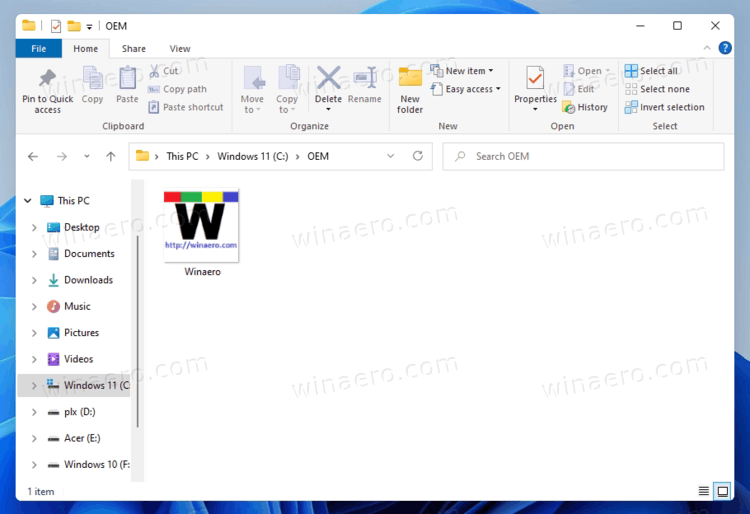
There are several ways to switch to the Windows 10 Explorer. The link to the registry settings to do that were previously posted and my SwitchExplorer tool applies (or removes) the same registry settings in a more convenient way (a single portable Exe).
 

My Computer My Computer

At a glance

Windows 10/11
OS
Windows 10/11
Computer type
Laptop
Manufacturer/Model
Acer
Allot of us use (bought) StartAllBack. As far as I know, I haven't had anything changed since I got it.
I bought it because of the missing top taskbar. You can use it to get back what you are looking for.
It costs $5.00.


My Computers My Computers

  • At a glance

    windows 11 22631.5039Core i9 12th gen 12900HK 2.9 MHz (overcloked:...32 Gigs DDR5-4800nVidia RTX 3070 Ti / 8 Gigs DDR6
    OS
    windows 11 22631.5039
    Computer type
    Laptop
    Manufacturer/Model
    MSI Raider GE76
    CPU
    Core i9 12th gen 12900HK 2.9 MHz (overcloked: 3890.48)
    Motherboard
    MSI
    Memory
    32 Gigs DDR5-4800
    Graphics Card(s)
    nVidia RTX 3070 Ti / 8 Gigs DDR6
    Sound Card
    DYNAUDIO - Steelsries Arena 7- Sound Effects by Nahimic 3
    Monitor(s) Displays
    17.3" 1920 x 1080 360 Hz 3 ms, IPS / Connected to MSI 32 inch curved @ 165 Hz
    Screen Resolution
    1920 x 1080 / Both
    Hard Drives
    Samsung 990 Pro 2TB (OS) - Solidigm P41 2TB (Storage)
    PSU
    280 watts
    Case
    MSI GE series
    Cooling
    internal
    Keyboard
    Steelseries
    Mouse
    G903 Lightspeed
    Internet Speed
    1000 Mbps
    Browser
    Firefox / Opera GX- Do not like Edge
    Antivirus
    Malwarebytes'
    Other Info
    just ask.
  • At a glance

    Windows 10 22H2Intel Core i7 7820HK 2.9 Ghz16 Gigs DDR4 2400 MhznVidia 1070 8GB RAM
    Operating System
    Windows 10 22H2
    Computer type
    Laptop
    Manufacturer/Model
    MSI GT73 7RE VR Titan
    CPU
    Intel Core i7 7820HK 2.9 Ghz
    Motherboard
    MSI
    Memory
    16 Gigs DDR4 2400 Mhz
    Graphics card(s)
    nVidia 1070 8GB RAM
    Sound Card
    DYNAUDIO / Nahimic 2
    Monitor(s) Displays
    IPS / 120HZ
    Screen Resolution
    1920x1080P
    Hard Drives
    Samsung NVME EVO 970 1TB / Samsung SSD (SATA) 1TB
    PSU
    240 watts
    Case
    MSI
    Cooling
    Internal
    Keyboard
    Steelseries
    Mouse
    Logitech G903 Lightspeed
    Internet Speed
    1 Gb/s
    Browser
    Firefox / Vivaldi
    Antivirus
    MalwareBytes'
    Other Info
    none.
Allot of us use (bought) StartAllBack. As far as I know, I haven't had anything changed since I got it.
I bought it because of the missing top taskbar. You can use it to get back what you are looking for.
If @smoketoxdoc wants the Explorer from "several months ago", StartAllBack won't do that. But it can give you the Windows 10 Explorer with Windows 11 style icons (and lots of other cool stuff).
 

My Computer My Computer

At a glance

Windows 10/11
OS
Windows 10/11
Computer type
Laptop
Manufacturer/Model
Acer

new release can permanently enable FE with ribbon.

heres the reg mod to do so:

 
Last edited:

My Computer My Computer

At a glance

Windows 11 Pro
OS
Windows 11 Pro

new release can permanently enable FE with ribbon.
The registry settings applied by Winaero Tweaker 1.63 are missing the change to make the old FE remember its window position.
 

My Computer My Computer

At a glance

Windows 10/11
OS
Windows 10/11
Computer type
Laptop
Manufacturer/Model
Acer

Latest Support Threads

Back
Top Bottom