- Local time
- 5:30 PM
- Posts
- 72
- OS
- Windows 11 Pro 23H2 Build 22631
The interweb says
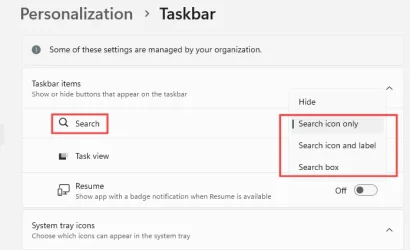
Right-click the taskbar, select Search and uncheck Show Search Highlights
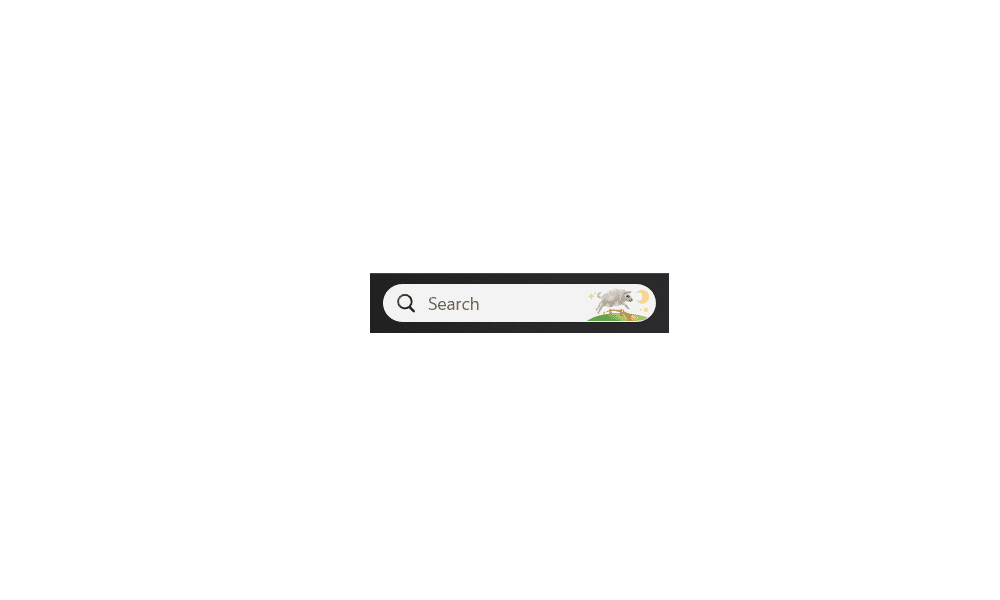
However, there isn't a 'Show Search Highlights' option (see image below).
Further research says to do the following to show this option:
Settings > Privacy & Security > Search Permissions and toggle 'Show Search
Highlights' to ON (which I've done) but it still doesn't appear when I right click the image in the search bar.
Any suggestions?!
Art
My Computers
-
At a glance
Windows 11 Pro 23H2 Build 22631AMD Ryzen 7Pro 3700U16GbRadion Vega 10 Mobile 2Gb- OS
- Windows 11 Pro 23H2 Build 22631
- Computer type
- Laptop
- Manufacturer/Model
- Lenovo ThinkPad T495s
- CPU
- AMD Ryzen 7Pro 3700U
- Memory
- 16Gb
- Graphics Card(s)
- Radion Vega 10 Mobile 2Gb
- Screen Resolution
- 1920 x 1080
- Hard Drives
- SK Hynix 2280 m.2 SSD, 512Gb or Crucial T500 m.2 SSD, 1Tb
- Internet Speed
- 380 Mbps Fibre
-
- Computer type
- PC/Desktop