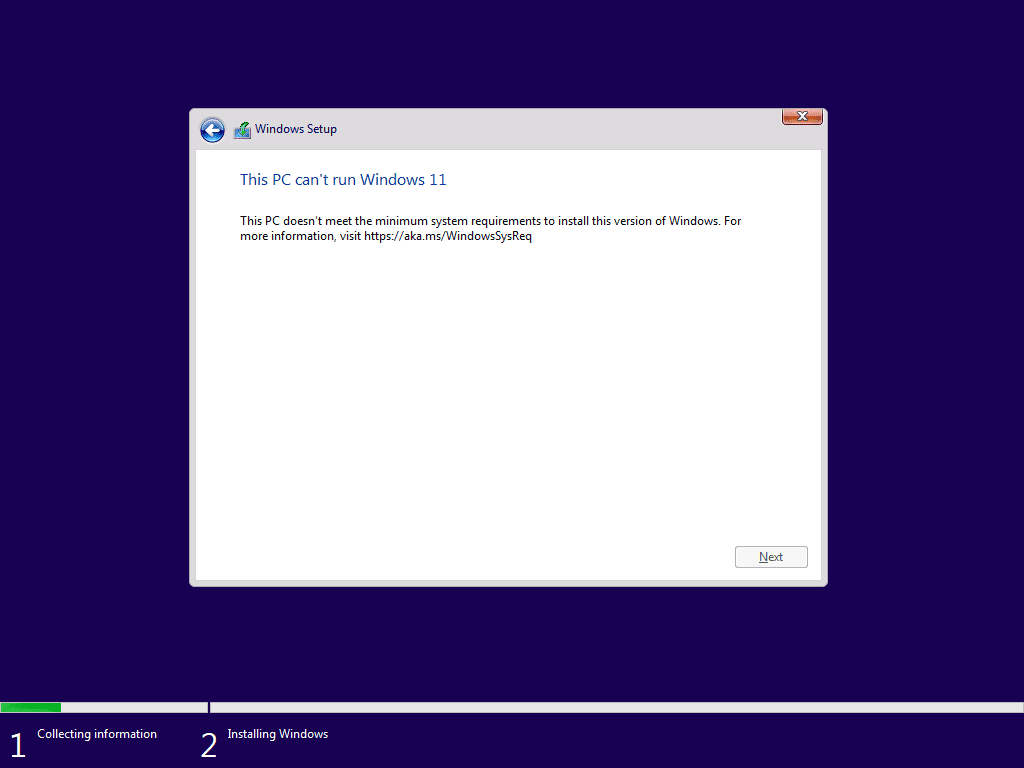
How to Bypass Windows 11 System Requirements in One Command


Win0x

Member
Member
Local time
12:55 AM
Posts
14
OS
Win11
I created this PowerShell script at work to make my life easier by bypassing Windows 11 system requirements, allowing Windows 10 to upgrade via Windows Update to the latest Windows 11 version. It also works for upgrading an unsupported Windows 11 system to a newer version.
I've tested this on multiple machines with great success. After running this script, you should also be able to upgrade using a Windows 11 ISO by running setup.exe directly.

What This Script Does​

  • Bypasses Windows 11 hardware checks, including TPM, Secure Boot, RAM, and CPU restrictions.
  • Removes Windows Update compatibility restrictions, allowing upgrades through Windows Update.
  • Disables the "System Requirements Not Met" watermark.
  • Attempts to block telemetry and compatibility scans that could revert the registry changes in future updates.
  • Targets the latest Windows 11 24H2 update

How to Use​

1. Open PowerShell as Administrator
2. Run the following command:

Powershell:
iwr -useb "https://raw.githubusercontent.com/Win11Modder/Win11-Req-Bypass/main/Win11_Bypass.ps1" | iex
3. Restart your computer

Notes​

The script also tries to prevent Windows Updates from restoring blocked registry values by disabling automatic tasks related to CompatTelRunner.exe. This should help ensure that major version upgrades continue to install normally. However, if Microsoft introduces new restrictions or makes major changes, I'll try to update the script accordingly.

For issues related to Windows Update freezes, cache problems, or failed updates, I have also added a Windows Update reset feature. This can be executed using the -r parameter:
Unfortunately, this option does not work when running the script via iwr | iex, so you must first download the script from GitHub manually.

GitHub Repository: Win11-Req-Bypass

Use at your own risk, and let me know if you run into any issues!

Feedback is appreciated!
 

My Computer My Computer

At a glance

Win11
OS
Win11
Computer type
Laptop
Is the github thing yours or are you just pinching it?
 

My Computers My Computers

  • At a glance

    Windows 11 Pro 25H2 26200.8655AMD Ryzen 7 5825U with Radeon Graphics16GB
    OS
    Windows 11 Pro 25H2 26200.8655
    Computer type
    Laptop
    Manufacturer/Model
    Acemagic LX15PRO
    CPU
    AMD Ryzen 7 5825U with Radeon Graphics
    Memory
    16GB
    Screen Resolution
    1920 x 1080
    Hard Drives
    SSD 2TB
    Internet Speed
    30 Mbps
    Browser
    Brave
    Antivirus
    Webroot Secure Anywhere
    Other Info
    System 3

    Acer Swift SF114-34 laptop
    OS Windows 11 Pro 26200.8524
    CPU Pentium Silver N6000
    RAM 4GB
    SSD Samsung 970 EVO Plus SSD 2TB (an upgrade)
  • At a glance

    Windows 11 Pro 23H2 22631.2506Atom N450 1.66GHz2GB
    Operating System
    Windows 11 Pro 23H2 22631.2506
    Computer type
    Laptop
    Manufacturer/Model
    HP Mini 210-1090NR PC (bought in late 2009!)
    CPU
    Atom N450 1.66GHz
    Memory
    2GB
    Browser
    Brave
    Antivirus
    Webroot
Might want to add to readme that if no powershell script has ever run on target machine, and is disallowed, that people run something like this first:
powershell Set-ExecutionPolicy RemoteSigned
before running the ps1 script.

Edit:
Tested the script (without -r) in an empty test vm with a fresh 23h2, that did not get offerd to update to 24h2 yet.
Without rebooting the machine, will directly find the update.
1739455783746.webp
 
Last edited:

My Computer My Computer

At a glance

Windows 11
OS
Windows 11
Computer type
PC/Desktop
Is the github thing yours or are you just pinching it?
Yes, this is my alt account. My main GitHub account is mostly work-related, and I didn’t want to mix this project with it, so I created a new account. I might post more similar projects in the future


Might want to add to readme that if no powershell script has ever run on target machine, and is disallowed, that people run something like this first:
powershell Set-ExecutionPolicy RemoteSigned
before running the ps1 script.

Edit:
Tested the script (without -r) in an empty test vm with a fresh 23h2, that did not get offerd to update to 24h2 yet.
Without rebooting the machine, will directly find the update.
View attachment 125277


Yes, goo point! I've added this to the README. However, this does not affect execution when running the script via iwr | iex, since PowerShell treats it as a direct command rather than a script file. When using iwr | iex, PowerShell doesn't check the execution policy because it processes the script in memory instead of saving it as a .ps1 file.
 

My Computer My Computer

At a glance

Win11
OS
Win11
Computer type
Laptop
Welcome to ElevenForum.

Several of your script's HW bypass reg keys are ignored (useless) in a live upgrade scenario. Those keys only apply to clean installs.

BypassTPMCheck
BypassRAMCheck
BypassSecureBootCheck
BypassCPUCheck


When WinPE Setup runs, it checks for any HW bypass keys and doesn't look at any cached compatibility data. The reason is you may be installing to a clean disk which doesn't have any Windows folder. Only the first 3 keys listed above are real, all other purported Bypass* keys are bogus.

I hope you can test a script without any of those keys, and confirm they have no effect on the upgrade process. This topic has been covered by Paul Batard (Rufus) and Michael Niehaus (OOFHours) in more detail.
 

My Computer My Computer

At a glance

Windows 7
OS
Windows 7
Did not know that! I always download the script / read it, before running it. I never run script from internet directly.

Anyway after installing on my test machines, this option is grayed out:
1739463269048.webp

I would suggest making a second ps1 script, to run after installation, to revert some of the settings back.

Powershell:
$WinUpdatePath = "HKLM:\SOFTWARE\Policies\Microsoft\Windows\WindowsUpdate"
Remove-ItemProperty -Path $WinUpdatePath -Name "ProductVersion" -Force
Remove-ItemProperty -Path $WinUpdatePath -Name "TargetReleaseVersion" -Force
Remove-ItemProperty -Path $WinUpdatePath -Name "TargetReleaseVersionInfo" -Force
Restart-Service -Name wuauserv -Force

After this, the option is back available for the users again.
 
Last edited:

My Computer My Computer

At a glance

Windows 11
OS
Windows 11
Computer type
PC/Desktop
Welcome to ElevenForum.

Several of your script's HW bypass reg keys are ignored (useless) in a live upgrade scenario. Those keys only apply to clean installs.

BypassTPMCheck
BypassRAMCheck
BypassSecureBootCheck
BypassCPUCheck


When WinPE Setup runs, it checks for any HW bypass keys and doesn't look at any cached compatibility data. The reason is you may be installing to a clean disk which doesn't have any Windows folder. Only the first 3 keys listed above are real, all other purported Bypass* keys are bogus.

I hope you can test a script without any of those keys, and confirm they have no effect on the upgrade process. This topic has been covered by Paul Batard (Rufus) and Michael Niehaus (OOFHours) in more detail.
Thanks for the information! I knew that these keys didn’t directly affect Windows Update, but I wasn’t completely sure about their impact when using setup.exe, so I decided to include them just in case. The BypassCPUCheck value is a leftover from when the LabConfig registry modifications first started circulating.

I'll remove those unnecessary keys sometime this week. If you have any links to discussions on this topic I’d really appreciate it.

Did not know that! I always download the script / read it, before running it. I never run script from internet directly.

Anyway after installing on my test machines, this option is grayed out:
View attachment 125289

I would suggest making a second ps1 script, to run after installation, to revert some of the settings back.

Powershell:
$WinUpdatePath = "HKLM:\SOFTWARE\Policies\Microsoft\Windows\WindowsUpdate"
Remove-ItemProperty -Path $WinUpdatePath -Name "ProductVersion" -Force
Remove-ItemProperty -Path $WinUpdatePath -Name "TargetReleaseVersion" -Force
Remove-ItemProperty -Path $WinUpdatePath -Name "TargetReleaseVersionInfo" -Force
Restart-Service -Name wuauserv -Force

After this, the option is back available for the users again.
Good observation! I'll update the script with a solution for this sometime this week. Setups I frequently work with, this option is usually disabled by default, so it didn’t really stand out to me as an issue.
 

My Computer My Computer

At a glance

Win11
OS
Win11
Computer type
Laptop


My Computer My Computer

At a glance

Windows 7
OS
Windows 7

My Computer My Computer

At a glance

Windows 11 ProCore i7-13700K64 GB Kingston Fury Beast DDR5Gigabyte GeForce RTX 2060 Super Gaming OC 8G
OS
Windows 11 Pro
Computer type
PC/Desktop
Manufacturer/Model
Self build
CPU
Core i7-13700K
Motherboard
Asus TUF Gaming Plus WiFi Z790
Memory
64 GB Kingston Fury Beast DDR5
Graphics Card(s)
Gigabyte GeForce RTX 2060 Super Gaming OC 8G
Sound Card
Realtek S1200A
Monitor(s) Displays
Viewsonic VP2770 & Dell (secondary)
Screen Resolution
2560 x 1440
Hard Drives
Kingston KC3000 2TB NVME SSD & SATA HDDs & SSD
PSU
EVGA SuperNova G2 850W
Case
Nanoxia Deep Silence 1
Cooling
Noctua NH-D14
Keyboard
Microsoft Digital Media Pro
Mouse
Logitech Wireless
Internet Speed
80 Mb / s
Browser
Chrome
Antivirus
Defender, Malwarebytes Free & AdwCleaner

My Computer My Computer

At a glance

Windows 11 Pro
OS
Windows 11 Pro
This one .cmd is all I ever run. Never had any computer have issues installing via iso mounted inside windows (upgrade from win 7, win 10 or from 22h2 to 24h2)

This method works but takes a different approach than mine. My script focuses on simplicity, just one command to enable the latest version upgrade through Windows Update
 

My Computer My Computer

At a glance

Win11
OS
Win11
Computer type
Laptop
Just updated the script! A few improvements based on feedback:
  • Removed unnecessary registry entries that weren’t needed for Windows Update upgrades.
  • Added an interactive menu to set, customize, or remove the Windows Update target release.
Let me know if you run into any issues or have more suggestions!
 

My Computer My Computer

At a glance

Win11
OS
Win11
Computer type
Laptop
Thank you SO much for this! I was scouring the internet looking at the various ways to upgrade my Windows 10 machine to Windows 11. I'd prefer that it be able to use Windows Update for feature updates in the future, so I'm really glad to find this.

Hopefully it still works in October 2025 as I don't plan to update from Windows 10 until they literally force me to.
 

My Computer My Computer

At a glance

Windows 10
OS
Windows 10
Computer type
PC/Desktop
Manufacturer/Model
Asrock Z170 K6+, i5-6600K, 16GB RAM
So Microsoft has just removed MORE CPUs from the officially supported Win11 compatibility list ...

So some systems running Win11 now may not be 'compatible' with Win11 24H2 going forward in the future.
 

My Computers My Computers

  • At a glance

    Win11 25H2 26200.7623Intel XEON W-2245 8c/16t128GB DDR4-2933 ECCNvidia Quadro K4200
    OS
    Win11 25H2 26200.7623
    Computer type
    PC/Desktop
    Manufacturer/Model
    Lenovo P520
    CPU
    Intel XEON W-2245 8c/16t
    Memory
    128GB DDR4-2933 ECC
    Graphics Card(s)
    Nvidia Quadro K4200
    Sound Card
    Bultin
    Monitor(s) Displays
    LCD 24in
    Screen Resolution
    1920x1200
    Hard Drives
    1TB SSD system, 16TB data 3.5in HDD, 16TB backup 3.5in HDD
    PSU
    900W
    Cooling
    Air
    Internet Speed
    1Gb
    Browser
    Firefox & Chrome
    Antivirus
    MalwareBytes
  • At a glance

    Win10 22H2Intel Core i7-3520m16GBintegrated CPU graphics
    Operating System
    Win10 22H2
    Computer type
    Laptop
    Manufacturer/Model
    Lenovo T530
    CPU
    Intel Core i7-3520m
    Memory
    16GB
    Graphics card(s)
    integrated CPU graphics
    Hard Drives
    1TB SSD
    Internet Speed
    1Gb
    Browser
    Fiefox & Chrome
    Antivirus
    Malwarebytes
So some systems running Win11 now may not be 'compatible' with Win11 24H2 going forward in the future.
Literally the 2nd paragraph says, “We should reiterate that this warning is to OEMs only, not end users or corporations.”
 

My Computer My Computer

At a glance

Windows 11 Pro 25H212th Gen Core i7-1260P64 GB Micron PC4-25600Intel Iris Xe Graphics
OS
Windows 11 Pro 25H2
Computer type
PC/Desktop
Manufacturer/Model
Intel NUC12WSHi7
CPU
12th Gen Core i7-1260P
Motherboard
NUC12WSBi7
Memory
64 GB Micron PC4-25600
Graphics Card(s)
Intel Iris Xe Graphics
Sound Card
on-board Realtek HD Audio
Monitor(s) Displays
Dell U3219Q
Screen Resolution
3840 x 2160
Hard Drives
Samsung SSD 990 PRO 1TB
Crucial MX500 2 TB
Antivirus
Microsoft Defender
Hello, I tried to run the script on a Win10 PC with both the default 24H2 release and also 23H2, but after downloading the W11 update through windows update, while installing I get an error message about my PC not being "ready" for Win11 (not exactly 100% the same message with the 2 different releases, but the result is the same).

Any ideas?

Thanks!
 

My Computer My Computer

At a glance

Win10AMD FX-835016GBNVIDIA GTX960
OS
Win10
Computer type
PC/Desktop
CPU
AMD FX-8350
Memory
16GB
Graphics Card(s)
NVIDIA GTX960
Thank you SO much for this! I was scouring the internet looking at the various ways to upgrade my Windows 10 machine to Windows 11. I'd prefer that it be able to use Windows Update for feature updates in the future, so I'm really glad to find this.

Hopefully it still works in October 2025 as I don't plan to update from Windows 10 until they literally force me to.
Thanks! I don’t think Microsoft will ever fully block these workarounds—if they were going to, they probably would have done it already. It’s already tricky enough for most regular users. The methods might change over time, but I’ll keep my script updated as needed
 

My Computer My Computer

At a glance

Win11
OS
Win11
Computer type
Laptop
Hello, I tried to run the script on a Win10 PC with both the default 24H2 release and also 23H2, but after downloading the W11 update through windows update, while installing I get an error message about my PC not being "ready" for Win11 (not exactly 100% the same message with the 2 different releases, but the result is the same).

Any ideas?

Thanks!
run the one i linked in post #10
 

My Computer My Computer

At a glance

Windows 11 Pro
OS
Windows 11 Pro
Worked great, thanks!
 

My Computer My Computer

At a glance

Win10AMD FX-835016GBNVIDIA GTX960
OS
Win10
Computer type
PC/Desktop
CPU
AMD FX-8350
Memory
16GB
Graphics Card(s)
NVIDIA GTX960
Is there a way to prevent the "What needs your attention" prompt?

My work has about 150 PCs that need to be upgraded to Windows 11 that are not technically supported but can be upgraded via this method, and it doesn't seem to get past 35% installed unless this prompt is accepted, making this task much more time-intensive.

afdsafsdfasd.webp
 

My Computer My Computer

At a glance

Windows 11
OS
Windows 11
Computer type
PC/Desktop
Back
Top Bottom