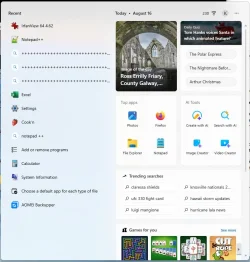
Like virtually every other computer user, I have Adobe Reader installed on my system. If I open a PDF, Windows runs it. But if I try to run it from the Start menu, I get "C:\Program Files (x86)\Adobe\Reader 10.0\Reader\AcroRd32.exe / The specified path does not exist." Indeed it does not; Adobe Reader is now at major release 26, and there isn't even a "C:\Program Files (x86)\Adobe\" folder on my machine any more.
In the past I've fixed this sort of problem by locating the program's executable and creating a shortcut to it in "C:\Users\<user>\Start Menu." But with modern Windows features and security, I can't find the executable.
It should be somewhere in "C:\Program Files\Adobe." But that folder doesn't exist either. I searched "C:\Program Files\" for Adobe and found only one folder, "C:\Program Files\Adobe DC\," which I believe is a relic that should have been deleted by an uninstaller. I searched that folder for *.exe, but found nothing that looked like it might be Adobe Reader.
Where did the Adobe Reader installer stash it?
The other half of the process is to repair the folder(s) that define the Start menu. I opened a Windows Explorer window as Administrator, went to "C:\Users\All Users\," and tried to open Start Menu. I got "Access is denied." I tried the same with Default and with Default User. "Access is denied." I tried it with my own user directory. "Access is denied." Microsoft won't let me fix errors in my own Start Menu entries any more.
I tried uninstalling and reinstalling Reader, but it didn't help.
I looked up Microsoft's support page for "Customize the Windows Start Menu." It tells me how to do stuff like pin and unpin menu items, list menu items alphabetically, and organize them in folders, but not a whisper about how to fix an error in the menu item itself. Apparently that isn't allowed.
Now what? Is there any way to fix this?
In the past I've fixed this sort of problem by locating the program's executable and creating a shortcut to it in "C:\Users\<user>\Start Menu." But with modern Windows features and security, I can't find the executable.
It should be somewhere in "C:\Program Files\Adobe." But that folder doesn't exist either. I searched "C:\Program Files\" for Adobe and found only one folder, "C:\Program Files\Adobe DC\," which I believe is a relic that should have been deleted by an uninstaller. I searched that folder for *.exe, but found nothing that looked like it might be Adobe Reader.
Where did the Adobe Reader installer stash it?
The other half of the process is to repair the folder(s) that define the Start menu. I opened a Windows Explorer window as Administrator, went to "C:\Users\All Users\," and tried to open Start Menu. I got "Access is denied." I tried the same with Default and with Default User. "Access is denied." I tried it with my own user directory. "Access is denied." Microsoft won't let me fix errors in my own Start Menu entries any more.
I tried uninstalling and reinstalling Reader, but it didn't help.
I looked up Microsoft's support page for "Customize the Windows Start Menu." It tells me how to do stuff like pin and unpin menu items, list menu items alphabetically, and organize them in folders, but not a whisper about how to fix an error in the menu item itself. Apparently that isn't allowed.
Now what? Is there any way to fix this?
- Windows Build/Version
- Windows 11 Pro
My Computer
At a glance
Windows 11i7-10875SH32 GBNVIDIA Quadro RTX 3000
- OS
- Windows 11
- Computer type
- Laptop
- Manufacturer/Model
- Dell Precision 5750
- CPU
- i7-10875SH
- Memory
- 32 GB
- Graphics Card(s)
- NVIDIA Quadro RTX 3000
- Screen Resolution
- 2x 1920x1200
- Hard Drives
- 1 TB SSD
- Browser
- Firefox