Hello,
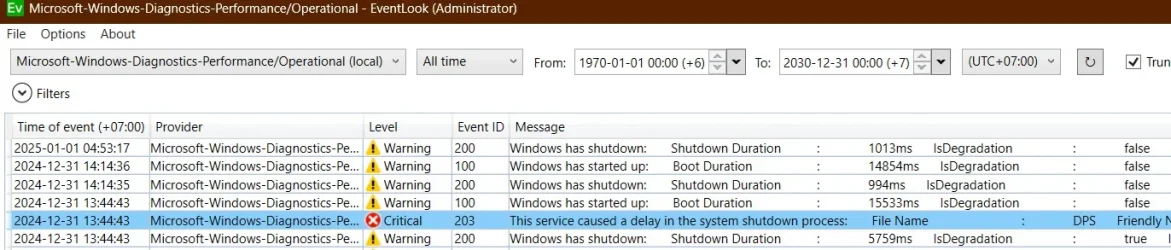
I've been running into slow shutdowns on my Lenovo laptop. It's taking over a minute (to minute and a half) to shut down and I was wondering how to speed up the process.
Years ago I to remember there was a batch file that would force quit any hanging apps (I think at the time it was a mousepad) for Windows 10 so I am wondering if there's some kind of an equivalent for Windows 11?
Any help would be most appreciated, thank you.
I've been running into slow shutdowns on my Lenovo laptop. It's taking over a minute (to minute and a half) to shut down and I was wondering how to speed up the process.
Years ago I to remember there was a batch file that would force quit any hanging apps (I think at the time it was a mousepad) for Windows 10 so I am wondering if there's some kind of an equivalent for Windows 11?
Any help would be most appreciated, thank you.
- Windows Build/Version
- Windows 11 23H2 Pro
My Computers
-
At a glance
Windows 11 Pro 25H2 build: (26200.7623)32GB- OS
- Windows 11 Pro 25H2 build: (26200.7623)
- Computer type
- Laptop
- Manufacturer/Model
- Microsoft Surface Pro
- Memory
- 32GB
-
At a glance
Microsoft 25H2 ProIntel Core Ultra 764GBIntel Integrated Graphics- Operating System
- Microsoft 25H2 Pro
- Computer type
- Laptop
- Manufacturer/Model
- Dell Pro 14 - PC14250
- CPU
- Intel Core Ultra 7
- Memory
- 64GB
- Graphics card(s)
- Intel Integrated Graphics
- Hard Drives
- Micron 1TB SSD