- Local time
- 4:51 AM
- Posts
- 4,003
- OS
- Windows 11 Home 25H2
My terminology may have added to the confusionI was guessing that Hazel was referring to system images generated by standard Windows recovery software. Which I learned this year is absolute garbage if you use it after EOL. Anyway, it was prejudiced and premature of me to assume this to be the case.
I love this guy. I've been watching his stuff off and on for a couple of years now. A fellow Canadian, eh?
 I still call it a system image whichever utility is used. However I do find it confusing these days that utilities like EaseUs call them backups rather than images - and which is why I made a mistake overwriting one "image" with a later one. I just want a full image of entire computer with everything on, rather than incremental backups. I know there are advantages to incremental backups but I just want to keep things simple. A full image and a place to store documents separately.
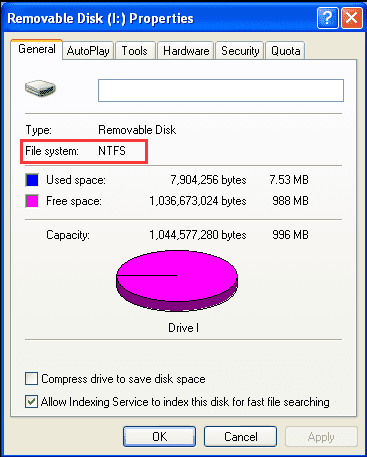
Yes it's on Windows 11You should have no trouble at all doing file backups on NTFS. Of course I'm assuming you're using Win 11.
Would the same apply to Windows 10? My other laptop is on W10. Yes I have learned this today - that you can copy and paste files to and from an NTFS external hard drive and have tried it out. My brain was stuck in a historic mode that it needed to be Fat32 or ex Fat, to save documents, photos etc. But that is only if you want to use the drive for compatibility with other operating systems.I like the idea of the NTFS (you don't lose properties of the files when copying apart from anything else) but I still find it hard to get past old habits and keeping compatibility.
Anyway I have learned something new
.A question though. Was this the case when using Windows 7 as well? That you could save documents to an external NTFS drive? I think the difference back then was - I didn't have an external usb drive and used memory cards and sticks to back up documents onto.
My Computers
-
At a glance
Windows 11 Home 25H2Core i5-1035G132gb- OS
- Windows 11 Home 25H2
- Computer type
- Laptop
- Manufacturer/Model
- HP Pavilion 14-ce3606sa
- CPU
- Core i5-1035G1
- Memory
- 32gb
- Hard Drives
- Samsung 870 evo sata ssd
- Cooling
- Could be better
- Internet Speed
- 50 mbps Starlink
- Browser
- Firefox
- Other Info
- Originally came installed with a 500gb H10 Optane ssd
-
At a glance
Windows 11 HomeIntel Core i5-1035G116gb- Operating System
- Windows 11 Home
- Computer type
- Laptop
- Manufacturer/Model
- HP Pavilion ce3606sa
- CPU
- Intel Core i5-1035G1
- Memory
- 16gb
- Hard Drives
- Hynix Gold P31 2TB
- Internet Speed
- 200mbps Starlink
- Browser
- Firefox
- Antivirus
- Defender