ScrappyWriter73
Member
- Local time
- 11:12 PM
- Posts
- 12
- OS
- 11 Home 24H2 Build 26100.1
Click on your File explorer icon.

Click on Onedrive

Right click on the folder you want to move

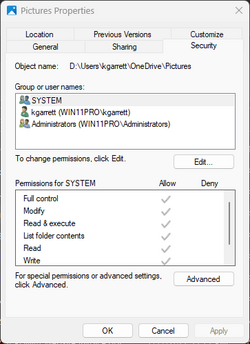
Click Properties

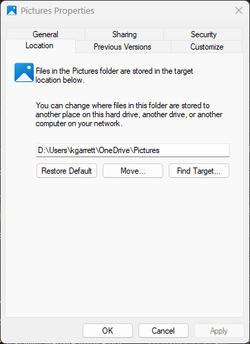
Click Location

Type %USERPROFILE%/Whatever
(Change "Whatever" to the name of the folder you want to move)

Click Apply

Click Yes

Click Yes

Now click OK.
Now your folder has been moved!
Click on Onedrive
Right click on the folder you want to move
Click Properties
Click Location
Type %USERPROFILE%/Whatever
(Change "Whatever" to the name of the folder you want to move)
Click Apply
Click Yes
Click Yes
Now click OK.
Now your folder has been moved!
My Computer
At a glance
11 Home 24H2 Build 26100.1Intel(R) Pentium(R) Silver N5030 CPU @ 1.10GHz4 GBIntel UHD Graphics 605
- OS
- 11 Home 24H2 Build 26100.1
- Computer type
- Laptop
- Manufacturer/Model
- Lenovo IdeaPad 1 14IGL7
- CPU
- Intel(R) Pentium(R) Silver N5030 CPU @ 1.10GHz
- Motherboard
- Generic
- Memory
- 4 GB
- Graphics Card(s)
- Intel UHD Graphics 605
- Monitor(s) Displays
- 1 Generic 14" Laptop Screen
- Screen Resolution
- 1366x768
- Hard Drives
- 1 SD
- PSU
- External Charger
- Case
- Normal Laptop Case
- Cooling
- None, only line vents
- Keyboard
- Built-in
- Mouse
- Touchpad or Generic mouse
- Browser
- Edge
- Antivirus
- Multiple
- Other Info
- I don't really know much more about my specs.